
вступ
This manual provides detailed instructions for the SF Chrome Analog-Digital Black Dial Men's Watch, model 77103PP01. Please read this manual carefully to ensure proper use and to maximize the lifespan of your watch. This watch features both analog and digital time displays, a stopwatch, alarm, and backlight functions, along with 100-meter water resistance.
Налаштування
1. Первинний огляд
Upon unboxing, inspect the watch for any visible damage. Ensure all buttons are functional and the display is clear.

Зображення: спереду view of the SF Chrome Analog-Digital Watch, showing both analog hands and digital display. This view highlights the watch face and overall design.
2. Налаштування аналогового часу
- Pull the crown (the knob on the right side of the watch case) out to the first click position.
- Поверніть заводну головку, щоб встановити аналогові годинну та хвилинну стрілки на потрібний час.
- Поверніть заводну головку у нормальне положення, щоб запустити аналоговий відлік часу.
3. Налаштування цифрового часу та дати
The digital display typically has multiple modes (Time, Date, Alarm, Stopwatch). Refer to the button functions in the 'Operating' section to navigate these modes.
- Press the 'MODE' button (usually bottom-left) repeatedly until the digital time display starts flashing, indicating it's in setting mode.
- Use the 'ADJUST' button (usually top-left) to cycle through the settings (seconds, hour, minute, year, month, day).
- Use the 'SET' or 'START/STOP' button (usually top-right or bottom-right) to increase or decrease the flashing value.
- Once all settings are correct, press the 'MODE' button again to exit the setting mode.
Операційна
Функції кнопок

Зображення: Збоку view of the SF Chrome Analog-Digital Watch, clearly showing the various control buttons on the watch case. These buttons are used for mode selection and adjustments.
- Кнопка РЕЖИМУ (внизу ліворуч): Cycles through different digital display modes (Time, Alarm, Stopwatch, Date). Also used to confirm settings.
- ADJUST Button (Top-Left): Used to select items to be adjusted in setting mode.
- START/STOP Button (Top-Right): Used to increase values during setting, start/stop the stopwatch, or turn the alarm on/off.
- Кнопка ОСВІТЛЕННЯ (внизу праворуч): Активує підсвічування цифрового дисплея.
Використання секундоміра
- Press the MODE button until the stopwatch display appears (usually '00:00:00').
- Натисніть кнопку ПУСК/СТОП, щоб розпочати відлік часу.
- Press the START/STOP button again to pause the timing.
- To resume, press START/STOP again.
- To reset the stopwatch to zero, press the ADJUST button while the stopwatch is paused.
Встановлення та використання сигналізації
- Press the MODE button until the alarm display appears (e.g., 'AL 12:00').
- Press the ADJUST button to select the hour or minute to set.
- Use the START/STOP button to adjust the hour or minute.
- Press the MODE button to exit alarm setting.
- To turn the alarm on or off, press the START/STOP button while in the alarm display mode. An alarm icon will typically appear when activated.
Використання підсвічування
Press the LIGHT button (bottom-right) to illuminate the digital display for a few seconds, allowing visibility in low-light conditions.
Технічне обслуговування
Чищення годинника
Регулярно протирайте корпус і ремінець годинника м’якою сухою тканиною. Для стійкого бруду злегкаamp можна використовувати тканину, а потім негайно висушити. Уникайте використання хімічних засобів для чищення, оскільки вони можуть пошкодити покриття годинника або ущільнювачі.
Водонепроникність
This watch is water resistant up to 100 meters. This means it is suitable for swimming and snorkeling, but not for scuba diving. Do not operate any buttons while the watch is submerged in water. Ensure the crown is fully pushed in before exposing the watch to water.

Зображення: Спина view of the SF Chrome Analog-Digital Watch, showing the stainless steel case back with engravings for water resistance (WR100M) and model number. This area is crucial for understanding the watch's durability and specifications.
Заміна батареї
When the digital display becomes dim or the watch stops functioning, the battery may need replacement. Battery replacement should be performed by a qualified watch technician to ensure the water resistance seal is properly maintained.
Зберігання
When not in use, store your watch in a cool, dry place away from direct sunlight and extreme temperatures. The original packaging can be used for safe storage.
Усунення несправностей
- Аналогові стрілки не рухаються: Перевірте, чи заводна головка повністю втиснута. Якщо так, можливо, батарейка розряджена.
- Цифровий дисплей порожній або тьмяний: Можливо, батарея розряджена або розряджена. Замініть батарею.
- Digital time is incorrect: Re-enter the digital time setting mode and adjust the time as per the 'Setup' section.
- Сигналізація не звучить: Ensure the alarm function is activated (check for the alarm icon on the display). Verify the alarm time is set correctly.
- Вода всередині годинника: Immediately take the watch to a professional watch repair service. Do not attempt to open the watch yourself, as this will void the warranty and likely cause further damage.
Технічні характеристики
| Особливість | Специфікація |
|---|---|
| Номер моделі | 77103PP01 |
| Тип дисплея | Аналого-цифровий |
| Тип руху | Кварц |
| Матеріал корпусу | пластик |
| Діаметр корпусу | 54.5 міліметрів |
| Товщина корпусу | 16 міліметрів |
| Тип матеріалу стрічки | Синтетичний |
| Колір стрічки | Синій |
| Ширина стрічки | 27 міліметрів |
| Матеріал скла циферблата | Акрилові |
| Глибина водонепроникності | 100 метрів |
| Вага товару | 120 г |
| Виробник | ТОВ «Титан Компані» |
Гарантія та підтримка
This SF watch is covered by a manufacturer's warranty against defects in materials and workmanship. The specific terms and duration of the warranty may vary by region and purchase date. Please refer to the warranty card included with your purchase or contact SF customer support for detailed information.
For technical assistance, service, or warranty claims, please contact the authorized service center or the retailer from whom you purchased the watch. Keep your proof of purchase for warranty validation.
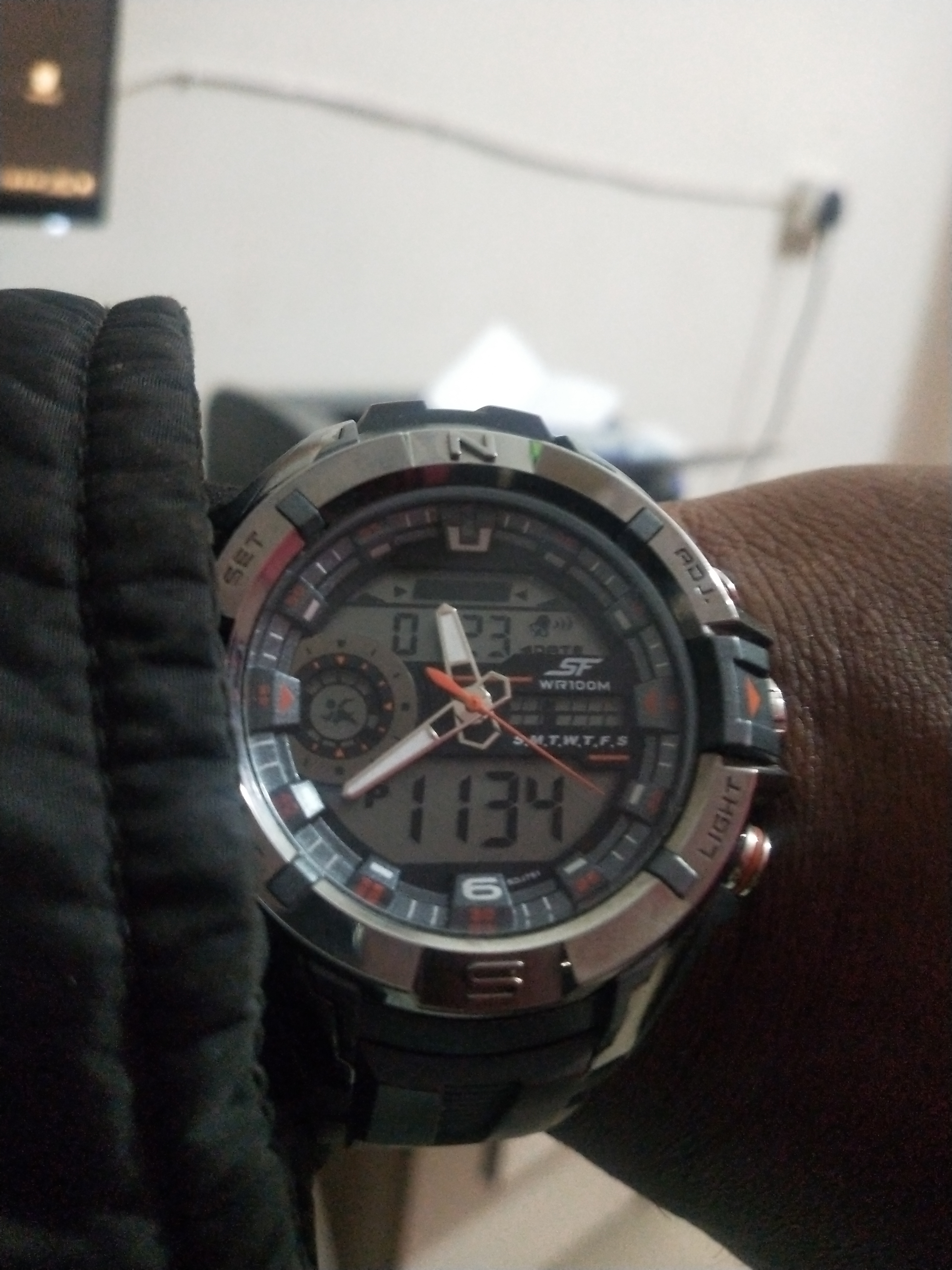
Image: Product packaging for the SF watch, featuring the brand logo and additional product information. This packaging often contains warranty details and user guides.