
вступ
The Edimax EdiGreen Airbox AI-1001W V3 is a smart wireless air quality detector designed to monitor indoor air conditions. It accurately measures PM2.5 levels, temperature, and humidity, providing real-time data and historical trends through the EdiGreen mobile application. This manual provides instructions for setting up, operating, maintaining, and troubleshooting your device.
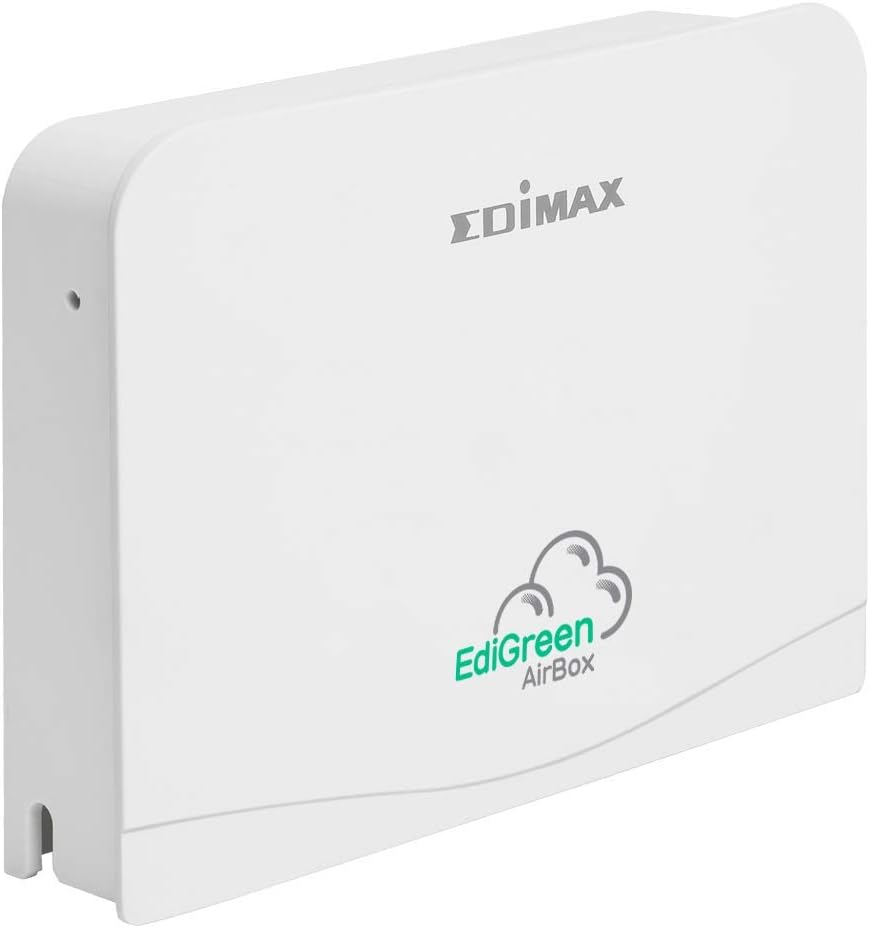
Малюнок 1: Спереду view of the Edimax EdiGreen Airbox AI-1001W V3, showing the EdiGreen AirBox logo.
Налаштування
Вміст упаковки
Before proceeding with installation, ensure all items are present:
- Edimax EdiGreen Airbox AI-1001W V3 unit
- Адаптер живлення
- Mounting Bracket and Screws (if included with your model)
- Посібник із швидкого встановлення
Фізичне встановлення
The Airbox can be placed on a flat surface or mounted on a wall. For optimal readings, place the device in a central location away from direct airflow sources like vents or windows.
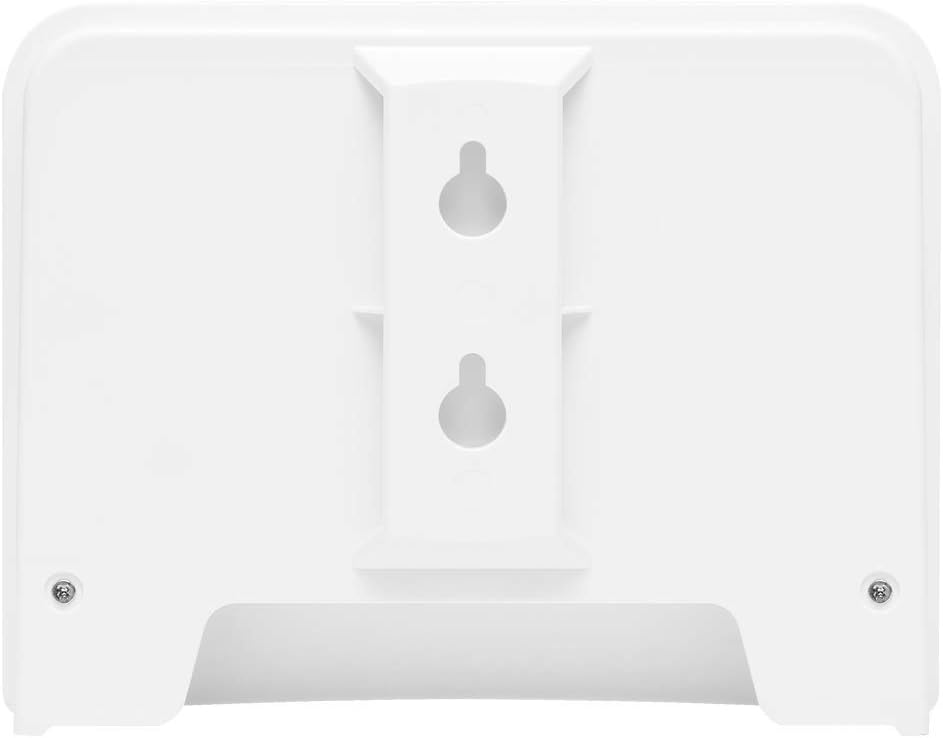
Малюнок 2: Задня частина view of the Edimax EdiGreen Airbox AI-1001W V3, illustrating keyhole slots for wall mounting.
To wall mount the device:
- Select a suitable location on a wall.
- Mark the positions for the mounting screws using the keyhole slots on the back of the device as a template.
- Просвердліть початкові отвори та за потреби вставте анкери в стіну.
- Drive screws into the wall, leaving a small gap for the device to hang.
- Align the keyhole slots with the screws and slide the device down to secure it.

Малюнок 3: Сторона view of the Airbox with an optional mounting arm, demonstrating flexible placement options.

Малюнок 4: Детально view of the adjustable mounting arm, allowing for varied installation angles.
Підключення живлення
Connect the provided power adapter to the DC input port on the back of the Airbox. Plug the adapter into a standard electrical outlet. The device will power on automatically.
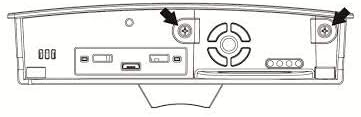
Figure 5: Line drawing of the Airbox back panel, highlighting the power input and other ports.
App Installation and Device Pairing
- Завантажити EdiGreen з Apple App Store або Google Play Store.
- Відкрийте програму та дотримуйтеся вказівок на екрані, щоб створити обліковий запис або увійти.
- Select "Add Device" and choose the EdiGreen Airbox AI-1001W V3 from the list.
- Follow the app's prompts to connect the Airbox to your Wi-Fi network. Ensure your mobile device is connected to the same 2.4GHz Wi-Fi network during setup.
- Once connected, the device will begin transmitting data to the app.
Експлуатація пристрою
Розуміння індикаторів
The EdiGreen Airbox features LED indicators that provide status information:
- Світлодіод живлення: Вказує на стан живлення.
- Світлодіод Wi-Fi: Вказує на підключення до мережі.
- Air Quality LED: Changes color based on PM2.5 levels (e.g., Green for Good, Yellow for Moderate, Red for Unhealthy). Refer to the app for specific thresholds.
Using the EdiGreen App
The EdiGreen app is the primary interface for monitoring and managing your Airbox. Through the app, you can:
- View real-time PM2.5, temperature, and humidity readings.
- Access historical data and trend graphs.
- Set custom alerts for specific air quality thresholds.
- Manage device settings and firmware updates.
For detailed app functionalities, refer to the in-app help section or the Edimax support webсайт.
Технічне обслуговування
Очищення пристрою
To ensure accurate readings and prolong the life of your Airbox, perform regular cleaning:
- Від’єднайте адаптер живлення перед чищенням.
- Протріть зовнішню частину пристрою м’якою сухою тканиною.
- Do not use liquid cleaners, aerosols, or abrasive materials, as these can damage the sensors or casing.
- Ensure the air intake and exhaust vents are free from dust accumulation. Use a soft brush or compressed air if necessary.

Малюнок 6: Внутрішній view of the Airbox, revealing the sensor module. Handle with care during any maintenance.
Інформація про акумулятор
The EdiGreen Airbox AI-1001W V3 is primarily powered by an external power adapter. While it may contain internal components that require power, it is not designed for user-replaceable batteries for primary operation. For any battery-related concerns, please contact Edimax support.
Усунення несправностей
If you encounter issues with your EdiGreen Airbox, refer to the following common problems and solutions:
| проблема | Можлива причина | Рішення |
|---|---|---|
| Пристрій не включається | Power adapter not connected or faulty outlet | Ensure power adapter is securely connected and try a different power outlet. |
| No data in EdiGreen app | No Wi-Fi connection or app issue | Check Wi-Fi LED on device. Restart device and router. Re-pair device in app if necessary. Ensure app is updated. |
| Неточні показання | Sensor obstruction or environmental factors | Clean device vents. Move device away from direct airflow, heat sources, or high humidity areas. Allow time for sensors to stabilize. |
| Часто обривається з'єднання Wi-Fi | Слабкий сигнал Wi-Fi або перешкоди | Move device closer to the Wi-Fi router. Ensure no large obstructions. Check for other devices causing interference. |
If the problem persists after attempting these solutions, please contact Edimax customer support.
Технічні характеристики
| Особливість | Деталь |
|---|---|
| Номер моделі | AI 1001W V3 |
| Бренд | Едімакс |
| Датчики | PM2.5, температура, вологість |
| Підключення | Бездротовий (Wi-Fi) |
| Джерело живлення | Battery Powered (Primary: External Power Adapter) |
| Колір | БІЛА |
| матеріал | пластик |
| Вага товару | 0.59 кілограмів (1.3 фунти) |
| Розміри упаковки | 6.8 x 4.9 x 3.5 дюймів |
| сигналізація | Audible (via app alerts) |
| UPC | 649659035034 |
| ASIN | B07ZQSWQWQ |
| Дата першої доступності | 28 жовтня 2019 р |
Інформація про гарантію
Edimax products are covered by a limited warranty. For specific warranty terms and conditions, including duration and coverage, please refer to the warranty card included with your product or visit the official Edimax webсайт. Зберігайте чек про покупку для гарантійних претензій.
Підтримка
For technical assistance, product inquiries, or further support, please visit the Edimax official support website or contact their customer service department. You can typically find contact information and FAQs on the Edimax webсайт:
- Едімакс Webсайт: www.edimax.com
- Сторінка підтримки: Refer to the support section on the Edimax webсайт для вашої конкретної моделі.