
1. Вступ
Thank you for choosing the iClever BK10 Bluetooth Keyboard. This manual provides essential information for setting up, operating, maintaining, and troubleshooting your new wireless keyboard. Please read it carefully to ensure optimal performance and longevity of your device.
Що в коробці
- Bluetooth-клавіатура iClever BK10
- Зарядний кабель USB-C
- Посібник користувача
- Protective Silicone Cover (for key protection)

Figure 1: Included items with the iClever BK10 Bluetooth Keyboard.
2. Ключові характеристики
- Sleek & Wireless Design: Constructed with stainless steel and ABS, featuring a 10-degree tilt for comfortable desktop use.
- Multi-Device & Multi-OS Compatibility: Seamlessly switch between up to 3 devices using Bluetooth 5.1 technology. Automatically recognizes and adapts to Windows, macOS, iPadOS, Android, iPhone, and Chromebooks.
- Responsive & Low-Profile Ключі: Scissor-key mechanism provides enhanced feedback, stability, and quiet typing (below 50 dB). Optimized key-travel and anti-slip tapes ensure comfort and precision.
- Compact & Efficient: Full-size layout with a standard numeric keypad. Includes hotkeys for Calculator, Fn lock, Mute, Volume up/down, and more to boost productivity.
- USB-C Rechargeable & Energy Saving: Built-in rechargeable battery offers up to 45 days of use after a 2-hour charge. Features an automatic power-saving sleep mode after 30 minutes of inactivity.
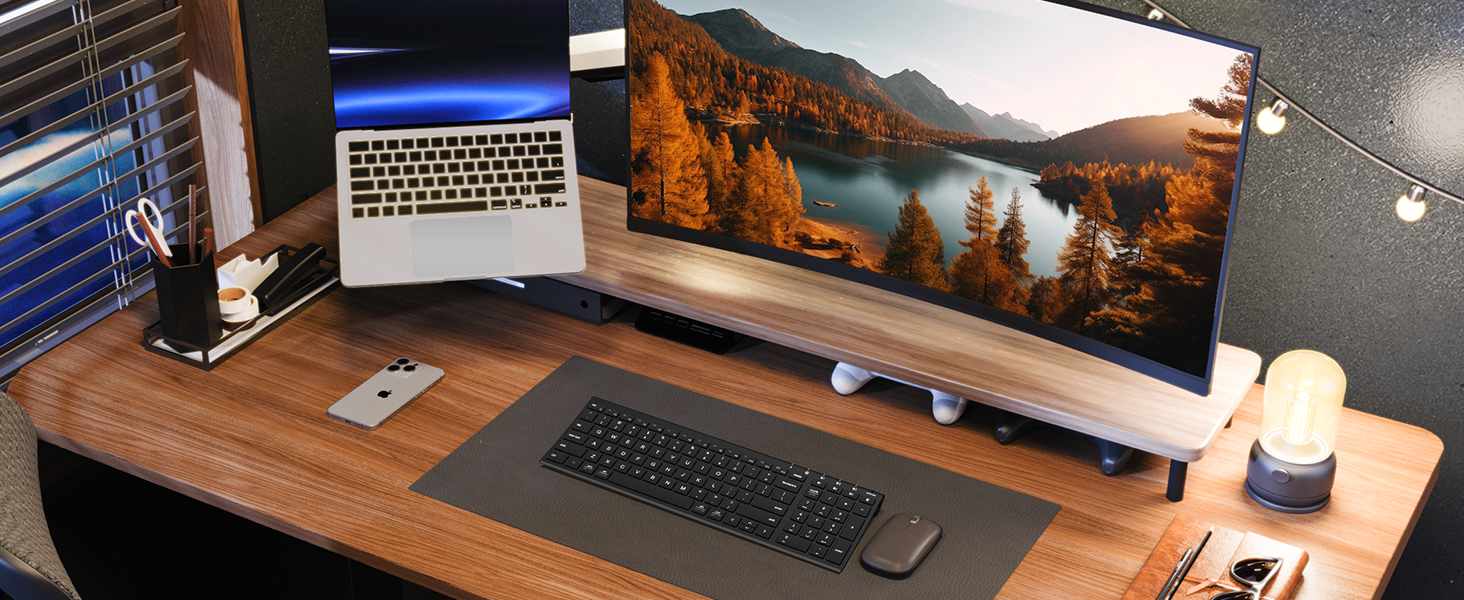
Figure 2: The sleek and wireless design of the iClever BK10 keyboard.
3. Налаштування
3.1 Заряджання клавіатури
Before initial use, fully charge the keyboard using the provided USB-C cable. Connect the USB-C end to the keyboard's charging port (located on the right side) and the USB-A end to a power source (e.g., computer USB port, USB wall adapter). The charging indicator light will illuminate during charging and turn off when fully charged.

Figure 3: USB-C charging port on the iClever BK10 keyboard.
3.2 Увімкнення/вимкнення
Locate the ON/OFF switch on the top right side of the keyboard. Slide the switch to the 'ON' position to power on the keyboard. Slide it to 'OFF' when not in use to conserve battery life.
3.3 Створення пари Bluetooth
The iClever BK10 keyboard supports pairing with up to three devices simultaneously. Follow these steps to pair your devices:
- Увімкніть клавіатуру за допомогою перемикача ON/OFF.
- Press and hold one of the Bluetooth channel keys (B1, B2, or B3) for 3-5 seconds until its indicator light starts flashing rapidly. This indicates the keyboard is in pairing mode.
- On your device (computer, tablet, smartphone), go to Bluetooth settings and search for available devices.
- Виберіть «iClever BK10» зі списку знайдених пристроїв.
- Виконайте будь-які підказки на екрані, щоб завершити процес сполучення. Індикатор на клавіатурі перестане блимати та світитиметься постійно кілька секунд, а потім згасне, що свідчить про успішне сполучення.
- Repeat these steps for up to two additional devices using the other Bluetooth channel keys (B2 and B3).

Figure 4: Multi-device connectivity of the iClever BK10 keyboard.
4. Інструкція з експлуатації
4.1 Перемикання між пристроями
To switch between paired devices, simply press the corresponding Bluetooth channel key (B1, B2, or B3) once. The keyboard will connect to the selected device automatically.
4.2 Функціональні клавіші та гарячі клавіші
The iClever BK10 keyboard features a row of function keys (F1-F12) that also serve as hotkeys for various media and system controls. To use the hotkey functions, press the 'Fn' key simultaneously with the desired function key. Some common hotkeys include:
- Fn+F1: додому
- Fn+F2: Пошук
- Fn+F3: Виберіть усі
- Fn+F4: Копія
- Fn+F5: Вставити
- Fn+F6: Вирізати
- Fn+F7: Попередній трек
- Fn+F8: Відтворення/Пауза
- Fn+F9: Наступний трек
- Fn+F10: Вимкнути звук
- Fn+F11: Зменшення гучності
- Fn+F12: Збільшення гучності
The keyboard also includes dedicated keys for Calculator, Fn lock, and a standard numeric keypad for efficient data entry.

Малюнок 5: Закінченоview of keyboard layout and multi-OS features.
4.3 Operating System Layout Recognition
The keyboard automatically recognizes different operating systems (Windows, macOS, iPadOS, Android) and adjusts its key layout accordingly. For example, the 'Win' key functions as 'Alt' on Mac, and 'Alt' functions as 'Cmd'.
5. Технічне обслуговування
5.1 Очищення
To clean your keyboard, power it off and disconnect any cables. Use a soft, lint-free cloth slightly dampened with water or a mild cleaning solution. Avoid excessive moisture and harsh chemicals. The included silicone cover can be removed and washed with mild soap and water.
5.2 Догляд за акумулятором
Щоб максимально збільшити термін служби батареї:
- Уникайте частого повного розряджання акумулятора.
- Заряджайте клавіатуру, коли індикатор заряду батареї низький.
- Зберігайте клавіатуру в прохолодному, сухому місці, якщо вона не використовується протягом тривалого часу.
- The keyboard enters a power-saving sleep mode after 30 minutes of inactivity. Press any key to wake it up.
6. Вирішення проблем
6.1 Клавіатура не підключається/не сполучається
- Переконайтеся, що клавіатура увімкнена та повністю заряджена.
- Переконайтеся, що на вашому пристрої ввімкнено Bluetooth.
- Place the keyboard within the effective range (typically 10 meters) of your device.
- If already paired, try unpairing the keyboard from your device's Bluetooth settings and then re-pairing it.
- Спробуйте перезавантажити і клавіатуру, і пристрій.
6.2 Клавіші не реагують
- Check if the keyboard is connected to the correct device (verify the active Bluetooth channel).
- Переконайтеся, що заряд батареї не критично низький.
- Clean any debris from around the affected keys.
6.3 Connectivity Issues/Lag
- Reduce interference by moving away from other wireless devices (e.g., Wi-Fi routers, cordless phones).
- Переконайтеся, що драйвери Bluetooth вашого пристрою оновлені.
- Try connecting to a different Bluetooth channel on the keyboard.
7. Технічні характеристики
| Особливість | Деталь |
|---|---|
| Номер моделі | BK10 |
| Технологія підключення | Bluetooth 5.1 |
| Сумісні пристрої | Windows laptops/desktops, MacBook/iMac, iPad/iPhone, Android tablets/phones, Chromebooks |
| Кількість клавіш | 104 |
| Тип перемикача клавіш | Ножиці-перемикач |
| Рівень шуму | <50 дБ |
| Джерело живлення | Акумуляторна батарея (USB-C) |
| Термін служби батареї | Up to 45 days (after 2 hours charging) |
| Розміри продукту (Д x Ш x В) | 14.41 см x 4.92 см x 0.63 см |
| матеріал | Акрилонітрилбутадієнстирол, алюміній |
8. Гарантія та підтримка
8.1 Інформація про гарантію
The iClever BK10 Bluetooth Keyboard comes with a Гарантія 12 місяці з дати покупки. Ця гарантія поширюється на виробничі дефекти та гарантує, що ваш продукт не матиме дефектів матеріалів та виготовлення за умов нормального використання.
8.2 Підтримка клієнтів
If you encounter any issues or have questions regarding your iClever BK10 Bluetooth Keyboard, please refer to the contact information provided in your product packaging or visit the official iClever support webсайт для допомоги.