
ELEPHAS BL128
ELEPHAS Mini Projector User Manual
Модель: BL128
1. Вступ
Thank you for choosing the ELEPHAS Mini Projector. This manual provides essential information for setting up, operating, and maintaining your projector. Please read it thoroughly before use to ensure optimal performance and longevity of the device.
The ELEPHAS Mini Projector is a compact and portable device designed for versatile entertainment and presentation needs. It supports 1080P HD resolution and offers a large projection screen size, making it suitable for both indoor and outdoor use.
2. Вміст упаковки
Будь ласка, перевірте наявність усіх предметів у упаковці:
- 1 x ELEPHAS Mini Projector
- 1 x міні-штатив
- 1 x Пульт дистанційного керування
- 1 x Посібник користувача (цей документ)
- 1 кабель HDMI
3. Продукт закінчивсяview
Familiarize yourself with the components of your ELEPHAS Mini Projector.

The ELEPHAS Mini Projector is designed to be highly portable, easily fitting in the palm of your hand.
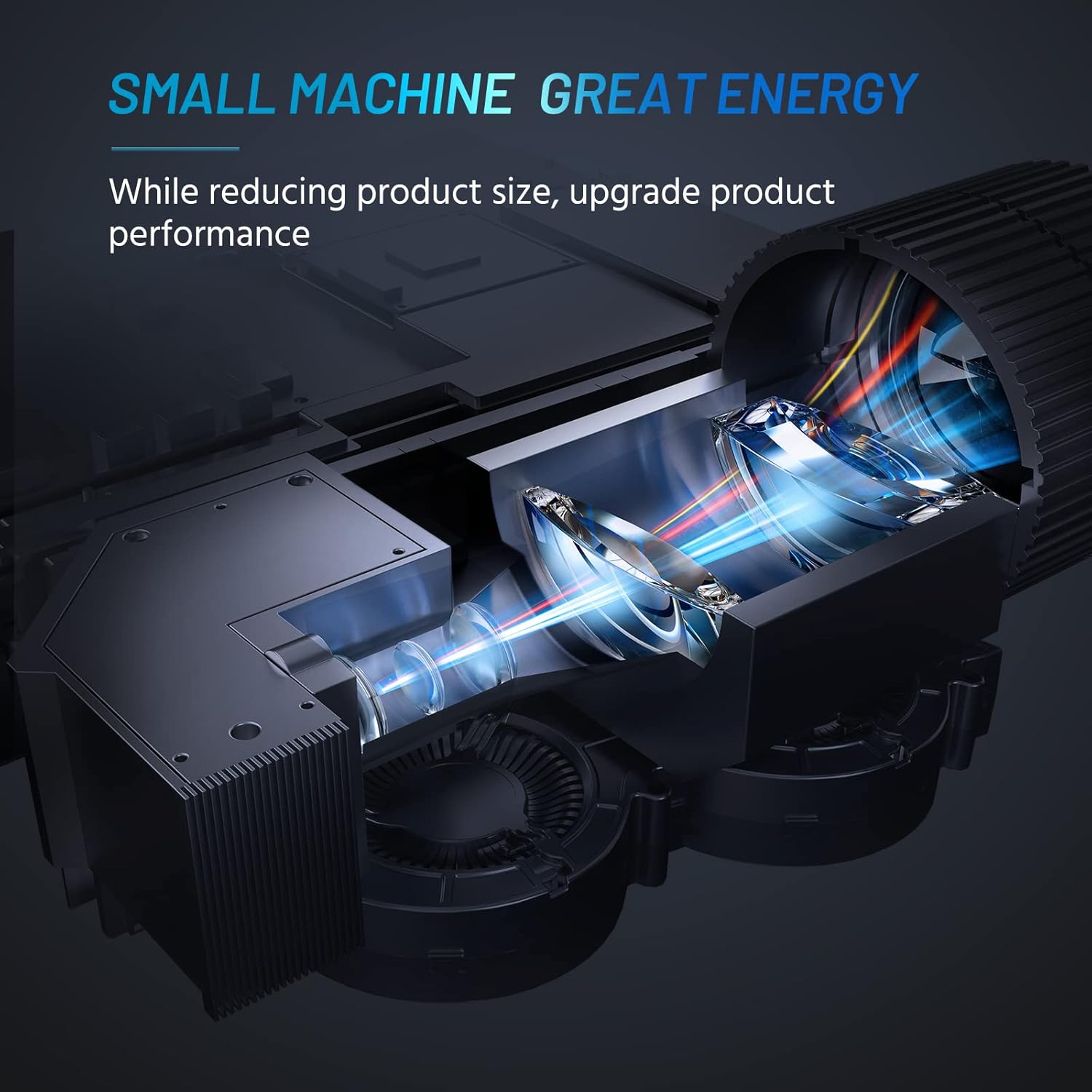
Internal design of the projector, highlighting its compact yet powerful light engine.

Детальний view of the German LED light source and emerald glass lens, designed for enhanced picture quality.
4. Налаштування
4.1 Basic Placement
Розташуйте проектор на стійкій, рівній поверхні. Для оптимального viewing, ensure the projection surface (wall or screen) is clean and smooth. The included mini tripod can be used for minor height and angle adjustments.

Various setup options for the projector, including table placement, mini tripod installation, and ceiling mount, showing potential screen sizes.
4.2 Підключення живлення
- Підключіть адаптер живлення до вхідного порту живлення проектора.
- Підключіть адаптер живлення до відповідної електричної розетки.
4.3 Підключення пристроїв
The projector supports multiple input sources. Ensure your device is powered on before connecting.
- HDMI: Connect your laptop, PC, TV Box, TV Stick, or gaming console using the provided HDMI cable.
- USB: Insert a USB flash drive for direct media playback.
- AV: Use an AV cable (not included) to connect older devices.
- Аудіо вихід: Підключіть зовнішні динаміки або навушники через 3.5-мм аудіороз'єм для покращеного звуку.
- Підключення до смартфону: For iOS/Android/Windows smartphones, a compatible HDMI adapter (e.g., Lightning to HDMI, Micro USB/Type-C to HDMI) is required and not included.
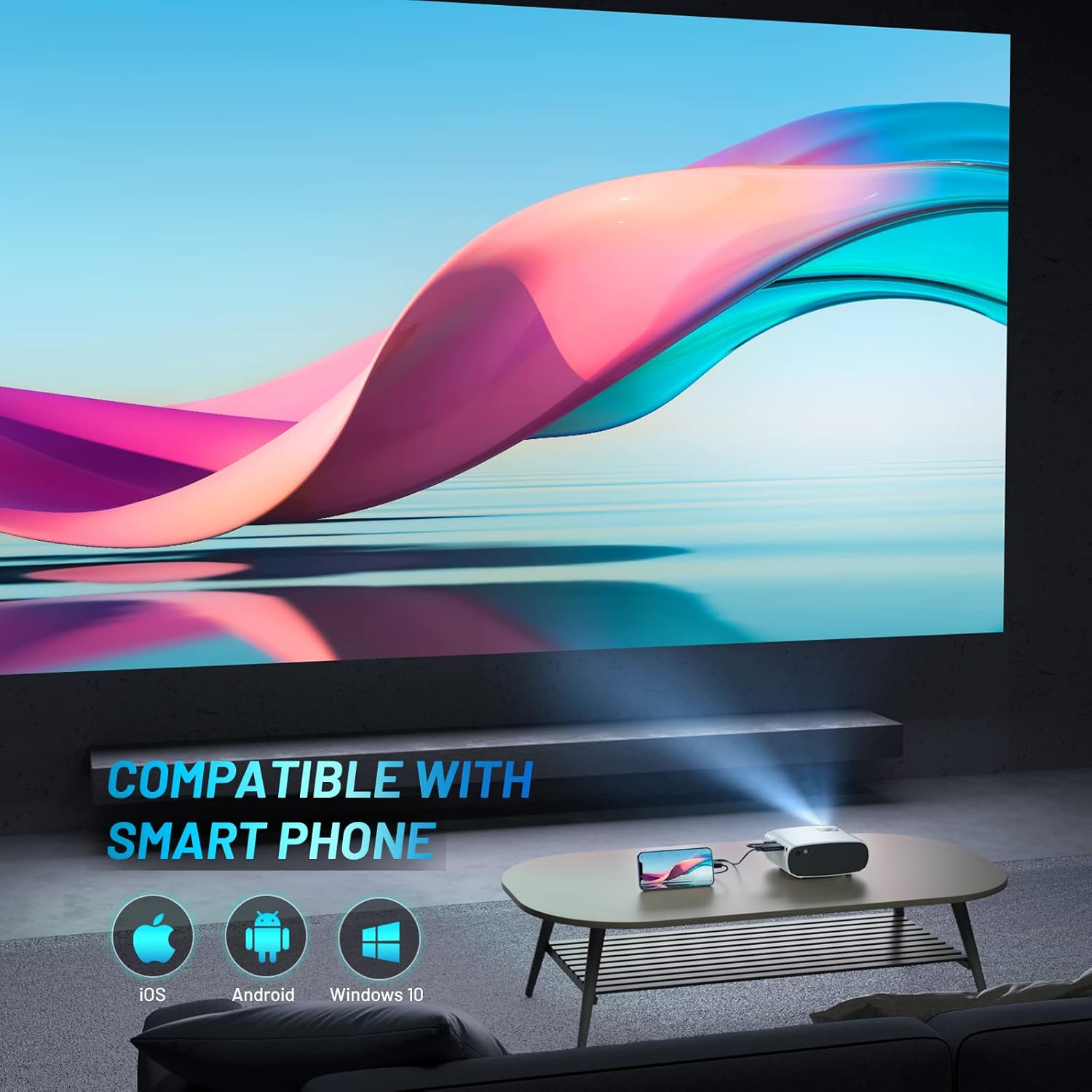
The projector is compatible with various smartphone operating systems, requiring an appropriate adapter for connection.

Connecting smartphones to the projector for outdoor movie nights. Adapters are sold separately.
Official video demonstrating the features and portability of the ELEPHAS Mini Projector, including setup and usage scenarios.
5. Інструкція з експлуатації
5.1 Увімкнення/вимкнення живлення
- Увімкнення: Натисніть кнопку живлення на проекторі або пульті дистанційного керування. Індикатор увімкнеться.
- Вимкнення живлення: Знову натисніть кнопку живлення. Проектор вимкнеться.
5.2 Фокусування та корекція трапецієподібних спотворень
- Фокус: Повертайте кільце фокусування на об'єктиві проектора, доки проектоване зображення не стане чітким і різким.
- Корекція трапецеїдальних спотворень: Use the keystone adjustment dial (if available) or the remote control to correct trapezoidal distortion if the projector is not perfectly perpendicular to the screen.

The projector offers an adjustable angle for flexible projection setup.
5.3 Вибір джерела вхідного сигналу
Press the 'Source' button on the remote control or projector to cycle through available input sources (HDMI, USB, AV).
5.4 Аудіовихід
The projector has a built-in HIFI speaker. For a more immersive audio experience, connect external speakers or headphones to the 3.5mm audio output port.
The projector features a dual-band sound system designed for reduced noise and clear audio.
6. Технічне обслуговування
6.1 Очищення
- Об'єктив: Використовуйте м’яку тканину без ворсу, спеціально призначену для оптичних лінз. Не використовуйте абразивні засоби для чищення або розчинники.
- Casing: Wipe the projector's exterior with a soft, dry cloth. Avoid using liquid cleaners directly on the device.
- Вентиляція: Переконайтеся, що вентиляційні отвори чисті від пилу та перешкод, щоб запобігти перегріву.
6.2 Зберігання
When not in use, store the projector in a cool, dry place, away from direct sunlight and extreme temperatures. Use the lens cap to protect the lens from dust and scratches.
7. Вирішення проблем
| проблема | Можлива причина | Рішення |
|---|---|---|
| Зображення не проєктується | Power not connected; Incorrect input source; Loose cable connection | Check power cable; Select correct input source; Reconnect HDMI/USB cable securely |
| Зображення розмите | Out of focus; Incorrect projection distance | Adjust focus ring; Adjust projector distance from screen |
| Ні звуку | Volume too low; Muted; External speakers not connected properly | Increase volume; Unmute; Check external speaker connection |
| Пульт не працює | Dead batteries; Obstruction between remote and projector | Replace batteries; Remove obstructions; Point remote directly at projector's IR receiver |
| Cannot play Netflix/Amazon Prime/Hulu | HDCP copyright restrictions | Use an Amazon Fire Stick or Roku Stick for these services. |
8. Технічні характеристики
- Номер моделі: BL128
- Роздільна здатність дисплея: 1920 x 1080 (підтримка HD 1080P)
- Яскравість: 8000L (Lumens)
- Коефіцієнт контрастності: 6000:1
- Технологія підключення: HDMI, USB, AV, аудіовихід
- Розміри продукту: 6 x 4.4 x 2.4 дюймів
- Вага товару: 1 фунт
- Виробник: ЕЛЕФА
- Країна походження: Китай
- Особливості: Portable, HDMI Connectivity, Built-in HIFI Speaker, Efficient Heat Dissipation System, Emerald Glass Lens, 24-bit True Color Support
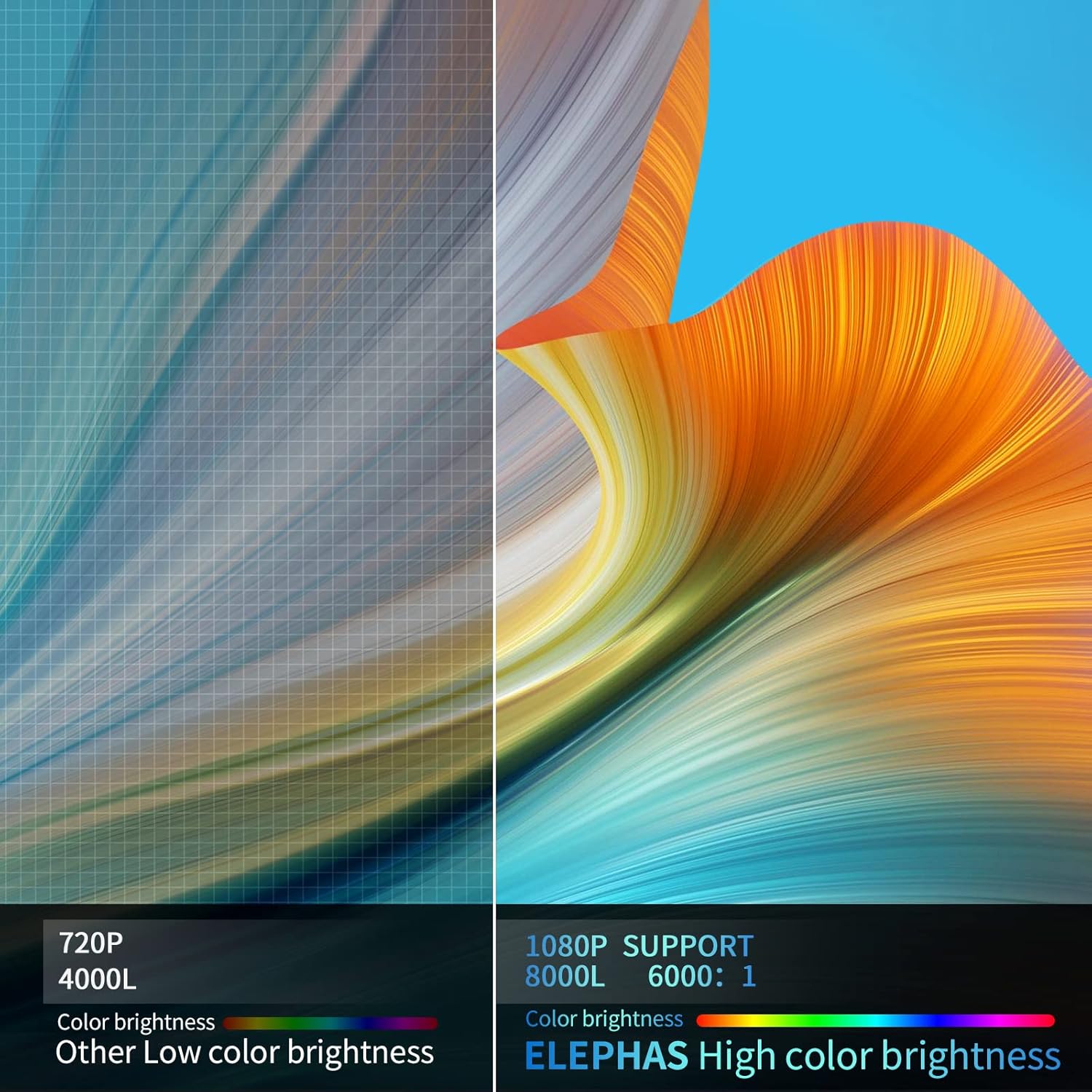
Visual comparison demonstrating the enhanced brightness and color quality of the ELEPHAS projector.

Illustrates the progression of brightness and clarity from lower resolution projectors to the 8000L 1080P ELEPHAS model.
9. Гарантія та підтримка
ELEPHAS projectors come with a 3-year factory support warranty. For any issues or inquiries, please contact ELEPHAS customer service. Refer to the contact information provided on the product packaging or the official ELEPHAS webсайт.
The product holds CE, FCC, RoHS, and PSE certificates, ensuring compliance with relevant safety and quality standards.
Ask a question about this manual
Ask about setup, troubleshooting, compatibility, parts, safety, or missing instructions. Manuals+ will review the question and use this page’s manual context to help answer it.