
ROCCAT ROC-12-940-BN
Інструкція користувача механічної ігрової клавіатури Roccat Vulcan 122
Model: ROC-12-940-BN
1. Вступ
The Roccat Vulcan 122 is a high-performance mechanical gaming keyboard designed for precision and durability. It features Roccat's unique Titan switches, advanced AIMO RGB lighting, and a robust aluminum construction. This manual provides detailed instructions for setting up, operating, maintaining, and troubleshooting your keyboard.

Image: The Roccat Vulcan 122 keyboard shown with a Roccat mouse and headset, demonstrating its vivid, dynamic lighting synergy with AIMO.
Ключові характеристики:
- Unique design with lowered keycaps and reduced reaction time.
- RGB lighting with configurable LED effects and adjustable AIMO effects.
- High-quality and resistant design with robust materials and an anodized aluminum surface.
- Advanced anti-ghosting with N-Key Rollover (NKRO).
- Programmable macro keys and ROCCAT Easy-Shift[+].
2. Налаштування
2.1 Підключення клавіатури
To connect your Roccat Vulcan 122 keyboard:
- Розпакуйте клавіатуру та її аксесуари.
- Plug the USB connector from the keyboard into an available USB port on your computer.
- The operating system will automatically detect and install the necessary drivers.
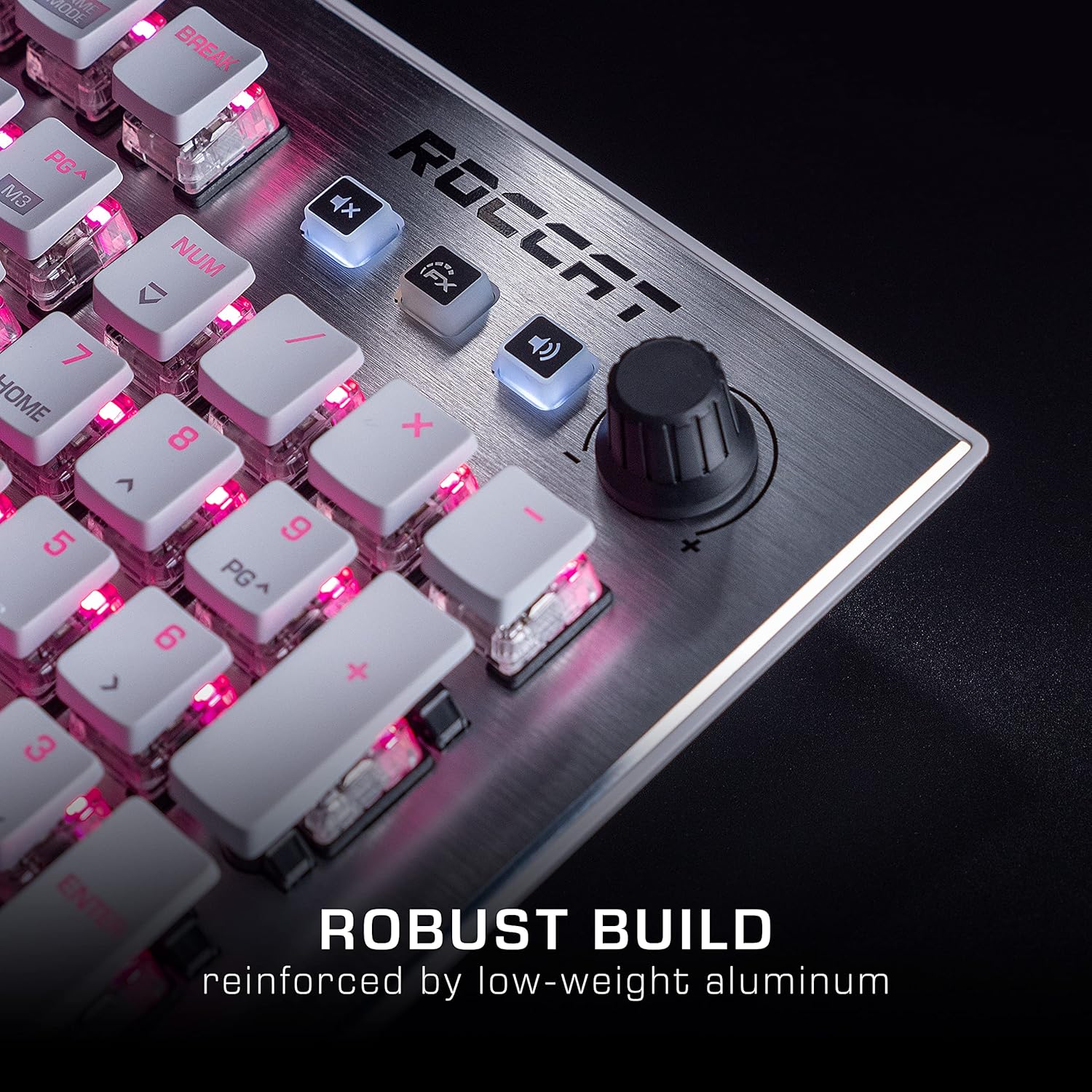
Image: The Roccat Vulcan 122 keyboard shown with its detachable wrist rest, ready for connection.
2.2 Встановлення програмного забезпечення (ROCCAT Swarm)
For full functionality and customization, install the ROCCAT Swarm software:
- Відвідайте офіційний сайт ROCCAT webсайт (www.roccat.com) та перейдіть до розділу підтримки.
- Download the latest version of the ROCCAT Swarm software for your operating system.
- Запустіть програму встановлення та дотримуйтеся вказівок на екрані.
- After installation, launch ROCCAT Swarm to configure your keyboard settings, lighting, and macros.
3. Робота з клавіатурою
3.1 Standard Key Functions
The Vulcan 122 functions as a standard QWERTY keyboard. All alphanumeric keys, function keys (F1-F12), navigation keys, and the numeric keypad operate as expected.
3.2 Елементи керування медіа
The keyboard features dedicated media controls for convenient audio management.
- Регулятор гучності: Located in the upper right corner, rotate to adjust system volume.
- Кнопка вимкнення звуку: Натисніть, щоб вимкнути/увімкнути звук.
- Кнопка FX: Cycles through lighting effects or other programmable functions.

Зображення: Крупний план view of the mixer-style media controls on the Roccat Vulcan 122, including the volume knob and dedicated function keys.
3.3 RGB Lighting Customization (AIMO)
The Vulcan 122 features advanced RGB lighting with Roccat's AIMO intelligent lighting system. Use the ROCCAT Swarm software to:
- Select from various pre-set lighting effects.
- Customize individual key illumination.
- Adjust brightness and speed of effects.
- Synchronize lighting with other AIMO-compatible devices.
3.4 Programmable Macro Keys and Easy-Shift[+]
The keyboard includes programmable macro keys and the Easy-Shift[+] function, allowing you to assign secondary functions to keys.
- Use the ROCCAT Swarm software to record and assign macros to designated keys.
- Easy-Shift[+] allows you to double the number of assignable functions by holding down the Easy-Shift[+] key (usually Caps Lock by default, configurable in Swarm) and pressing another key.
3.5 Anti-Ghosting with NKRO
The Vulcan 122 features advanced anti-ghosting technology with N-Key Rollover (NKRO), ensuring that every key press is registered accurately, even when multiple keys are pressed simultaneously.

Image: A hand demonstrating typing on the Roccat Vulcan 122 keyboard, emphasizing the ergonomic design of the keys for comfortable use.
4. Технічне обслуговування
4.1 Очищення клавіатури
To ensure the longevity and optimal performance of your Vulcan 122 keyboard, regular cleaning is recommended.
- Від’єднайте клавіатуру від комп’ютера перед чищенням.
- Злегка протріть м’якою тканиною без ворсу dampened with water or a mild cleaning solution to wipe the keycaps and surface. Avoid harsh chemicals.
- For dust and debris between keys, use compressed air. The raised keycap design makes cleaning easier.
- Переконайтеся, що клавіатура повністю суха, перш ніж знову підключати її.

Image: A close-up of the Roccat Vulcan 122 keyboard keys, illustrating their design which facilitates easy cleaning and resistance to dust and liquids.
5. Вирішення проблем
If you encounter issues with your Roccat Vulcan 122 keyboard, refer to the following common problems and solutions:
- Клавіатура не реагує:
- Переконайтеся, що USB-кабель надійно підключено як до клавіатури, так і до комп’ютера.
- Спробуйте підключити клавіатуру до іншого USB-порту.
- Перезавантажте комп'ютер.
- Check if the keyboard is disabled in your operating system's device manager.
- RGB-підсвічування не працює або працює неправильно:
- Ensure the ROCCAT Swarm software is installed and up to date.
- Перевірте налаштування освітлення в програмному забезпеченні Swarm.
- Perform a firmware update for the keyboard via Swarm.
- Клавіші не реєструються або не відображаються:
- Clean the affected keys as described in the Maintenance section.
- Переконайтеся, що прошивка клавіатури оновлена.
- Перевірте клавіатуру на іншому комп'ютері, щоб виключити проблеми, пов'язані з системою.
- ROCCAT Swarm software not detecting keyboard:
- Переконайтеся, що клавіатура правильно підключена.
- Restart the Swarm software and your computer.
- Перевстановіть програмне забезпечення ROCCAT Swarm.
- Check for any conflicting software or drivers.
6. Технічні характеристики
| Особливість | Деталь |
|---|---|
| Бренд | ROCCAT |
| Назва моделі | Вулкан 122 |
| Номер моделі | ROC-12-940-BN |
| Опис клавіатури | Механічний |
| Тип перемикача | Тактильний |
| матеріал | Алюміній |
| Особливості | Підсвічування |
| Сумісні пристрої | Laptop (PC) |
| Підтримка операційної системи | Windows 10, Windows 7, Windows 8 |
| Розміри продукту | 46.2 х 23.5 х 3.2 см |
| Вага товару | 1.15 кг |

Зображення: Вибух view diagram illustrating the components of a Roccat Titan Tactile mechanical switch, highlighting its design for swift and precise response.
7. Гарантія та підтримка
7.1 Інформація про гарантію
Your Roccat Vulcan 122 keyboard is covered by a manufacturer's warranty. The specific terms and duration of the warranty may vary by region and retailer. Please retain your proof of purchase for warranty claims. For detailed warranty information, refer to the warranty card included with your product or visit the official ROCCAT webсайт.
7.2 Технічна підтримка
For technical assistance, driver updates, or further inquiries, please visit the official ROCCAT support page:
Ви можете знайти поширені запитання, посібники з усунення несправностей та контактну інформацію служби підтримки клієнтів на їхніх webсайт.
Ask a question about this manual
Ask about setup, troubleshooting, compatibility, parts, safety, or missing instructions. Manuals+ will review the question and use this page’s manual context to help answer it.