
вступ
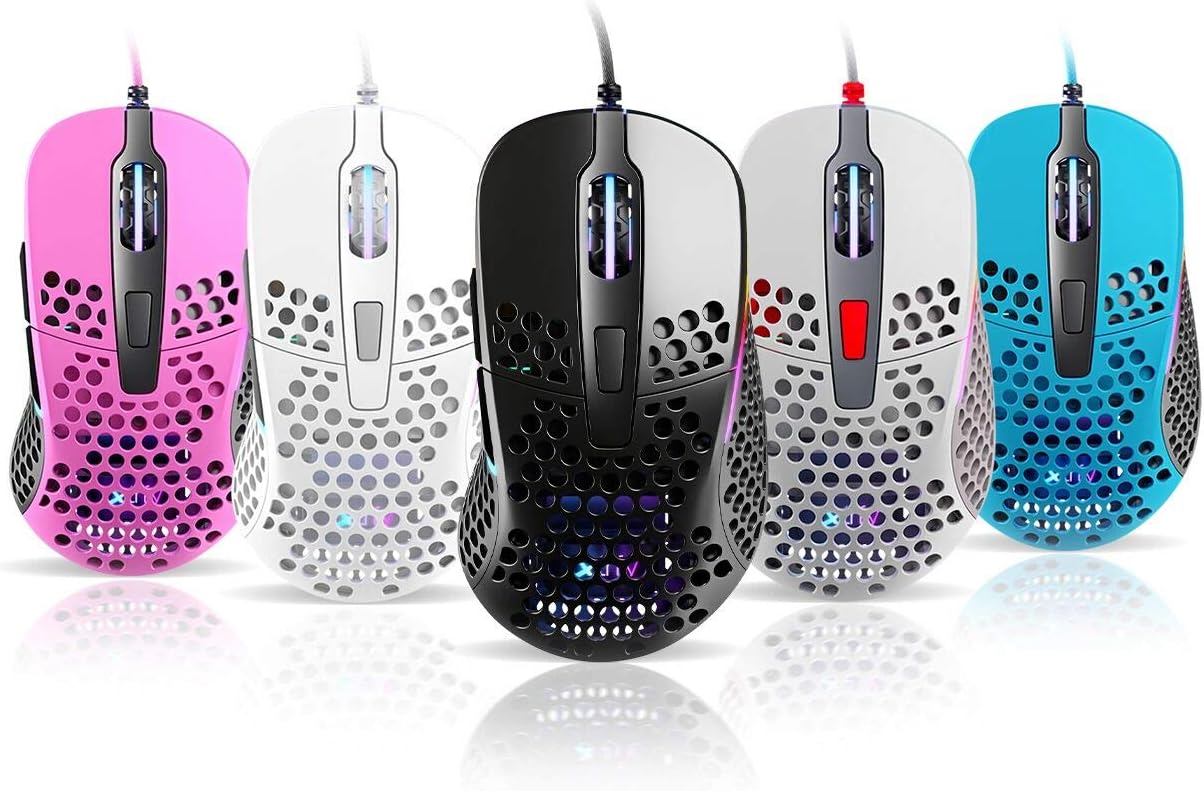
Thank you for choosing the Xtrfy M4 RGB Ultralight Gaming Mouse. This manual provides essential information for setting up, operating, and maintaining your new gaming mouse. The Xtrfy M4 is designed for high-performance gaming, featuring an ultralight design, customizable RGB illumination, and an ergonomic shape for comfortable use.
Please read this manual carefully before using the product to ensure optimal performance and longevity.
Вміст упаковки
Переконайтеся, що всі предмети присутні в упаковці:
- Xtrfy M4 RGB Ultralight Gaming Mouse
- Посібник користувача (цей документ)

Інструкції з налаштування
- Розпакуйте мишу: Carefully remove the Xtrfy M4 mouse from its packaging.
- Підключення до комп'ютера: Підключіть USB-роз’єм миші до вільного USB-порту комп’ютера.
- Встановлення драйвера: The mouse is plug-and-play and typically does not require additional drivers. Your operating system should automatically detect and install the necessary drivers.
- Початковий тест: Move the mouse and click the buttons to ensure it is functioning correctly.

Інструкція з експлуатації
Функції кнопок
The Xtrfy M4 features 6 programmable buttons:
- Клацніть лівою кнопкою миші: Первинна дія.
- Клацніть правою кнопкою миші: Вторинна дія.
- Коліщатко прокручування (клацання): Середній клік/універсальна прокрутка.
- Кнопка вперед: Default for navigating forward in web браузери/додатки.
- Кнопка "Назад": Default for navigating backward in web браузери/додатки.
- Кнопка DPI: Cycles through DPI settings (located behind the scroll wheel).
Налаштування DPI
The DPI (Dots Per Inch) button allows you to adjust the mouse sensitivity on the fly. Press the DPI button to cycle through preset DPI levels. The RGB lighting on the mouse may change color to indicate the current DPI setting.
Refer to the official Xtrfy website or software (if available) for detailed information on specific DPI levels and their corresponding LED colors.
Підсвічування RGB
The Xtrfy M4 features customizable RGB lighting. Specific controls for lighting effects and colors are typically managed through dedicated software provided by Xtrfy. Please visit the official Xtrfy support page to download any available software for advanced customization.

Технічне обслуговування
Proper maintenance ensures the longevity and performance of your Xtrfy M4 mouse.
- Прибирання: Використовуйте м’яку суху тканину для протирання поверхні миші. Для стійкого бруду злегкаampПротріть тканину водою або м’яким миючим розчином. Уникайте агресивних хімікатів або абразивних матеріалів.
- Технічне обслуговування датчика: Тримайте оптичний датчик на нижній стороні миші чистим та без пилу чи сміття. За потреби використовуйте ватний тампон або стиснене повітря.
- Догляд за кабелем: Уникайте різких вигинів або надмірного натягування кабелю миші, щоб запобігти його пошкодженню.
- Зберігання: Коли миша не використовується, зберігайте її в чистому, сухому місці, подалі від екстремальних температур.
Усунення несправностей
If you encounter issues with your Xtrfy M4 mouse, try the following solutions:
- Миша не реагує:
- Переконайтеся, що USB-кабель надійно підключено до робочого USB-порту.
- Спробуйте підключити мишу до іншого USB-порту.
- Перезавантажте комп'ютер.
- Рух курсора нерівномірний або стрибкоподібний:
- Очистіть оптичний датчик на нижній стороні миші.
- Переконайтеся, що ви використовуєте мишу на чистій, неблискучій поверхні або килимку для миші.
- Check for any software conflicts or outdated drivers (though typically not required, ensure your OS is up to date).
- RGB-освітлення не працює:
- Переконайтеся, що миша правильно підключена.
- If using Xtrfy software, check its settings to ensure lighting is enabled and configured correctly.
If these steps do not resolve the issue, please contact Xtrfy customer support for further assistance.
Технічні характеристики
| Особливість | Деталь |
|---|---|
| Бренд | Xtrfy |
| Модель | M4 |
| Колір | Синій (відповідно до варіанту продукту) |
| Технологія підключення | USB |
| Особливість | Ergonomic Design, Ultralight, RGB Illumination |
| Кількість кнопок | 6 |
| вага | 69 grams (Ultralight) |
Гарантія та підтримка
Xtrfy products are manufactured to the highest quality standards. For information regarding warranty coverage, please refer to the warranty card included with your product or visit the official Xtrfy webсайт.
For technical support, FAQs, driver downloads, or further assistance, please visit the Xtrfy support page:


