
1. Вступ
This manual provides instructions for the Zerone Replacement Remote Control, Model Zerone15zhcexa2d. This remote is designed as a direct replacement for various televisions, offering essential functions for daily TV operation. It is constructed from durable ABS material for longevity.
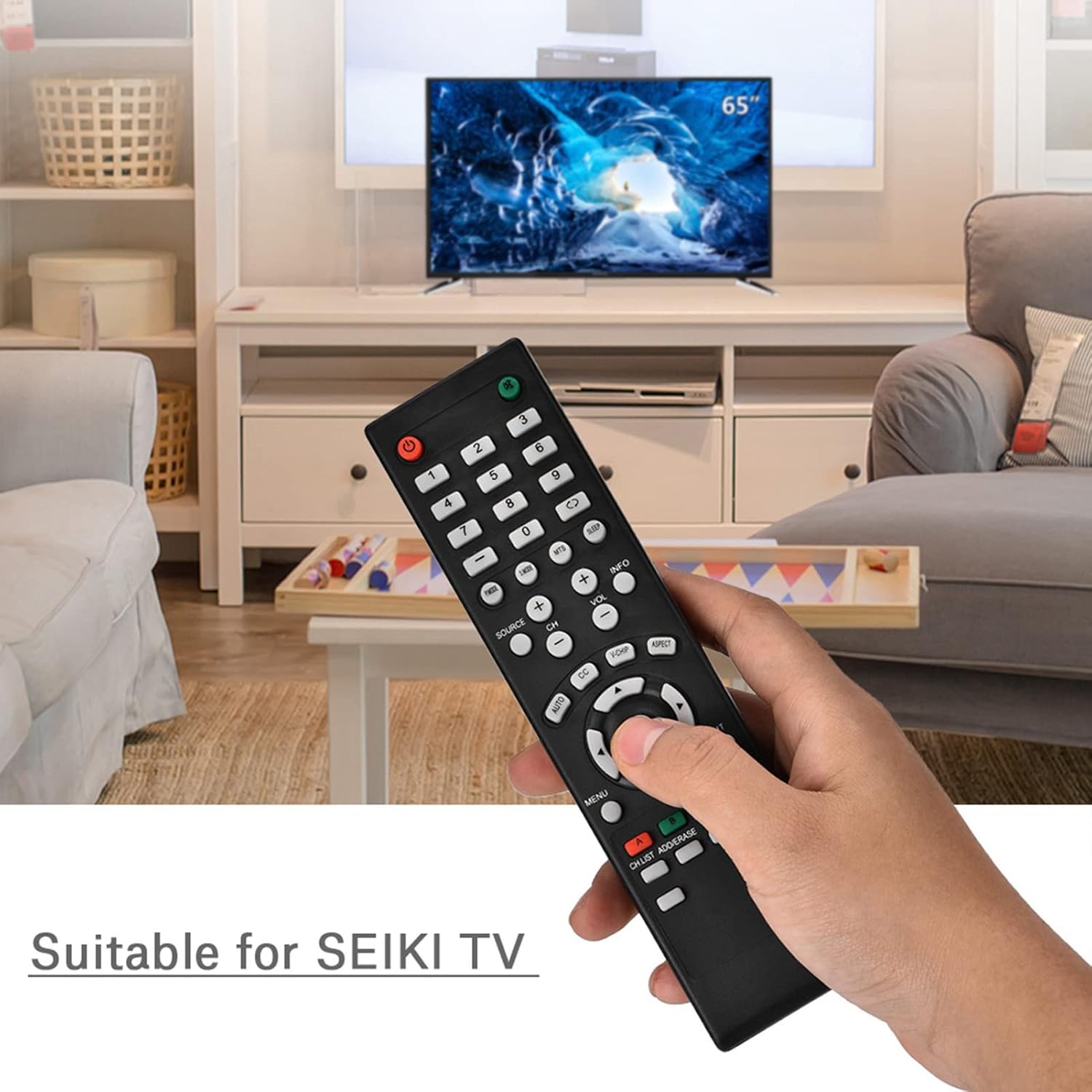
Image 1.1: The Zerone Replacement Remote Control in use, demonstrating its compatibility with televisions.
2. Налаштування
2.1 Встановлення батареї
Для пульта дистанційного керування потрібні дві батарейки типу AAA (не входять до комплекту). Щоб встановити батарейки, виконайте такі дії:
- Знайдіть батарейний відсік на задній панелі пульта дистанційного керування.
- Посуньте кришку відсіку для батарейок вниз, щоб відкрити її.
- Вставте дві батарейки типу AAA, переконавшись, що позитивний (+) та негативний (-) полюси правильно збігаються з позначками всередині відсіку.
- Встановіть кришку відсіку для батарейок, зсунувши її на місце до клацання.

Зображення 2.1: Ззаду view пульта дистанційного керування, що ілюструє батарейний відсік.
2.2 Початкове використання
This remote control is designed for immediate use with compatible televisions. No programming or setup is typically required. Once batteries are installed, the remote should function directly with your TV.
Video 2.1: Demonstration of battery installation for the Zerone Replacement Remote Control.
3. Інструкція з експлуатації
3.1 Основні функції
The remote control provides standard television functions. Point the remote directly at your television's infrared receiver for optimal performance.
- Кнопка живлення (●): Вмикає або вимикає телевізор.
- Цифрові кнопки (0-9): Безпосередній вибір каналів.
- Збільшення/зменшення гучності (VOL +/-): Регулювання гучності звуку.
- Перемикання каналів вгору/вниз (CH +/-): Зміна телеканалу.
- Source Button (SOURCE): Cycles through input sources (HDMI, AV, etc.).
- Кнопка меню (МЕНЮ): Доступ до головного меню телевізора.
- Navigation Buttons (Arrows & OK): Navigate menus and confirm selections.
- Кнопка виходу (EXIT): Вихід з поточного меню або функції.
- Кнопка вимкнення звуку (●): Вмикає або вимкнення звуку телевізора.

Зображення 3.1: спереду view пульта дистанційного керування, виділяючи розташування кнопок.
3.2 Робочий діапазон
The effective operating distance for this remote control is typically over 8 meters (approximately 26 feet). Actual range may vary depending on the specific television model and environmental factors such as obstacles or interference.

Image 3.2: Illustration of the remote control's effective operating range.
4. Технічне обслуговування
4.1 Очищення
Для очищення пульта дистанційного керування використовуйте м’яку суху тканину. Для стійкого бруду злегкаampПротріть тканину водою або м’яким неабразивним засобом для чищення. Уникайте використання агресивних хімікатів або абразивних матеріалів, оскільки вони можуть пошкодити поверхню пульта дистанційного керування або внутрішні компоненти.
4.2 Заміна батареї
Replace batteries when the remote's performance degrades (e.g., reduced range, unresponsive buttons). Refer to Section 2.1 for battery installation instructions. Always replace both batteries at the same time with new ones of the same type (AAA).

Image 4.1: The remote control, showcasing its durable construction material.
5. Вирішення проблем
| проблема | Можлива причина | Рішення |
|---|---|---|
| Пульт не працює. | Розряджені або неправильно встановлені батареї. | Check battery orientation. Replace with new AAA batteries (refer to Section 2.1). |
| Обмежений робочий діапазон. | Weak batteries, obstruction, or remote not pointed at TV. | Replace batteries. Ensure a clear line of sight to the TV's IR receiver. Point the remote directly at the TV. |
| Specific buttons not responding. | Dirt or debris under buttons, or internal malfunction. | Clean the remote. If the issue persists after battery replacement and cleaning, the remote may require replacement. |
6. Технічні характеристики
| Особливість | Деталь |
|---|---|
| Бренд | Zerone |
| Номер моделі | Zerone15zhcexa2d |
| Сумісні пристрої | Televisions (specifically designed for SEIKI TVs, but compatible with others) |
| Технологія підключення | Інфрачервоний (ІЧ) |
| Максимальна дальність | Over 8 meters (approx. 26 feet) |
| Джерело живлення | 2 батареї AAA (не входять в комплект) |
| матеріал | ABS |
| Розміри (Д x Ш x В) | 180 мм x 50 мм x 15 мм (7.1 дюйма x 2 дюйма x 0.6 дюйма) |
| Кількість кнопок | 45 |

Image 6.1: Dimensions of the Zerone Replacement Remote Control.
7. Гарантія та підтримка
7.1 Інформація про гарантію
Specific warranty details for the Zerone Replacement Remote Control may vary. Please refer to the product packaging or the retailer's purchase terms for the most accurate and up-to-date warranty information.
7.2 Підтримка клієнтів
For further assistance or inquiries regarding your Zerone Replacement Remote Control, please contact the retailer or manufacturer's customer support channels. Contact information is typically provided with your purchase documentation or on the manufacturer's official webсайт.