
1. Вступ
This manual provides essential information for the proper setup, operation, and maintenance of your Blueendless Ultra Slim Portable External Hard Drive. This device offers convenient, high-speed storage for your digital files, compatible with various operating systems.
2. Інформація про безпеку
- Не піддавайте пристрій впливу води або надмірної вологи.
- Уникайте екстремальних температур, прямих сонячних променів або запилених середовищ.
- Поводьтеся з пристроєм обережно, щоб запобігти фізичному пошкодженню.
- Не намагайтеся розбирати або ремонтувати пристрій самостійно. Зверніться до кваліфікованого сервісного персоналу.
- Забезпечте належну вентиляцію під час використання.
3. Вміст упаковки
Перевірте наявність усіх предметів у вашій упаковці:
- 1 x Blueendless Portable External Hard Drive
- 1 кабель USB 3.0
- 1 x Посібник користувача (цей документ)

Image: The Blueendless portable hard drive shown alongside its included USB 3.0 cable, ready for connection.
4. Налаштування
- Підключіть жорсткий диск: Plug the included USB 3.0 cable into the port on the external hard drive. Then, connect the other end of the USB cable to an available USB port on your computer (PC, Desktop, Laptop, or Mac). For optimal performance, use a USB 3.0 port on your computer.
- Автоматичне розпізнавання: The Blueendless external hard drive is designed for plug-and-play operation. Your operating system (Windows 98SE, 2000, Linux, Vista, WIN7, WIN8, WIN10, or macOS) should automatically detect and install the necessary drivers. No additional software installation is typically required.
- Готовий до використання: Once recognized, the drive will appear as a new storage device in your computer's file explorer or Finder. You can now begin transferring files.

Image: The Blueendless external hard drive connected to a laptop, illustrating a typical setup for immediate use.
5. Інструкція з експлуатації
- Передача даних: Перетягніть files or folders to and from the external hard drive icon in your computer's file management system. The USB 3.0 connection provides fast data transfer speeds for efficient backups and file управління.
- Ємність зберігання: Використовуйте ample storage space for your music, movies, documents, and other digital files.
- Безпечне видалення: Always safely eject the hard drive from your operating system before physically disconnecting the USB cable. This prevents data corruption and ensures the longevity of the device.
6. Технічне обслуговування
- Фізичний захист: The drive features an internal shock sensor and ramp loading technology designed to protect your data. However, avoid dropping or subjecting the drive to strong impacts.
- Прибирання: Використовуйте м’яку суху тканину для очищення зовнішньої частини диска. Не використовуйте рідкі засоби для чищення або розчинники.
- Зберігання: When not in use, store the hard drive in a cool, dry place away from direct sunlight and strong magnetic fields.
7. Вирішення проблем
- Диск не розпізнано:
- Переконайтеся, що USB-кабель надійно підключено як до дисковода, так і до комп’ютера.
- Спробуйте підключитися до іншого USB -порту на комп’ютері.
- If using Windows, check Disk Management to see if the drive is listed but uninitialized or unallocated. You may need to initialize the disk and create a new simple volume.
- For advanced Windows users: If the drive does not appear, ensure the 'Virtual Disk' service is running (set to Automatic start) and check `diskpart` in Command Prompt to ensure `automount` is enabled.
- Низька швидкість передачі даних:
- Ensure you are connected to a USB 3.0 port on your computer for optimal speed. USB 2.0 ports will result in slower transfer rates.
- Avoid running multiple data-intensive applications during large file перекази.
- Розбіжність у ємності: The displayed capacity of the hard drive may appear slightly less than the nominal capacity (e.g., 500GB showing as 465GB). This is normal and due to the difference in how hard disk manufacturers (decimal arithmetic: 1GB = 1000MB) and operating systems (binary arithmetic: 1GB = 1024MB) calculate storage space. This is not an indication of a defect.
8. Технічні характеристики
| Тип жорсткого диска | 2.5" Mechanical Hard Disk |
| Ємність зберігання | 500 ГБ |
| Інтерфейс USB | USB 3.0 (зворотно сумісний з USB 2.0) |
| Швидкість обертання | 5400 об / хв |
| Номер моделі | U23PA |
| Розміри (Д x Ш x В) | 11.94 x 7.62 x 1.3 см (4.7 x 3 x 0.51 дюйма) |
| вага | 210 г |
| колір | чорний |
| Сумісні пристрої | PC, Desktop, Laptop, Mac |
| Джерело живлення | Постійний струм (живлення від USB) |
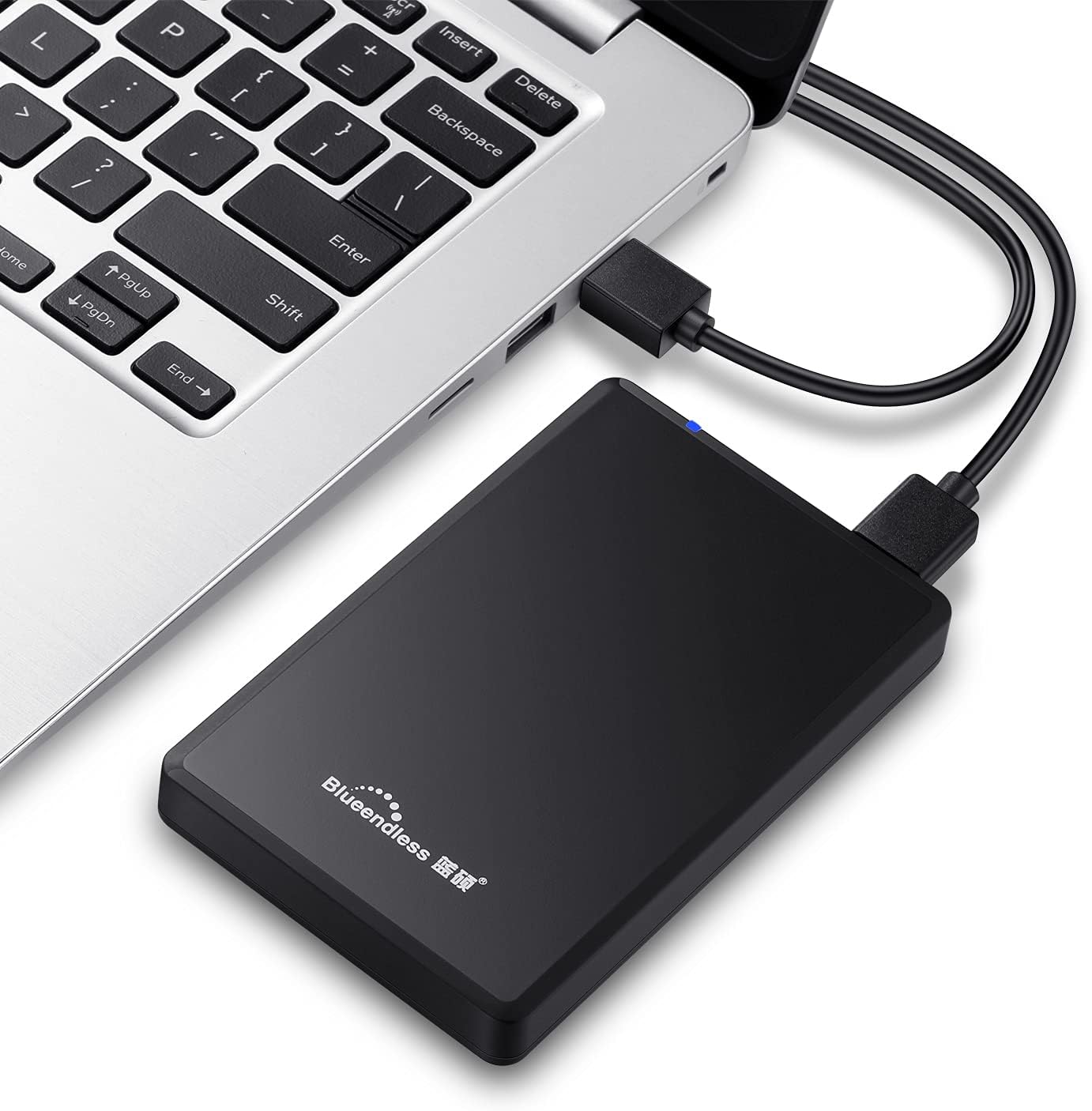
Image: Diagram illustrating the compact dimensions of the Blueendless external hard drive.
9. Інформація про гарантію
This Blueendless external hard drive comes with a Гарантія від виробника 1 рік з дати покупки. Ця гарантія поширюється на виробничі дефекти за умови нормального використання. Будь ласка, збережіть чек про покупку для пред'явлення претензій по гарантії.
Гарантія не поширюється на пошкодження, викликані:
- Accident, abuse, misuse, or improper installation.
- Natural disasters or acts of God.
- Несанкціонований ремонт або модифікація.
- Невиконання інструкцій у цій інструкції.
10. Підтримка
If you encounter any issues not covered in the troubleshooting section or require further assistance, please contact Blueendless customer support through your retailer or the official Blueendless website. Have your product model number (U23PA) and proof of purchase ready when contacting support.