
1. Вступ
This manual provides essential instructions for the installation, operation, maintenance, and troubleshooting of your VIVOTEK CC9381-HV 5MP Dome Camera. Please read this manual thoroughly before using the product to ensure proper setup and functionality. The CC9381-HV is a high-performance surveillance camera designed for reliable monitoring with a 180-degree field of view and advanced imaging capabilities.
2. Інформація про безпеку
Дотримуйтесь наступних запобіжних заходів, щоб запобігти пошкодженню виробу та забезпечити безпеку користувача:
- Ensure the power source matches the camera's requirements (AC/DC, 220V).
- Do not expose the camera to extreme temperatures outside its operating range (Upper Temperature Rating: 50 Degrees Celsius).
- Avoid direct exposure to water or moisture unless the product's IP rating specifically allows it (International Protection Rating: IP21).
- Не намагайтеся розбирати або модифікувати камеру. Звертайтеся до кваліфікованого персоналу для проведення будь-яких технічних робіт.
- Mount the camera securely using appropriate hardware to prevent it from falling.
3. Вміст упаковки
Verify that all items are present in the package. If any items are missing or damaged, contact your vendor immediately.
- VIVOTEK CC9381-HV Dome Camera
- Монтажний кронштейн та обладнання
- Керівництво по установці
- Accessory Kit (e.g., screws, anchors)
4. Налаштування
4.1 Фізичне встановлення
The VIVOTEK CC9381-HV camera is designed for bracket mounting. Choose a suitable location that provides the desired field of view and is within reach of power and network connections. The camera dimensions are approximately 8.5 x 7 x 3.5 inches.
- Mark the drilling points on the mounting surface using the provided template or bracket.
- Просвердліть початкові отвори та за потреби вставте анкери в стіну.
- Закріпіть монтажний кронштейн на поверхні за допомогою наданих гвинтів.
- Прикріпіть камеру до монтажного кронштейна, переконавшись, що вона міцно зафіксована.
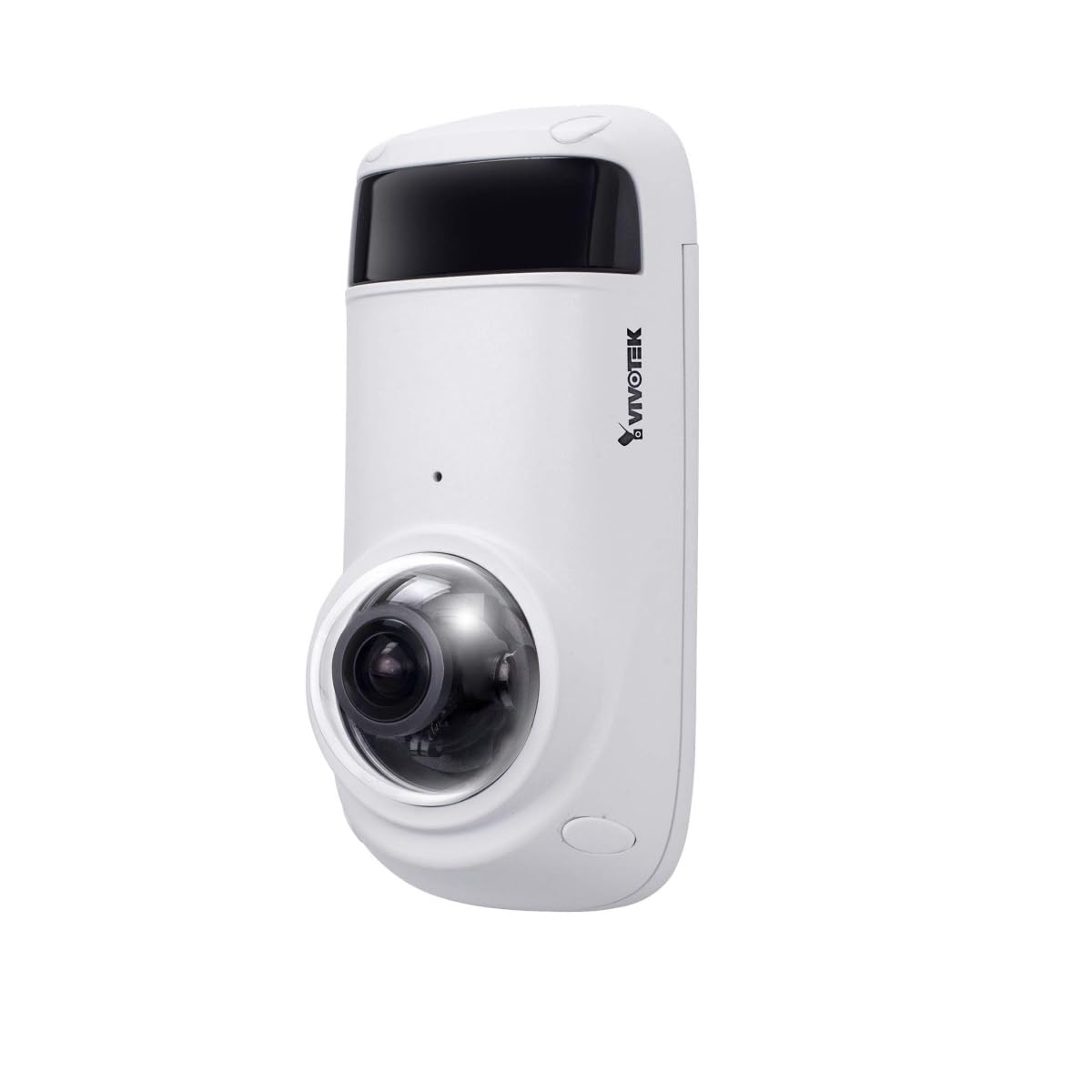
Figure 1: VIVOTEK CC9381-HV Dome Camera. This image shows the compact dome design of the surveillance camera, suitable for various indoor and outdoor installations.
4.2 Підключення живлення
Connect the camera to a suitable AC/DC power source. Ensure the voltagе (220 В) та ватtage (3600W) requirements are met to prevent damage.
4.3 Мережеве підключення
The CC9381-HV supports both wired and Wi-Fi connectivity. For wired connection, connect an Ethernet cable from your network router or switch to the camera's network port. For Wi-Fi setup, refer to the camera's web interface for wireless configuration after initial wired setup.
5. Інструкція з експлуатації
5.1 Початковий доступ та налаштування
After connecting power and network, access the camera's web interface using its IP address. You may need to use a VIVOTEK utility to discover the camera's IP address on your network. Follow the on-screen prompts to set up a strong password and configure basic network settings.
5.2 Живий View і Запис
The camera provides a 180-degree field of view with a maximum webcam image resolution of 5 MP and a frame rate of 30 fps. You can view жити footage and configure recording settings through the web interface or compatible VIVOTEK software.
- Формат запису відео: Supports MJPEG and MP4 formats.
- Технологія слабкого освітлення: Features Night Color technology for enhanced visibility in low-light conditions.
- Тип сповіщення: Configurable for Motion Only alerts.
5.3 Пульт дистанційного керування
The camera supports remote control, allowing you to manage settings and view фуtage from a distance using compatible software or mobile applications. The controller type is Iris.
6. Технічне обслуговування
Регулярне технічне обслуговування забезпечує оптимальну продуктивність та довговічність вашої камери.
- Прибирання: Gently wipe the camera lens and housing with a soft, dry cloth. Do not use harsh chemicals or abrasive cleaners.
- Оновлення прошивки: Periodically check the VIVOTEK webсайт для оновлень прошивки, щоб забезпечити найновіші функції та покращення безпеки вашої камери.
- Екологічна перевірка: Ensure the camera's environment remains within specified temperature and humidity ranges.
7. Вирішення проблем
If you encounter issues with your VIVOTEK CC9381-HV camera, refer to the following common problems and solutions:
| проблема | Можлива причина | Рішення |
|---|---|---|
| Немає індикатора живлення | Power cable disconnected; faulty power adapter | Check power connections; test with a known good power adapter. |
| Немає доступу до камери через мережу | Incorrect IP address; network cable issue; Wi-Fi not configured | Verify IP address; check network cable; ensure Wi-Fi settings are correct. |
| Погана якість зображення | Dirty lens; insufficient lighting; incorrect settings | Clean the lens; ensure adequate lighting or enable Night Color; adjust image settings. |
| Виявлення руху не працює | Motion detection disabled; incorrect sensitivity settings | Enable motion detection in settings; adjust sensitivity levels. |
If the problem persists, contact VIVOTEK technical support for further assistance.
8. Технічні характеристики
Detailed technical specifications for the VIVOTEK CC9381-HV Dome Camera:
| Особливість | Специфікація |
|---|---|
| Номер моделі | CC9381-HV |
| Максимум WebРоздільна здатність зображення камери | 5 Мп |
| Роздільна здатність захоплення відео | 720p (Effective Video Resolution: 1920) |
| Частота кадрів | 30 кадрів/с |
| Поле оф View | 180 градусів |
| Технологія низького освітлення | Нічний колір |
| Технологія підключення | Дротовий, Wi-Fi |
| Протокол підключення | Wi-Fi |
| Джерело живлення | ейсі Дісі |
| томtage | 220 |
| Wattage | 3600 |
| Тип монтажу | Кронштейн для кріплення |
| Розміри продукту | 8.5 x 7 x 3.5 дюймів |
| Вага товару | 2.42 фунта (1.1 кілограма) |
| Верхня температура | 50 градусів Цельсія |
| Міжнародний захист рейтингу | IP21 |
| Формат захоплення відео | MJPEG, MP4 |
| Тип сповіщення | Лише рух |
| Спосіб контролю | Дистанційний |
| Тип контролера | Ірис |
| Технологія фотосенсора | CMOS |
| Розмір встановленої флеш-пам'яті | 128 ГБ |
| Оптичний зум | 3 х |
| Рекомендоване використання | Security, Surveillance |
9. Гарантія та підтримка
VIVOTEK products are covered by a limited warranty. For specific warranty terms and conditions, please refer to the warranty card included with your product or visit the official VIVOTEK website. For technical support, product registration, or service inquiries, please contact VIVOTEK customer service or your authorized dealer.
VIVOTEK Official Webсайт: www.vivotek.com