
1. Продукт закінчивсяview
The Nexus Max 20 is a versatile personal massager designed for targeted stimulation. It features a main unit and a removable, rechargeable, and waterproof vibrating ball, offering multiple usage options. The device is controlled wirelessly via a remote control and offers 20 distinct vibration functions. Constructed from high-quality, hypoallergenic silicone, the Max 20 provides a smooth and comfortable experience.
This manual provides essential information for the safe and effective use, maintenance, and care of your Nexus Max 20.
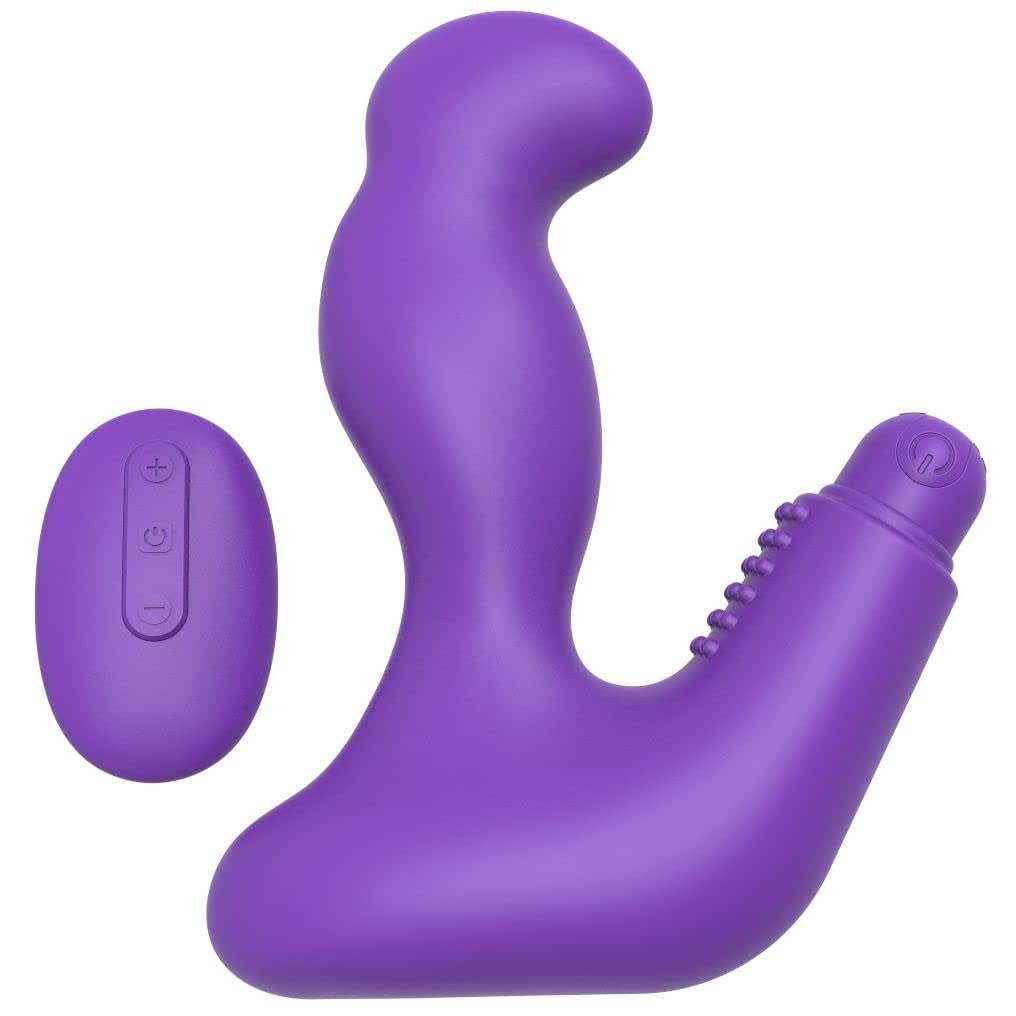
Image 1.1: The Nexus Max 20 main unit and its accompanying remote control.
2. Інформація про безпеку
- Перед першим використанням прочитайте всі інструкції та збережіть їх для подальшого використання.
- Цей продукт призначений лише для використання дорослими.
- Не використовуйте, якщо продукт виглядає пошкодженим або дефектним.
- Негайно припиніть використання, якщо ви відчуваєте будь-який дискомфорт або біль.
- Clean the product thoroughly before and after each use as described in the Maintenance section.
- Використовуйте з цим продуктом лише лубриканти на водній основі. Лубрикантні матеріали на масляній основі можуть пошкодити силікон.
- Зберігати в недоступному для дітей місці.
- Не намагайтеся розбирати або модифікувати виріб. Це призведе до анулювання гарантії.
3. Вміст упаковки
Перевірте наявність усіх елементів в упаковці:
- 1 x Nexus Max 20 Main Unit
- 1 x Removable Vibrating Ball (rechargeable)
- 1 x бездротовий пульт дистанційного керування
- 1 x USB Charging Cable (for vibrating ball)
- 1 x Посібник користувача (цей документ)

Image 3.1: The Nexus Max 20 packaging, illustrating the components included.
4. Налаштування та перше використання
4.1. Charging the Vibrating Ball
- Locate the charging port on the removable vibrating ball. This is typically a small, discreet port.
- Connect the supplied USB charging cable to the vibrating ball and to a USB power source (e.g., computer, USB wall adapter).
- The indicator light on the vibrating ball will illuminate or flash during charging.
- Charge for approximately 2-3 hours for a full charge before first use. The indicator light will change or turn off when fully charged.
- Від’єднайте зарядний кабель після завершення заряджання.
4.2. Inserting the Vibrating Ball into the Main Unit
The vibrating ball can be inserted into the designated cavity of the main unit for integrated vibration. Ensure the ball is fully charged before insertion.
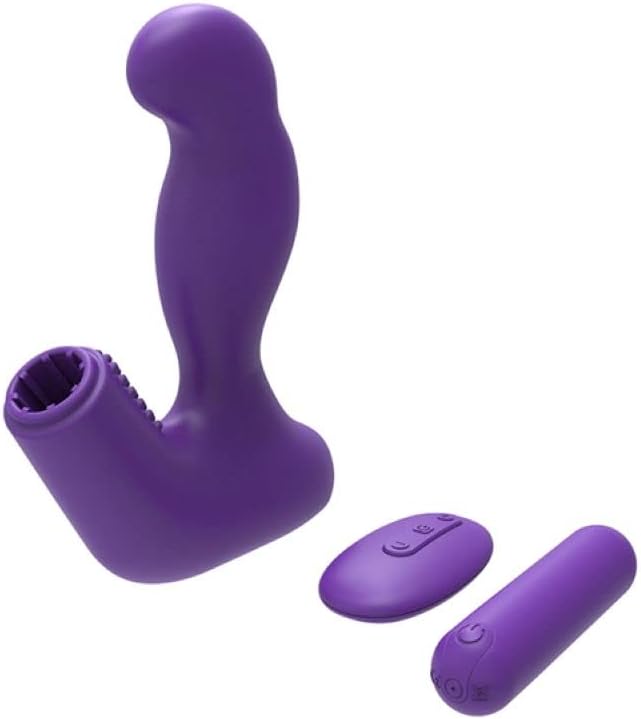
Image 4.1: The Nexus Max 20 main unit with the vibrating ball detached, illustrating its modular design.
4.3. Первинне прибирання
Before first use, clean the product thoroughly according to the "Maintenance and Care" section.
5. Інструкція з експлуатації
5.1. Увімкнення/вимкнення живлення
- Vibrating Ball: Press and hold the power button on the vibrating ball for 2-3 seconds to turn it on or off.
- Пульт дистанційного керування: The remote control typically activates when a button is pressed and enters standby when inactive.
5.2. Використання пульта дистанційного керування
The Nexus Max 20 features a wireless remote control for convenient operation. Ensure the vibrating ball is powered on to receive commands from the remote.
- Кнопка живлення: Press and hold the power button on the remote to turn the vibrating ball on or off. A short press may cycle through modes.
- Кнопка функцій/режиму: Press the function button (often indicated by a wave or pattern icon) to cycle through the 20 different vibration patterns and intensities.
- Кнопки інтенсивності (+/-): Use the plus (+) and minus (-) buttons to adjust the vibration intensity within a selected pattern, if applicable.
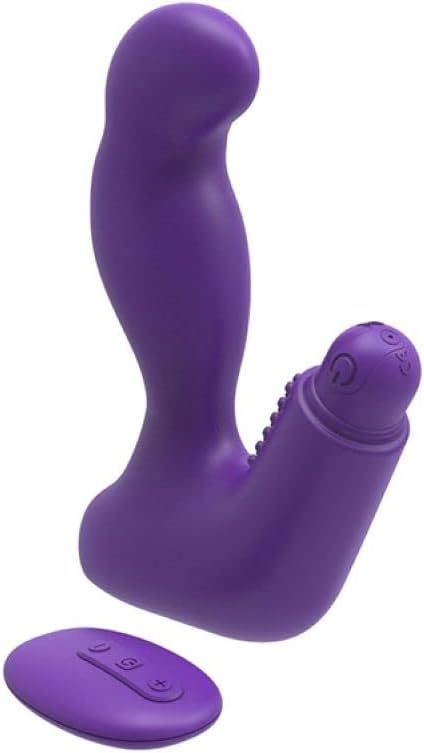
Image 5.1: The remote control for the Nexus Max 20, showing its operational buttons.
5.3. Usage Options
The modular design of the Max 20 allows for three distinct usage options:
- Main Unit with Vibrating Ball: Insert the vibrating ball into the main unit for combined stimulation.
- Main Unit without Vibration: Use the main unit alone for non-vibrating stimulation.
- Vibrating Ball Alone: Use the removable vibrating ball independently for targeted vibration.
6. Технічне обслуговування та догляд
6.1. прибирання
- Clean the product thoroughly before and after each use.
- Wash with warm water and a mild, toy-safe soap or a specialized toy cleaner.
- Ретельно промийте чистою водою.
- Промокніть насухо тканиною без ворсу або дайте повністю висохнути на повітрі перед зберіганням.
- Не використовуйте засоби для чищення, що містять спирт, нафту або ацетон, оскільки вони можуть пошкодити силіконовий матеріал.
6.2. Зберігання
- Store the Nexus Max 20 in a clean, dry, and cool place, away from direct sunlight and extreme temperatures.
- Avoid storing with other silicone products or materials that may react with silicone.
7. Вирішення проблем
| проблема | Можлива причина | Рішення |
|---|---|---|
| Пристрій не вмикається. | Акумулятор розрядився. | Charge the vibrating ball fully using the provided USB cable. |
| Пульт дистанційного керування не працює. | Vibrating ball is not powered on or out of range. | Ensure the vibrating ball is turned on. Bring the remote closer to the device. |
| Vibrations are weak. | Low battery or low intensity setting. | Recharge the vibrating ball. Increase intensity using the remote control. |
| Product feels sticky or damaged. | Incompatible lubricant or cleaning agent used. | Only use water-based lubricants. Refer to the cleaning instructions. Discontinue use if damage persists. |
8. Технічні характеристики
- Номер моделі: MX2002
- матеріал: High-quality Silicone, ABS
- колір: Фіалка
- функції: 20 шаблонів вібрації
- Джерело живлення: Rechargeable (vibrating ball), Remote control (battery type not specified, typically button cell)
- Водонепроникність: Водостійкий
- Розміри продукту (Д x Ш x В): Приблизно 19 х 19 х 5 см
- Вага продукту: Приблизно 300 грам
9. Гарантія та підтримка
Nexus products are manufactured to high-quality standards. For specific warranty information, please refer to the documentation included with your purchase or visit the official Nexus website. If you encounter any issues not covered in this manual, please contact Nexus customer support for assistance.
For further inquiries or support, please visit: www.nexus-toys.com