
1. Вступ
The Dual DAB 3A Digital Radio Adapter is designed to upgrade your existing audio system with modern digital radio reception and Bluetooth streaming capabilities. This adapter allows you to enjoy DAB+ and FM radio broadcasts with clear digital quality and stream audio wirelessly from compatible devices. Its user-friendly interface and remote control ensure convenient operation.
2. Інформація про безпеку
- Джерело живлення: Використовуйте лише наданий адаптер змінного струму. Переконайтеся, що гучністьtage відповідає вимогам, зазначеним на адаптері.
- Вода і вологість: Do not expose the device to rain, moisture, or dripping/splashing liquids. Keep it away from water sources.
- Вентиляція: Ensure adequate ventilation around the unit. Do not block ventilation openings. Avoid placing the device on soft surfaces that may obstruct airflow.
- Джерела тепла: Тримайте пристрій подалі від джерел тепла, таких як радіатори, обігрівачі, печі або інші прилади, що виробляють тепло.
- Прибирання: Від’єднайте живлення перед чищенням. Використовуйте м’яку суху тканину. Не використовуйте рідкі засоби для чищення або аерозольні спреї.
- Обслуговування: Не намагайтеся самостійно обслуговувати цей виріб. Зверніть усі послуги до кваліфікованого обслуговуючого персоналу.
3. Вміст упаковки
Будь ласка, перевірте, чи всі перелічені нижче предмети входять до вашої упаковки:
- Dual DAB 3A Digital Radio Adapter
- Адаптер змінного струму
- Пульт дистанційного керування
- Інструкція з експлуатації
- External Wire Antenna
4. Продукт закінчивсяview
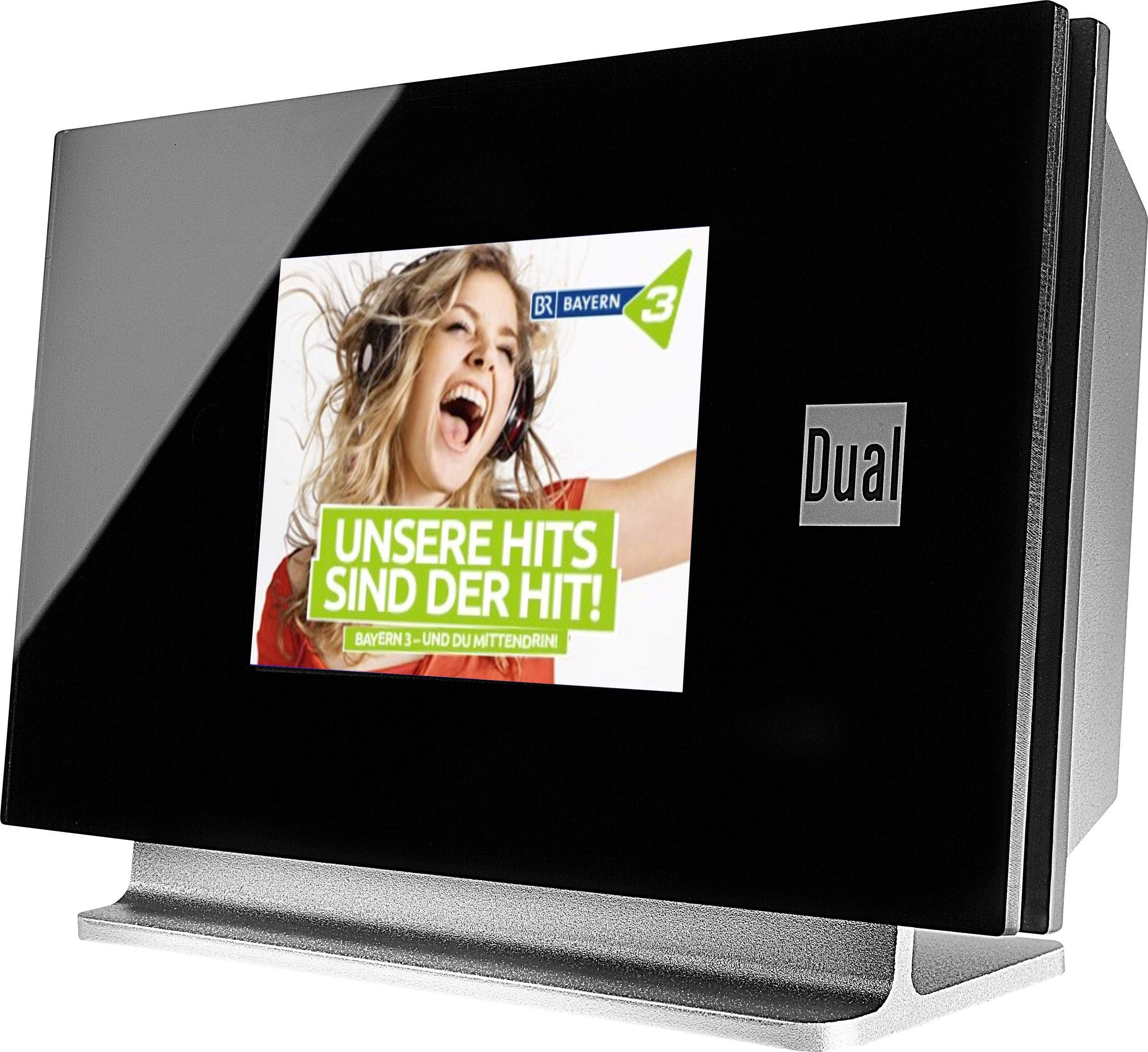
This image displays the Dual DAB 3A Digital Radio Adapter from a front-side angle. The front features a large, black TFT color display showing a radio station's album art and text. The side view indicates the product dimensions: 15 cm (width), 6 cm (depth), and 10.49 cm (height).
Передня панель
- TFT Color Display: Shows station information, track details, album art, and menu options.
Підключення задньої панелі
- Антенний вхід: For connecting the external wire antenna or a commercially available antenna.
- ВИХІД: Audio output for connecting to an external amplifier або аудіосистема.
- Споживана потужність: Для підключення адаптера змінного струму.
Пульт дистанційного керування
The included remote control provides full functionality for navigating menus, changing stations, adjusting volume, and selecting input modes.
5. Налаштування
- Підключення антени: Connect the supplied external wire antenna to the antenna input on the rear panel of the DAB 3A adapter. For optimal reception, extend the antenna fully.
- Підключення до аудіосистеми: Use an appropriate audio cable (not included) to connect the AUX-OUT port on the rear of the DAB 3A to an available audio input (e.g., AUX-IN, Line-IN) on your existing amplifier або стереосистема.
- Підключіть живлення: Plug the AC power adapter into the power input on the rear of the DAB 3A, then plug the adapter into a wall outlet.
- Увімкнення: Press the Power button on the unit or the remote control to turn on the adapter. The display will illuminate.
- Initial Scan (DAB+): Upon first power-on, the unit may automatically perform a scan for available DAB+ stations. Allow this process to complete.
6. Операційна
Увімкнення/вимкнення живлення
- Натисніть потужність button on the unit or remote control to turn the device on or off.
DAB+ Radio Mode
- Натисніть Режим button on the remote control until DAB+ mode is selected.
- If no stations are found or you wish to rescan, navigate to the 'Full Scan' option in the menu and confirm. The adapter will search for available DAB+ stations.
- Використовуйте Вгору/Вниз navigation buttons on the remote to browse through the list of available stations.
- Прес OK/Enter щоб вибрати станцію.
- The TFT display will show station name, program information, and potentially album art or weather data.
Режим FM-радіо
- Натисніть Режим button on the remote control until FM mode is selected.
- To automatically scan for stations, press and hold the Сканувати button (or equivalent on remote). The adapter will tune to the next strong station.
- Щоб налаштувати вручну, використовуйте Вгору/Вниз navigation buttons to adjust the frequency.
Режим Bluetooth
- Натисніть Режим button on the remote control until Bluetooth mode is selected. The display will show 'Bluetooth Pairing' or similar.
- На смартфоні або планшеті увімкніть Bluetooth і знайдіть доступні пристрої.
- Select 'Dual DAB 3A' from the list of devices to pair.
- Once paired, you can stream audio from your device to the DAB 3A adapter.
Режим AUX-IN
- Connect an external audio source (e.g., MP3 player, CD player) to the AUX-IN port on the rear of the DAB 3A using a 3.5mm audio cable (not included).
- Натисніть Режим button on the remote control until AUX-IN mode is selected.
- Audio from the connected external device will now play through your audio system.
7. Технічне обслуговування
- Очищення пристрою: Disconnect the power adapter before cleaning. Use a soft, dry, lint-free cloth to wipe the surface of the unit. Do not use abrasive cleaners, waxes, or solvents.
- Очищення дисплея: Gently wipe the TFT display with a soft, dry microfiber cloth. Avoid pressing hard on the screen.
- Зберігання: Якщо пристрій зберігатиметься протягом тривалого часу, від’єднайте його від джерела живлення та зберігайте в прохолодному, сухому місці, подалі від прямих сонячних променів та екстремальних температур.
8. Вирішення проблем
| проблема | Можлива причина | Рішення |
|---|---|---|
| Немає живлення | Адаптер живлення не підключений або несправна розетка. | Переконайтеся, що адаптер живлення надійно підключений до пристрою та справної розетки. |
| Поганий прийом DAB+/FM | Antenna not properly connected or poor signal strength. | Ensure the antenna is fully extended and properly connected. Try repositioning the antenna or the unit. Consider using a stronger external antenna if available. |
| Помилка з’єднання Bluetooth | Bluetooth not enabled on source device or adapter is not in pairing mode. | Ensure Bluetooth is enabled on your smartphone/tablet and the DAB 3A is in Bluetooth mode. Try restarting both devices. |
| Ні звуку | Volume too low, incorrect input selected on amplifier, or audio cable issue. | Increase the volume on both the DAB 3A and your ampрятувальник. Переконайтеся, що ваш amplifier is set to the correct input (e.g., AUX-IN). Check the audio cable connections. |
9. Технічні характеристики
- модель: 75862
- Технологія тюнера: DAB Plus, FM
- Підключення: Bluetooth
- Підтримувані радіодіапазони: FM, DAB+
- Тип дисплея: Кольоровий дисплей
- Джерело живлення: Адаптер змінного струму
- Апаратний інтерфейс: Bluetooth
- Сумісні пристрої: Смартфон, ноутбук
- Особливості: Bluetooth, пульт дистанційного керування
- Розміри продукту: 15 х 6 х 10.5 см
- Вага товару: 540 г
10. Гарантія та підтримка
This product comes with a standard manufacturer's warranty. For detailed warranty information, please refer to the warranty card included in your package or visit the official Dual website. For technical support, troubleshooting assistance, or service inquiries, please contact Dual customer support through their official channels.