
1. Продукт закінчивсяview
The TP-Link Archer T4U Plus is an AC1300 Dual Band Wireless USB Adapter designed to provide high-speed Wi-Fi connectivity for desktop computers. It supports the 802.11ac Wi-Fi standard, offering speeds of up to 867 Mbps on the 5 GHz band and 400 Mbps on the 2.4 GHz band. Equipped with dual high-gain antennas and a USB 3.0 interface, it aims to enhance wireless range and data transfer efficiency.

The TP-Link Archer T4U Plus USB WiFi Adapter, featuring two high-gain antennas and a USB 3.0 cable for connection to a computer.
2. Вміст упаковки
Переконайтеся, що ваш пакет містить такі елементи:
- AC1300 Dual Antennas High-Gain Wireless USB Adapter (Archer T4U Plus)
- 1-метровий кабель USB 3.0
- Посібник із швидкого встановлення
- Resource CD (for drivers)
3. Інструкції з налаштування
3.1 Встановлення обладнання
- Розпакуйте адаптер: Carefully remove the Archer T4U Plus adapter and its USB cable from the packaging.
- Підключіть кабель USB: Connect one end of the provided 1-meter USB 3.0 cable to the USB 3.0 port on the Archer T4U Plus adapter.
- Підключення до комп'ютера: Plug the other end of the USB 3.0 cable into an available USB 3.0 port on your desktop computer. For optimal performance, use a USB 3.0 port (typically blue inside).
- Розташування адаптера: Place the adapter in a location that allows for good signal reception, ideally away from obstructions. The adjustable antennas can be rotated and angled for best performance.

The Archer T4U Plus adapter shown connected to a USB port via its included cable, illustrating its desktop placement.
3.2 Встановлення драйвера
The Archer T4U Plus requires drivers to function correctly. Drivers can be installed via the included Resource CD or by downloading them from the TP-Link webсайт.
For Windows Operating Systems (Windows 11/10/8.1/8/7/XP):
- Використання компакт-диска з ресурсами: Insert the Resource CD into your computer's CD-ROM drive. Follow the on-screen instructions to install the drivers.
- Завантаження з TP-Link Webсайт: If your computer lacks a CD-ROM drive, visit the official TP-Link support website, search for "Archer T4U Plus", and download the latest drivers for your specific Windows version. Run the downloaded installer and follow the prompts.
- Automatic Installation (Windows 10/11): In some cases, Windows 10 or 11 may automatically detect and install the necessary drivers upon connecting the adapter. Verify installation in Device Manager under "Network Adapters".
For Mac OS (10.15 and earlier):
- Завантаження з TP-Link Webсайт: Відвідайте офіційну службу підтримки TP-Link website, search for "Archer T4U Plus", and download the latest drivers for your Mac OS version.
- Встановити драйвери: Відкрийте завантажене file and follow the installation instructions. You may need to restart your computer after installation.
4. Інструкція з експлуатації
4.1 Підключення до бездротової мережі
Once the drivers are successfully installed, you can connect to a Wi-Fi network:
- Налаштування мережі доступу:
- Windows: Клацніть значок Wi-Fi у системному треї (у правому нижньому куті екрана).
- MacOS: Натисніть значок Wi-Fi у рядку меню (у верхньому правому куті екрана).
- Виберіть мережу: З’явиться список доступних бездротових мереж. Виберіть потрібну мережу (SSID).
- Введіть пароль: If prompted, enter the Wi-Fi password (security key) for your network.
- Підключити: Натисніть кнопку «Підключитися», щоб встановити бездротове з’єднання.
4.2 Робота в двох діапазонах
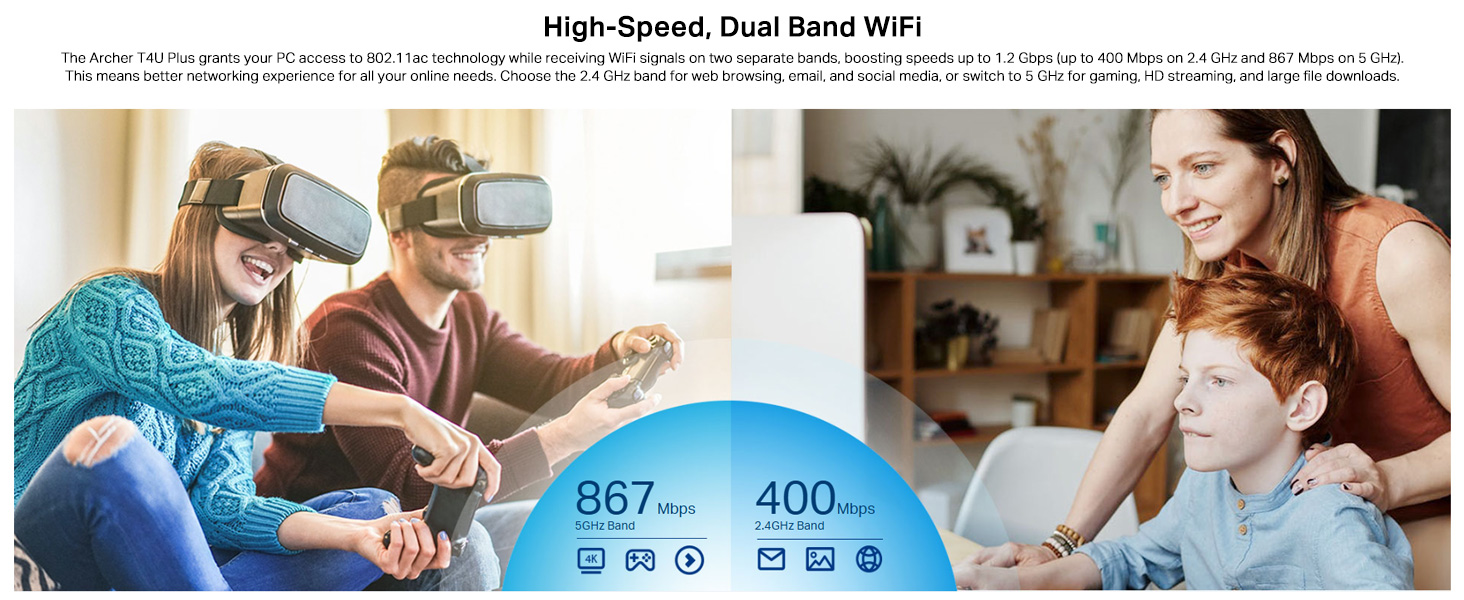
The Archer T4U Plus supports both 2.4 GHz and 5 GHz Wi-Fi bands. You can choose the band that best suits your needs:
- Діапазон 2.4 ГГц: Offers broader coverage and better penetration through walls, suitable for general internet use like web перегляду та електронної пошти.
- Діапазон 5 ГГц: Provides faster speeds and less interference, ideal for bandwidth-intensive activities such as online gaming, HD video streaming, and large file перекази.
Your router may broadcast separate SSIDs for each band (e.g., "MyWiFi_2.4GHz" and "MyWiFi_5GHz"). Select the appropriate network from the available list.

An image illustrating the dual-band capabilities of the adapter, showing 867 Mbps on the 5GHz band for activities like 4K streaming and gaming, and 400 Mbps on the 2.4GHz band for web перегляду та електронної пошти.
4.3 Enhanced Coverage and MU-MIMO
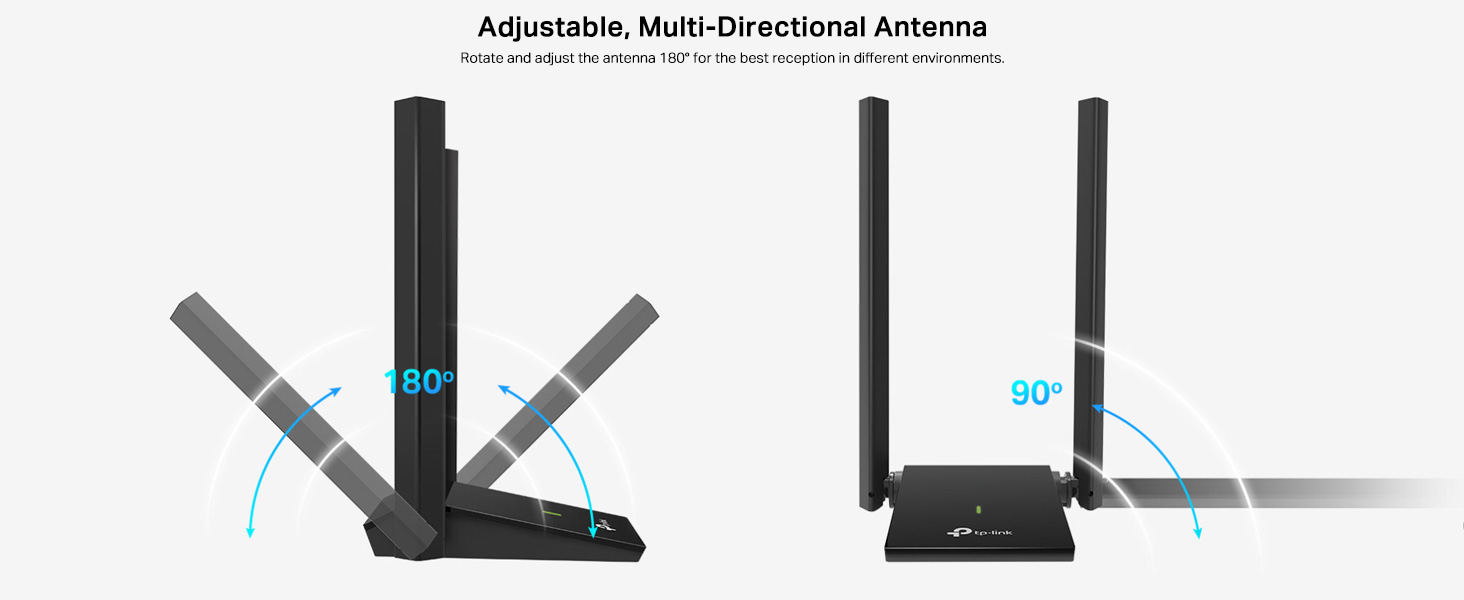
The dual high-gain antennas are designed to improve signal transmission and reception, extending your wireless coverage. For optimal performance, adjust the antennas to point towards your wireless router.
Illustrates the flexibility of the adapter's antennas, which can be rotated 180 degrees and adjusted 90 degrees for optimal signal reception.
The adapter also supports MU-MIMO technology. When used with a compatible MU-MIMO router, this technology allows the adapter to communicate with multiple devices simultaneously, improving network throughput and efficiency.
A visual representation of MU-MIMO technology, showing how the Archer T4U Plus adapter, when paired with a compatible router, can communicate with multiple devices simultaneously for improved network efficiency.
5. Технічне обслуговування
- Оновлюйте драйвери: Регулярно перевіряйте службу підтримки TP-Link webсайт для отримання найновіших драйверів, щоб забезпечити оптимальну продуктивність та сумісність.
- Очистіть пристрій: Використовуйте м’яку суху тканину для очищення адаптера. Уникайте використання рідких засобів для чищення або розчинників.
- Правильне розміщення: Переконайтеся, що адаптер розміщено в добре провітрюваному приміщенні та не накритий, щоб запобігти перегріву.
- Безпечне з'єднання: Ensure the USB cable is securely connected to both the adapter and your computer to prevent intermittent disconnections.
6. Вирішення проблем
- Немає з'єднання з Wi-Fi:
- Ensure the adapter is properly connected to a USB port.
- Verify that the drivers are correctly installed. Check Device Manager (Windows) or System Information (Mac OS) for the adapter's status.
- Перезавантажте комп'ютер і маршрутизатор.
- Спробуйте підключитися до іншого порту USB.
- Низька швидкість Wi-Fi:
- Ensure you are connected to the 5 GHz band if available and your router supports it, for faster speeds.
- Налаштуйте антени адаптера для кращого прийому сигналу.
- Minimize physical obstructions between the adapter and your router.
- Перевірте наявність перешкод від інших пристроїв (наприклад, мікрохвильових печей, бездротових телефонів).
- Update your adapter's drivers to the latest version.
- Часті відключення:
- Переконайтеся, що USB-кабель не від’єднаний.
- Спробуйте інший USB-порт, бажано USB 3.0.
- Check for updated drivers.
- Переконайтеся, що адаптер не перегрівається.
- Проблеми з встановленням драйверів:
- Disable any antivirus or firewall software temporarily during installation.
- Download drivers directly from the official TP-Link webсайт для вашої конкретної операційної системи.
- For Linux users, specific driver installation steps may be required, often involving command-line instructions. Refer to community forums or TP-Link's support for detailed guidance.
7. Технічні характеристики
| Особливість | опис |
|---|---|
| Бренд | TP-Link |
| Номер моделі | Archer T4U Plus |
| Апаратний інтерфейс | USB 3.0 |
| Бездротовий стандарт | 802.11ac |
| Швидкість передачі даних | 1300 Mbps (867 Mbps on 5GHz, 400 Mbps on 2.4GHz) |
| антени | Подвійні антени з високим коефіцієнтом посилення 5 дБі |
| Операційні системи | Windows 11/10/8.1/8/7/XP, Mac OS 10.15 and earlier |
| Розміри (Д x Ш x В) | 8.4 Д x 15.6 Ш x 1.9 В Сантиметрів |
| Вага товару | 100 грамів |
| Колір | чорний |
8. Гарантія та технічна підтримка
8.1 Інформація про гарантію
Цей продукт поставляється з a 3-річна гарантія виробникаБудь ласка, збережіть чек про покупку для гарантійного обслуговування.
8.2 Технічна підтримка
For technical assistance, driver downloads, or further inquiries, please contact TP-Link support:
- TP-Link India Private Limited
- Адреса: Green Industrial Park, Dongri Pada, Poman, Kaman-Bhiwandi Road, Vasai East, Palghar, Maharashtra – 401208
- Безкоштовний контакт: 1800 2094 168
- Підтримка електронною поштою: support.in@tp-link.com
- Виробник: Корпорація TP-Link, Південний корпус, вул. Кейюань, № 5, Центральна зона, Науково-технологічний парк, Наньшань, Шеньчжень, КНР
For the most up-to-date support information and resources, please visit the official TP-Link webсайт.


