
Hohem iSteady Pro 3-Axis Handheld Gimbal Stabilizer User Manual
Model: iSteady Pro
вступ
The Hohem iSteady Pro is a 3-axis handheld gimbal stabilizer designed to capture smooth, professional-grade footage with your action camera. This device is compatible with various sports cameras, including DJI OSMO Action, GoPro Hero 7/6/5/4/3, YI, and SJCAM models. This manual provides detailed instructions for proper setup, operation, maintenance, and troubleshooting to ensure optimal performance and longevity of your gimbal.
1. Налаштування
1.1 Розпакування та компоненти
Обережно розпакуйте всі компоненти з коробки. Переконайтеся, що є такі предмети:
- Hohem iSteady Pro Gimbal
- Міні штатив
- USB-кабель для зарядки
- Camera Charging Cables (various types)
- Чохол для транспортування
- Посібник користувача (цей документ)
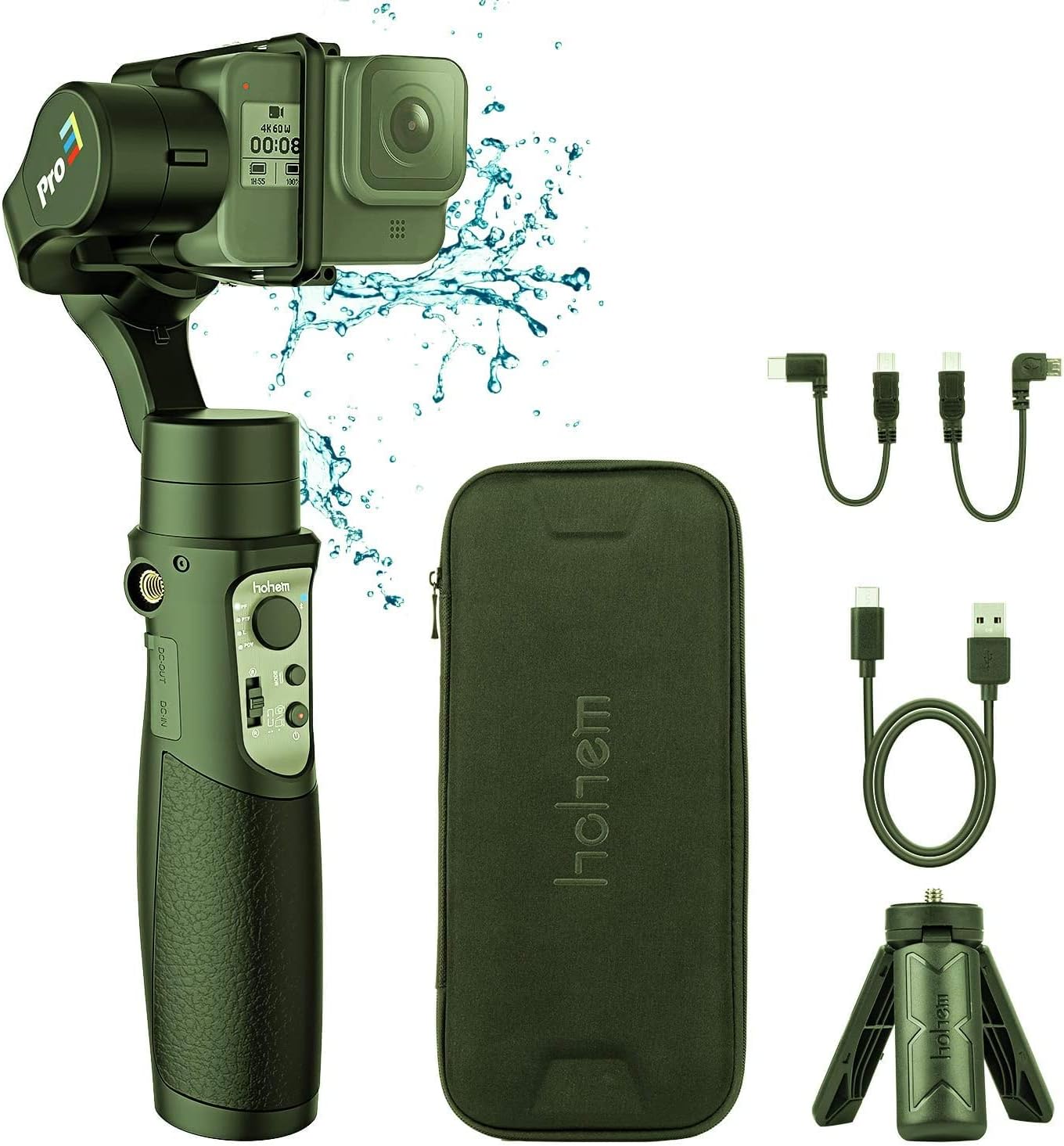
Image: Hohem iSteady Pro Gimbal, carrying case, mini tripod, and various charging cables.
1.2 Заряджання стабілізатора
Before initial use, fully charge the gimbal. Connect the USB charging cable to the gimbal's DC-IN port and a 5V/2A power adapter (not included). The indicator light will show charging status and turn solid when fully charged.
Примітка:
- The gimbal can also act as a power bank to charge your action camera via the DC-OUT port.
1.3 Кріплення екшн-камери
Mount your action camera securely onto the gimbal. Ensure the camera is balanced to prevent motor strain and ensure optimal stabilization. Adjust the sliding arm until the camera remains level when the gimbal is powered off.
Важливо:
- Always balance the camera before powering on the gimbal.
- Some cameras, like the GoPro Hero 7 Black, may have limited access to buttons or ports depending on mounting orientation.
2. Інструкція з експлуатації
2.1 Увімкнення/вимкнення живлення
Натисніть і утримуйте кнопку живлення протягом 3 секунд, щоб увімкнути або вимкнути стабілізатор.
2.2 Режими стабілізатора
The iSteady Pro features multiple operating modes for various shooting scenarios:
- Pan Following (PF) Mode: Камера панорамується вліво/вправо, повторюючи рухи вашої руки, а осі нахилу та повороту зафіксовані.
- Pan & Tilt Following (PTF) Mode: Камера панорамується вліво/вправо та нахиляється вгору/вниз, повторюючи рухи вашої руки, тоді як вісь повороту зафіксована.
- All Lock (AL) Mode: Усі три осі (панорамування, нахил, крен) зафіксовані, що утримує камеру спрямованою у фіксованому напрямку.
- All Following (AF) Mode: All three axes follow your hand movements.
- Спортивний режим: Provides faster response and stronger motor torque for dynamic shots.
Switch between modes using the mode button on the handle.
2.3 Керування джойстиком
Use the joystick to manually control the pan and tilt direction of the camera.
2.4 Підключення Bluetooth
Connect the gimbal to your smartphone via Bluetooth to use the Hohem Gimbal App for advanced controls, parameter adjustments, and firmware updates. Refer to the app's instructions for detailed usage.
2.5 Калібрування
If the gimbal is not level or drifts, perform a calibration. This can usually be done via the Hohem Gimbal App or by following a specific button sequence on the gimbal itself (refer to the quick start guide for specific button combinations).
3. Технічне обслуговування
3.1 Очищення
Wipe the gimbal with a soft, dry cloth. Avoid using harsh chemicals or abrasive materials. Ensure no dust or debris enters the motor joints.
3.2 Зберігання
Store the gimbal in its carrying case in a cool, dry place when not in use. Avoid extreme temperatures and direct sunlight. For long-term storage, ensure the battery is charged to approximately 50%.
3.3 оновлень мікропрограми
Regularly check for firmware updates via the Hohem Gimbal App to ensure optimal performance and access to new features. Follow the app's instructions carefully during the update process.
4. Вирішення проблем
| проблема | Можлива причина | Рішення |
|---|---|---|
| Підвіс не вмикається. | Низький заряд батареї. | Повністю зарядіть стабілізатор. |
| Gimbal vibrates or makes noise. | Camera not balanced correctly. | Re-balance the camera on the gimbal. |
| Gimbal drifts or is not level. | Потребує калібрування. | Perform a gimbal calibration via the app or button sequence. |
| Проблеми з підключенням Bluetooth. | App or device issues. | Ensure Bluetooth is enabled on your phone. Restart the gimbal and phone. Reinstall the Hohem Gimbal App. |
5. Технічні характеристики
- модель: iSteady Pro
- Axes: 3-Axis Stabilization
- Сумісність: DJI OSMO Action, GoPro Hero 7/6/5/4/3, YI, SJCAM Sports Cams
- Рівень водонепроникності: Водостійкий
- Виробник: хохем
Note: Specific battery life and charging times may vary. Refer to product packaging or the official Hohem website for the most up-to-date specifications.
6. Гарантія та підтримка
The Hohem iSteady Pro comes with a limited warranty. For detailed warranty terms and conditions, please refer to the warranty card included with your product or visit the official Hohem website. For technical support, troubleshooting assistance, or service inquiries, please contact Hohem customer service through their official channels.
Official Hohem Webсайт: www.hohem.com