
1. Вступ
Цей посібник містить важливу інформацію для правильного встановлення, експлуатації та обслуговування вашого ViewSonic VX3276-4K-MHD 32 Inch 4K UHD Monitor. Designed with a modern, minimalist style and ultra-thin bezels, this monitor delivers stunning 3840x2160p resolution, HDR10 content support, and versatile connectivity options for both home and office environments. Please read this manual thoroughly before using your monitor to ensure optimal performance and safety.

Зображення: The ViewSonic VX3276-4K-MHD monitor displayed on a desk, highlighting its modern aesthetic and ultra-slim profile, suitable for office, graphic design, and home entertainment.

Зображення: Крупний план view emphasizing the ultra-slim panel of the monitor, contributing to its sleek design.

Зображення: Моніторна виставкаasing its frameless design, providing an expansive viewнабутий досвід.
2. Інформація про безпеку
- Завжди ставте монітор на стійку, рівну поверхню, щоб запобігти його падінню.
- Не блокуйте вентиляційні отвори. Забезпечте достатній простір навколо монітора для належної циркуляції повітря.
- Використовуйте лише адаптер живлення та кабелі, надані виробником.
- Тримайте монітор подалі від води, вологи та екстремальних температур.
- Avoid exposing the screen to direct sunlight for extended periods.
- Не намагайтеся ремонтувати монітор самостійно. Звертайтеся до кваліфікованого сервісного персоналу для всіх робіт з обслуговування.
- Перед чищенням від’єднайте монітор від розетки.
3. Що в коробці
Після відкриття упаковки переконайтеся, що всі наступні предмети присутні:
- ViewSonic VX3276-4K-MHD Monitor
- Кабель живлення
- Кабель HDMI
- Короткий посібник
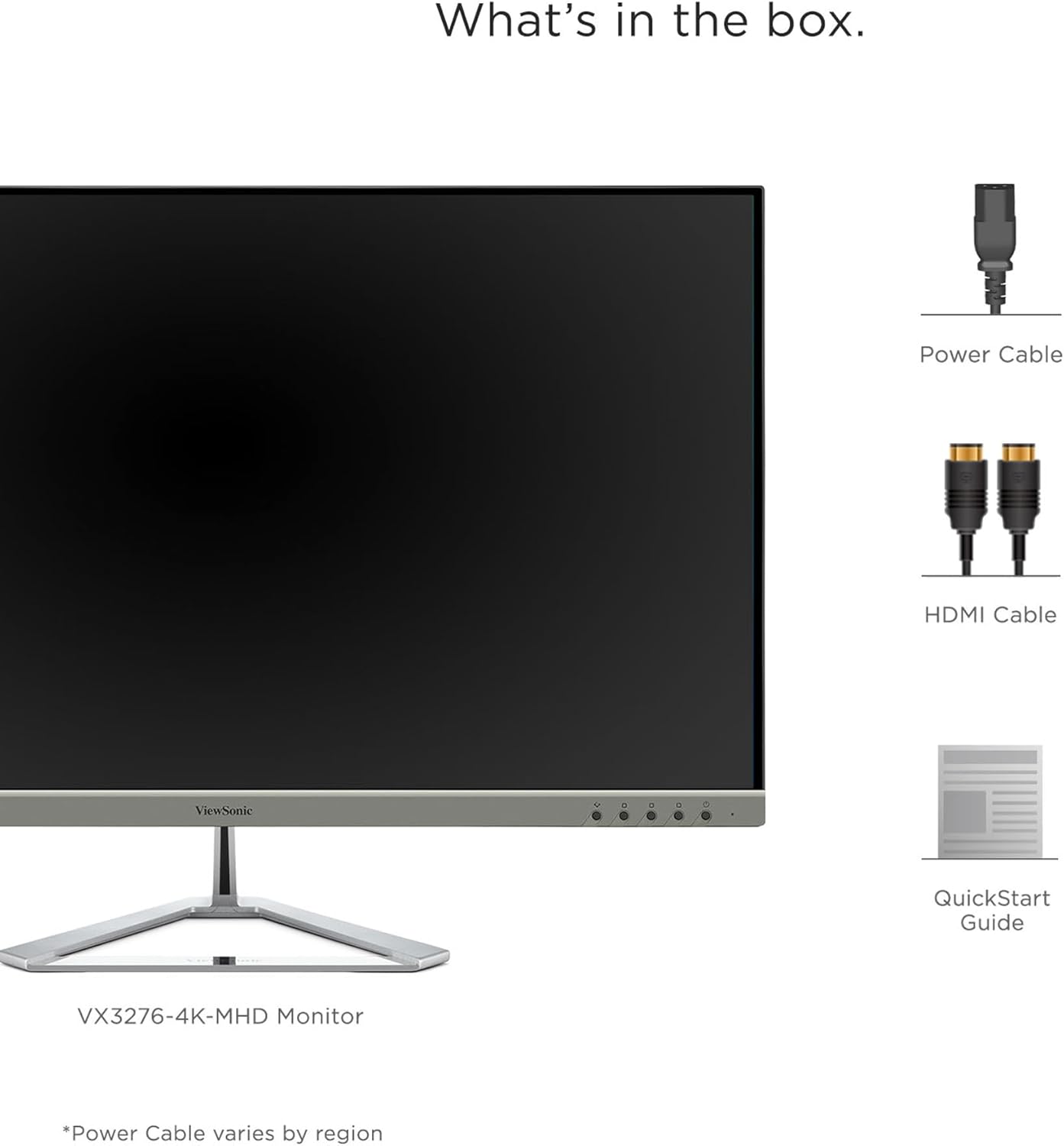
Image: A visual representation of the items included in the ViewSonic VX3276-4K-MHD monitor package.
4. Налаштування
4.1 Збірка підставки
Carefully remove the monitor and stand components from the packaging. Attach the stand base to the stand neck, then secure the assembled stand to the back of the monitor. Ensure all screws are tightened appropriately.
4.2 Підключення монітора
The VX3276-4K-MHD monitor offers versatile connectivity options. Connect your computer or other devices using the appropriate cables:
- HDMI: Use the provided HDMI cable to connect to your computer's HDMI port. The monitor features two HDMI 2.0 inputs.
- DisplayPort: Connect using a DisplayPort cable for high-resolution video and audio transmission.
- Mini DisplayPort: Use a Mini DisplayPort cable for compatible devices.
- Аудіо вихід: Connect external speakers or headphones to the 3.5mm audio out jack.

Image: The back of the monitor displaying the various input ports, including HDMI, DisplayPort, Mini DisplayPort, and Audio Out, along with the integrated 2-Watt speakers.

Image: An illustration highlighting the versatile connectivity options of the monitor, including HDMI, DisplayPort, and Mini DisplayPort.
4.3 Підключення живлення
Connect the power cable to the monitor's AC input and then plug it into a grounded electrical outlet.
4.4 Кріплення VESA (додатково)
The monitor is VESA compatible (100x100mm) for wall mounting or use with compatible monitor arms. Ensure you use appropriate VESA-compliant mounting hardware (not included) and follow the mounting instructions provided with your VESA mount.

Image: The VESA compatible mounting points on the rear of the monitor, allowing for flexible installation options.
5. Інструкція з експлуатації
5.1 Увімкнення/вимкнення
Press the power button located on the lower left side of the monitor to turn it on or off. The power LED will indicate the monitor's status.
5.2 Екранне меню (OSD)
Use the physical buttons on the back of the monitor to navigate and adjust settings within the On-Screen Display (OSD) menu. These buttons allow you to control various display parameters such as brightness, contrast, color settings, and input selection.
5.3 Optimized View Налаштування (ViewМода)
The monitor features exclusive ViewMode presets to optimize screen performance for different applications. These presets include "Game," "Movie," "Web," "Text," and "Mono." Select the appropriate mode for your current activity to enhance your viewнабутий досвід.

Image: An illustration demonstrating the different ViewMode settings (Game, Movie, Web, Text, Mono) that optimize the display for specific content.
5.4 Display Quality and HDR10 Support
Experience stunning 4K UHD (3840x2160p) resolution with the MVA panel technology, offering ultra-wide viewing angles and vibrant colors. HDR10 content support delivers a high dynamic range for deep contrast, rich color, and detailed visuals.

Image: A visual comparison highlighting the clarity and detail provided by the 4K Ultra HD resolution.

Image: A comparison demonstrating the superior contrast and vibrant colors achieved with HDR10 content support compared to conventional display.

Image: An illustration demonstrating the wide 178-degree viewing angles provided by MVA Panel Technology.
5.5 Покращено Viewing Comfort (Eye-Care)
The monitor incorporates Flicker-Free technology and a Blue Light Filter to reduce eye fatigue during prolonged use, promoting a more comfortable viewнабутий досвід.

Image: A simulated comparison showing the benefits of Flicker-Free and Blue Light technology in reducing eye strain.
5.6 Вбудовані динаміки
The monitor includes dual integrated 2-Watt speakers for audio output. You can also connect external audio devices via the Audio Out port.

Image: An illustration indicating the location and function of the dual integrated 2-Watt speakers on the monitor.
5.7 Multi-Tasking and Productivity
The large 32-inch screen and 4K resolution provide ample screen real estate for multi-tasking, allowing you to open multiple windows side-by-side for enhanced productivity.

Image: The monitor set up in a home office, demonstrating its capability to display multiple applications simultaneously for efficient multi-tasking.
6. Технічне обслуговування
6.1 Очищення екрана
Щоб очистити екран, обережно протріть його м’якою тканиною без ворсу. Для стійких плям злегка протрітьampПротріть тканину водою або м’яким неабразивним засобом для чищення екранів. Ніколи не розпилюйте рідину безпосередньо на екран.
6.2 Очищення Casing
Використовуйте м’яку суху тканину для очищення монітора casing. Avoid using strong detergents or abrasive cleaners, as they may damage the surface.
7. Вирішення проблем
7.1 Немає зображення на екрані
- Переконайтеся, що кабель живлення надійно підключено як до монітора, так і до розетки.
- Verify that the video cable (HDMI, DisplayPort, Mini DisplayPort) is firmly connected to both the monitor and your computer.
- Перевірте, чи в екранному меню вибрано правильне джерело вхідного сигналу.
- Переконайтеся, що ваш комп’ютер увімкнено та не перебуває в режимі сну.
7.2 Зображення розмите або спотворене
- Налаштуйте роздільну здатність дисплея на вашому комп'ютері відповідно до рідної роздільної здатності монітора (3840x2160).
- Перевірте відеокабель на наявність будь-яких пошкоджень або ослаблених з’єднань.
- Скиньте монітор до заводських налаштувань за замовчуванням через екранне меню.
7.3 No Sound from Speakers
- Ensure the volume on the monitor and your computer is not muted and is set to an audible level.
- Verify that the audio output is correctly configured on your computer to use the monitor's speakers.
- If using an external audio device, ensure it is properly connected to the Audio Out port.
8. Технічні характеристики

Image: A diagram illustrating the physical dimensions of the ViewSonic VX3276-4K-MHD monitor, including screen size and overall measurements.
| Особливість | Деталь |
|---|---|
| Бренд | ViewСоник |
| Номер моделі | VX3276-4K-MHD |
| Розмір екрана | 32 дюймів |
| роздільна здатність | 4K UHD (3840x2160p) |
| Співвідношення сторін | 16:9 |
| Частота оновлення | 60 Гц |
| Час відгуку | 4 мілісекунд |
| Тип дисплея | LED LCD (MVA Panel Technology) |
| Яскравість | 300 кд/м2 |
| Коефіцієнт контрастності | 2500:1 |
| Viewкут нахилу | 178 градусів |
| Підключення | 2x HDMI, 1x DisplayPort, 1x Mini DisplayPort |
| Аудіо | Dual Integrated 2W Speakers, 1x Audio Out |
| Особливості | HDR10 Support, Flicker-Free, Blue Light Filter, ViewMode Presets, Anti-Glare Screen, FreeSync |
| Тип монтажу | VESA Compatible (100x100mm) |
| Розміри (Д x Ш x В) | 9.1" Г x 28.1" Ш x 19.9" В |
| Вага товару | 15 фунта |
| Споживана потужність | 56 Вт |
9. Гарантія та підтримка
9.1 Інформація про гарантію
The ViewSonic VX3276-4K-MHD monitor comes with a Three-year limited warranty on parts, labor, and backlightБудь ласка, збережіть чек про покупку для гарантійного обслуговування.
9.2 Підтримка клієнтів
For technical assistance, product registration, or further information, please visit the official ViewСоник website or contact their customer support. Refer to the Quick Start Guide for specific contact details or scan the QR code on the back of your monitor for support resources.
Video: An official ViewВідеошоу Sonicasing the features and design of the ViewSonic 32 Inch VX3276-4K-MHD Monitor. This video provides a general overview продукту.