
1. Вступ
Thank you for choosing the RoHS EAL9001U Keyboard. This compact USB keyboard is designed for reliable performance and ease of use. This manual provides essential information on setting up, operating, maintaining, and troubleshooting your new keyboard to ensure optimal functionality.
1.1 Вміст упаковки
- RoHS EAL9001U Keyboard
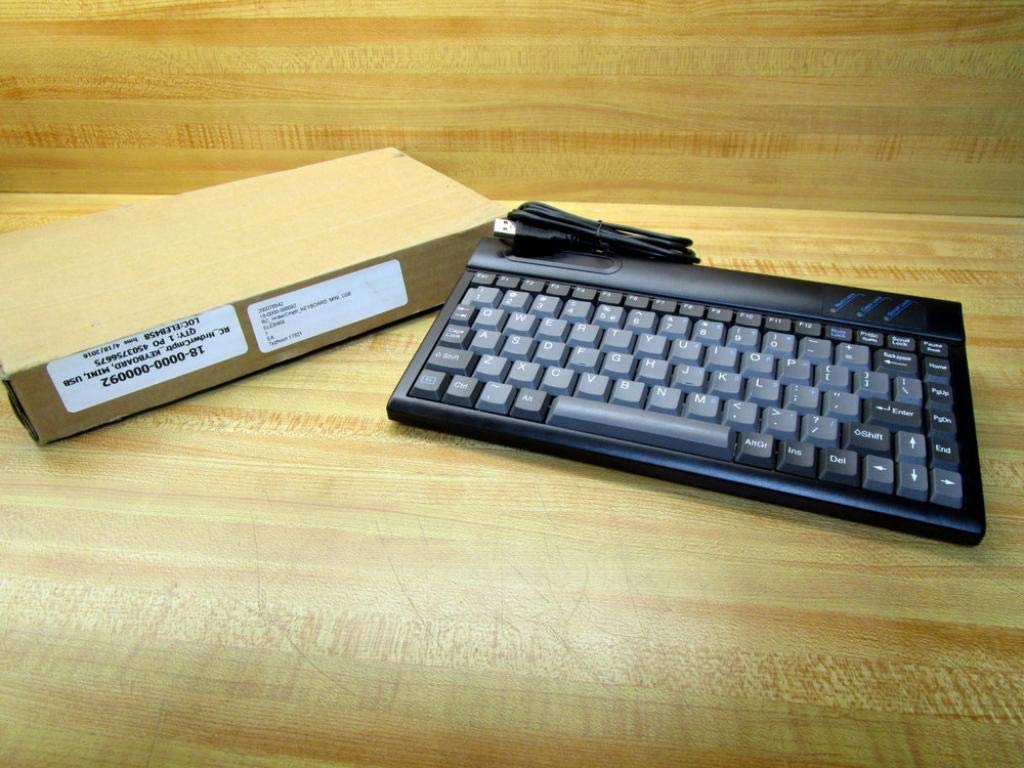
Figure 1.1: The RoHS EAL9001U Keyboard as packaged, alongside its brown cardboard box.
2. Продукт закінчивсяview
The RoHS EAL9001U is a compact, 85-key QWERTY keyboard designed for various computing environments. Its durable plastic construction and USB connectivity ensure a straightforward and reliable user experience.
2.1 Основні характеристики
- Compact Design with 85 Keys
- Standard QWERTY Keyboard Layout
- USB Connectivity for Plug-and-Play Operation
- Міцний пластик
- Харчування від порту USB
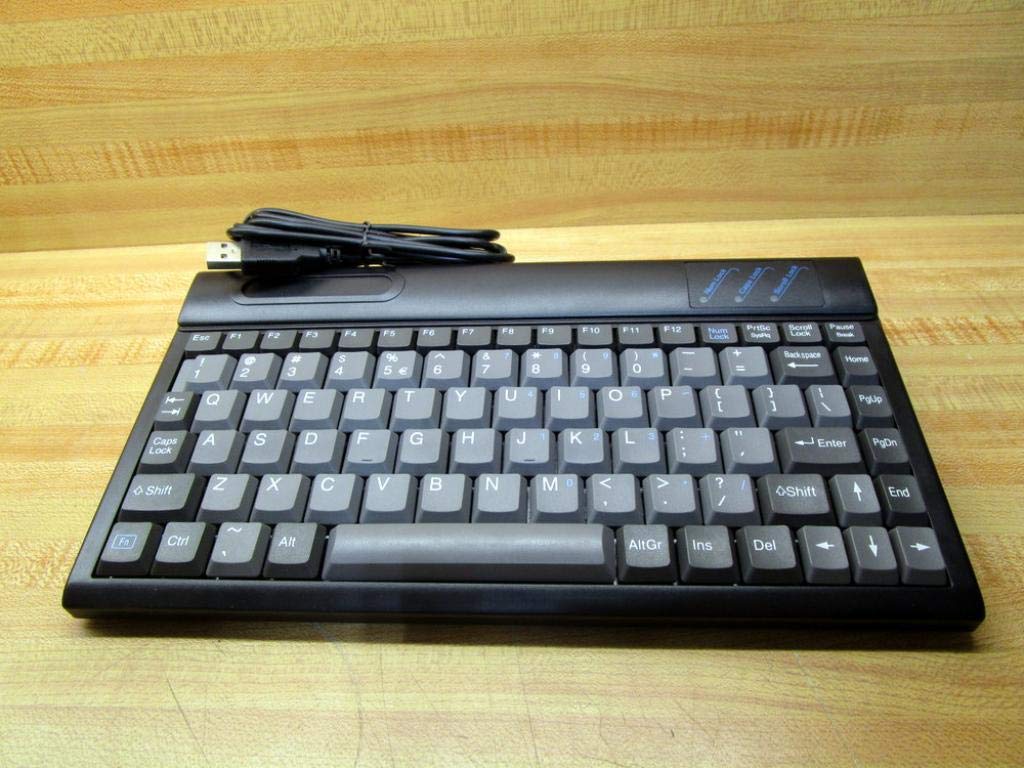
Малюнок 2.1: Верх view of the RoHS EAL9001U Keyboard, showcasing its compact QWERTY layout.
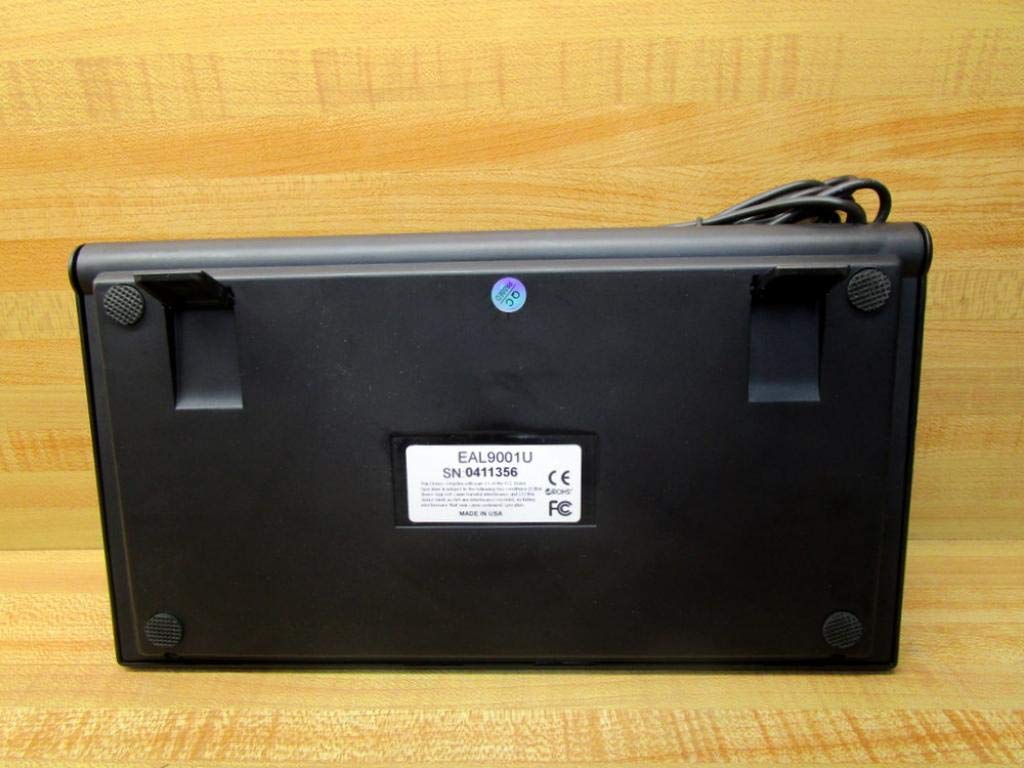
Малюнок 2.2: Нижня частина view of the RoHS EAL9001U Keyboard, showing its stable feet and smooth surface.
3. Налаштування
3.1 Підключення клавіатури
The RoHS EAL9001U Keyboard is a plug-and-play device, requiring no special drivers for most operating systems.
- Знайдіть вільний USB-порт на вашому комп’ютері або пристрої.
- Щільно вставте USB-роз'єм клавіатури в USB-порт.
- Wait for your operating system to recognize the new hardware. This usually takes a few seconds.
- Тепер клавіатура готова до використання.
4. Інструкція з експлуатації
4.1 Основна операція
The EAL9001U keyboard functions like a standard QWERTY keyboard. Simply type as you normally would. The 85-key layout includes all essential alphanumeric keys, function keys (F1-F12), and navigation keys.
4.2 Спеціальні функції
Due to its compact design, some less frequently used keys might be accessed via a function (Fn) key combination. Refer to your operating system's keyboard settings for any custom key assignments or shortcuts.
5. Технічне обслуговування
5.1 Очищення
Щоб зберегти зовнішній вигляд та функціональність клавіатури:
- Від’єднайте клавіатуру від комп’ютера перед чищенням.
- Злегка протріть м’якою тканиною без ворсу dampened with water or a mild, non-abrasive cleaning solution to wipe the surface.
- Для видалення пилу та сміття між клавішами використовуйте стиснене повітря або невелику щітку.
- Уникайте розпилення рідин безпосередньо на клавіатуру.
5.2 Зберігання
Коли клавіатура не використовується, зберігайте її в прохолодному, сухому місці, подалі від прямих сонячних променів та екстремальних температур, щоб запобігти пошкодженню.
6. Вирішення проблем
| Випуск | Можлива причина | Рішення |
|---|---|---|
| Клавіатура не відповідає | Loose USB connection; Faulty USB port; Driver issue (rare) | Переконайтеся, що USB-кабель надійно підключено. Спробуйте інший USB-порт. Перезавантажте комп’ютер. |
| Певні клавіші не працюють | Debris under key; Key mechanism damage | Use compressed air to clear debris. If problem persists, contact support. |
| Keyboard recognized but input delayed | System resource issue; USB port conflict | Close unnecessary applications. Try a different USB port. |
7. Технічні характеристики
| Особливість | Деталь |
|---|---|
| Номер моделі | EAL9001U (18-0000-000092) |
| Технологія підключення | USB |
| Кількість клавіш | 85 |
| Розкладка клавіатури | QWERTY |
| Джерело живлення | Харчування від порту USB |
| матеріал | пластик |
| Розміри продукту | 3 x 11 x 11 дюймів |
| Вага продукту | 1.38 фунта |
| Виробник | Rohs |

Figure 7.1: Product label showing model EAL9001U, serial number, FCC, CE, and RoHS compliance, and 'MADE IN USA'.
8. Інформація про гарантію
This product is covered by a standard manufacturer's warranty. Please retain your proof of purchase for any warranty claims. For specific warranty terms and conditions, refer to the documentation provided at the time of purchase or contact the manufacturer directly.
9. Підтримка клієнтів
For technical assistance, troubleshooting, or product inquiries, please contact your retailer or the manufacturer's customer support. Have your product model number (EAL9001U) and serial number (if applicable) ready when contacting support.