
вступ
The OneOdio Studio Pro-10 headphones are designed for professional audio monitoring, mixing, and casual listening. Featuring 50mm neodymium drivers, they deliver dynamic bass and clear sound across a wide frequency range. This manual provides essential information for setting up, operating, maintaining, and troubleshooting your headphones.
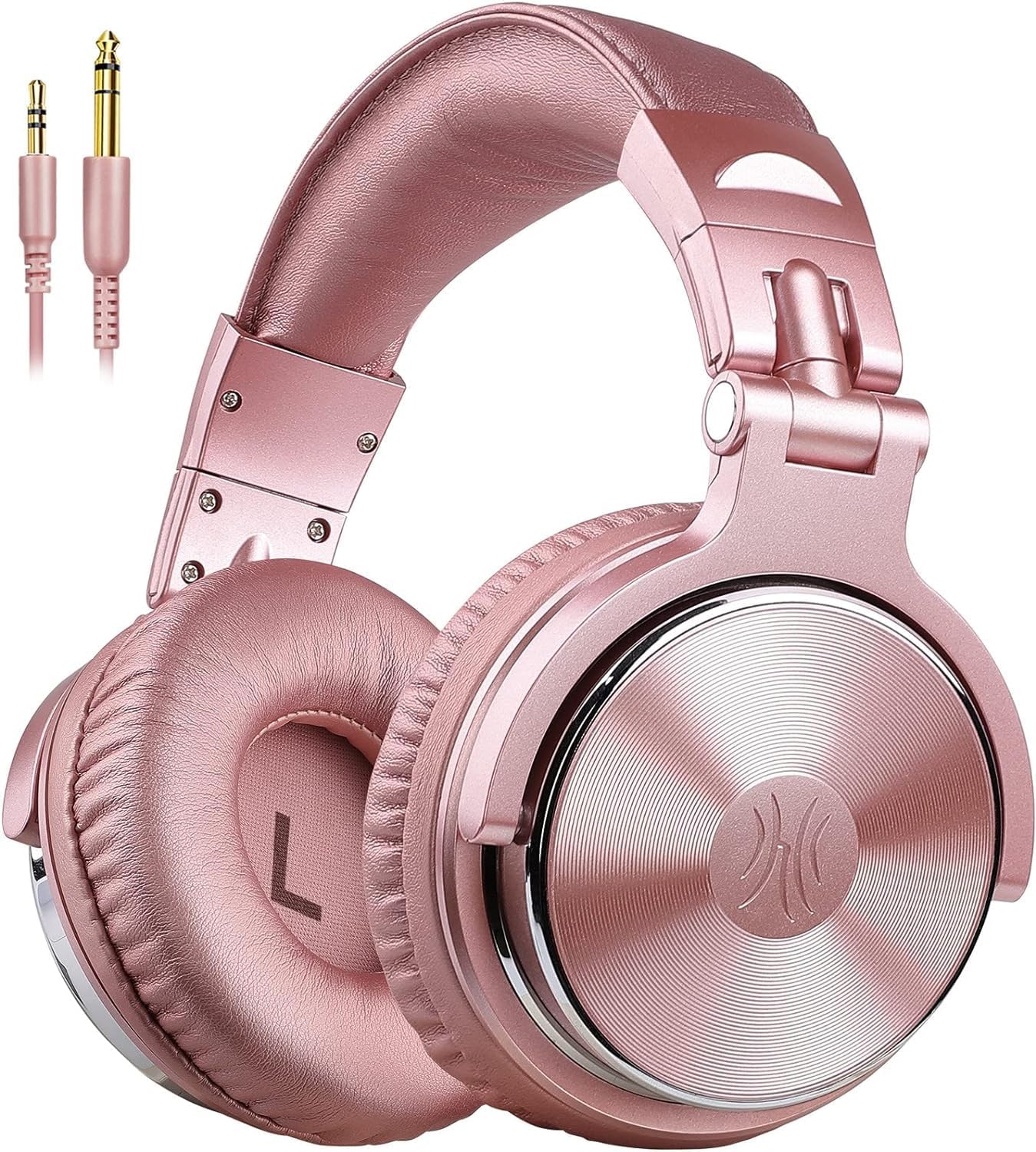
Figure 1: OneOdio Studio Pro-10 Wired Over Ear Headphones in Pink.
Особливості продукту
- ЗВУК БАСА: Enjoy powerful bass and comfort with 50mm neodymium drivers for dynamic audio.
- BUILT TO STAY COMFORTABLE: Soft padded ear cushions and an adjustable headband ensure comfort for extended use.
- NO MORE ADAPTER: Includes both 6.35mm and 3.5mm detachable plugs for versatile connectivity.
- SINGLE-SIDE MONITORING: 90° swiveling ear cups allow for convenient single-ear monitoring.
- УНІВЕРСАЛЬНА СУМІСНІСТЬ: Works with all devices featuring 3.5mm or 6.35mm audio jacks.

Figure 2: The headphones are Hi-Res Audio certified, delivering balanced sound with clear highs and stable bass.

Figure 3: These headphones are ideal for various professional audio applications, including studio work, live performances, mastering, and audio forensics.
Налаштування
Your OneOdio Studio Pro-10 headphones come with two interchangeable audio cables: a 3.5mm cable and a 6.35mm to 3.5mm coiled cable. The headphones feature dual audio input ports, allowing you to connect either cable to either ear cup.
- Identify Your Device's Audio Port: Determine whether your audio source (e.g., smartphone, computer, amplifier, DJ mixer) uses a 3.5mm or 6.35mm audio jack.
- Select the Appropriate Cable: Use the 3.5mm cable for standard devices like phones, tablets, and laptops. Use the 6.35mm to 3.5mm coiled cable for professional audio equipment such as amplifiers, audio interfaces, and pianos.
- Підключіть кабель: Insert the smaller 3.5mm end of your chosen cable into either of the headphone's audio input ports. Insert the other end of the cable (3.5mm or 6.35mm) into your audio source.
- Налаштувати для комфорту: Extend or retract the headband and swivel the ear cups to achieve a comfortable and secure fit. The ear cups are marked 'L' for left and 'R' for right for proper orientation.

Figure 4: The headphones support both 3.5mm and 6.35mm jacks for compatibility with mobile devices, computers, gaming consoles, TVs, amplifiers, and musical instruments.
Інструкція з експлуатації
Once connected, your headphones are ready for use. The 3.5mm cable includes an in-line microphone and remote control for convenient operation with compatible devices.
- Відтворення аудіо: Begin playing audio from your connected device. Adjust the volume directly on your device.
- In-Line Microphone & Remote (3.5mm cable only):
- Press button once to Play/Pause music.
- Press button once to Answer/Pause calls.
- Single-Side Monitoring: For DJing or specific monitoring needs, swivel one ear cup 90° to listen with a single ear while keeping the other free.
- Технологія SharePort: Connect another pair of headphones to the unused audio input port on your OneOdio Studio Pro-10 headphones to share audio with a friend or colleague.

Figure 5: The in-line remote control allows for easy play/pause of music and answering/ending calls.

Figure 6: Utilize SharePort Technology to share movies and music with friends and family by connecting another pair of headphones to the available port.
Video 1: Official OneOdio video demonstrating the features and versatility of the Studio Pro-10 headphones, including their design and connectivity options.
Технічне обслуговування
Proper care will extend the lifespan of your OneOdio Studio Pro-10 headphones.
- Прибирання: Use a soft, dry cloth to wipe down the ear cups and headband. Avoid harsh chemicals or abrasive materials.
- Догляд за кабелем: Handle cables gently. Avoid sharp bends or excessive pulling. Detach cables when not in use to prevent tangling and damage.
- Зберігання: When not in use, fold the headphones into their compact form and store them in the provided protective pouch. This protects them from dust and physical damage.

Figure 7: The headphones feature a flexible design with 180° flip and 90° rotation capabilities, allowing for a foldable and compact storage solution.
Усунення несправностей
| проблема | Можлива причина | Рішення |
|---|---|---|
| Ні звуку | Cable not fully inserted; incorrect audio source selected; device volume too low. | Ensure cables are securely plugged into both headphones and device. Check audio output settings on your device. Increase device volume. |
| Погана якість звуку | Damaged cable; dirty audio port; low quality audio file. | Try a different audio cable. Clean the audio port on your device. Use high-quality audio files. |
| Мікрофон не працює | Using the wrong cable; device settings. | Ensure you are using the 3.5mm cable with the in-line microphone. Check microphone input settings on your device. |
Технічні характеристики
| Особливість | Деталь |
|---|---|
| Назва моделі | Про-10 |
| Розмір драйвера | 50 міліметрів |
| Імпеданс | 32 Ом |
| АЧХ | 20 Гц-40K Гц |
| Чутливість | 110 дБ |
| Технологія підключення | Провідний |
| Гніздо для навушників | Роз'єм 3.5 мм (з адаптером 6.35 мм) |
| Контроль шуму | Звукоізоляція |
| Вага товару | 8.8 унції (250 грама) |
| матеріал | Leather, Plastic, Metal |
| Колір | Рожевий |
Що в коробці
- OneOdio DJ Навушники
- 3.5mm Audio Plug Cable (with in-line mic)
- Згорнутий кабель від 6.35 мм до 3.5 мм
- Посібник користувача
- Захисний футляр/чохол

Figure 8: The package includes the Pro-10 headphone, manual, pouch, 3.5mm audio plug cable, and 6.35mm to 3.5mm cable.
Гарантія та підтримка
OneOdio products typically come with a manufacturer's warranty. Please refer to the warranty card included in your product packaging for specific terms and conditions, including warranty period and claim procedures. For any support inquiries, technical assistance, or warranty claims, please contact OneOdio customer service through the contact information provided in your product manual or on the official OneOdio webсайт.