
1. Вступ
This manual provides essential information for the safe and efficient use of your TCL 32B400 32-inch HD LCD TV. Please read it thoroughly before operating the television and retain it for future reference.
The TCL 32B400 features a direct-lit LED backlight for uniform high brightness and image quality. Its VA panel technology delivers superior contrast, allowing for natural expression of subtle light and dark details. Equipped with a dual tuner, this TV supports terrestrial digital, BS digital, and 110-degree CS digital broadcasts, enabling simultaneous recording of one program while watching another. It supports various recording functions including instant, scheduled, daily/weekly repeat, and event recording. Connectivity options include two HDMI Ver1.4a input terminals (Port 1 supports ARC) and one USB2.0 input/output terminal, allowing connection to Blu-ray/DVD players/recorders and external speakers via ARC.

Малюнок 1: Спереду view of the TCL 32B400 TV.
2. Налаштування
2.1 Розпакування та перевірка компонентів
Обережно вийміть усі компоненти з упаковки. Переконайтеся, що всі перелічені нижче елементи присутні:
- Пульт дистанційного керування x1
- Батарейки ААА x2
- miniB-CAS card x1
- Шнур живлення x1
- Tip-over prevention parts set x1
- Підставка x2
- Screws (ST4, 20mm) x4 (for 32-inch model)
- Інструкція з експлуатації
- Короткий посібник
- Гарантійний талон

Рисунок 2: Комплектуючі.
2.2 Встановлення підставки
- Покладіть телевізор екраном вниз на м’яку рівну поверхню, щоб запобігти пошкодженням.
- Вирівняйте підставки з відповідними пазами на нижній панелі телевізора.
- Secure each stand using the provided screws (ST4, 20mm).
2.3 З'єднувальні кабелі
Connect the necessary cables to the appropriate ports on the TV. Refer to the connection diagram below.
- Шнур живлення: Підключіть шнур живлення до входу живлення телевізора, а потім до розетки.
- Антена: Connect your terrestrial digital antenna cable to the 'Antenna Input' port. For BS/CS broadcasts, connect the satellite antenna cable to the 'BS/CS 110°' port.
- Пристрої HDMI: Connect external devices like Blu-ray players or game consoles to the HDMI input ports. HDMI Port 1 supports Audio Return Channel (ARC).
- USB пристрої: Connect external USB storage devices for recording to the USB port.
- miniB-CAS Card: Insert the miniB-CAS card into its dedicated slot.

Figure 3: Connection terminals overview.
2.4 Початкове налаштування
After connecting all cables and powering on the TV, follow the on-screen instructions to complete the initial setup, including channel tuning and network configuration (if applicable).
3. Інструкція з експлуатації
3.1 Основна операція
- Увімкнення/вимкнення живлення: Натисніть кнопку живлення на пульті дистанційного керування або на телевізорі.
- Вибір каналу: Use the 'CH +/-' buttons or number buttons on the remote control.
- Регулювання гучності: Use the 'VOL +/-' buttons on the remote control.
- Джерело введення: Press the 'Input' button on the remote to select between HDMI, TV, and other connected sources.
3.2 Запис програм
Your TCL 32B400 TV supports recording to an external USB Hard Disk Drive (HDD) thanks to its dual tuner. This allows you to record one program while watching another.
- Connect a compatible external USB HDD to the TV's USB port.
- Format the HDD if prompted by the TV.
- To record, select the desired program and use the recording options in the TV menu (e.g., instant recording, scheduled recording via EPG).

Figure 4: Dual tuner allows watching one program while recording another.
3.3 Налаштування зображення та звуку
Access the TV's menu to adjust picture (brightness, contrast, color, sharpness) and sound (bass, treble, balance, sound mode) settings to your preference.
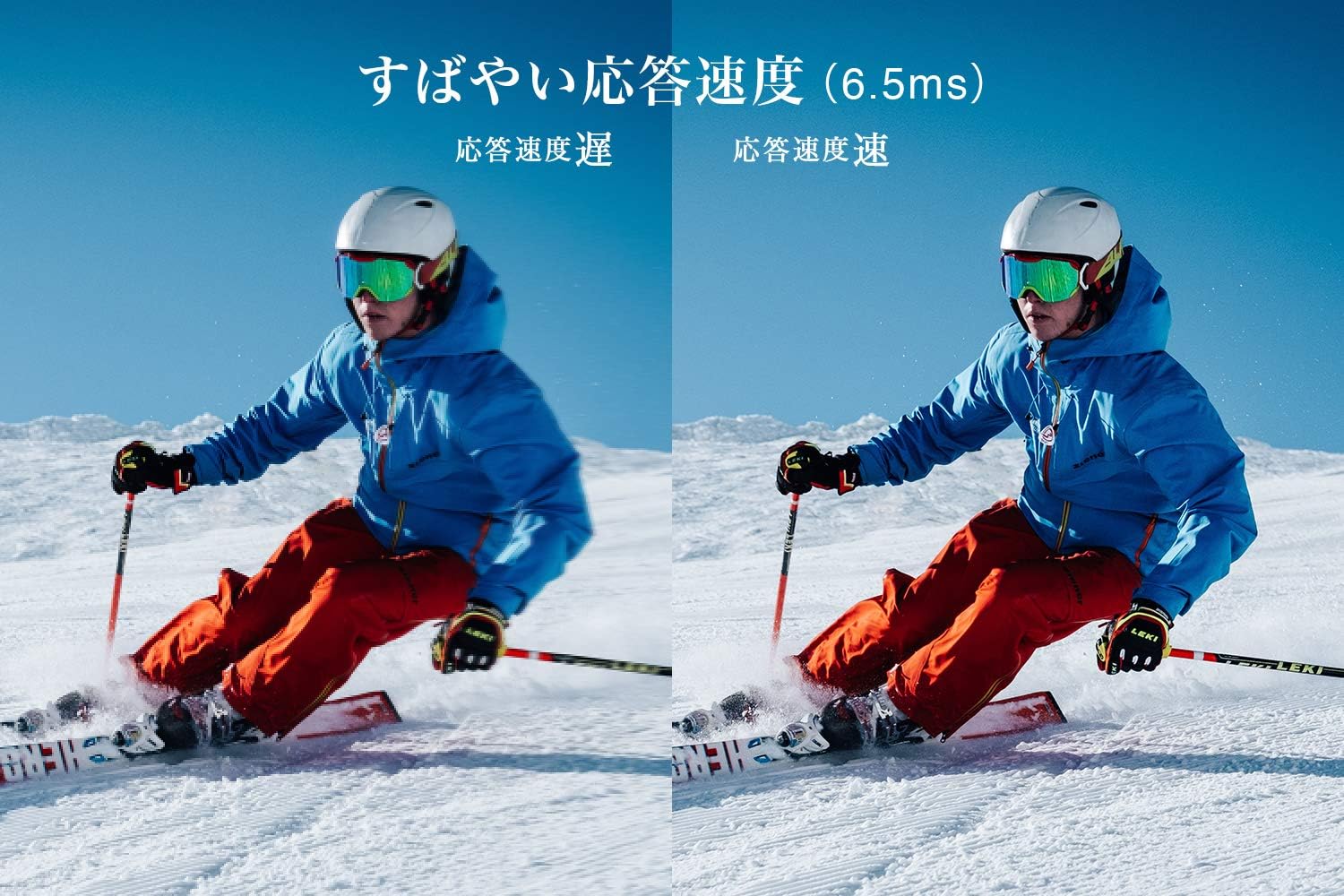
Figure 5: The TV features a fast response speed of 6.5ms for clear motion.
4. Технічне обслуговування
4.1 Очищення екрана
Обережно протріть екран м’якою, сухою тканиною без ворсу. Для стійких плям злегка протрітьampen the cloth with water or a specialized screen cleaner (ensure it's suitable for LCD screens) and wipe carefully. Avoid applying excessive pressure.
4.2 Очищення корпусу телевізора
Wipe the TV body with a soft, dry cloth. Do not use abrasive cleaners, waxes, or solvents as they can damage the finish.
4.3 Загальний догляд
- Уникайте впливу прямих сонячних променів або екстремальних температур на телевізор.
- Забезпечте належну вентиляцію навколо телевізора, щоб запобігти перегріву.
- Від’єднуйте телевізор від розетки під час грози або якщо він не використовуватиметься протягом тривалого часу.
5. Вирішення проблем
If you encounter issues with your TV, refer to the following common troubleshooting steps. If the problem persists, contact customer support.
5.1 Немає живлення
- Перевірте, чи шнур живлення надійно підключено як до телевізора, так і до розетки.
- Перевірте справність розетки, підключивши інший пристрій.
- Натисніть кнопку живлення на самому телевізорі, а не лише на пульті дистанційного керування.
5.2 No Picture/No Signal
- Переконайтеся, що вибрано правильне джерело вхідного сигналу (наприклад, HDMI 1, TV).
- Перевірте всі кабельні з'єднання (HDMI, антена) на наявність нещільного кріплення або пошкоджень.
- Якщо ви використовуєте зовнішній пристрій, переконайтеся, що він увімкнений та працює належним чином.
- Perform a channel scan if you are watching broadcast TV.
5.3 Немає звуку
- Перевірте рівень гучності та переконайтеся, що звук телевізора не вимкнено.
- Якщо ви використовуєте зовнішні динаміки, переконайтеся, що вони правильно підключені та увімкнені.
- Перевірте налаштування звуку в меню телевізора.
5.4 Пульт дистанційного керування не працює
- Замініть батареї на нові.
- Переконайтеся, що між пультом дистанційного керування та ІЧ-датчиком телевізора немає перешкод.
6. Технічні характеристики
| Особливість | Специфікація |
|---|---|
| Розмір дисплея | 32 дюймів |
| Технологія дисплея | ЖК |
| роздільна здатність | HD (1366 x 768) |
| Частота оновлення | 60 Гц |
| Співвідношення сторін | 16:9 |
| Коефіцієнт контрастності | 3000:1 |
| Viewкут нахилу | 178/178 degrees (JEITA standard, CR>=10) |
| Тип підсвічування | Світлодіод прямого освітлення |
| Швидкість відгуку | 6.5 мс |
| Розміри (з підставкою) | Ш 731 х В 491 х Г 186 мм |
| Розміри (без підставки) | Ш 731 х В 436 х Г 76 мм |
| Вага (з підставкою) | 4.4 кг |
| Вага (без підставки) | 4.3 кг |
| Настінне кріплення (VESA) | 100х100 мм |
| Річне споживання електроенергії | 45 кВт/год |
| Порти HDMI | 2 (HDMI Ver1.4a, Port 1 supports ARC) |
| USB порти | 1 (USB2.0) |
| Тип тюнера | Terrestrial Digital, BS Digital, 110-degree CS Digital (Dual Tuner) |
| Рік моделі | 2019 |

Figure 6: TV dimensions and recommended viewвідстань.

Figure 7: VA panel technology provides superior contrast and depth.
7. Гарантія та підтримка
7.1 Гарантія виробника
На цей продукт надається гарантія виробника терміном 1 рік з дати покупки. Будь ласка, збережіть чек про покупку для пред'явлення претензій за гарантією.
7.2 Підтримка клієнтів
For any inquiries, technical assistance, or repair requests, please contact TCL customer support. Our dedicated Japanese staff are available to assist you.
- телефон: 0120-955-517
- Години роботи: 9:00 - 18:00 (Weekdays and Holidays, excluding year-end and New Year holidays)
- Webсайт: https://www.tcl.com/jp/ja/services.html
Nationwide repair service is available.
Figure 8: TCL Customer Support details.