
1. Вступ
This manual provides instructions for the proper setup, operation, and maintenance of your Ohaus CR5200 Compass Series Portable Balance. Please read this manual thoroughly before using the balance to ensure correct operation and to prevent damage.
The Ohaus CR5200 is a portable digital balance designed for accurate weighing with a capacity of 5200 grams and a readability of 1 gram. It supports multiple weighing units including grams (g), ounces (oz), pounds:ounces (lb:oz), troy ounces (ozt), and pennyweights (dwt).

Зображення 1.1: Верх view of the Ohaus CR5200 Compass Series Portable Balance, showing the display and control buttons.
2. Інформація про безпеку
- Operate the balance on a stable, level surface free from vibrations and drafts.
- Уникайте впливу екстремальних температур, вологості або прямих сонячних променів на ваги.
- Не перевантажуйте вагу понад її максимальну вантажопідйомність 5200 грамів.
- Keep the balance clean and free from dust and debris.
- Use only the specified power source (3 AA batteries or compatible AC adapter).
3. Налаштування
3.1 Розпакування
Carefully remove the balance from its packaging. Inspect the balance for any signs of damage. Retain the packaging for future transport or storage.
3.2 Powering the Balance
The Ohaus CR5200 can be powered by three AA alkaline batteries or an external AC adapter (not included, but compatible with the side power port).
Установка батареї:
- Locate the battery compartment on the underside of the balance.
- Відкрийте кришку батарейного відсіку.
- Insert three AA alkaline batteries, ensuring correct polarity (+/-).
- Надійно закрийте кришку батарейного відсіку.

Зображення 3.1: Нижня сторона view of the balance with the battery compartment open, showing three AA batteries installed.
Підключення зовнішнього живлення:
If using an AC adapter, connect it to the power input port located on the side of the balance. Ensure the adapter meets the specified voltage and current requirements (e.g., 12V 0.5A).

Зображення 3.2: Збоку view of the balance, highlighting the external power input port.
3.3 Розміщення
Place the balance on a firm, level, and stable surface. Avoid locations near air vents, windows, or equipment that generates vibrations or electromagnetic interference.
4. Інструкція з експлуатації
4.1 Увімкнення/вимкнення живлення
- Щоб увімкнути живлення: натисніть кнопку [ВКЛ/ВИМК] button. The display will show a self-test sequence and then settle at 0.0 g.
- Щоб вимкнути живлення: натисніть і утримуйте [ВКЛ/ВИМК] кнопку, доки дисплей не вимкнеться.
4.2 Selecting Weighing Units
The balance supports multiple weighing units: grams (g), ounces (oz), pounds:ounces (lb:oz), troy ounces (ozt), and pennyweights (dwt).
- To change the weighing unit: Press the [ОДИНИЦЯ] button (often labeled with 'g' and an arrow). Each press cycles through the available units.
4.3 Функція тарування
The tare function allows you to zero out the weight of a container, so only the weight of the contents is measured.
- Поставте порожню ємність на платформу зважування. На дисплеї відобразиться її вага.
- Натисніть [ТАРА/НУЛЬ] button (often labeled with '→0←'). The display will reset to 0.0.
- Додайте матеріал, який потрібно зважити, у контейнер. На дисплеї відобразиться вага нетто матеріалу.
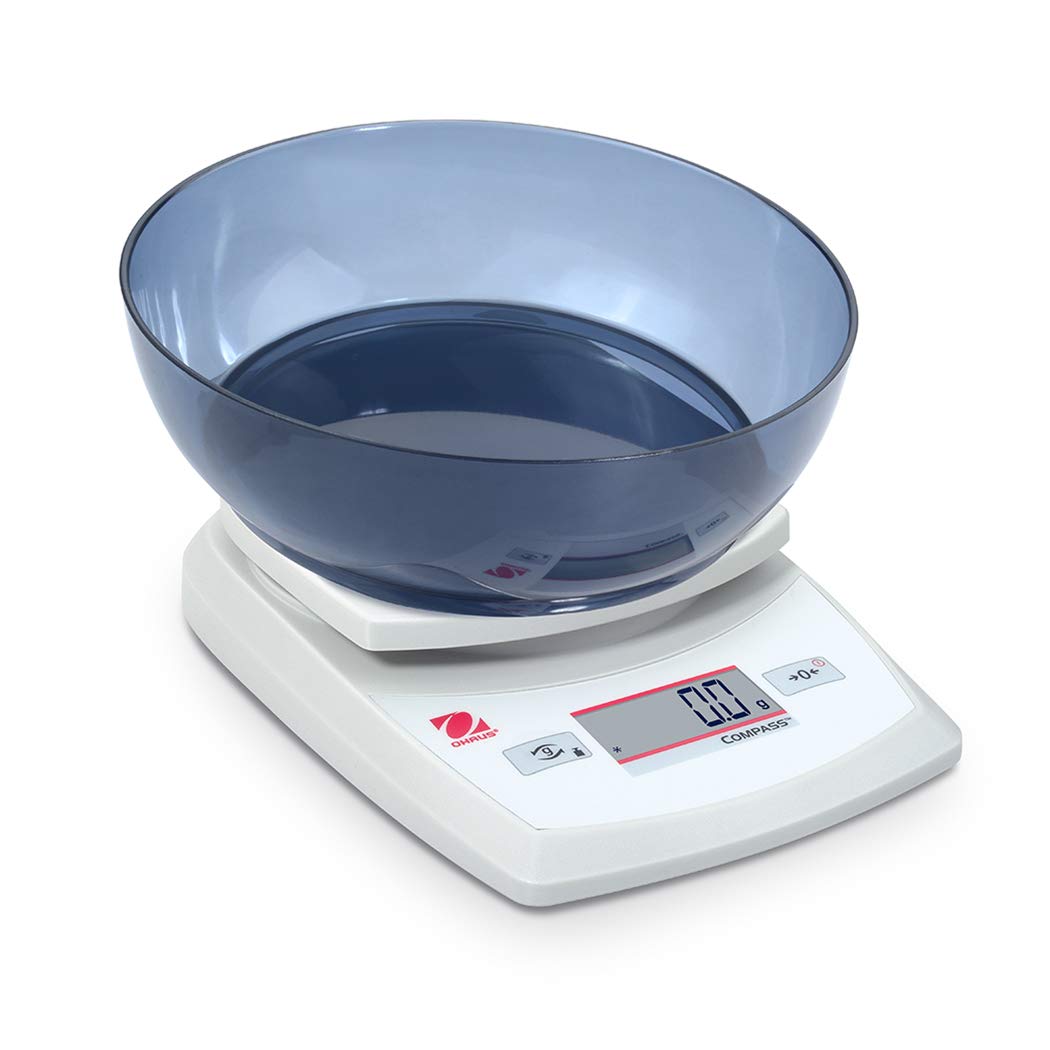
Image 4.1: The balance with an empty bowl on the weighing pan, ready for the tare function.
4.4 Базове зважування
- Ensure the balance is powered on and the display shows 0.0 in the desired weighing unit.
- Обережно помістіть предмет, який потрібно зважити, на центр платформи зважування.
- Wait for the display to stabilize. The stable weight will be shown.
- Вийміть предмет з каструлі.
4.5 External Calibration
The Ohaus CR5200 features external calibration. This process requires a known calibration weight (not included) to ensure accuracy. Refer to the full Ohaus CR Series manual for detailed calibration procedures specific to your model.

Image 4.2: The balance with a cylindrical calibration weight placed on the weighing pan.
5. Технічне обслуговування
5.1 Очищення
- Протріть зовнішню частину ваг м’якою тканиноюamp тканина. Не використовуйте абразивні засоби чи розчинники.
- Ensure no liquids enter the balance housing or display.
- Keep the weighing pan clean to ensure accurate readings.
5.2 Заміна батареї
When the battery indicator appears on the display, replace the three AA alkaline batteries as described in Section 3.2.
5.3 Зберігання
When not in use for extended periods, remove the batteries to prevent leakage. Store the balance in a dry, dust-free environment. The Ohaus CR5200 is designed for portability and can be stored in a protective case (if available).

Image 5.1: The Ohaus CR5200 balance shown alongside its protective carrying case.
6. Вирішення проблем
| проблема | Можлива причина | Рішення |
|---|---|---|
| Баланс не вмикається. | Dead or incorrectly installed batteries; no AC power. | Replace batteries or check AC adapter connection. Ensure correct battery polarity. |
| Неточні або нестабільні показники. | Unstable surface; drafts; electromagnetic interference; balance needs calibration. | Move balance to a stable, level surface. Shield from drafts. Recalibrate the balance (refer to Section 4.5). |
| На дисплеї відображається «Err» або код помилки. | Перевантаження; внутрішня помилка. | Remove excess weight if overloaded. Power cycle the balance. If error persists, contact Ohaus support. |
| Функція тари не працює. | Balance not stable; button not pressed correctly. | Ensure balance is stable and display is settled. Press the TARE/ZERO button firmly. |
7. Технічні характеристики
| Особливість | Специфікація |
|---|---|
| Номер моделі | CR5200 |
| Ємність | 5200 г (5.2 кг) |
| Читабельність | 1 г |
| Одиниці зважування | g, oz, lb:oz, ozt, dwt |
| Тип калібрування | зовнішній |
| Джерело живлення | 3 AA alkaline batteries (included) or AC adapter (not included) |
| Тип дисплея | цифровий |
| матеріал | пластик |
| Розміри продукту (Д x Ш x В) | 23.62 х 17.02 х 5.59 см |
| Вага товару | 408.23 г (приблизно 14.4 унцій) |
| Особливості | Портативний |
8. Гарантія та підтримка
For warranty information, technical support, or service inquiries, please contact Ohaus customer service or visit the official Ohaus webсайт. Зберігайте чек про покупку як підтвердження покупки.