
вступ
Thank you for choosing Obbug True Wireless Earbuds. These earbuds are designed for comfort, durability, and high-quality audio, featuring an ergonomic design, IPX7 waterproof rating, and advanced Bluetooth 5.1 technology for stable connections and long battery life. This manual provides essential information for setup, operation, maintenance, and troubleshooting to ensure you get the best experience from your new earbuds.
Що в коробці
- 1 x Pair of Wireless Earbuds
- 1 портативний кейс для зарядки
- 1 кабель Type-C
- 4 x Ear Tips (various sizes)
- 1 x Інструкція з використання
Продукт закінченийview

The Obbug True Wireless Earbuds come with a sleek, portable charging case. The earbuds feature a compact design for a comfortable and secure fit.

The earbuds are designed for one-step pairing, automatically connecting to your device once removed from the charging case.

Weighing only 4g each, these earbuds offer a super lightweight design for hassle-free listening and extended comfort.
Налаштування
Зарядка навушників
Before first use, fully charge the earbuds and the charging case. Place the earbuds into their respective slots in the charging case. The indicator lights on the case will show the charging status. Connect the Type-C cable to the charging case and a USB power source.

The charging case provides up to 120 hours of standby time and can fully recharge the earbuds 2-3 times, offering up to 5 hours of talk/play time per charge.
Official product video demonstrating the charging case and earbuds. This video highlights the design and charging functionality of the pink wireless earbuds.
Офіційне відео-презентація продуктуasing the Mini Wireless Earbuds and their TWS Bluetooth Headset Charging Case. This video provides a visual guide to the product's features and charging capabilities.
Підключення до пристрою
- Відкрийте зарядний футляр. Навушники автоматично увімкнуться та перейдуть у режим сполучення.
- На вашому пристрої (смартфоні, планшеті тощо) увімкніть Bluetooth.
- шукати "Q13S TWS" in the list of available Bluetooth devices and select it to connect.
- Після підключення ви почуєте підтверджувальний сигнал, а індикатори навушників зміняться.
The earbuds offer one-step pairing, compatible with iOS, Android, and Windows devices for seamless connection.
Selecting the Right Ear Tips
The earbuds come with three different sizes of ear tips to ensure a comfortable and secure fit. Experiment with the different sizes to find the best fit for your ears. A proper fit enhances sound quality and noise isolation.
The ergonomic design and lightweight nature of the earbuds ensure a snug and comfortable fit for various activities, including sports and exercise.
Інструкція з експлуатації
Основні елементи керування
The Obbug True Wireless Earbuds feature intuitive touch controls for easy management of your audio and calls.

Control your music and calls with simple finger taps on the earbuds.
| функція | Дія |
|---|---|
| Відтворення/Пауза | Один раз торкніться будь-якого навушника |
| Гучність + | Натисніть і утримуйте правий навушник |
| Об'єм - | Натисніть і утримуйте лівий навушник |
| Наступний трек | Двічі торкніться правого навушника |
| Попередній трек | Двічі торкніться лівого навушника |
| Відповісти/закінчити виклик | Один раз торкніться будь-якого навушника |
| Покласти трубку | Натисніть і утримуйте будь-який навушник |
| Голосовий помічник | Потрійне торкання будь-якого навушника |
Режим одного навушника
Both earbuds can be used independently. Simply take one earbud out of the charging case, and it will automatically connect to your device. This allows for flexible usage, such as sharing one earbud with a friend or using one while the other charges.

Each earbud can be used independently, offering flexibility for various listening scenarios.
Технічне обслуговування
прибирання
To maintain optimal performance and hygiene, regularly clean your earbuds and charging case. Use a soft, dry, lint-free cloth to wipe down the surfaces. For ear tips, remove them and clean with a mild soap solution, then rinse thoroughly and dry completely before reattaching. Avoid using harsh chemicals or abrasive materials.
Водонепроникність
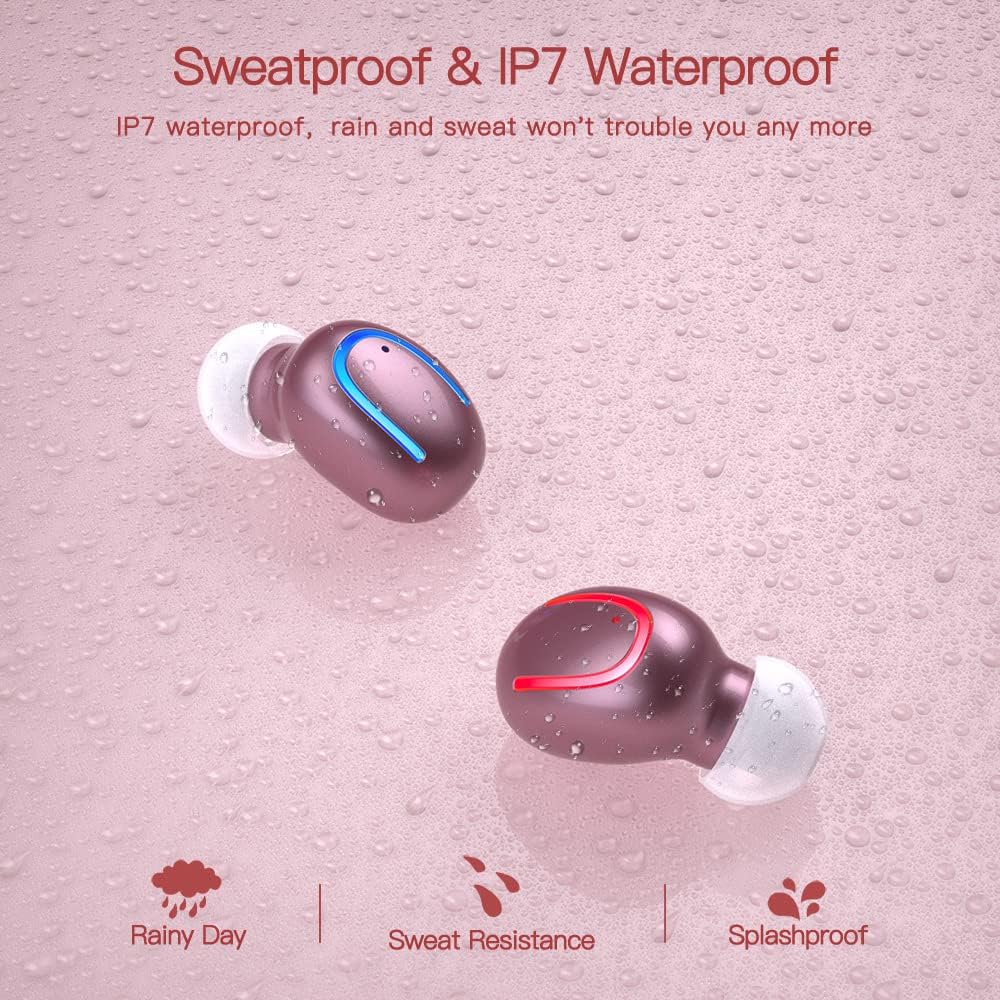
The earbuds are IPX7 waterproof, meaning they can withstand heavy rain and sweat during intense workouts. This protection is ideal for sports and all-weather conditions. Примітка: Зарядний футляр не є водонепроникним. Avoid submerging the charging case in water.

IPX7 water and sweat resistant nano-coating protects the earbuds from heavy rain or sweat during intense workouts.
Усунення несправностей
- Навушники не сполучаються: Ensure both earbuds are charged and removed from the case. Turn off and on your device's Bluetooth. If issues persist, try resetting the earbuds (refer to the full manual for specific reset instructions if available).
- Немає звуку або гучність низька: Check the volume levels on both your device and the earbuds. Ensure the earbuds are properly seated in your ears and that the ear tips are clean and correctly sized.
- Проблеми з відключенням: Переконайтеся, що ваш пристрій знаходиться в межах 12-метрового радіусу дії Bluetooth. Уникайте перешкод, які можуть перешкоджати сигналу.
- Проблеми із зарядкою: Verify the Type-C cable is securely connected to both the case and the power source. Check if the charging indicators on the case are active.
- Мікрофон не працює: Ensure the earbuds are properly connected and selected as the audio input device on your phone during calls.
For further assistance, please consult the customer service for 24-hour after-sales support.
Технічні характеристики
| Особливість | Деталь |
|---|---|
| Бренд | Obbug |
| Назва моделі | Obbq13 / Q13S TWS |
| Технологія підключення | Бездротовий зв'язок (Bluetooth 5.1) |
| Рівень водонепроникності | Водонепроникність IPX7 |
| Термін служби батареї (навушники) | Up to 5 hours talk/play time |
| Термін служби батареї (з футляром) | До 20 годин загального часу відтворення |
| Час зарядки | Приблизно 1-2 годин |
| Ємність зарядного кейса | 600 мАг |
| Тип управління | Сенсорне керування |
| Розташування вуха | Вухо |
| Вага товару | 0.64 унції |
| матеріал | пластик |
| Сумісні пристрої | Android, iPhone, iPad, Samsung Galaxy, iPod Nano, Laptops & Tablets, etc. |
Гарантія та підтримка
Obbug products are manufactured with high-quality standards. For any product-related inquiries, technical support, or warranty claims, please contact Obbug customer service. Refer to your purchase documentation for specific warranty terms and contact information.
Customer service is available for 24 hours after-sales support to assist you with any concerns or issues you may encounter.