
1. Вступ
Thank you for choosing the Targus W620 Wireless Optical Mouse. This manual provides detailed instructions for setting up, operating, and maintaining your mouse to ensure optimal performance and longevity. The Targus W620 offers reliable 2.4 GHz wireless connectivity, a precise 1600 DPI optical sensor, and a compact design suitable for both office and mobile use.
2. Вміст упаковки
Будь ласка, перевірте упаковку на наявність наступних предметів:
- Бездротова оптична миша Targus W620
- USB-приймач
- 2 батареї AAA
3. Продукт закінчивсяview
Familiarize yourself with the components of your Targus W620 Wireless Optical Mouse.
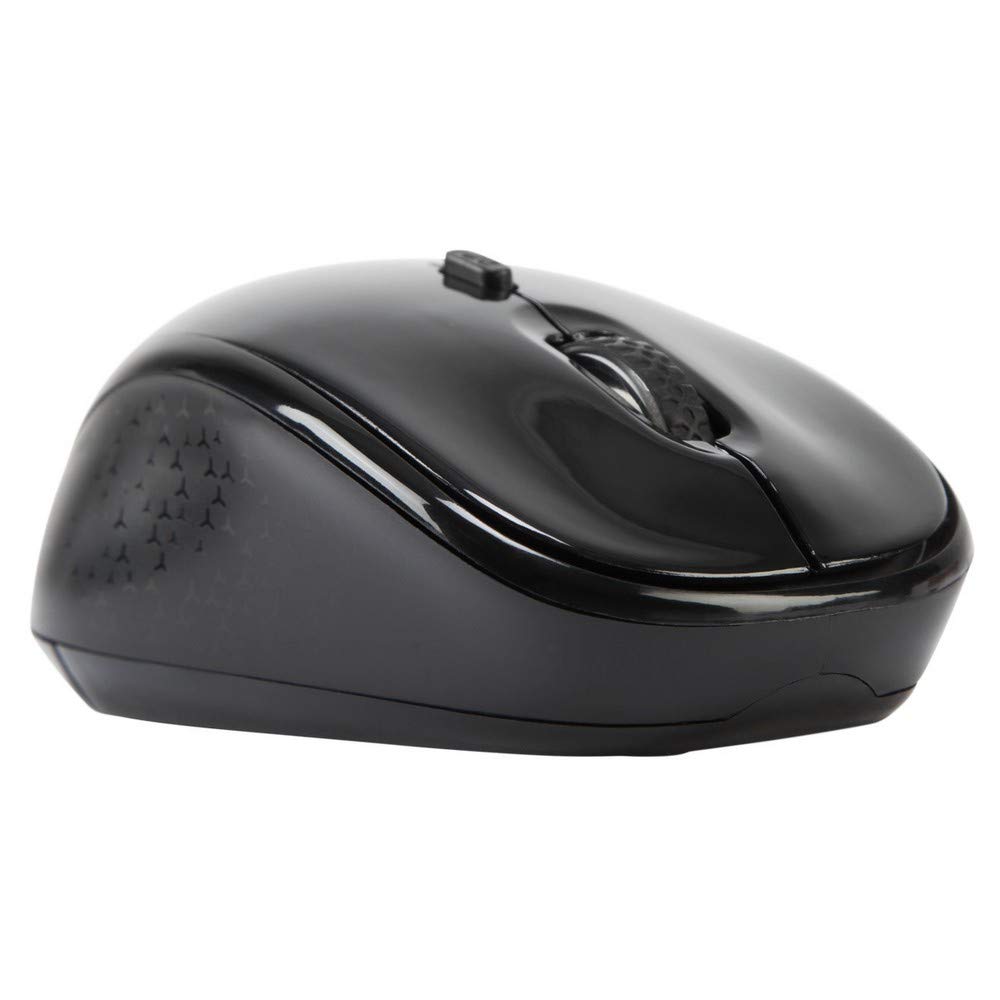
Зображення 3.1: Топ view of the Targus W620 Wireless Optical Mouse. This image displays the primary buttons and scroll wheel.
- Ліва кнопка миші: Стандартна функція первинного клацання.
- Клацніть правою кнопкою миші: Стандартна функція вторинного клацання.
- Колесо прокрутки: Для вертикального прокручування та функції клацання середньою кнопкою миші.
- Кнопка DPI: Налаштовує чутливість миші (DPI).
- Оптичний датчик: Located on the bottom, detects mouse movement.
- Батарейний відсік: Located on the bottom, holds two AAA batteries.
- Зберігання USB-приймача: A dedicated slot on the bottom for storing the USB receiver when not in use.

Зображення 3.2: Дно view of the mouse, highlighting the battery compartment and optical sensor.
4. Інструкції з налаштування
Follow these steps to set up your Targus W620 Wireless Optical Mouse:
- Встановіть акумулятори:
- Знайдіть кришку відсіку для батарейок на нижній частині миші.
- Відкрийте кришку.
- Вставте дві батарейки типу AAA, дотримуючись правильної полярності (+/-).
- Надійно закрийте кришку батарейного відсіку.
- Підключіть USB-приймач:
- The USB receiver is typically stored in a slot on the bottom of the mouse for transport. Gently remove it.
- Підключіть USB-приймач у вільний USB-порт на комп’ютері.

Зображення 4.1: The mouse with its USB receiver, ready for connection.
- Увімкнення:
- There is no explicit power switch on this model; the mouse activates upon movement and connection.
- Ваш комп’ютер має автоматично виявити та встановити необхідні драйвери. Це може зайняти кілька хвилин.
- Once drivers are installed, the mouse is ready for use.
5. Інструкція з експлуатації
The Targus W620 Wireless Optical Mouse is designed for intuitive use. Here are its primary functions:
- Базова навігація: Переміщуйте мишу по рівній поверхні, щоб керувати курсором на екрані.
- Клацніть лівою кнопкою миші: Використовуйте для вибору елементів, відкриття files або активація функцій.
- Клацніть правою кнопкою миші: Використовується для доступу до контекстних меню або додаткових функцій.
- Колесо прокрутки: Rotate the wheel to scroll vertically through documents and web pages. Press the scroll wheel for a middle-click function, often used for opening links in new tabs or auto-scrolling.
- Регулювання DPI: Press the DPI button (located behind the scroll wheel) to cycle through the available DPI settings (800, 1200, 1600 DPI). This changes the sensitivity of the mouse cursor. A higher DPI means the cursor moves further with less physical mouse movement.
6. Технічне обслуговування
Правильне обслуговування гарантує довговічність та продуктивність вашої миші.
- Прибирання: Використовуйте м’яку, суху тканину без ворсу для очищення зовнішньої частини миші. Для видалення стійкого бруду злегкаampпромийте тканину водою. Уникайте використання агресивних хімікатів або абразивних засобів для чищення.
- Оптичний датчик: Keep the optical sensor area on the bottom of the mouse clean and free from dust or debris to ensure accurate tracking.
- Заміна батареї: When the mouse performance degrades or stops responding, it is likely time to replace the batteries. Follow the steps in Section 4.1 to replace the two AAA batteries.
- Зберігання: When transporting or storing the mouse, always place the USB receiver back into its dedicated storage slot on the bottom of the mouse to prevent loss.
7. Вирішення проблем
If you encounter issues with your Targus W620 mouse, try the following solutions:
| проблема | Можливе рішення |
|---|---|
| Mouse not responding or cursor not moving. |
|
| Рух курсора нерівномірний або стрибкоподібний. |
|
| DPI button not changing sensitivity. |
|
| Проблеми з бездротовим підключенням. |
|
8. Технічні характеристики
| Бренд | Таргус |
| Номер моделі | AMW620AP |
| Технологія підключення | 2.4 GHz Wireless (Radio Frequency) |
| Технологія виявлення руху | Optical (BlueTrace Technology) |
| Рівні DPI | 800 / 1200 / 1600 DPI (регульована) |
| Кількість кнопок | 4 (ліворуч, праворуч, колесо прокручування, DPI) |
| Орієнтація руки | Right (Comfortable for ambidextrous use) |
| Джерело живлення | 2 батареї AAA (у комплекті) |
| Вага товару | 26 грамів |
| Сумісність операційної системи | Linux, Windows XP (Compatible with modern Windows and macOS) |
| Апаратна платформа | Мак, ПК |
| Колір | чорний |
9. Гарантія та підтримка
Інформація про гарантію: The Targus W620 Wireless Optical Mouse comes with a 3-річна гарантія виробника з дати покупки. Ця гарантія поширюється на дефекти матеріалів та виготовлення за умов нормального використання. Будь ласка, збережіть підтвердження покупки для пред'явлення претензій за гарантією.
Підтримка клієнтів: For technical assistance, troubleshooting beyond this manual, or warranty inquiries, please visit the official Targus website or contact their customer support service. Refer to the contact information provided with your product packaging or on the Targus official webсайт.