
1. Вступ
The TP-Link Archer T2U Plus is an AC600 High Gain Wireless Dual Band USB Adapter designed to provide high-speed Wi-Fi connectivity for desktop PCs and laptops. It supports both 2.4 GHz and 5 GHz bands, offering flexible connectivity options and enhanced range with its 5dBi high-gain antenna. This manual provides instructions for setting up, operating, and maintaining your adapter.

Image: The TP-Link Archer T2U Plus AC600 High Gain Wireless Dual Band USB Adapter.
2. Вміст упаковки
Переконайтеся, що ваш пакет містить такі елементи:
- AC600 High Gain Wireless Dual Band USB Adapter (Archer T2U Plus)
- Посібник із швидкого встановлення
- Компакт-диск з ресурсами (для драйверів та утиліт)

Image: The retail packaging for the Archer T2U Plus, showing the adapter and its key features.
3. Системні вимоги
Перед встановленням переконайтеся, що ваша система відповідає наступним вимогам:
- An available USB port (USB 2.0 or higher recommended).
- Operating System: Windows 11/10/8.1/8/7/XP or Mac OS 10.15 and earlier.
- CD-ROM drive (for driver installation from Resource CD) or internet access (for driver download).

Image: Icons representing compatible operating systems: Windows 10, Windows 8.1, Windows 8, Windows 7, Windows XP, and Mac OS.
4. Налаштування та встановлення драйверів
4.1 Встановлення обладнання
- Вставте адаптер: Plug the Archer T2U Plus USB adapter into an available USB port on your computer. Ensure it is securely seated.
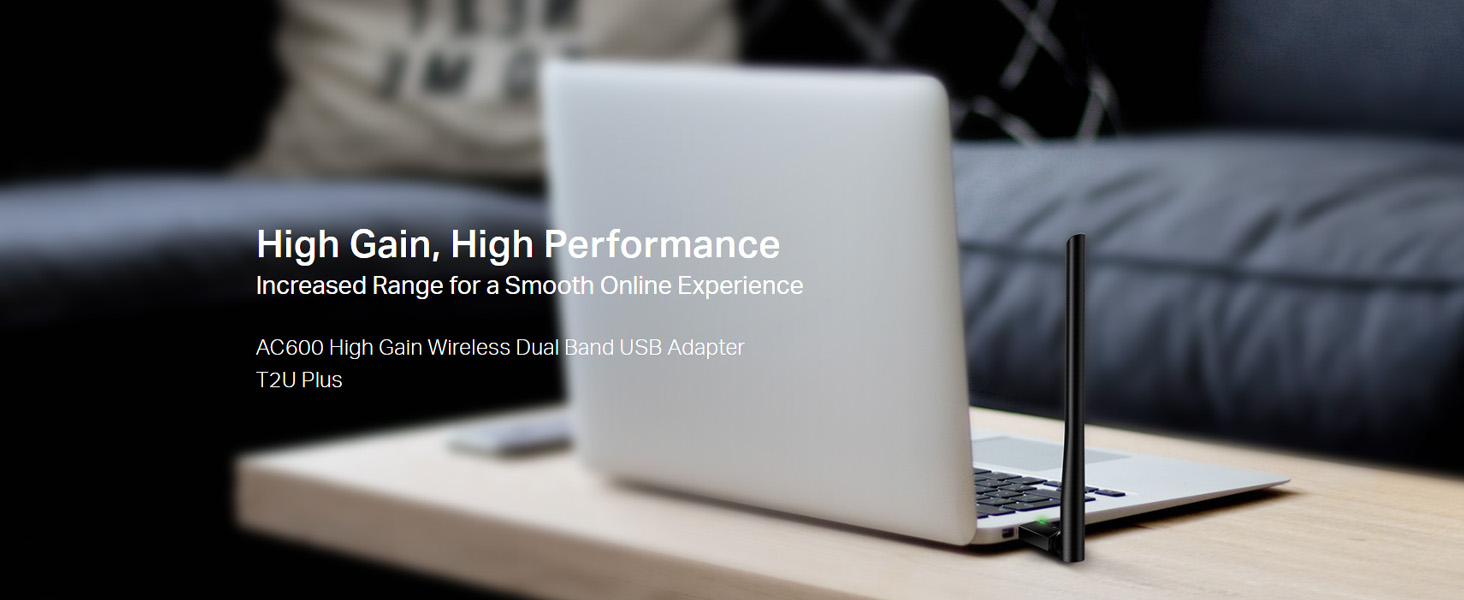
Image: The Archer T2U Plus adapter connected to a laptop's USB port, demonstrating its compact form factor.
4.2 Встановлення драйвера
The adapter requires a driver to function correctly. You can install it using the provided Resource CD or by downloading it from the TP-Link webсайт.
Option A: Using the Resource CD
- Вставте компакт-диск з ресурсами у привід компакт-дисків вашого комп’ютера.
- Дотримуйтесь інструкцій на екрані, щоб запустити майстер налаштування.
- Select the Archer T2U Plus model and proceed with the driver installation.
- Якщо буде запропоновано, перезавантажте комп’ютер.
Option B: Downloading Drivers Online
- Відвідайте офіційну службу підтримки TP-Link webсайт (www.tp-link.com/support/download/).
- шукати "Archer T2U Plus" and download the latest driver compatible with your operating system.
- Розпакуйте завантажене file (if compressed) and run the setup executable.
- Follow the installation wizard and restart your computer if required.
5. Інструкція з експлуатації
5.1 Підключення до мережі Wi-Fi
- After successful driver installation, the adapter will be detected by your operating system.
- Click the Wi-Fi icon in your system tray (Windows) or menu bar (Mac OS).
- Виберіть потрібну мережу Wi-Fi (SSID) зі списку доступних мереж.
- Enter the network password (security key) if prompted and click Підключитися.
- The adapter will establish a connection to the Wi-Fi network.
5.2 Функціональність двох діапазонів
The Archer T2U Plus supports both 2.4 GHz and 5 GHz Wi-Fi bands. The 5 GHz band offers faster speeds and less interference, ideal for streaming and gaming, while the 2.4 GHz band provides wider coverage.
- Діапазон 2.4 ГГц: Up to 200 Mbps data rate, suitable for general web перегляду та електронної пошти.
- Діапазон 5 ГГц: Up to 433 Mbps data rate, ideal for HD video streaming and online gaming.
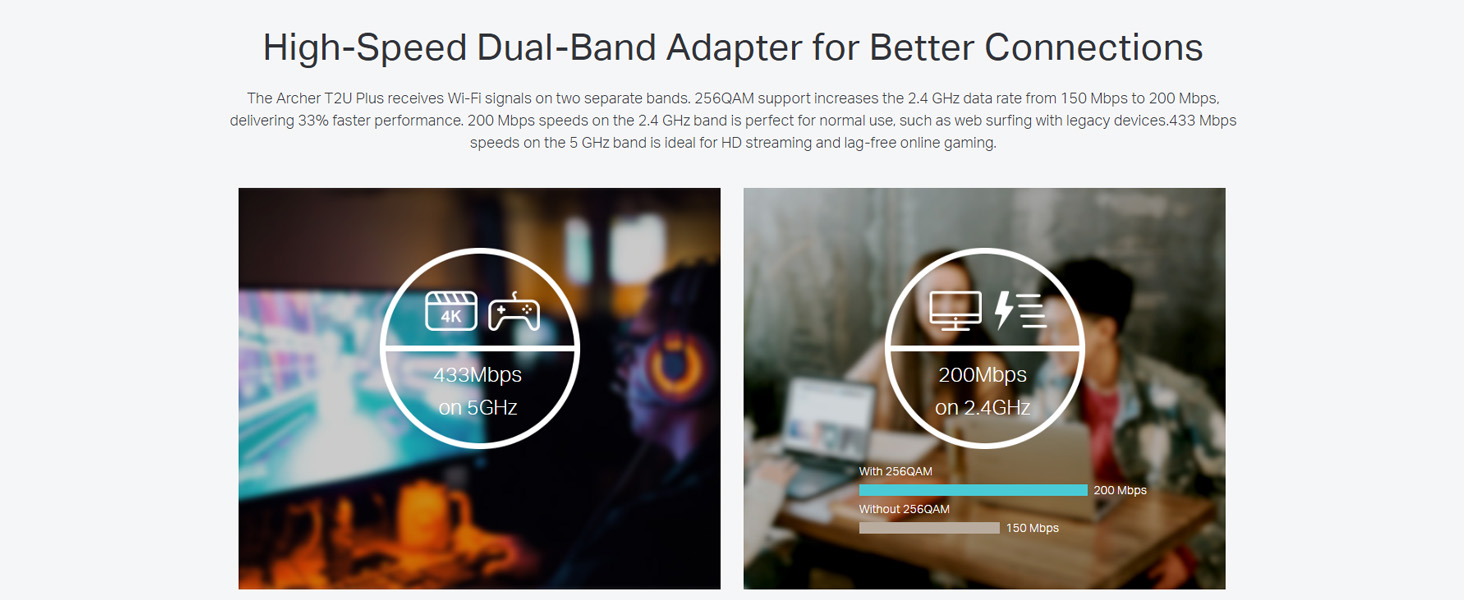
Image: A visual representation comparing the data rates and typical uses for the 2.4 GHz (200 Mbps) and 5 GHz (433 Mbps) bands.
5.3 Регулювання антени
The adapter features an adjustable, multi-directional 5dBi high-gain antenna to optimize signal reception and transmission.
- Rotate and adjust the antenna in various directions to find the optimal position for signal strength and performance in your environment.
- Experiment with different angles to achieve the best possible Wi-Fi range and stability.

Image: The Archer T2U Plus adapter illustrating its adjustable antenna, capable of rotating up to 180 degrees and tilting 90 degrees for optimal signal.
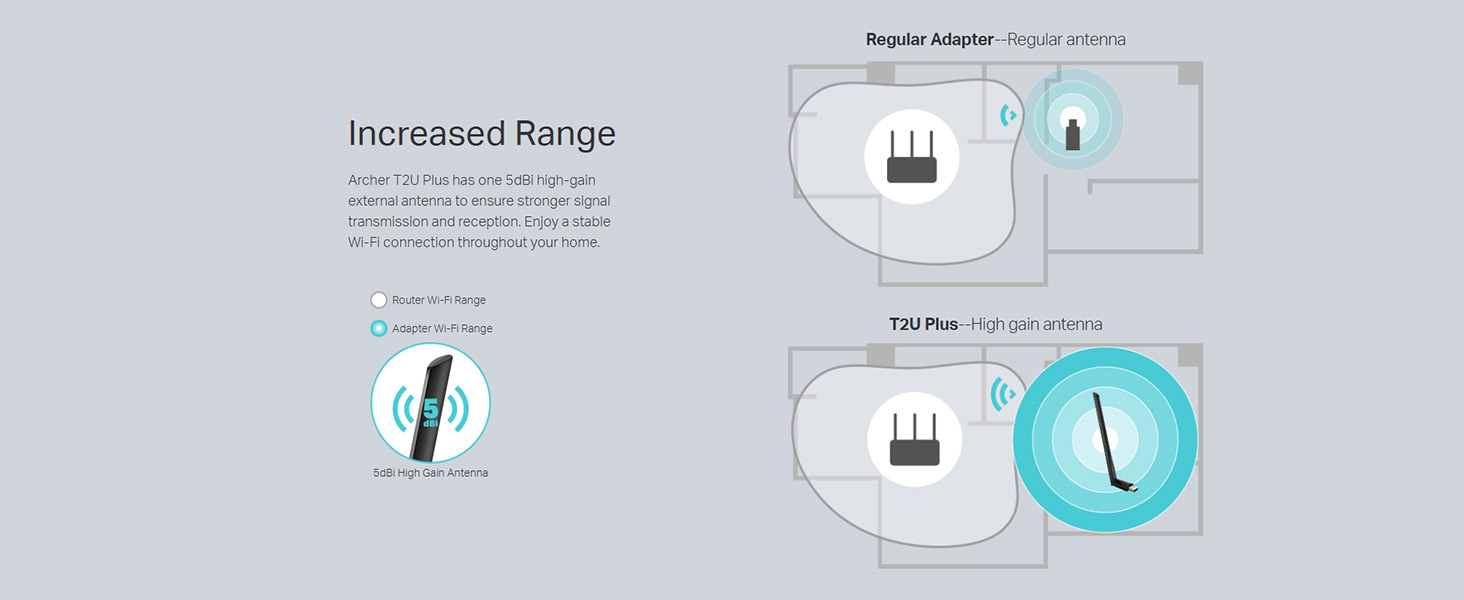
Image: A diagram comparing the Wi-Fi coverage area of a regular adapter with a standard antenna versus the extended range provided by the Archer T2U Plus's high-gain antenna.
6. Технічне обслуговування
6.1 Оновлення драйверів
Регулярно перевіряйте службу підтримки TP-Link website for updated drivers. Keeping your drivers current ensures optimal performance, compatibility, and security.
6.2 Очищення
To maintain the adapter's performance, keep it clean and free from dust. Use a soft, dry cloth to wipe the device. Avoid using liquid cleaners or solvents.
7. Вирішення проблем
If you encounter issues with your Archer T2U Plus adapter, refer to the following common troubleshooting steps:
- Немає з'єднання з Wi-Fi:
- Переконайтеся, що адаптер надійно підключено до USB-порту.
- Перевірте, чи правильно встановлено драйвери. За потреби перевстановіть їх.
- Перевірте, чи ваш роутер увімкнено та чи транслює він сигнал Wi-Fi.
- Спробуйте підключитися до іншого порту USB.
- Низька швидкість Wi-Fi:
- Ensure you are connected to the 5 GHz band if your router supports it, for faster speeds.
- Відрегулюйте положення антени для кращого прийому сигналу.
- Зменште перешкоди, перемістивши адаптер подалі від інших електронних пристроїв.
- Update your adapter's drivers to the latest version.
- Адаптер не виявлено:
- Try plugging the adapter into another USB port.
- Перезавантажте комп'ютер.
- Manually install the drivers from the Resource CD or TP-Link webсайт.
8. Технічні характеристики
| Бренд | TP-Link |
| Модель | Archer T2U Plus |
| Апаратний інтерфейс | USB, USB 2.0 |
| Швидкість передачі даних | 600 Megabits Per Second (200 Mbps on 2.4 GHz, 433 Mbps on 5 GHz) |
| Тип антени | 5dBi High-Gain External Antenna |
| Сумісні операційні системи | Windows 11/10/8.1/8/7/XP, Mac OS 10.15 and earlier |
| Розміри продукту (Д x Ш x В) | 5.8 Д x 1.8 Ш x 17.3 В Сантиметрів |
| Вага товару | 12 грамів |
| Колір | чорний |
9. Гарантія та підтримка
9.1 Інформація про гарантію
Цей продукт поставляється з a Гарантія 3 рік з дати покупки. Будь ласка, збережіть чек про покупку для пред'явлення гарантійних претензій. Гарантія поширюється на виробничі дефекти та несправності за нормальних умов використання.
9.2 Технічна підтримка
For technical assistance, driver downloads, or further inquiries, please contact TP-Link support:
- Безкоштовна підтримка: 1800-209-4168
- Підтримка електронною поштою: support.in@tp-link.com
- Webсайт: www.tp-link.com/in/support/