
1. Вступ
This manual provides comprehensive instructions for the Huawei P Smart Plus 2019 smartphone. It covers essential information regarding product features, setup, operation, maintenance, and troubleshooting to ensure optimal use of your device. Please read this manual thoroughly before using your smartphone.
2. Продукт закінчивсяview
Familiarize yourself with the physical components of your Huawei P Smart Plus 2019 smartphone.
малюнок 2.1: Задня view of the Huawei P Smart Plus 2019 smartphone, showing the triple camera module, fingerprint sensor, and HUAWEI branding.
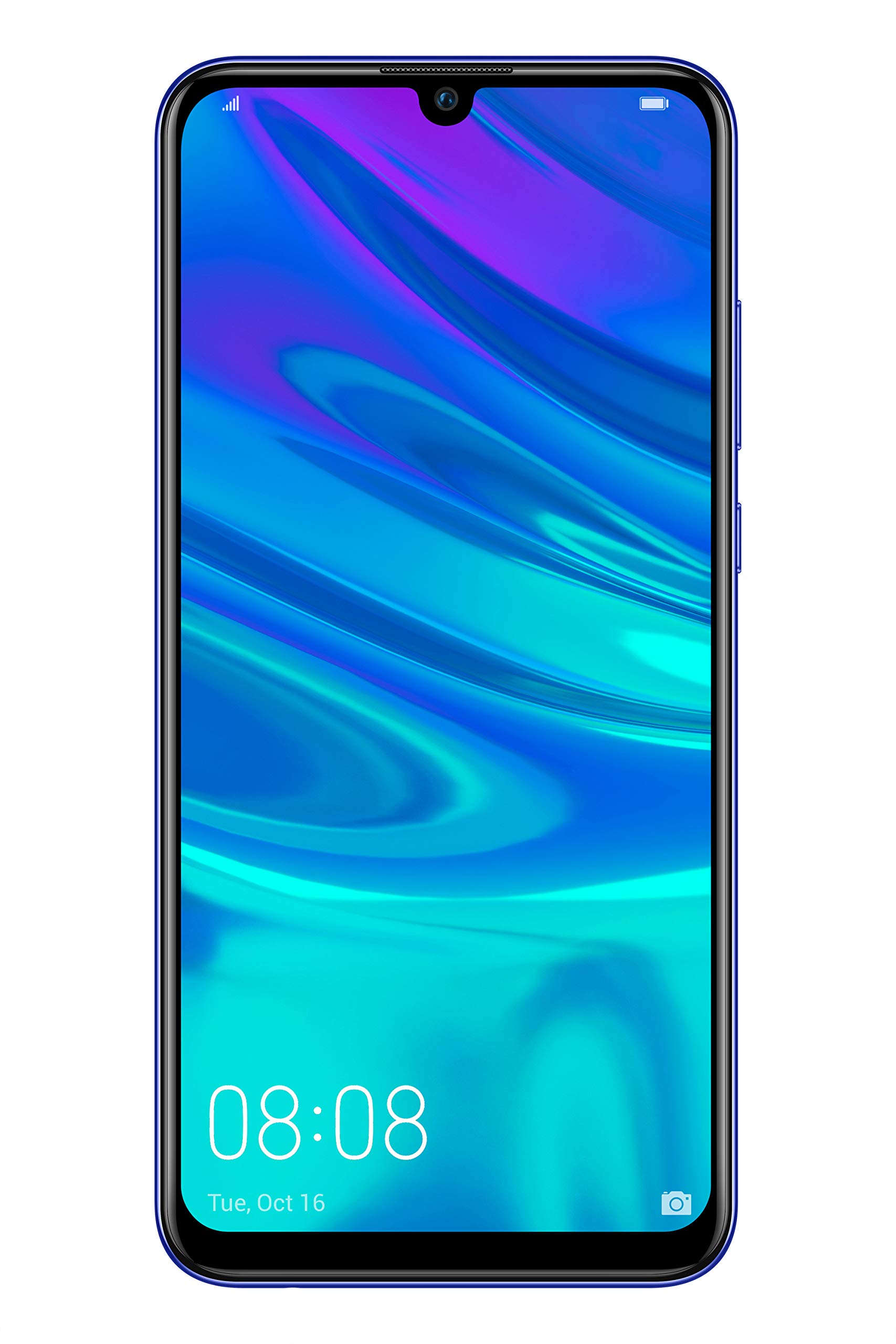
малюнок 2.2: Фронт view of the Huawei P Smart Plus 2019 smartphone, displaying the 6.21-inch screen with a small notch for the front camera.

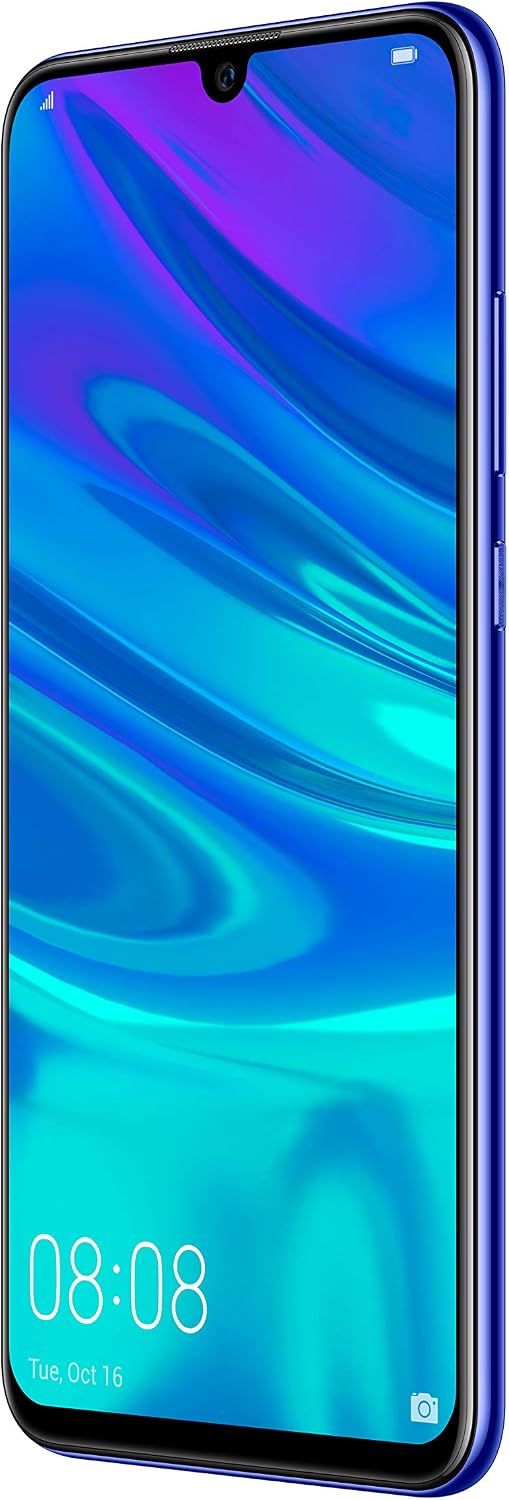
малюнок 2.3: сторона view of the Huawei P Smart Plus 2019 smartphone, highlighting the power and volume buttons.
Ключові компоненти:
- Дисплей: 6.21-inch FHD+ LCD screen.
- Фронтальна камера: Розташований у вирізі дисплея.
- Задні камери: Triple camera module on the back.
- Датчик відбитків пальців: Circular sensor on the rear panel.
- Кнопка живлення: На правій стороні пристрою.
- Кнопки гучності: Above the power button on the right side.
- Слот для SIM-картки/MicroSD: Typically on the left side or top edge.
- Порт зарядки: USB Type-C, usually at the bottom.
- Динамік/мікрофон: Розташований внизу.
3. Налаштування
3.1 Встановлення SIM-карт та карт MicroSD
- Знайдіть лоток для SIM-картки на боковій стороні пристрою.
- Вставте інструмент для вилучення SIM-картки в маленький отвір поруч із лотком, щоб відкрити його.
- Place your Nano-SIM card(s) and/or microSD card into the tray, ensuring correct orientation as indicated on the tray. This device supports Dual SIM functionality and expandable storage up to 512GB.
- Обережно вставте лоток назад у гніздо, доки він не буде врівень з пристроєм.
3.2 Початкове увімкнення та заряджання
- To power on, press and hold the Power button until the HUAWEI logo appears.
- Дотримуйтесь підказок на екрані, щоб завершити початкове налаштування, включаючи вибір мови, підключення Wi-Fi та налаштування облікового запису Google.
- Before first use, it is recommended to fully charge the device. Connect the provided USB Type-C cable to the phone's charging port and the other end to a power adapter.
4. Інструкція з експлуатації
4.1 Основні функції
- Увімкнення/вимкнення/перезавантаження: Press and hold the Power button. Select the desired option from the menu.
- Блокування/розблокування екрана: Press the Power button to lock/unlock the screen. Use Face Recognition or the Fingerprint Sensor for secure unlocking.
- Дзвінки та повідомлення: Use the Phone and Messaging applications for communication.
- Підключення до мережі: Access Wi-Fi settings from the Quick Settings panel or Settings app. Enable mobile data for internet access via your SIM card.
4.2 Використання камери
The Huawei P Smart Plus 2019 features a versatile camera system.
- Задня камера: The triple camera setup includes a 24MP main sensor, a 16MP ultra-wide sensor, and a 2MP bokeh sensor. Open the Camera app and select modes like Automatic, Portrait, or Sport.
- Фронтальна камера: An 8MP front camera is available for selfies and video calls. Switch to the front camera within the Camera app.
- Особливості ШІ: The camera utilizes AI to optimize scene recognition and enhance photo quality.
4.3 Зберігання та пам'ять
Your device comes with 64GB of internal storage, which can be expanded up to 512GB using a microSD card. It has 3GB of RAM for smooth multitasking.
4.4 Керування батареєю
The device is equipped with a 3400 mAh Lithium-Polymer battery. To optimize battery life, manage background apps, adjust screen brightness, and utilize power-saving modes available in the Settings app.
4.5 Операційна система
The smartphone runs on Android 9 (Pie) with Huawei's EMUI 9 interface, offering a range of features and customization options.
5. Технічне обслуговування
5.1 Очищення пристрою
Use a soft, lint-free cloth to gently wipe the screen and body of your phone. Avoid using harsh chemicals or abrasive materials, which can damage the device's finish or screen coating.
5.2 Оновлення програмного забезпечення
Regularly check for and install software updates to ensure your device has the latest features, security patches, and performance improvements. You can usually find this option in Settings > System > Software update.
5.3 Догляд за акумулятором
To prolong battery lifespan, avoid extreme temperatures. Do not leave the phone fully charged or fully discharged for extended periods. Use only approved chargers and cables.
5.4 Резервне копіювання даних
Регулярно створюйте резервні копії важливих даних (фотографій, контактів, документів) у хмарному сервісі або на комп’ютері, щоб запобігти втраті даних.
6. Вирішення проблем
This section addresses common issues you might encounter with your Huawei P Smart Plus 2019.
6.1 Пристрій не вмикається
- Переконайтеся, що акумулятор заряджений. Підключіть зарядний пристрій і зачекайте кілька хвилин, перш ніж намагатися ввімкнути живлення.
- Натисніть і утримуйте кнопку живлення щонайменше 10-15 секунд, щоб примусово перезавантажити.
6.2 Поганий час роботи від батареї
- Закрийте невикористовувані програми, що працюють у фоновому режимі.
- Зменште яскравість екрана та встановіть коротший час очікування.
- Вимикайте Wi-Fi, Bluetooth та GPS, коли вони не використовуються.
- Перевірте використання батареї в налаштуваннях, щоб визначити енергоємні програми.
6.3 Network Issues (No Signal/Wi-Fi Disconnection)
- Перезапустіть пристрій.
- Ensure your SIM card is correctly inserted and your mobile data plan is active.
- For Wi-Fi, try restarting your router. Forget the network on your phone and reconnect.
6.4 Збої або зависання програм
- Примусово закрийте програму та відкрийте її знову.
- Очистіть кеш і дані програми в Налаштуваннях > Програми.
- Переконайтеся, що додаток оновлено до останньої версії.
- Якщо проблема не зникає, спробуйте видалити та перевстановити програму.
6.5 Скидання до заводських налаштувань (крайній засіб)
If other troubleshooting steps fail, a factory reset may resolve persistent issues. УВАГА: This will erase all data on your device. Back up your data before proceeding. Go to Settings > System > Reset > Factory data reset.
7. Технічні характеристики
| Особливість | Деталь |
|---|---|
| Номер моделі | POT-LX1T, 51093RVX |
| Дисплей | 6.21 inches, LCD, FHD+ (2340 x 1080 pixels), 415 PPI |
| Процесор | Kirin 710 Octa-core (4 x 2.2 GHz, 4 x 1.7 GHz) |
| ОЗУ | 3 ГБ |
| Внутрішня пам'ять | 64 ГБ |
| Розширюване сховище | MicroSD до 512 Гб |
| Задня камера | Triple: 24 MP (main) + 16 MP (ultra-wide) + 2 MP (bokeh) |
| Фронтальна камера | 8 Мп |
| Акумулятор | 3400 мАг літій-полімерний |
| Операційна система | Android 9 (Pie) with EMUI 9 |
| Тип SIM-карти | Nano-SIM (Dual SIM support) |
| Підключення | LTE, GSM, Wi-Fi, Bluetooth, USB Type-C |
| Біометрична безпека | Fingerprint Sensor, Face Recognition |
| Розміри | 8 x 155 x 73 мм |
| вага | 160 грами |
| Середній термін служби батареї | 25 години |
8. Інформація про безпеку
Будь ласка, дотримуйтесь наступних правил безпеки, щоб запобігти травмуванню або пошкодженню вашого пристрою:
- Не піддавайте пристрій впливу екстремальних температур, прямих сонячних променів або вологи.
- Використовуйте лише схвалені зарядні пристрої та аксесуари.
- Уникайте падіння або сильних ударів пристрою.
- Не намагайтеся розбирати або ремонтувати пристрій самостійно. Зверніться до уповноваженого сервісного персоналу.
- Тримайте пристрій подалі від медичних приладів, щоб уникнути перешкод.
- Утилізуйте пристрій та його батарею відповідально згідно з місцевими правилами.
9. Гарантія та підтримка
Your Huawei P Smart Plus 2019 smartphone is covered by a limited warranty. For detailed warranty terms and conditions, please refer to the warranty card included in the product packaging or visit the official HUAWEI webсайт.
For technical support, service, or further assistance, please contact HUAWEI customer service or visit an authorized service center. Contact information can typically be found on the official HUAWEI support webсайт.