
вступ
Thank you for choosing SIMOLIO JH-711 Wireless Kids Headphones. These headphones are designed with children's safety and comfort in mind, featuring 3-level volume limiting for hearing protection, Bluetooth connectivity, and a durable, foldable design. This manual will guide you through the setup, operation, and maintenance of your new headphones.
Особливості продукту
- 3-Level Volume Limiting: Protects children's hearing with selectable limits of 75dB (toddlers), 85dB (kids), and 94dB (adults).
- Wireless & Wired Modes: Connect via Bluetooth for wireless freedom or use the included 3.5mm audio cable when the battery is low or with non-Bluetooth devices.
- Вбудований мікрофон: Дозволяє здійснювати дзвінки в режимі hands-free для зручності.
- Audio Sharing Port: Allows another headphone to connect and share audio from the same device.
- Durable & Flexible Design: Constructed with memory stainless steel strips in the headband to withstand bending and twisting.
- Складаний та компактний: Easy to fold and store in the included EVA hard carrying case, perfect for travel and school.
- Тривалий термін служби батареї: Забезпечує до 15 годин відтворення на одному заряді.

Image: Diagram illustrating the 3-level volume limiting feature (75dB, 85dB, 94dB) for different age groups.

Image: Hands bending the headphone headband, showcasing its flexible and durable construction.

Image: The headphones folded compactly, ready to be stored in their EVA hard carrying case.
Що в коробці
- SIMOLIO JH-711 Wireless Kids Headphones (2 Count)
- USB-кабель для зарядки
- Аудіокабель 3.5 мм AUX
- Посібник користувача (цей документ)
- EVA Hard Carrying Case
Налаштування
1. Зарядка навушників
- Locate the Micro USB charging port on the headphone earcup.
- Підключіть наданий USB-кабель для заряджання до порту заряджання навушників.
- Підключіть інший кінець USB-кабелю до сумісного USB-джерела живлення (наприклад, комп’ютера, USB-адаптера до мережі).
- The LED indicator will illuminate during charging and turn off when fully charged. A full charge takes approximately 3 hours.

Image: The SIMOLIO JH-711 headphones with the charging cable inserted into the Micro USB port.
2. Підключення Bluetooth
- Переконайтеся, що навушники повністю заряджені.
- Press and hold the Power button (MFB) on the headphone earcup until the LED indicator flashes blue and red, indicating pairing mode.
- На своєму пристрої (смартфоні, планшеті тощо) увімкніть Bluetooth та виконайте пошук доступних пристроїв.
- Select "SIMOLIO JH-711" from the list of devices.
- Після підключення світлодіодний індикатор повільно блиматиме синім.
3. Дротове підключення (режим AUX)
- Locate the 3.5mm AUX port on the headphone earcup.
- Connect one end of the provided 3.5mm AUX audio cable to the headphone's AUX port.
- Connect the other end of the AUX cable to the 3.5mm audio jack of your device.
- Навушники автоматично перемикаються в дротовий режим. Цей режим працює, навіть якщо батарея навушників розряджена.
4. Adjusting Volume Limiter
The headphones feature a 3-level volume limiter switch (75dB, 85dB, 94dB) located on the earcup. Slide the switch to select the desired maximum volume level appropriate for the user's age and environment.

Image: Detail of the headphone earcup highlighting the 3-level volume limiter switch.
5. Регулювання оголов'я
The headband is adjustable to fit various head sizes. Gently slide the earcups up or down along the headband to achieve a comfortable and secure fit. The flexible design allows for minor reshaping.

Image: A person demonstrating how to adjust the headband for a proper fit.
Інструкція з експлуатації
1. Увімкнення/вимкнення живлення
- Увімкнення: Press and hold the Multi-Function Button (MFB) for approximately 3 seconds until the LED indicator lights up.
- Вимкнення живлення: Натисніть і утримуйте багатофункціональну кнопку (МФБ) приблизно 3 секунди, поки світлодіодний індикатор не згасне.
2. Відтворення музики
- Відтворення/пауза: Коротке натискання MFB.
- Наступний трек: Довго натискайте кнопку «Збільшення гучності».
- Попередній трек: Довго натискайте кнопку «Зменшення гучності».
- Збільшення гучності: Короткочасно натисніть кнопку «Збільшення гучності».
- Зменшення гучності: Короткочасно натисніть кнопку «Зменшення гучності».
3. Керування викликами
- Відповісти/закінчити виклик: Коротке натискання MFB.
- Відхилити виклик: Тривале натискання багатофункціональної кнопки (МФБ).
4. Audio Sharing
To share audio with another pair of headphones, connect a 3.5mm audio cable from the sharing jack on the right earcup of the SIMOLIO headphones to the audio input of another headphone. This allows two users to listen to the same audio source simultaneously.
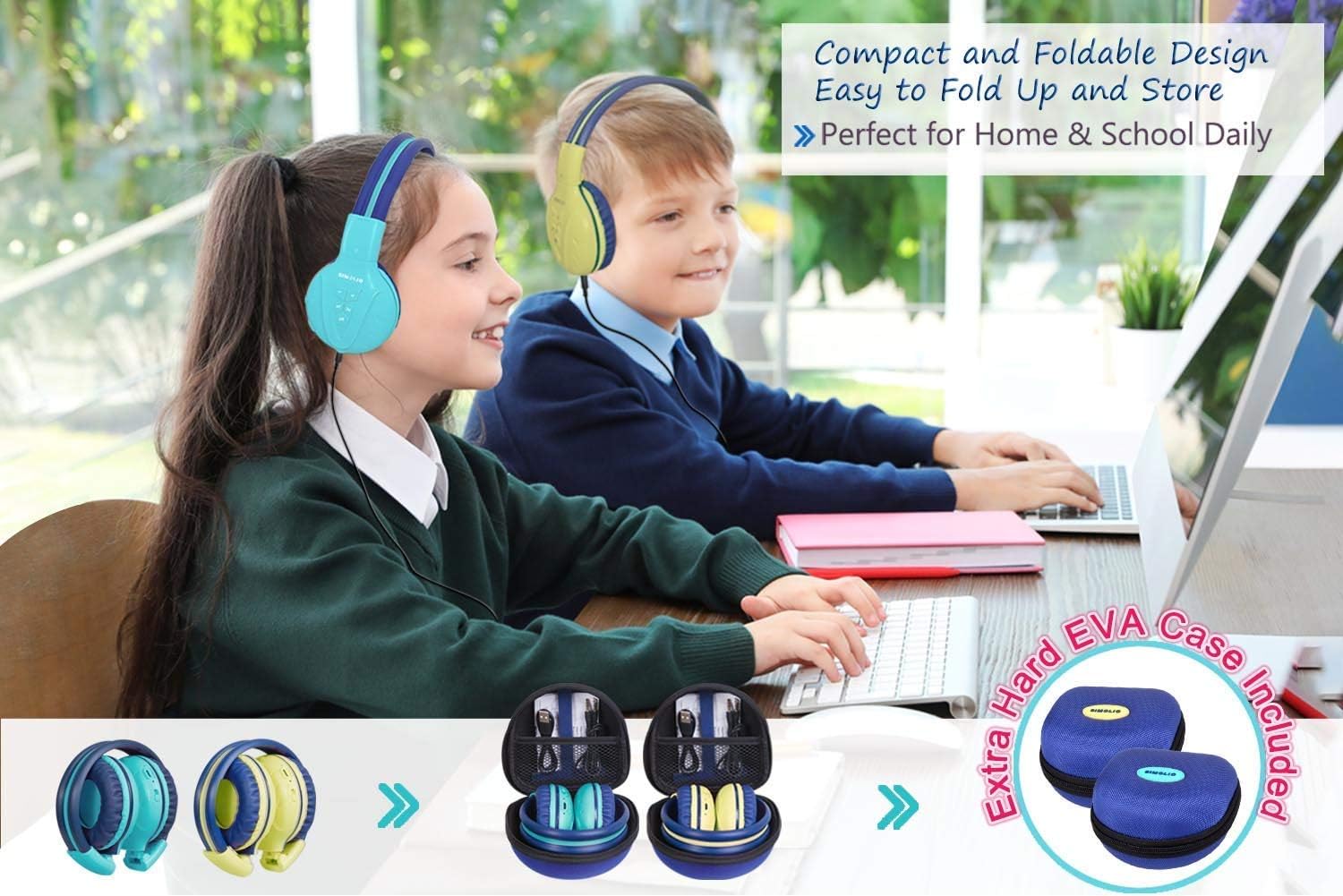
Image: Two pairs of headphones connected using the audio sharing feature, allowing simultaneous listening.
Технічне обслуговування
- Прибирання: Використовуйте м’яку суху тканину для очищення навушників. Не використовуйте рідкі засоби для чищення або аерозолі.
- Зберігання: When not in use, fold the headphones and store them in the provided EVA hard carrying case to protect them from dust and damage.
- Догляд за акумулятором: Щоб продовжити термін служби акумулятора, уникайте частого повного розряджання навушників. Регулярно заряджайте їх, навіть якщо вони не використовуються постійно.
Усунення несправностей
| проблема | Рішення |
|---|---|
| Навушники не вмикаються. | Переконайтеся, що навушники заряджені. Підключіть їх до джерела живлення за допомогою USB-кабелю. |
| Не вдається підключитися через Bluetooth. | Make sure the headphones are in pairing mode (flashing blue/red LED). Ensure your device's Bluetooth is on and within range. Forget previous pairings on your device and try again. |
| Немає звуку в дротовому режимі. | Check that the 3.5mm AUX cable is securely connected to both the headphones and the audio source. Ensure the audio source's volume is not muted or too low. |
| Sound is too low/high. | Adjust the volume using the +/- buttons on the headphones and on your connected device. Check the 3-level volume limiter switch setting. |
Технічні характеристики
- Назва моделі: Kids Bluetooth Headphones JH-711MY
- Технологія підключення: Бездротовий (Bluetooth), дротовий (3.5 мм AUX)
- Технологія бездротового зв'язку: Bluetooth 4.0
- Діапазон Bluetooth: 30 футів
- Термін служби батареї: До 15 годин
- Час зарядки: Приблизно 3 години
- Тип аудіо драйвера: Динамічний драйвер
- Розташування вуха: Над вухом
- Контроль шуму: Звукоізоляція
- Особливості: 3 Adjustable Volume Limited, Built-in Microphone, Durable and Flexible, Foldable, Audio Share Port, EVA Case
- Розміри продукту: 5.51 x 3.15 x 5.31 дюймів
- Вага товару: 1.8 фунта (0.82 кілограма)
- матеріал: Nylon, Stainless Steel (headband), EVA (carrying case)
Офіційне відео продукту
Video: An official product video from Simolio Direct showcasing the features and usage of the SIMOLIO Bluetooth Headphones for Kids with Case JH-711.
Гарантія та підтримка
For warranty information or technical support, please refer to the contact details provided on the product packaging or visit the official SIMOLIO webсайт.