
1. Вступ
Welcome to the user manual for your RugGear RG910 Rugged 8-inch Tablet. This document provides essential information for setting up, operating, maintaining, and troubleshooting your device. The RG910 is engineered for demanding environments, offering superior durability and connectivity for outdoor work and extreme conditions.
Please read this manual carefully to ensure proper use and to maximize the lifespan of your tablet.
2. Продукт закінчивсяview
The RugGear RG910 is a robust tablet featuring an 8-inch WUXGA touchscreen, designed to withstand harsh conditions. It incorporates advanced sealing technology for high water and dust resistance, and is built to endure drops and impacts.

Малюнок 2.1: Спереду view of the RugGear RG910 rugged tablet, showcasing its durable design and display.
Key features include Push-to-Talk (PTT) functionality, a long-lasting 6000 mAh battery, and an Android 8 (Oreo) operating system optimized for performance and power efficiency. The device is IP68 certified, allowing submersion in water up to 1.2 meters for 60 minutes, and is drop-resistant up to 1.5 meters.

Figure 2.2: Infographic highlighting the RG910's reliable performance, PTT capability, long battery life, Android 8 optimization, IP68 rating, and dual stereo speakers.
Connectivity options include 4G LTE, Wi-Fi 802.11b/g/n, and Bluetooth 4.0. It also features 8MP and 2MP cameras, GPS, A-GPS, GLONASS, and Beidou for navigation. The display is protected by Corning Gorilla Glass for enhanced durability and readability in sunlight.
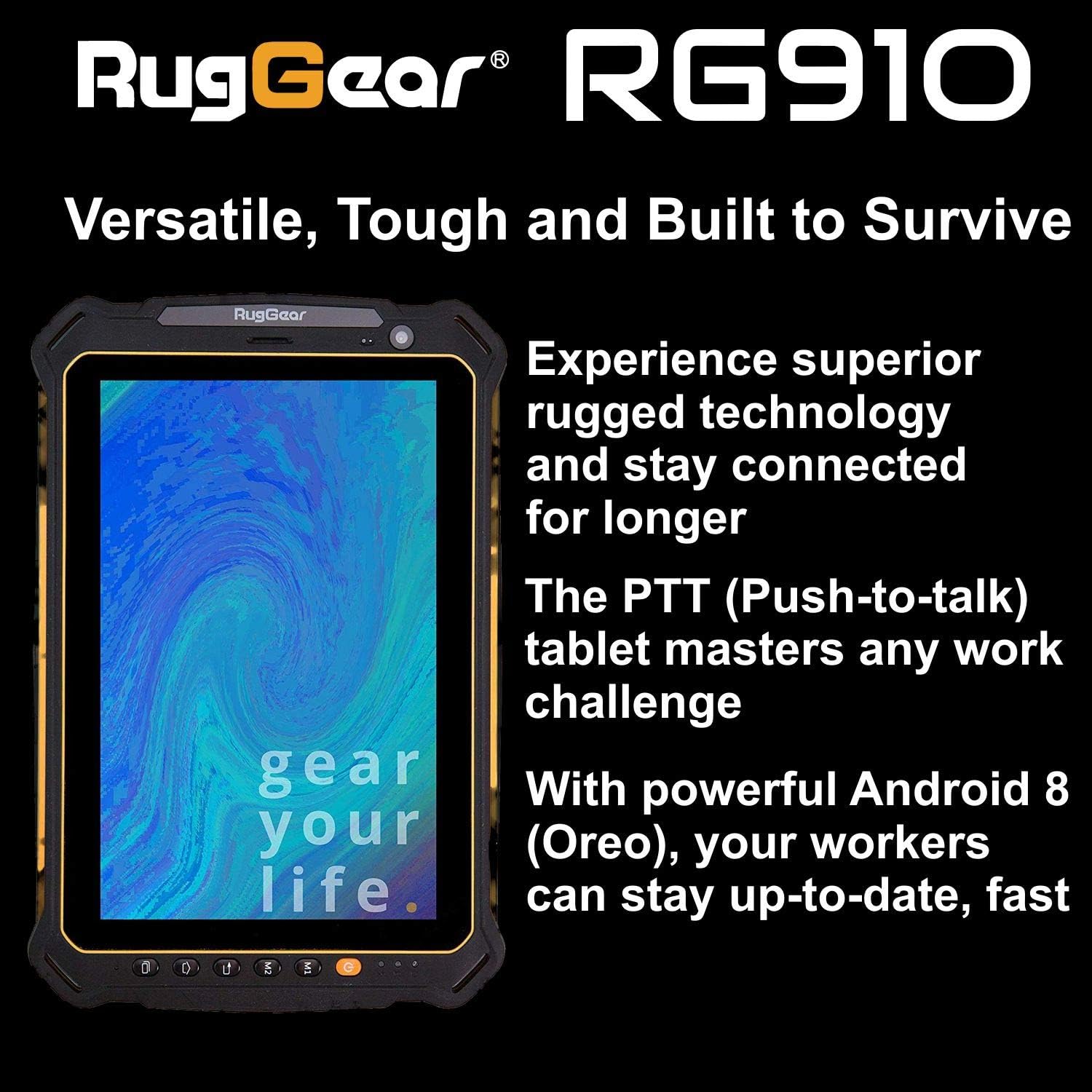
Figure 2.3: The RugGear RG910 tablet being used, illustrating its robust construction and suitability for various tasks.
3. Налаштування
3.1 Зарядка пристрою
Before initial use, fully charge the tablet using the provided charger and USB cable. Connect the charger to a power outlet and the USB cable to the tablet's charging port. The charging indicator will show the charging status.
3.2 Inserting SIM and Micro-SD Cards
- Locate the SIM/Micro-SD card slot cover on the side of the tablet.
- Обережно відкрийте кришку.
- Insert the Nano-SIM card into the designated slot with the gold contacts facing down, ensuring it is correctly oriented.
- If using, insert a Micro-SD card (up to 64GB) into its dedicated slot.
- Close the cover securely to maintain the device's water and dust resistance.
3.3 Початкове ввімкнення та налаштування
Press and hold the Power button until the RugGear logo appears. Follow the on-screen instructions to complete the initial setup, which includes selecting your language, connecting to a Wi-Fi network, and setting up your Google account.
4. Інструкція з експлуатації
4.1 Увімкнення/вимкнення живлення
- Щоб увімкнути: Натисніть і утримуйте кнопку живлення, доки екран не підсвітиться.
- Щоб вимкнути: Натисніть і утримуйте кнопку живлення, доки не з’являться параметри живлення, потім виберіть «Вимкнути живлення».
- Щоб перезапустити: Натисніть і утримуйте кнопку живлення, доки не з’являться параметри живлення, потім виберіть «Перезавантажити».
4.2 Основна навігація
The RG910 uses a capacitive touchscreen. Use standard Android gestures:
- Торкніться: Виберіть елемент або відкрийте програму.
- Проведіть пальцем: Прокручуйте списки або перемикайтеся між головними екранами.
- Щіпка: Збільшення або зменшення масштабу зображень та web сторінки.
- Тривале натискання: Доступ до контекстних меню або переміщення значків.
4.3 Push-to-Talk (PTT) Functionality
The RG910 supports Push-to-Talk (PTT) communication. A dedicated PTT button may be present on the device. Consult your service provider or PTT application instructions for specific setup and usage details.
4.4 Робота камери
To use the cameras:
- Відкрийте програму «Камера» на головному екрані або в панелі програм.
- Торкніться екрана, щоб сфокусуватися.
- Натисніть кнопку затвора, щоб зробити фотографію або розпочати/зупинити відеозапис.
- Перемикайтеся між передньою та задньою камерами за допомогою значка перемикача камери.
4.5 Підключення
- Wi-Fi: Перейти до Налаштування > Мережа та інтернет > Wi-Fi для підключення до доступних мереж.
- 4G LTE: Ensure your SIM card is inserted and mobile data is enabled in Налаштування > Мережа та Інтернет > Мобільна мережа.
- Bluetooth: Увімкнути Bluetooth Налаштування > Підключені пристрої > Bluetooth для сполучення з іншими пристроями.
5. Технічне обслуговування
5.1 Очищення пристрою
To clean your tablet, use a soft, damp cloth. Avoid using harsh chemicals, abrasive cleaners, or solvents, as these can damage the device's ruggedized coating and seals. Ensure all port covers are securely closed before cleaning with moisture.
5.2 Водо- та пилозахист (IP68)
The RG910 is IP68 certified, meaning it is protected against dust ingress and can withstand submersion in fresh water up to 1.2 meters for 60 minutes. To maintain this rating:
- Ensure all port covers (USB, SIM/Micro-SD slot) are firmly closed before exposure to water or dust.
- Do not expose the device to salt water, chlorinated water, or other liquids.
- If the device gets wet, dry it thoroughly with a clean cloth before opening any covers or charging.
5.3 Догляд за акумулятором
- Уникайте екстремальних температур, які можуть погіршити продуктивність акумулятора.
- Використовуйте лише оригінальний або сертифікований сумісний зарядний пристрій та кабель.
- Не проколюйте, не розбирайте та не модифікуйте акумулятор.
5.4 Оновлення програмного забезпечення
Регулярно перевіряйте наявність оновлень програмного забезпечення та встановлюйте їх, щоб забезпечити оптимальну продуктивність, безпеку та доступ до нових функцій. Перейдіть до Налаштування > Система > Оновлення системи.
6. Вирішення проблем
This section addresses common issues you might encounter with your RugGear RG910 tablet.
| Випуск | Можливе рішення |
|---|---|
| Пристрій не включається | Переконайтеся, що акумулятор заряджений. Підключіть зарядний пристрій і зачекайте кілька хвилин, перш ніж спробувати знову ввімкнути пристрій. Якщо пристрій не реагує, виконайте примусовий перезапуск, утримуючи кнопку живлення протягом 10-15 секунд. |
| Екран не реагує | Restart the device. If the issue persists, ensure the screen is clean and dry. |
| Не вдається підключитися до Wi-Fi/4G | Check Wi-Fi settings and ensure the network password is correct. For 4G, verify SIM card insertion, mobile data is enabled, and you have network coverage. Restart the tablet. |
| Акумулятор швидко розряджається | Reduce screen brightness, close unused applications, disable unnecessary connectivity features (Bluetooth, GPS), and check for background app activity in settings. |
| Device is slow or freezes | Close background applications. Clear cache for problematic apps. Restart the device. Consider a factory reset if the issue is persistent (back up data first). |
7. Технічні характеристики
Detailed technical specifications for the RugGear RG910 tablet:
| Особливість | опис |
|---|---|
| Бренд | RugGear |
| Номер моделі | 98300000 |
| Операційна система | Android 8 (Oreo) |
| Дисплей | 8-inch WUXGA (1920 x 1200 pixels) with Corning Gorilla Glass |
| Процесор | Qualcomm Snapdragon 625 |
| ОЗУ | 3 ГБ |
| Внутрішня пам'ять | 32 GB (expandable up to 64 GB via Micro-SD) |
| Акумулятор | 6000 мАг літій-іонний |
| Підключення | 4G LTE, Wi-Fi 802.11b/g/n, Bluetooth 4.0, GPRS |
| Фотоапарати | Задня: 8 МП, Фронтальна: 2 МП |
| Навігація | GPS, A-GPS, ГЛОНАСС, Beidou |
| Довговічність | IP68 certified (water/dust resistant), Drop-resistant up to 1.5 meters |
| Розміри (Д x Ш x В) | 21.3 х 14.1 х 2 см |
| вага | 906 грамів |
| Особливості | Ruggedized Construction, Push-to-Talk (PTT) functionality, Adjustable back strap |
| Рік моделі | 2018 |
8. Гарантія та підтримка
Your RugGear RG910 tablet is covered by a manufacturer's warranty. Please refer to the warranty card included with your product packaging for specific terms and conditions, including warranty duration and coverage details. For technical support, service, or further assistance, please contact RugGear customer service or your authorized dealer.