
lightmaXX LIG0015652-000
lightmaXX Nano PAR FX 3x 4 W LED RGBW User Manual
Model: LIG0015652-000
1. Вступ
Дякуємо за покупкуasing the lightmaXX Nano PAR FX 3x 4 W LED RGBW. This compact and powerful LED PAR spot is designed for various lighting applications, offering vibrant RGBW color mixing and dynamic strobe effects. This manual provides essential information for safe operation, setup, and maintenance of your device. Please read it thoroughly before use.
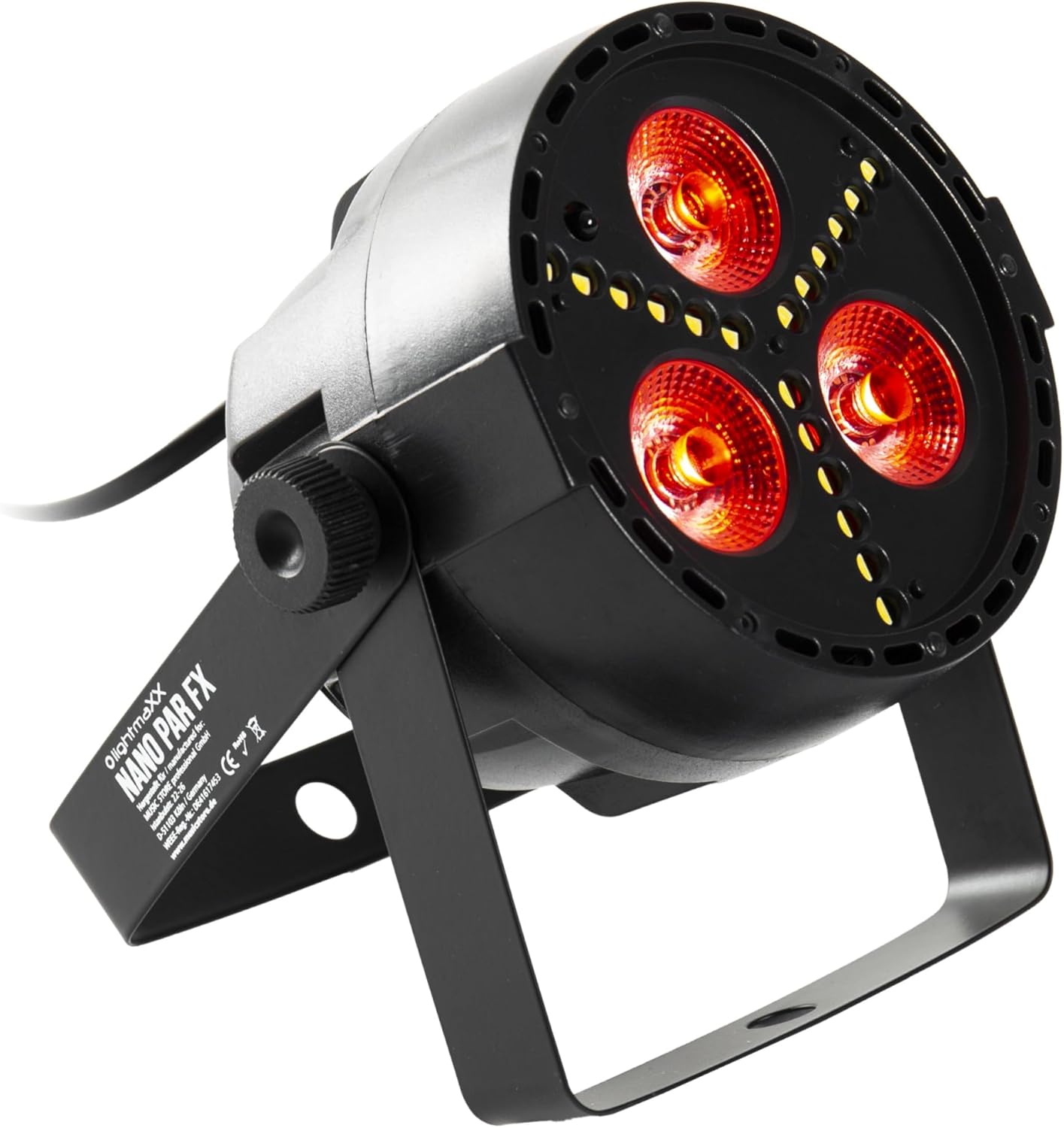
Figure 1: lightmaXX Nano PAR FX LED PAR Spot
2. Техніка безпеки
To ensure safe operation, please observe the following safety instructions:
- Джерело живлення: Підключайте пристрій лише до заземленої розетки з належною напругоюtage (230 В змінного струму).
- Вентиляція: Забезпечте належну вентиляцію навколо пристрою. Не блокуйте вентиляційні отвори.
- вологість: Do not expose the device to rain or moisture. Do not use it in damp середовищ.
- температура: Operate the device within the specified temperature range. Avoid extreme heat or cold.
- Обробка: Поводьтеся з пристроєм обережно. Уникайте падінь та сильних ударів.
- Технічне обслуговування: Звертайтеся до кваліфікованого сервісного персоналу для всіх видів обслуговування. Не намагайтеся ремонтувати пристрій самостійно.
- Світловий вихід: Avoid looking directly into the light source, as it can cause eye damage.
3. Налаштування
3.1 Фізичне розміщення
The lightmaXX Nano PAR FX is designed as a floor spot but can also be mounted using its adjustable bracket. Ensure the mounting surface or location is stable and can support the weight of the fixture. Allow sufficient space around the unit for proper ventilation.
3.2 Підключення
Connect the power cable to a suitable power outlet. For DMX control, connect a DMX cable from your DMX controller to the DMX IN port of the fixture. If linking multiple units, connect a DMX cable from the DMX OUT port of the first fixture to the DMX IN port of the next, and so on.

Figure 2: Rear panel with DMX ports and control display
4. Інструкція з експлуатації
4.1 Панель керування
The rear panel features a digital display and four control buttons: MENU, UP, DOWN, and ENTER. These buttons allow you to navigate through the settings and select various operating modes.
- МЕНЮ: Press to cycle through the main menu options.
- ВГОРУ: Збільшує значення або переміщує вгору в пунктах меню.
- ВНИЗ: Зменшує значення або переміщує вниз у пунктах меню.
- Введіть: Підтвердження вибору або вхід у підменю.
4.2 Пульт дистанційного керування
The lightmaXX Nano PAR FX comes with an infrared (IR) remote control for convenient operation. Ensure there is a clear line of sight between the remote and the fixture's IR receiver.

Figure 3: Product with Remote Control
4.3 Режими роботи
The fixture offers several built-in operating modes, accessible via the control panel or remote:
- Автоматичний режим: Cycles through pre-programmed light shows automatically.
- Режим звуку: Reacts to music or sound via a built-in microphone.
- Режим стрибка: Changes colors abruptly.
- Режим згасання: Плавно переходить між кольорами.
- Режим стробоскопа: Produces a flashing light effect.
4.4 Color Mixing
The Nano PAR FX features RGBW LEDs, allowing for a wide spectrum of colors. You can select individual colors or mix them to create custom hues using the remote control or DMX.

Малюнок 4: Впрamples of color outputs

Вихід червоного світла

Green Light Output
4.5 Операція DMX
For professional control, the Nano PAR FX can be operated via DMX512. Set the DMX address using the control panel. Consult the DMX channel chart (typically found in a separate DMX manual or product sheet) for specific channel assignments for color, dimming, strobe, and mode control.
5. Технічне обслуговування
5.1 Очищення
Regular cleaning helps maintain optimal performance and extends the lifespan of your fixture.
- Перед чищенням вимкніть живлення.
- Use a soft, lint-free cloth to wipe the exterior.
- For lenses, use a specialized lens cleaner and a soft cloth to avoid scratches.
- Не використовуйте абразивні засоби чи розчинники.
5.2 Зберігання
Коли прилад не використовується, зберігайте його в сухому, захищеному від пилу місці, бажано в оригінальній упаковці або захисному футлярі.
6. Вирішення проблем
| проблема | Можлива причина | Рішення |
|---|---|---|
| Немає живлення | Кабель живлення відключено; немає живлення від розетки; несправний запобіжник. | Перевірте підключення кабелю живлення; перевірте розетку; за потреби замініть запобіжник. |
| Відсутність світлової потужності | Fixture in standby; incorrect mode selected; DMX signal issue. | Check power and mode settings; verify DMX connection and address. |
| Пульт не працює | Battery low/dead; IR receiver blocked; too far from fixture. | Replace battery; ensure clear line of sight; move closer to fixture. |
| Проблеми з керуванням DMX | Неправильна адреса DMX; несправний кабель DMX; проблема з контролером DMX. | Verify DMX address; test DMX cable; check DMX controller. |
7. Технічні характеристики
| Особливість | Специфікація |
|---|---|
| Бренд | lightmaXX |
| Виробник | lightmaXX |
| Номер моделі | LIG0015652-000 |
| Розміри продукту (Д x Ш x В) | 12.9 х 12.9 х 12.8 см |
| Вага товару | 620 грами |
| Стиль | Сучасний |
| Колір | Black (fixture), RGBW (light output) |
| Максимальна кількість Вт | 20 Вт |
| томtage | 230 вольт (перемінний струм) |
| Тип лампочки | Світлодіод (LED) |
| Тип джерела світла | Diode électroluminescente (LED) |
8. Гарантія та підтримка
This product is subject to the standard return policy of 30 days from the date of purchase. For technical support, service, or warranty inquiries, please contact your retailer or the lightmaXX customer service department. Please have your model number (LIG0015652-000) and proof of purchase ready when contacting support.
Ask a question about this manual
Ask about setup, troubleshooting, compatibility, parts, safety, or missing instructions. Manuals+ will review the question and use this page’s manual context to help answer it.