
1. Продукт закінчивсяview
The MOOER Micro Preamp 18 Custom 100 (MMPA18) is a compact digital preamp pedal designed to accurately recreate the sound, dynamics, and response of popular tube amplifiers. Utilizing advanced digital technology, this pedal offers a versatile solution for guitarists seeking high-quality amplifier tones in a miniature form factor.
Key features include dual channels for diverse tonal options, an integrated speaker cabinet simulation for direct recording or PA connection, and dual operating modes to adapt to various performance and recording setups.
2. особливості
- Sonically accurate digital recreations of classic tube amplifier преamp розділи.
- Dual channels for versatile clean and gain tones.
- Integrated speaker cabinet simulation for direct output.
- Dual operating modes to suit various user needs.
- Компактний і міцний дизайн.
3. Елементи управління та підключення
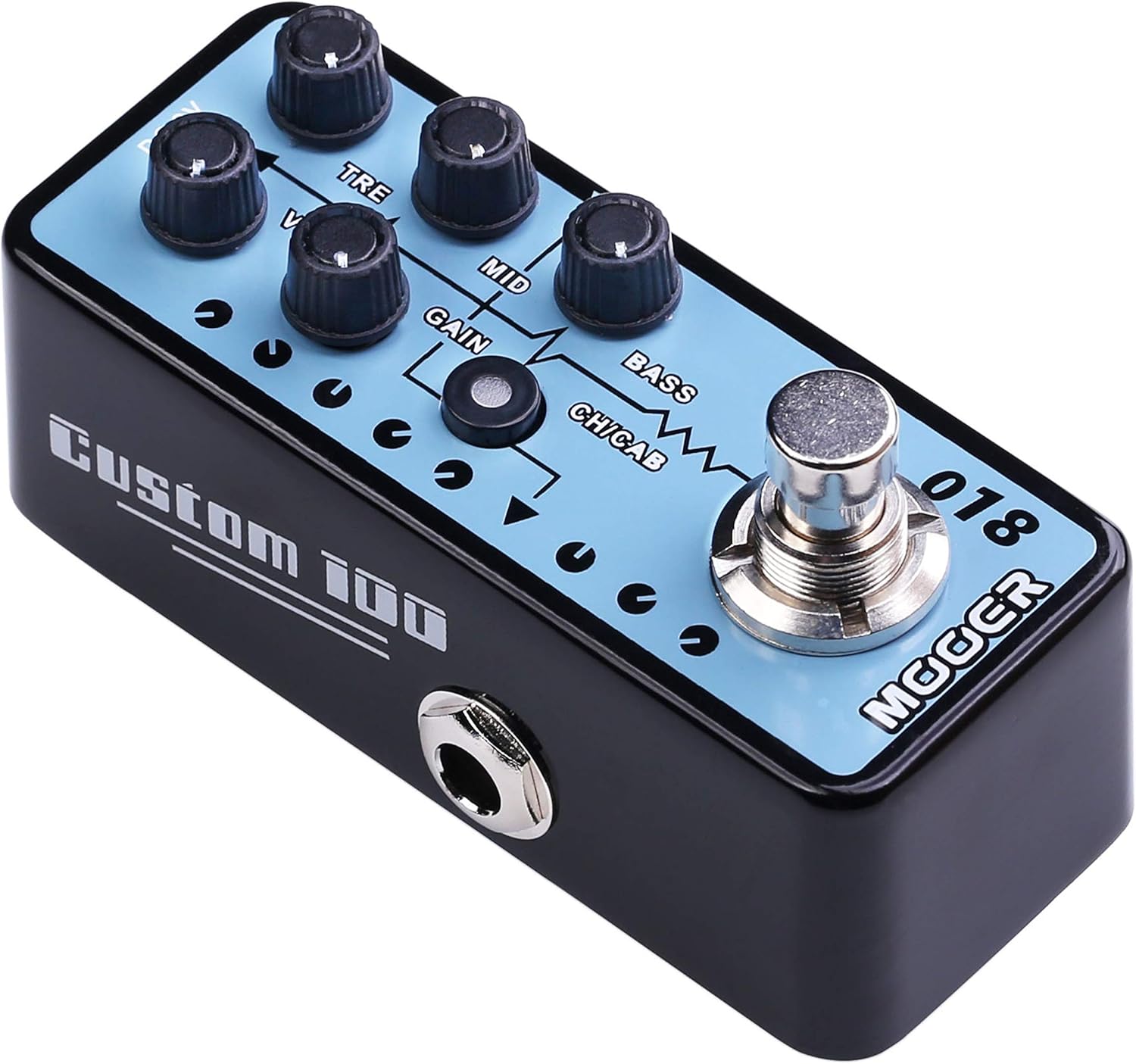
Малюнок 1: Верх view of the MOOER Micro Preamp 18 Custom 100, highlighting the control knobs and footswitch.
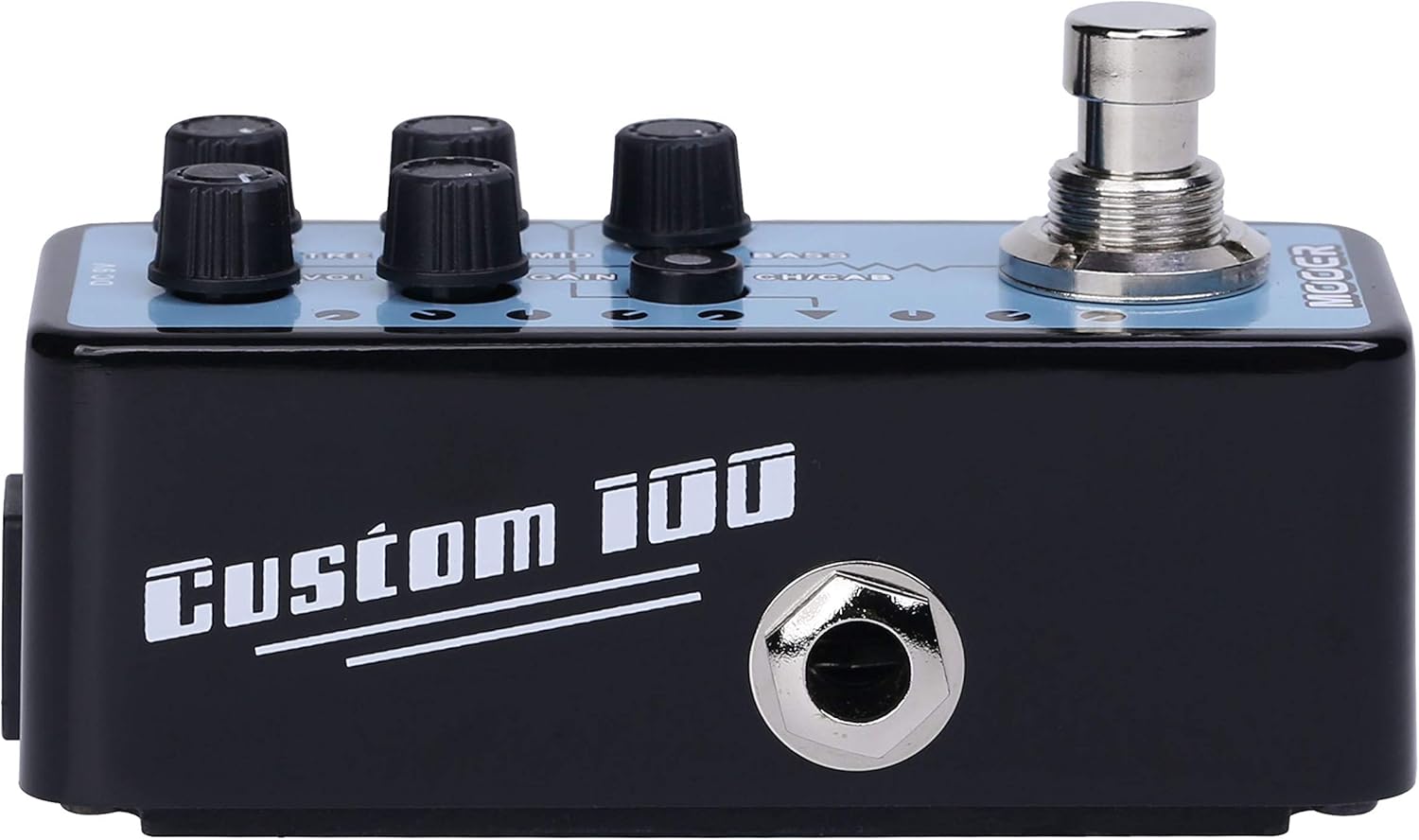
Малюнок 2: Сторона view of the MOOER Micro Preamp 18 Custom 100, illustrating the 1/4" input and output jacks.
Елементи керування:
- VOL (гучність): Регулює загальний вихідний рівень преamp.
- TRE (Treble): Контролює високочастотну характеристику.
- MID (Middle): Регулює частотну характеристику середнього діапазону.
- ПІДИМОК: Контролює рівень овердрайву/дисторшну.
- БАС: Регулює низькочастотну характеристику.
- CH/CAB (Channel/Cabinet Simulation Switch): This switch serves two functions:
- In normal operation, it switches between the two available channels (e.g., Clean and Gain).
- When held down, it toggles the integrated speaker cabinet simulation on or off.
- Ножний перемикач: Engages or bypasses the pedal.
Підключення:
- Input Jack (1/4" / 6.35mm): Підключіть сюди свою гітару або інший інструмент.
- Output Jack (1/4" / 6.35mm): Підключіться до свого amplifier, audio interface, or other effects pedals.
- Вхід DC 9V: Connect a 9V DC power adapter (center negative, 300mA minimum).
- USB 2.0 (Hardware Interface): For firmware updates or potential software integration.
4. Налаштування та експлуатація
Початкове налаштування:
- Забезпечте свій ampаудіоапаратура та інше аудіообладнання вимкнено.
- Підключіть гітару до Вхідний гніздо of the MMPA18.
- Підключіть Вихідний роз'єм of the MMPA18 to the input of your amplifier або аудіоінтерфейс.
- Connect a 9V DC power adapter (center negative, 300mA minimum) to the Вхід постійного струму 9 В.
- Увімкніть свій amplifier and other audio equipment.
Основна операція:
- Engaging/Bypassing: Press the footswitch to turn the preamp effect on or off. The LED indicator will illuminate when the effect is active.
- Перемикання каналів: Коротко натисніть CH/CAB switch to toggle between the two channels (e.g., a clean channel and a gain channel). The LED color or state may change to indicate the active channel.
- Моделювання кабінету: Натисніть і утримуйте CH/CAB switch for a few seconds to activate or deactivate the integrated speaker cabinet simulation. This is particularly useful when connecting directly to a mixing console, audio interface, or headphones, providing a more natural, mic'd cabinet sound.
- Регулювання тону: Використовуйте VOL, TRE, MID, GAIN, і БАСС knobs to sculpt your desired tone. Experiment with different settings for each channel.
5. Технічне обслуговування
- Прибирання: Використовуйте м’яку суху тканину для очищення педалі. Уникайте абразивних засобів для чищення або розчинників.
- Зберігання: Зберігайте педаль у прохолодному, сухому місці, подалі від прямих сонячних променів та екстремальних температур.
- Джерело живлення: Always use a compatible 9V DC (center negative) power supply with a minimum of 300mA. Using an incorrect power supply can damage the unit and void the warranty.
- Підключення: Періодично перевіряйте всі кабельні з'єднання на наявність зносу. Переконайтеся, що роз'єми не містять пилу та сміття.
6. Вирішення проблем
- Немає звуку:
- Перевірте всі кабельні з'єднання (гітара, педаль, amplifier, power supply).
- Ensure the power supply is correctly connected and providing power.
- Verify the pedal is engaged (LED illuminated).
- Check the volume settings on the pedal and your ampліфірник.
- Poor Sound Quality / Excessive Noise:
- Переконайтеся, що всі кабелі у справному стані та належним чином екрановані.
- Try a different power supply to rule out power-related noise.
- Adjust the GAIN knob; very high gain settings can introduce noise.
- If using the cabinet simulation, ensure it is appropriate for your output device.
- Ensure the pedal is not placed too close to power transformers or other sources of electromagnetic interference.
- Педаль не реагує:
- Від'єднайте та знову підключіть джерело живлення.
- If issues persist, contact MOOER support.
- Перегрів: While normal operation may cause some warmth, excessive heat could indicate an issue. Ensure proper ventilation and use the correct power supply. If the pedal becomes unusually hot, discontinue use and contact support.
7. Технічні характеристики
| Специфікація | Значення |
|---|---|
| Номер моделі | MMPA18 |
| Вага товару | 5.8 унції (165 грама) |
| Розміри продукту | 3.54 x 3.54 x 3.54 дюймів |
| Сумісні пристрої | Musical Instrument(s) |
| Тип роз'єму | 1/4" (6.35mm) Jack, 1/8" (3.5mm) Jack |
| Апаратний інтерфейс | USB 2.0 |
| Формат сигналу | цифровий |
| Вихідна ватtage | 100 Вт |
| Джерело живлення | адаптер змінного струму |
| томtage | 9 вольт |
| Бренд | МАУР |
| Колір | Mehrfarbig |
8. Гарантія та підтримка
MOOER products are designed for reliability and performance. For specific warranty information, please refer to the warranty card included with your product or visit the official MOOER website. In case of any issues or technical support needs, please contact MOOER customer service through their official channels.
Для отримання додаткової допомоги ви можете відвідати MOOER Store on Amazon.