
lightmaXX LIG0015758-000
lightmaXX Vega Silent PAR II Quad 18x 8W RGBW LED PAR Floor Spot User Manual
Model: LIG0015758-000
вступ
The lightmaXX Vega Silent PAR II Quad 18x 8W RGBW is a high-performance LED PAR projector designed for professional lighting applications. Featuring 18 powerful 8-watt RGBW LEDs, it offers versatile color mixing capabilities and a silent operation, making it suitable for various environments including stages, studios, and events. This manual provides essential information for the safe and efficient use of your device, covering setup, operation, maintenance, and troubleshooting.
Важливі інструкції з безпеки
Please read and understand all safety instructions before installing or operating this device. Keep this manual for future reference.
- Електрична безпека: Переконайтеся, що блок живлення обtage matches the device's requirements. Always disconnect from power before cleaning or servicing.
- Вентиляція: Не блокуйте вентиляційні отвори. Забезпечте достатній потік повітря навколо пристрою, щоб запобігти перегріву.
- Середовище: This device is intended for indoor use only. Do not expose to rain, moisture, or extreme temperatures.
- Монтаж: Always secure the device with a safety cable when mounting overhead. Ensure the mounting surface can support the weight of the fixture.
- Безпека очей: Do not stare directly into the light source. The intense light output can cause eye damage.
- Обслуговування: Звертайтеся до кваліфікованого персоналу для проведення будь-якого технічного обслуговування. Всередині немає деталей, які може обслуговувати користувач.
Що в коробці
Carefully unpack your lightmaXX Vega Silent PAR II Quad and check that all items listed below are present and in good condition:
- lightmaXX Vega Silent PAR II Quad 18x 8W RGBW LED PAR Floor Spot
- Кабель живлення
- Посібник користувача (цей документ)
Продукт закінченийview
Familiarize yourself with the various components of your lightmaXX Vega Silent PAR II Quad.

малюнок 1: Фронт view of the lightmaXX Vega Silent PAR II Quad, highlighting the 18 RGBW LED lenses and the robust black metal housing with integrated cooling fins. The adjustable mounting bracket is visible at the bottom.

малюнок 2: Rear panel of the lightmaXX Vega Silent PAR II Quad. This view displays the digital control display, four navigation buttons (MENU, UP, DOWN, ENTER), DMX In (3-pin XLR) and DMX Out (3-pin XLR) ports, Power In (IEC) and Power Out (IEC) connectors, and a safety rope attachment point. The fan grille is also visible.

малюнок 3: Крупним планом view of the control panel. The bright digital display shows current settings, while the four tactile buttons (MENU, UP, DOWN, ENTER) allow for easy navigation and parameter adjustment.

малюнок 4: The included power cable, featuring a standard IEC C13 connector for the device and a European Schuko plug for wall outlets. This cable is used to supply power to the unit.
Налаштування
Follow these steps for the initial setup of your LED PAR fixture.
- Розміщення: Position the fixture on a stable, flat surface or mount it securely using the integrated bracket. If mounting overhead, always use a safety cable. Ensure there is sufficient space around the unit for ventilation.
- Підключення живлення: Connect the supplied power cable to the 'POWER IN' socket on the rear panel of the fixture and then to a suitable power outlet. If linking multiple units, use the 'POWER OUT' socket to daisy-chain power to the next fixture.
- Підключення DMX (додатково): If using DMX control, connect a DMX cable from your DMX controller's output to the 'DMX IN' socket on the fixture. If linking multiple DMX fixtures, connect a DMX cable from the 'DMX OUT' socket of the first fixture to the 'DMX IN' socket of the next fixture in the chain.
Операційна
The lightmaXX Vega Silent PAR II Quad can be operated in various modes, including DMX control, standalone auto programs, sound-activated mode, and static color mode.
Навігація панелі керування
The rear control panel features a digital display and four buttons for menu navigation and setting adjustments:
- МЕНЮ: Press to cycle through the main menu options.
- ВГОРУ: Press to increase values or move up through menu options.
- ВНИЗ: Press to decrease values or move down through menu options.
- Введіть: Press to confirm a selection or save a setting.
Управління DMX
For advanced control, connect the fixture to a DMX controller. The fixture will automatically detect a DMX signal. Refer to the DMX channel chart (typically found in a separate DMX protocol sheet or within the fixture's internal menu) to understand the functions assigned to each DMX channel (e.g., Dimmer, Red, Green, Blue, White, Strobe, Programs).
Автономні режими
Without a DMX signal, the fixture can operate in several standalone modes:
- Автоматичний режим: Cycles through pre-programmed light shows. Use the UP/DOWN buttons to select different auto programs.
- Активний режим звуку: The light output reacts to ambient sound. Adjust sensitivity using the UP/DOWN buttons.
- Статичний колірний режим: Allows you to select a fixed color. Adjust individual RGBW levels using the UP/DOWN buttons after selecting the color setting in the menu.
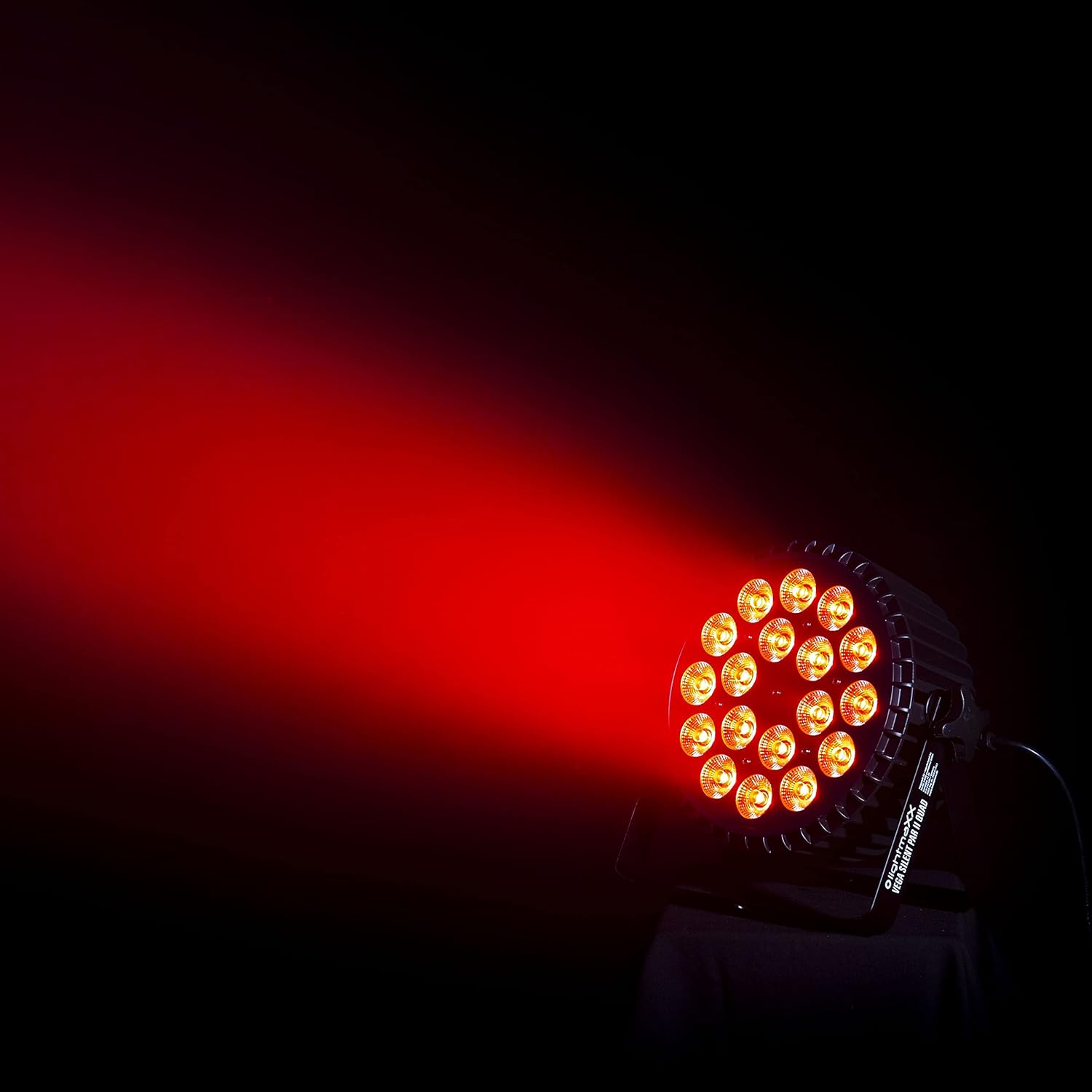
малюнок 5: The lightmaXX Vega Silent PAR II Quad demonstrating its red light output. The powerful LEDs create a vibrant, focused beam, suitable for various stagзастосування для електронного та подієвого освітлення.

малюнок 6: The lightmaXX Vega Silent PAR II Quad showcasing its green light output. The fixture's RGBW LEDs allow for a wide spectrum of colors, including vivid greens, for dynamic lighting effects.
Догляд та обслуговування
Proper care and maintenance will ensure the longevity and optimal performance of your lightmaXX Vega Silent PAR II Quad.
- Прибирання: Regularly clean the exterior of the fixture with a soft, dry cloth. For the lenses, use a soft, lint-free cloth and a non-abrasive cleaner specifically designed for optics. Do not use harsh chemicals or solvents.
- Вентиляція: Periodically check that the ventilation openings are clear of dust and debris. Use compressed air to gently clear any blockages.
- Зберігання: Коли прилад не використовується, зберігайте його в сухому, захищеному від пилу місці, бажано в оригінальній упаковці або м’якому футлярі для захисту від пошкоджень.
- Огляд: Periodically inspect power cables and DMX cables for any signs of wear or damage. Replace damaged cables immediately.
Посібник з усунення несправностей
If you encounter issues with your lightmaXX Vega Silent PAR II Quad, refer to the table below for common problems and their solutions.
| проблема | Можлива причина | Рішення |
|---|---|---|
| Fixture does not power on. | No power supply; Faulty power cable; Blown fuse. | Check power connection; Try a different power cable; Check and replace fuse if necessary (refer to qualified technician). |
| Без DMX-керування. | Incorrect DMX address; Faulty DMX cable; No DMX signal from controller. | Verify DMX address setting; Test DMX cable; Check DMX controller output. |
| Кольори неправильні або нерівномірні. | Incorrect DMX mode; Internal error. | Ensure correct DMX mode is selected; Perform a factory reset (if available in menu); Contact support if issue persists. |
| Fixture overheats. | Blocked ventilation; Operating in high ambient temperature. | Ensure ventilation openings are clear; Operate in a cooler environment. |
Технічні характеристики
| Особливість | Специфікація |
|---|---|
| Бренд | lightmaXX |
| Модель | LIG0015758-000 |
| Розміри продукту (Д x Ш x В) | 30 х 30 х 25.5 см |
| Вага товару | 4.1 кілограма |
| Стиль | Сучасний |
| Колір | чорний |
| Форма | Квадратний |
| Тип джерела світла | Світлодіод (LED) |
| Енергетичний ярлик | g |
Гарантія та підтримка клієнтів
This lightmaXX product is designed and manufactured to the highest quality standards. Specific warranty details, including duration and coverage, are typically provided with your purchase documentation or can be found on the manufacturer's official webсайт. Будь ласка, збережіть підтвердження покупки для будь-яких гарантійних претензій.
For technical assistance, troubleshooting beyond this guide, or warranty inquiries, please contact the retailer or the official lightmaXX customer support. Contact information can usually be found on the lightmaXX webсайті або на упаковці вашого продукту.
Ask a question about this manual
Ask about setup, troubleshooting, compatibility, parts, safety, or missing instructions. Manuals+ will review the question and use this page’s manual context to help answer it.