
1. Вступ
This manual provides essential information for the proper setup, operation, and maintenance of your Eyeclops Digital Microscope & Camera. This device allows you to magnify objects up to 800 times, capture images, and record videos, making it suitable for exploring the microscopic world both indoors and outdoors.
Що в коробці:
- 1 EyeClops Digital Microscope & Camera with built-in color screen
- USB-кабель 1
- 1 512MB MicroSD Card
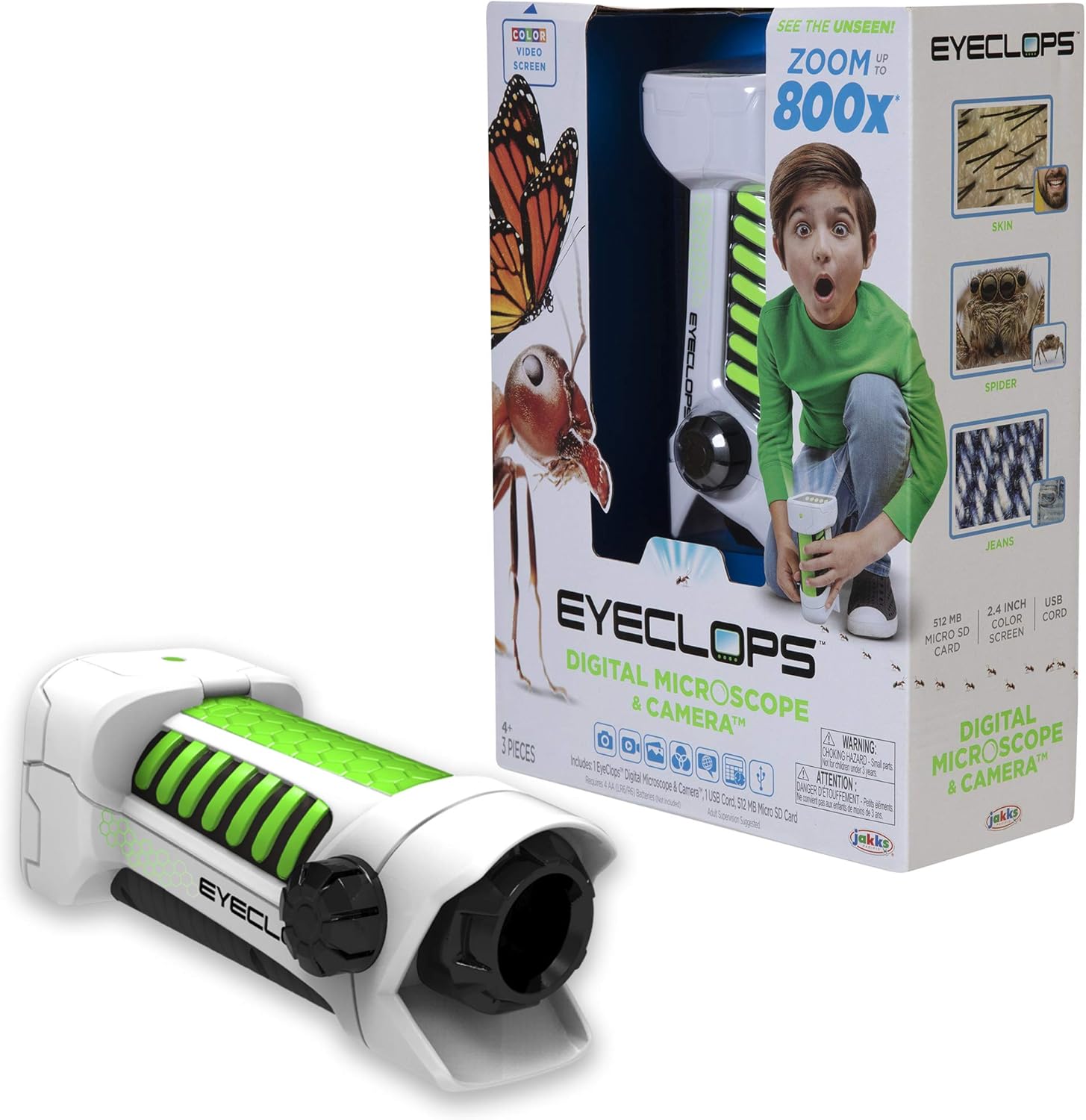
Зображення 1.1: The Eyeclops Digital Microscope & Camera with its retail packaging. This image displays the device alongside its box, highlighting its compact design and the included accessories like the MicroSD card and USB cable.
2. Інформація про безпеку
Будь ласка, прочитайте та зрозумійте наступні запобіжні заходи перед використанням пристрою:
- Небезпека задухи: Цей виріб містить дрібні деталі та не підходить для дітей віком до 3 років. Рекомендується нагляд дорослих за всіма користувачами, особливо за маленькими дітьми.
- Безпека батареї: Use only the specified battery type (4 AA batteries). Ensure correct polarity when inserting batteries. Do not mix old and new batteries, or different types of batteries. Remove batteries if the device will not be used for an extended period.
- Умови навколишнього середовища: Уникайте впливу екстремальних температур, прямих сонячних променів або вологи на пристрій.
3. Налаштування
3.1 Встановлення батареї
- Знайдіть кришку відсіку для батареї на пристрої.
- Використовуйте невелику викрутку, щоб відкрити батарейний відсік.
- Insert 4 AA batteries, ensuring the correct positive (+) and negative (-) polarity as indicated inside the compartment.
- Встановіть на місце кришку батарейного відсіку та закріпіть її гвинтом.
3.2 Встановлення карти MicroSD
- Знайдіть слот для карти MicroSD на бічній панелі пристрою.
- Gently insert the included 512MB MicroSD card into the slot until it clicks into place. Ensure the card is oriented correctly.
- To remove the card, gently push it inward until it springs out.
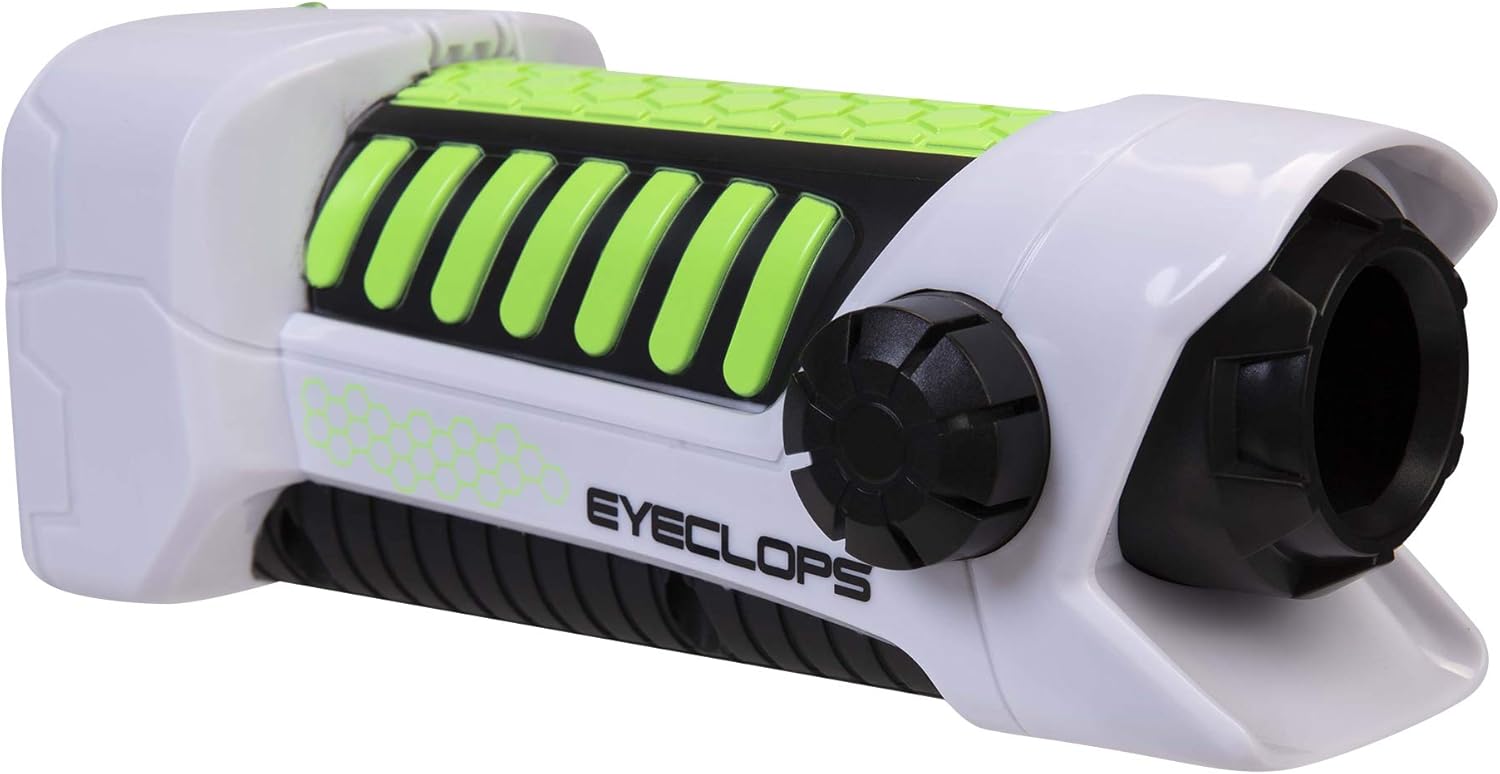
Зображення 3.1: Сторона view of the Eyeclops Digital Microscope, illustrating the general shape and location of external features such as the focus knob and lens. This view helps in identifying the MicroSD card slot and battery compartment.
4. Інструкція з експлуатації
4.1 Увімкнення/вимкнення
- To power on the device, press and hold the Power button (usually located near the screen or grip).
- Щоб вимкнути живлення, знову натисніть і утримуйте кнопку живлення, доки екран не вимкнеться.
4.2 Focusing and Zoom
- Point the lens of the microscope at the object you wish to observe.
- Відрегулюйте Ручка фокусування (typically located on the side of the device) until the image on the 2.4-inch color screen appears clear.
- The device offers up to 800x magnification. The zoom level can be adjusted using dedicated zoom buttons (often marked with '+' and '-' symbols) or by moving the device closer to or further from the object.
4.3 Taking Pictures and Recording Video
- Once focused, press the Кнопка камери (often indicated by a camera icon) to capture a still image.
- To record video, press the Кнопка відео (often indicated by a video camera icon). Press it again to stop recording.
- All captured images and videos are saved to the inserted MicroSD card.
4.4 Using as a Regular Camera
The Eyeclops Digital Microscope can also function as a regular camera. To use this feature, turn off the zoom function or adjust the focus for standard distance photography. This allows for capturing broader scenes or objects without extreme magnification.
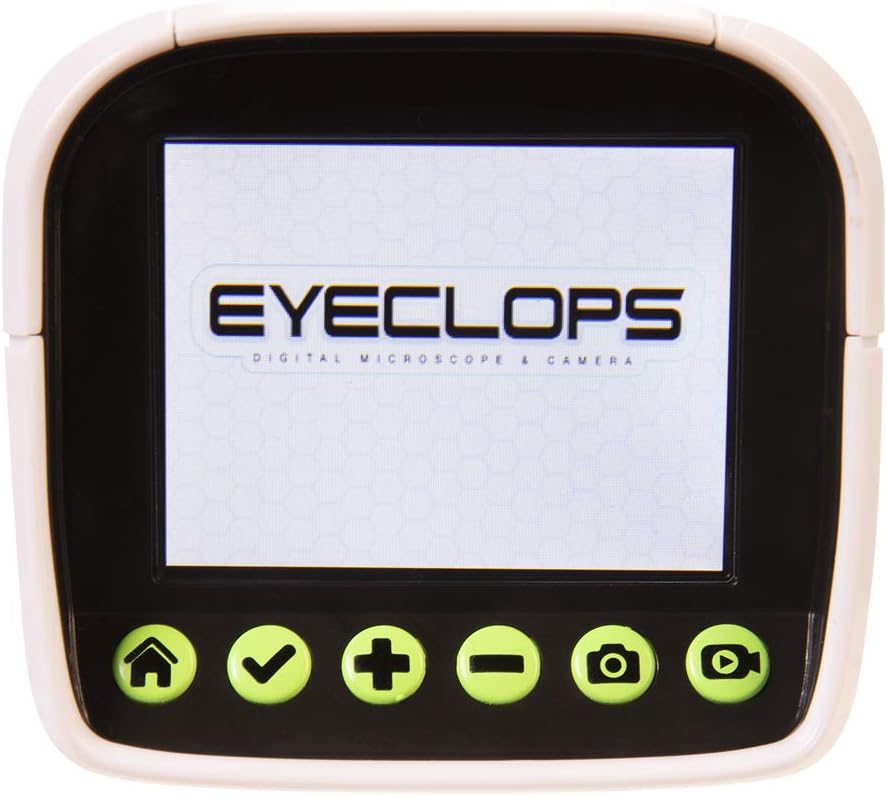
Зображення 4.1: Детальний view of the Eyeclops Digital Microscope's 2.4-inch color screen and its control buttons. The buttons typically include Home, Select/Confirm, Zoom In (+), Zoom Out (-), Camera, and Video functions.

Зображення 4.2: A child actively using the Eyeclops Digital Microscope to observe a small object, demonstrating the handheld operation and the visual engagement with the magnified view.
5. Передача даних
5.1 Передача Files через USB
- Connect the Eyeclops Digital Microscope to your Windows PC or Mac using the provided USB cable.
- Пристрій має відображатися на вашому комп’ютері як знімний носій інформації.
- Navigate to the device's storage or the MicroSD card folder to access your pictures and videos.
- Скопіюйте потрібне files на ваш комп’ютер.
5.2 Передача Files via MicroSD Card Reader
Alternatively, you can remove the MicroSD card from the microscope and insert it into a compatible card reader connected to your computer to transfer files.
6. Технічне обслуговування
- Прибирання: Use a soft, dry cloth to clean the exterior of the device. For the lens and screen, use a specialized lens cleaning cloth and solution to avoid scratches. Do not use abrasive cleaners or solvents.
- Зберігання: Store the microscope in a cool, dry place away from direct sunlight and extreme temperatures. Remove batteries if storing for extended periods to prevent leakage.
- Захист лінз: The lens is designed to be slightly inset to prevent accidental touching. Avoid poking or scratching the lens.
7. Вирішення проблем
- Пристрій не включається:
- Перевірте, чи правильно вставлені батарейки з дотриманням полярності.
- Замініть новими батарейками типу АА.
- Blurry images/difficulty focusing:
- Ensure you are adjusting the Focus Knob slowly and precisely.
- Maintain a steady hand or place the object on a stable surface to minimize movement during observation or capture.
- Очистіть об’єктив, якщо він виглядає забрудненим або забрудненим.
- Неможливо передати files на комп'ютер:
- Ensure the USB cable is securely connected to both the microscope and the computer.
- Спробуйте інший порт USB на комп’ютері.
- Verify that the MicroSD card is properly inserted into the microscope.
- If issues persist, try using an external MicroSD card reader.
- Помилка карти MicroSD:
- Переконайтеся, що картку вставлено правильно.
- Try reformatting the card (this will erase all data, so back up first).
- If the problem continues, the card may be faulty and require replacement.
8. Технічні характеристики
| Особливість | Специфікація |
|---|---|
| Номер моделі | 652331 |
| Максимальне збільшення | 800x |
| Вбудований екран | 2.4-дюймовий кольоровий екран |
| Зберігання | 512MB MicroSD Card (included) |
| Підключення | USB |
| Джерело живлення | 4 батарейок типу АА (не входять в комплект) |
| Розміри продукту | 9 x 3.5 x 11 дюйми (22.86 x 8.89 x 27.94 см) |
| Вага товару | 14.8 унцій (420 грам) |
| Рекомендований вік | 6 - 9 років |
| Виробник | Jakks Pacific Inc. |
9. Інформація про гарантію
For detailed warranty information, please refer to the documentation included with your product at the time of purchase or visit the official Eyeclops or Jakks Pacific Inc. webсайт. Гарантійні умови зазвичай поширюються на виробничі дефекти протягом певного періоду з дати покупки.
10. Підтримка
If you encounter issues not covered in this manual or require further assistance, please contact the manufacturer's customer support. Contact information can usually be found on the product packaging or the official Jakks Pacific Inc. webсайт.