
вступ
This manual provides detailed instructions for the installation, operation, and maintenance of your NEC SL2100 IP7WW-12TXH-B1 12-Button Display Speaker Telephone. Please read this manual thoroughly before using the telephone to ensure proper functionality and to prevent damage.
Інформація про безпеку
Завжди дотримуйтесь основних запобіжних заходів під час використання цього виробу, щоб зменшити ризик пожежі, ураження електричним струмом та травмування людей.
- Не використовуйте цей виріб поблизу води, напрample, біля ванни, умивальника, кухонної раковини або ванни для білизни, у вологому підвалі або біля басейну.
- Avoid using the telephone during an electrical storm. There may be a remote risk of electric shock from lightning.
- Не використовуйте телефон, щоб повідомити про витік газу поблизу місця витоку.
- Use only the power source specified in this manual or marked on the product. This telephone is powered by the phone system.
- Перед чищенням від’єднайте виріб від розетки. Не використовуйте рідкі чи аерозольні миючі засоби. Використовуйте рекламуamp серветка для чищення.
Вміст упаковки
Перевірте наявність усіх елементів в упаковці:
- NEC SL2100 IP7WW-12TXH-B1 12-Button Display Speaker Telephone (Black)
- Слухавка
- Шнур слухавки
- Base Stand (for desk or wall mounting)
- Ethernet Cable (if applicable for IP connection)
Продукт закінченийview
The NEC SL2100 IP7WW-12TXH-B1 is a corded 12-button display speaker telephone designed for use with NEC SL2100 systems. It features a clear display for call information and menu navigation, a built-in speakerphone for hands-free communication, and 12 programmable function keys.
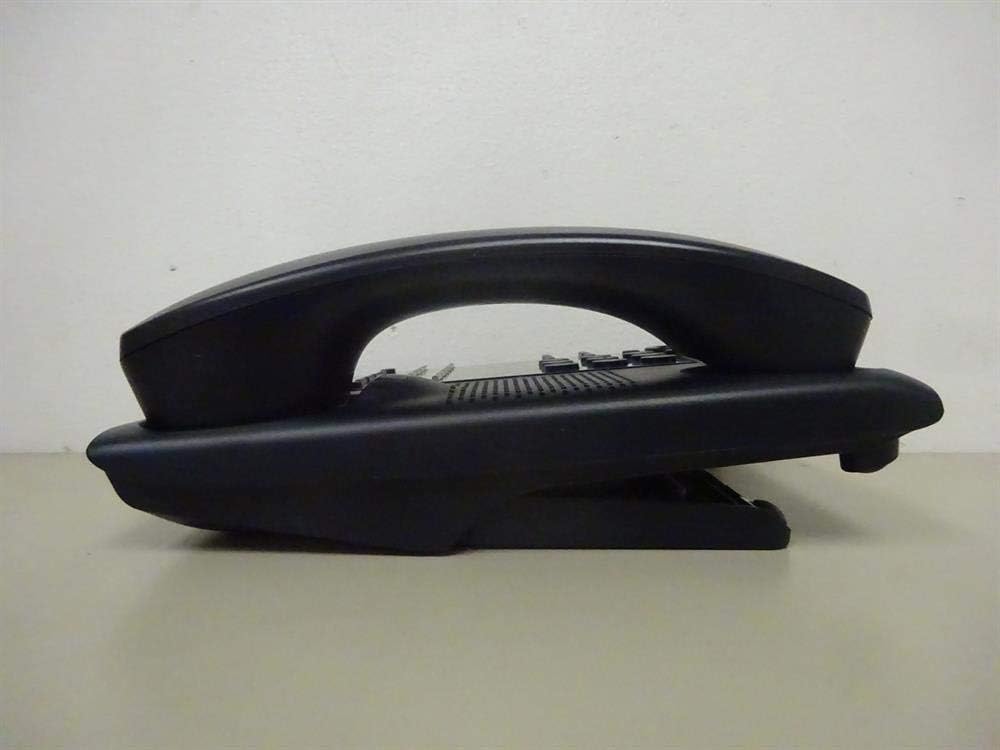
малюнок 1: сторона view of the NEC SL2100 IP7WW-12TXH-B1 telephone, showing the ergonomic design of the handset and base unit.

малюнок 2: Задня view of the telephone, illustrating the various connection ports for the handset and network, as well as the integrated wall-mounting slots.
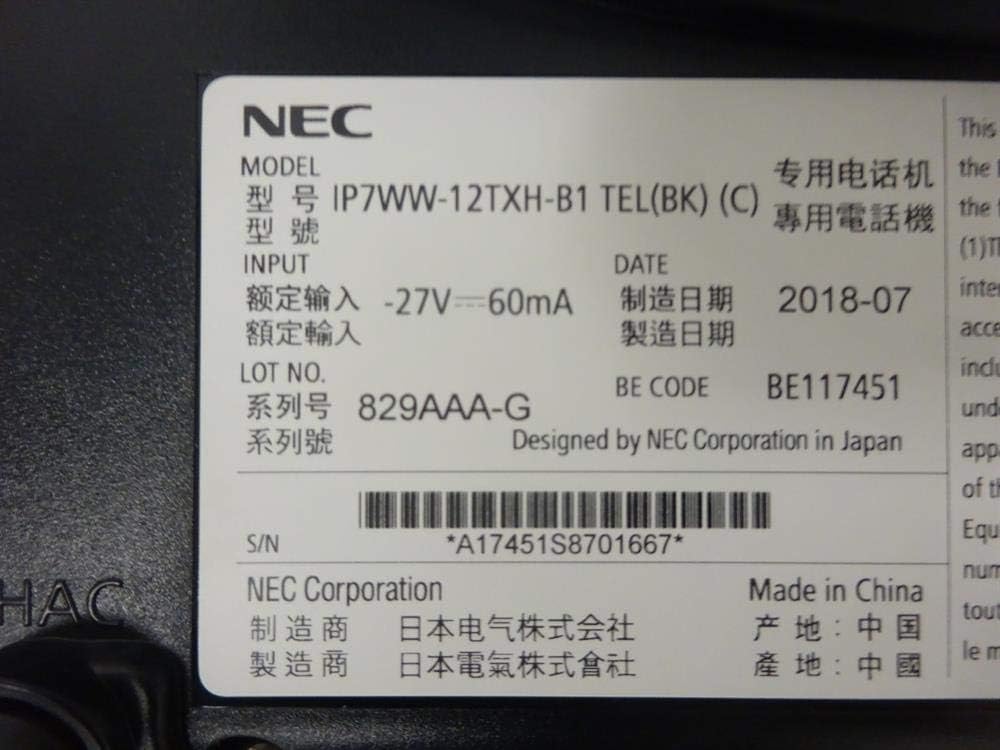
малюнок 3: Close-up of the product label, displaying model number IP7WW-12TXH-B1, input specifications, and manufacturer details.
Налаштування
1. Assembling the Telephone
- Прикріпіть базову підставку: Align the base stand with the slots on the bottom of the telephone. Slide it into place until it clicks securely. The stand can be adjusted for different viewing angles or reversed for wall mounting.
- Підключіть телефон: Plug one end of the coiled handset cord into the handset and the other end into the designated port on the side of the telephone base.
2. Підключення до системи
This telephone is designed to connect to an NEC SL2100 system. Ensure your SL2100 system is properly installed and configured.
- Підключіть мережевий кабель: Plug one end of an Ethernet cable into the LAN port on the back of the telephone. Plug the other end into an available port on your NEC SL2100 system or a network switch connected to the system.
- Увімкнення: The telephone receives power directly from the NEC SL2100 system (Power over Ethernet - PoE) or via a separate power adapter (not included, if PoE is not available). Once connected, the telephone should power on automatically.
- Початкова конфігурація: The telephone will typically register with the SL2100 system automatically. If prompted, follow the on-screen instructions or consult your system administrator for specific extension number assignment or network settings.
Інструкція з експлуатації
Здійснення дзвінків
- Підніміть трубку: Підніміть слухавку та послухайте гудок.
- Наберіть номер: Dial the desired telephone number using the keypad.
- гучний зв'язок: Натисніть СПІКЕР button to activate the speakerphone, then dial the number.
Прийом дзвінків
- Підніміть трубку: When the telephone rings, lift the handset to answer.
- гучний зв'язок: Натисніть СПІКЕР button to answer the call hands-free.
Використання дисплея
The display shows call information, menu options, and system status. Use the navigation buttons (usually arrow keys) to scroll through menus and the ENTER or ВИБРАТИ кнопку для підтвердження вибору.
Programmable Function Keys (12 Buttons)
The 12 buttons on the telephone can be programmed for various functions such as speed dial, line access, feature activation, or direct station selection. Consult your system administrator for the specific programming of these keys.
Конференц-дзвінки
The telephone supports 3-way conference calls. To initiate a conference call:
- Встановіть дзвінок з першим абонентом.
- Натисніть КОНФ (Conference) button or the designated programmable key. The first party will be put on hold.
- Наберіть номер другого абонента.
- Після встановлення з’єднання з другим абонентом натисніть кнопку КОНФ знову натисніть кнопку, щоб приєднатися до всіх трьох груп.
Ідентифікатор абонента
When an incoming call is received, the caller's information (name and number, if available) will be displayed on the screen.
Багаторядкова робота
This telephone supports multi-line operation, allowing you to manage multiple calls simultaneously. Use the designated line keys or programmable keys to switch between active lines or place calls on hold.
Технічне обслуговування
прибирання
To clean the telephone, unplug it from the network connection. Use a soft, slightly damp cloth. Do not use harsh chemicals, abrasive cleaners, or excessive moisture. Avoid spraying cleaners directly onto the telephone.
Зберігання
If storing the telephone for an extended period, ensure it is clean and dry. Store it in a cool, dry place away from direct sunlight and extreme temperatures.
Усунення несправностей
- Немає тонального сигналу:
- Check all cable connections, especially the network cable to the SL2100 system.
- Ensure the SL2100 system is powered on and functioning correctly.
- If using a separate power adapter (not PoE), ensure it is properly connected and receiving power.
- Дисплей не працює:
- Verify the telephone is receiving power.
- Try disconnecting and reconnecting the network cable.
- Не вдається здійснювати/приймати дзвінки:
- Перевірте гудок.
- Ensure the telephone is properly registered with the SL2100 system.
- Contact your system administrator to verify line assignments and system status.
- Погана якість звуку:
- Check handset and network cable connections.
- Переконайтеся, що немає перешкод від інших електронних пристроїв.
- Test with another telephone if possible to isolate the issue.
Технічні характеристики
| Особливість | Специфікація |
|---|---|
| Бренд | NEC |
| Номер моделі | IP7WW-12TXH-B1 (Mfr Part Number: BE117451) |
| Колір | чорний |
| Тип телефону | Проводиться |
| матеріал | пластик |
| Джерело живлення | Phone System (PoE compatible) |
| Тип дозвону | Одна клавіатура |
| Розміри предмета (Д x Ш x В) | 15 x 12 x 6 дюймів |
| Тип автовідповідача | Digital (System Dependent) |
| Сумісні пристрої | NEC SL2100 Systems, NEC SL2100 IP7WW-082U-B1 8 Port Digital Station Card |
| Можливість конференц-дзвінків | 3-сторонній |
| Багаторядкова робота | так |
| Ідентифікатор абонента | так |
Гарантія та підтримка
For warranty information, please refer to the documentation provided with your NEC SL2100 system or contact your NEC authorized dealer. For technical support, please contact your system administrator or NEC customer service.
Корпорація NEC
For further assistance, please visit the official NEC website or contact your local support representative.