
1. Продукт закінчивсяview
The GREENCYCLE Smart Wireless Light Switch and Receiver system provides a convenient solution for controlling lights and appliances. This kit includes a wireless switch panel and a compact receiver module. It supports traditional manual control, remote control via a smartphone application, and voice control through Amazon Alexa and Google Home. The system is designed for easy installation without the need for new wiring to the switch location, offering flexibility in placement and control.

малюнок 1: GREENCYCLE Smart Wireless Light Switch and Receiver. The image displays the white, rectangular wireless switch panel on the left and the smaller, white receiver module with an antenna on the right. The receiver has input/output labels and a warning sticker.
2. Вміст упаковки
Перевірте наявність усіх предметів у вашій упаковці:
- 1 x Wireless Switch Panel
- 1 x Receiver Module
- 2 x Adhesive Rubbers
- 1 х посібник користувача
3. Технічні характеристики
| Номер моделі | M-KS-WLSWH-1B-1PK+WLREV-WIFI-1PK-001 |
| Вхідний об'ємtage (Приймач) | 80-270 В змінного струму, 50/60 Гц |
| Максимальне навантаження (приймач) | 10A / 1000W (LED) |
| Бездротова частота | 433MHz (Switch to Receiver) |
| Стандартний Wi-Fi | 2.4GHz (Receiver to Router) |
| Outdoor Transmission Distance | >500м |
| Indoor Transmission Distance | >40m (through walls) |
| Перемикач акумулятора | CR2032 button lithium battery |
| Switch Battery Lifetime | Up to 20 years (approx. 4-6 years with 10 operations/day) |
| Switch Button Life | 800,000 рази |
| Receiver Life | 400,000 рази |
| Switch Waterproof Rating | IP54 |
| матеріал | Полікарбонат |
| Сертифікати | CE, CQC, FCC, RoHS |

малюнок 2: Dimensions of the Wireless Switch (3.38 x 3.38 inches) and Receiver (2.95 x 1.10 x 1.12 inches).
4. Важлива інформація з безпеки
Будь ласка, прочитайте та зрозумійте всі інструкції з безпеки перед встановленням та використанням. Недотримання цих інструкцій може призвести до ураження електричним струмом, пожежі або інших небезпек.
- УВАГА: Always turn off power at the circuit breaker before installing or servicing the receiver module.
- Встановлення має виконувати кваліфікований електрик або відповідно до місцевих електротехнічних норм.
- Do not exceed the maximum load rating of 10A / 1000W.
- Ensure proper wiring connections (Live In, Neutral In, Live Out, Neutral Out) as indicated on the receiver.
- The wireless switch is IP54 water-resistant, suitable for damp environments like bathrooms, but should not be submerged in water.
- Зберігайте продукт у недоступному для дітей місці.
5. Налаштування та встановлення
5.1 Receiver Wiring
- Вимкніть живлення: Locate the circuit breaker controlling the light fixture and turn off the power. Verify power is off using a voltagтестер.
- Підключіть приймач: The receiver module should be wired between the power supply and the light fixture. Refer to the wiring diagram below.
- Підключіть Жити в wire from the power supply to the 'L IN' terminal on the receiver.
- Підключіть Нейтральний вхід wire from the power supply to the 'N IN' terminal on the receiver.
- Підключіть Прожити wire to the light fixture to the 'L OUT' terminal on the receiver.
- Підключіть Нейтральний вихід wire to the light fixture to the 'N OUT' terminal on the receiver.
- Secure the receiver: The compact receiver can be placed inside a wiring box, canopy, or electrical box.
- Відновлення живлення: Once all connections are secure, turn the power back on at the circuit breaker.

малюнок 3: Wiring diagram showing the receiver connected between the power source (AC 80-270V) and the lamp. Live and Neutral input wires connect to 'IN', and Live and Neutral output wires connect to 'OUT'.
5.2 Wireless Switch Placement
The wireless switch requires no wiring and can be mounted anywhere using the provided adhesive rubbers or screws (not included).
- Clean the desired surface for mounting.
- Peel off the backing from the adhesive rubbers and firmly press the switch panel onto the surface.
- Alternatively, use screws to secure the switch panel to a wall or junction box.

малюнок 4: Examples of the wireless switch installed in different rooms, demonstrating its flexible placement without wiring.
5.3 Pairing the Wireless Switch with the Receiver
The switch and receiver are typically pre-paired. If re-pairing is needed or for multi-way control setup:
- Переконайтеся, що приймач увімкнено.
- Press and hold the pairing button on the receiver (refer to receiver diagram for location, usually a small button or indicator). The indicator light on the receiver will start blinking.
- While the receiver indicator is blinking, press the desired button on the wireless switch panel.
- The receiver's indicator light will stop blinking or flash a confirmation, indicating successful pairing.
- To set up multi-way control, repeat steps 2-3 with additional wireless switch panels.
5.4 Connecting to Wi-Fi and App Setup
To enable smart control features, connect the receiver to your home Wi-Fi network and set up the companion application.
- Завантажте додаток: шукати the "Wireless Smart" app on the Apple App Store (for iOS) or Google Play Store (for Android) and install it on your smartphone.
- Реєстрація/Увійти: Відкрийте програму та дотримуйтеся вказівок на екрані, щоб створити обліковий запис або увійти.
- Додати пристрій: In the app, select the option to add a new device. Follow the app's instructions to put the receiver into Wi-Fi pairing mode (this usually involves a specific power cycle or button press on the receiver).
- Підключіться до Wi-Fi: Enter your 2.4GHz Wi-Fi network name and password when prompted by the app. The receiver will connect to your home network.
- Назвіть пристрій: Assign a descriptive name to your smart switch (e.g., "Living Room Light") for easy identification and voice control.

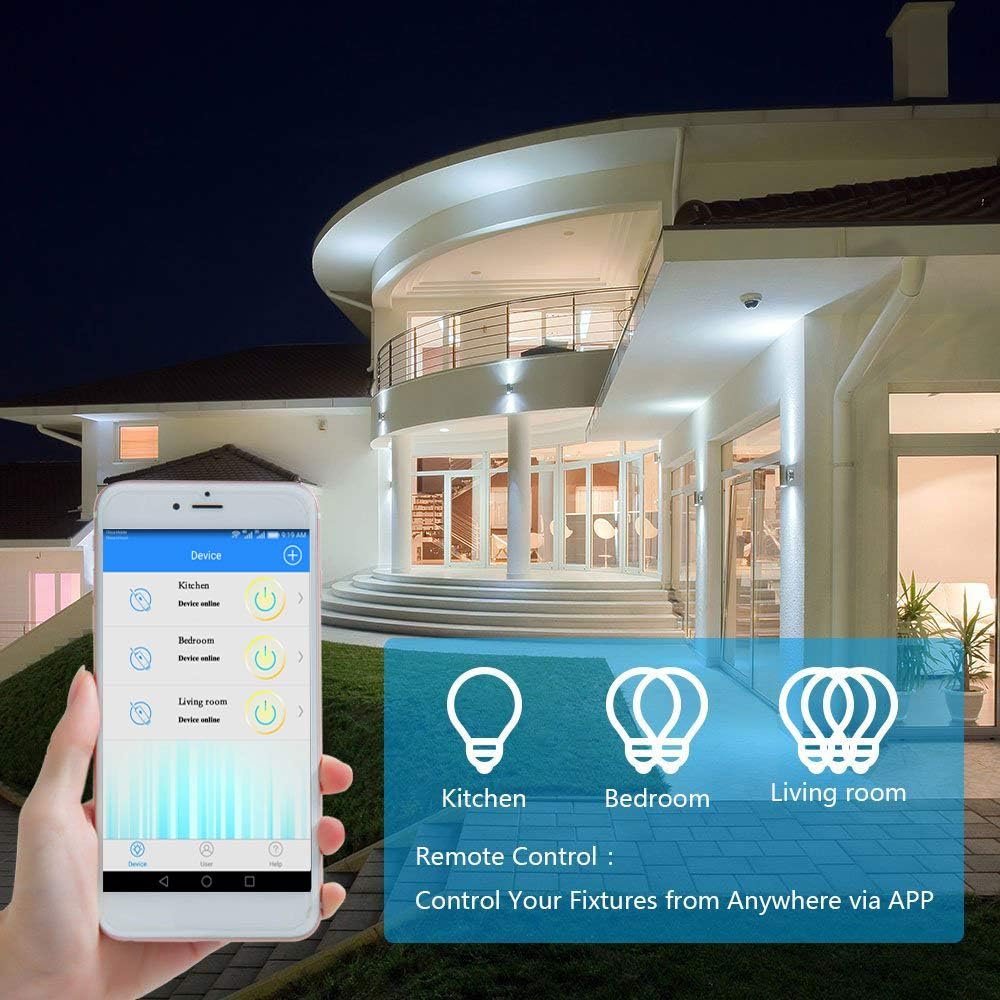
малюнок 5: A smartphone displaying the "Wireless Smart" app interface, showing control over various light fixtures (Kitchen, Bedroom, Living Room).
6. Інструкція з експлуатації
6.1 Ручне керування
Press the wireless switch panel to toggle the connected light or appliance on and off. The switch transmits a 433MHz signal to the receiver.
6.2 Керування програмами
Use the "Wireless Smart" application on your smartphone to control your lights from anywhere with an internet connection.
- Open the "Wireless Smart" app.
- Select the desired smart switch from your device list.
- Tap the on/off icon to toggle the light.
- If the connected light fixture supports dimming and the app provides the function, you can adjust brightness levels.
6.3 Voice Control (Amazon Alexa & Google Home)
Integrate your GREENCYCLE Smart Wireless Light Switch with Amazon Alexa or Google Home for convenient voice control.
- Зв'язати обліковий запис: In your Alexa or Google Home app, navigate to the 'Skills' or 'Works with Google' section. шукати and enable the "Wireless Smart" skill/service. Link your "Wireless Smart" account.
- Відкрийте для себе пристрої: Попросіть свого голосового помічника «Виявити пристрої» або вручну ініціюйте виявлення пристроїв у додатку.
- Голосові команди: Once discovered, you can use commands such as:
- «Alexa, увімкни [Назва пристрою]»
- «Окей, Google, вимкни [Назва пристрою]»
- "Alexa, set [Device Name] to 50%" (if dimming is supported)
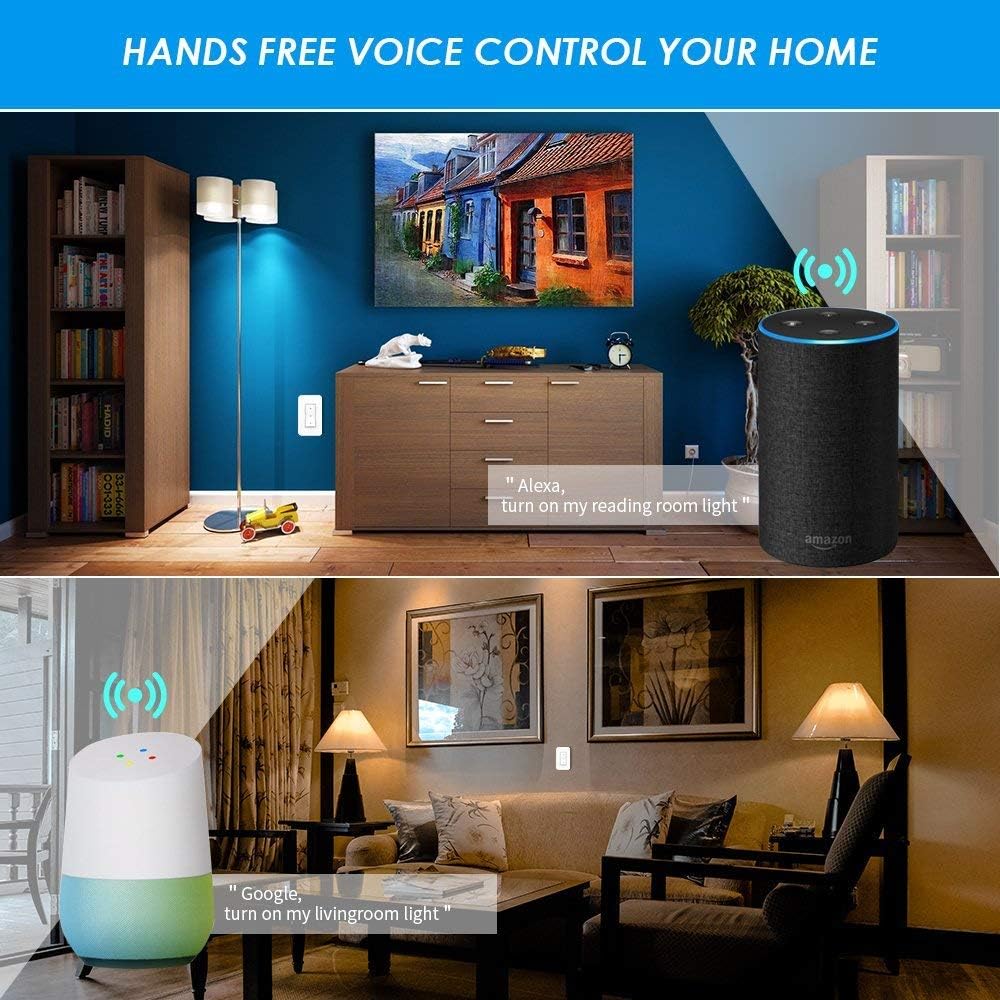
малюнок 6: Examples of voice control in a home setting, showing an Amazon Echo and Google Home device responding to commands to control lights.
6.4 Функція синхронізації
Utilize the app's timing functions to automate your lights and appliances.
- Scheduled Timer: Set specific times for your lights to turn on or off daily.
- Таймер зворотного відліку: Встановіть таймер, щоб світло вимкнулося через заданий час.
- Таймер циклу: Налаштуйте повторювані цикли ввімкнення/вимкнення.
- Sunrise/Sunset Sync: Schedule lights to turn on or off based on local sunrise and sunset times.
малюнок 7: Screenshots from the app demonstrating scheduled timers for lights, including daily on/off times and synchronization with sunrise/sunset.
7. Технічне обслуговування
7.1 Очищення
Wipe the wireless switch panel and receiver with a soft, dry cloth. Do not use abrasive cleaners or solvents, as these may damage the surface or internal components.
7.2 Wireless Switch Battery Replacement
The wireless switch is powered by a CR2032 button lithium battery, which has a long lifespan (up to 20 years, or 4-6 years with typical use). If the switch becomes unresponsive, the battery may need replacement.
- Carefully pry open the back cover of the wireless switch panel.
- Вийміть стару батарею CR2032.
- Вставте нову батарейку CR2032 позитивним (+) полюсом догори.
- Snap the back cover securely into place.
8. Вирішення проблем
8.1 Light Not Responding to Wireless Switch
- Check Receiver Power: Ensure the receiver is properly wired and receiving power.
- Перевірте сполучення: Re-pair the wireless switch with the receiver (refer to Section 5.3).
- Перевірка батареї: Replace the CR2032 battery in the wireless switch (refer to Section 7.2).
- Distance/Obstructions: Ensure the switch is within the effective range of the receiver (up to 40m indoors) and there are no excessive obstructions.
8.2 App/Voice Control Not Working
- З'єднання Wi-Fi: Verify that your receiver is connected to your 2.4GHz Wi-Fi network. Check your router and internet connection.
- Статус програми: Ensure the "Wireless Smart" app shows the device as "Online".
- Зв'язування облікових записів: Confirm that your "Wireless Smart" account is correctly linked to Amazon Alexa or Google Home.
- Назва пристрою: Use the exact device name configured in the app for voice commands.
- Перешкоди маршрутизатора: If you have a dual-band router, ensure the receiver is connected to the 2.4GHz band.
8.3 Light Flickers or Does Not Turn On/Off Correctly
- Сумісність навантаження: Ensure the connected light fixture's wattage does not exceed the receiver's maximum load (1000W).
- Перевірка проводки: Double-check all wiring connections to the receiver (Live In, Neutral In, Live Out, Neutral Out) for looseness or incorrect placement.
- Функція затемнення: If attempting to dim, ensure the light bulb itself is dimmable and the app supports dimming for this specific device.
9. Гарантія та підтримка
For warranty information or technical support, please contact GREENCYCLE customer service. Refer to the product packaging or the GREENCYCLE official webсайт для отримання найактуальнішої контактної інформації.
Виробник: GREENCYCLE TECH INC.