
1. Вступ
This manual provides essential information for the proper installation, operation, and maintenance of your Audiovox Push Button Switch, Model 1364288. This component is designed for automotive applications, featuring a normally open contact type and a surface mount design. Please read this manual thoroughly before installation and use to ensure safe and efficient operation.
2. Інформація про безпеку
УВАГА: Недотримання цих інструкцій з безпеки може призвести до пожежі, ураження електричним струмом або інших травм чи пошкоджень.
- Always disconnect the vehicle's battery before performing any electrical installation or maintenance.
- Переконайтеся, що всі з'єднання проводів надійно закріплені та належним чином ізольовані, щоб запобігти коротким замиканням.
- Do not exceed the specified electrical ratings for the switch.
- Якщо ви не впевнені щодо будь-яких кроків встановлення, зверніться до кваліфікованого автомобільного техніка.
- Keep the switch away from moisture and extreme temperatures.
3. Налаштування та встановлення
The Audiovox Push Button Switch (Model 1364288) is designed for surface mounting and features a pin header connector. Follow these steps for proper installation:
- Підготуйте монтажну поверхню: Select a clean, dry, and flat surface for mounting the switch. Ensure there is sufficient space for the switch (dimensions: 0.05 x 0.03 x 0.04 inches) and its wiring.
- Закріпіть перемикач: Use appropriate fasteners (not included) to securely attach the switch to the chosen surface. Ensure it is firmly in place and will not vibrate loose during vehicle operation.
- Підключення проводів: The switch features a Normally Open (NO) contact type and a pin header connector. Connect the appropriate wires from your automotive circuit to the switch's pins. Typically, one pin will connect to the power source (or signal input) and the other to the device or circuit you intend to control. When the button is pressed, the circuit will close, allowing current to flow.
- Ізоляція з'єднань: After making all electrical connections, ensure they are properly insulated using electrical tape or heat shrink tubing to prevent accidental short circuits.
- Тест функціональності: Reconnect the vehicle's battery and test the switch's operation to ensure it functions as intended before fully reassembling any removed panels.
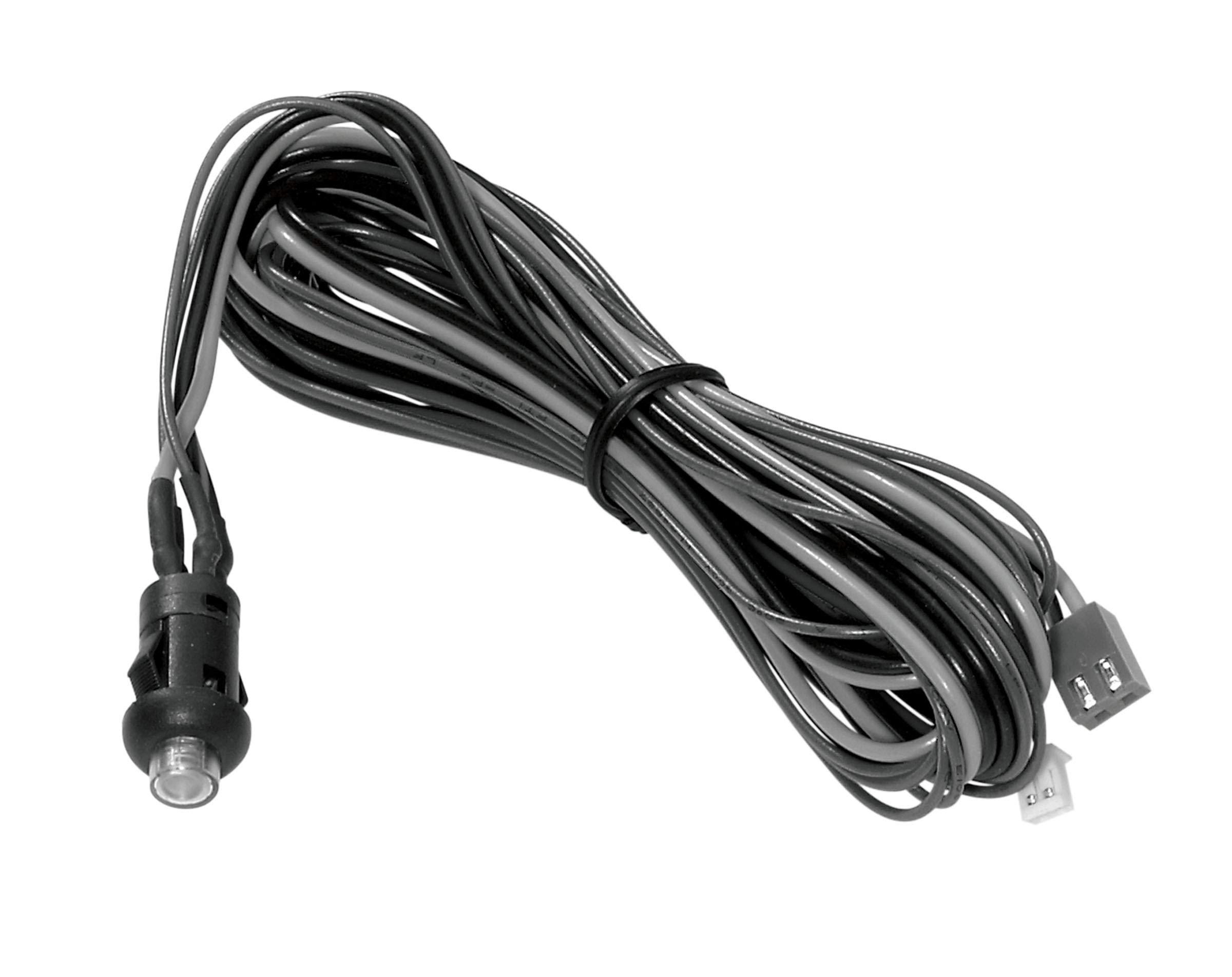
Figure 3.1: The Audiovox Push Button Switch (Model 1364288). This image shows the compact black push-button switch, highlighting its design suitable for surface mounting in automotive applications.
4. Інструкція з експлуатації
The Audiovox Push Button Switch (Model 1364288) operates as a simple momentary switch with a Normally Open (NO) contact type.
- активація: To activate the connected circuit or device, firmly press the button. While the button is pressed, the internal contacts close, completing the circuit.
- Дезактивація: To deactivate the connected circuit or device, release the button. Upon release, the internal contacts open, breaking the circuit.
This switch is designed for applications requiring a temporary electrical connection, such as activating a horn, a momentary light, or a specific function within an automotive system.
5. Технічне обслуговування
The Audiovox Push Button Switch (Model 1364288) is designed for durability and requires minimal maintenance.
- Прибирання: Periodically wipe the exterior of the switch with a soft, dry cloth to remove dust and debris. Avoid using harsh chemicals or abrasive cleaners.
- Огляд: Regularly inspect the wiring connections to ensure they remain secure and free from corrosion. Check for any signs of physical damage to the switch housing or button.
- Захист навколишнього середовища: Ensure the switch remains protected from excessive moisture and direct exposure to harsh environmental elements, which could degrade its performance over time.
6. Вирішення проблем
If you experience issues with your Audiovox Push Button Switch, refer to the following common troubleshooting steps:
| проблема | Можлива причина | Рішення |
|---|---|---|
| Switch does not activate device. | Нещільне або неправильне з'єднання проводів. Немає живлення в колі. Несправний перемикач. | Check all wiring connections for security and correct polarity. Ensure the circuit has power. Test the switch with a multimeter for continuity when pressed. Replace if faulty. |
| Переривчаста робота. | Поганий зв'язок. Internal wear or debris. | Inspect wiring for corrosion or loose terminals. Ensure the switch is clean. If the issue persists, the switch may need replacement. |
| Кнопка застрягла або її важко натиснути. | Навколо кнопки накопичилося сміття. Фізичні пошкодження. | Carefully clean around the button. Do not force the button. If damaged, replace the switch. |
7. Технічні характеристики
| Особливість | Деталь |
|---|---|
| Бренд | Audiovox |
| Номер моделі | 1364288 |
| Режим роботи | Push button (Momentary) |
| Тип контакту | Нормально відкритий (NO) |
| Тип роз'єму | Заголовок шпильки |
| Тип перемикача | Кнопка |
| Розміри (Д x Ш x В) | 0.05 x 0.03 x 0.04 дюймів |
| Тип схеми | 1-сторонній |
| Тип монтажу | Поверхневий монтаж |
| Тип приводу | Кнопка |
| Спосіб контролю | Дотик |
| Протокол підключення | X-10 (Note: This may refer to a specific internal component or compatibility, not necessarily a direct user interface protocol.) |
| Колір | чорний |
| Підрахунок одиниць | 1 Кол |
| UPC | 044476040528 |
| ASIN | B07HP882SM |
8. Інформація про гарантію
Audiovox products are manufactured to high-quality standards. This product is covered by the manufacturer's standard limited warranty. Please refer to the official Audiovox website or contact customer support for detailed warranty terms and conditions, including coverage period and claim procedures. Keep your proof of purchase for warranty validation.
9. Підтримка клієнтів
For technical assistance, troubleshooting beyond this manual, or warranty inquiries, please contact Audiovox customer support.
- Webсайт: Visit the official Audiovox webсайт із ресурсами підтримки, поширеними запитаннями та контактною інформацією.
- Телефон/Електронна пошта: Refer to the Audiovox webсайт для отримання найактуальніших номерів телефонів та адрес електронної пошти для служби підтримки клієнтів.
Звертаючись до служби підтримки, будь ласка, підготуйте номер моделі вашого продукту (1364288) та підтвердження покупки.