
1. Вступ
This manual provides essential information for setting up, operating, maintaining, and troubleshooting your Acer Predator Orion 3000 (PO3-600) desktop computer. Please read this guide thoroughly to ensure proper use and to maximize your system's performance and longevity.
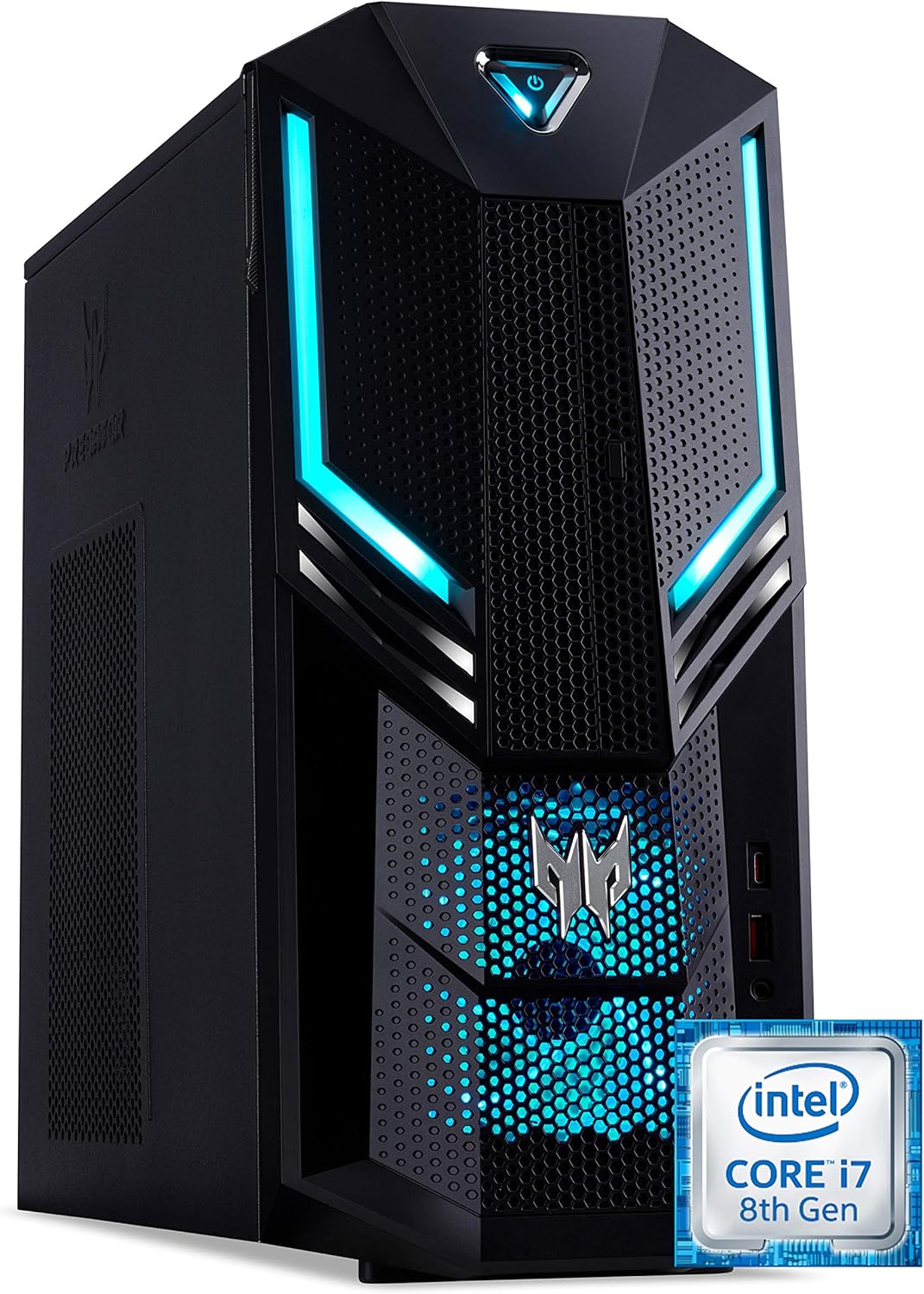
малюнок 1.1: Передній-правий view of the Acer Predator Orion 3000 desktop computer, showcasing its black chassis with blue LED accents and angular design.
2. Налаштування
2.1 Розпакування
Carefully remove all components from the packaging. Verify that all items listed in the 'Included Components' section of this manual are present. Retain the packaging for future transport or service needs.
2.2 Підключення периферійних пристроїв
- Монітор: Connect your monitor to one of the available video output ports (HDMI, DVI, or DisplayPort) on the graphics card at the rear of the computer.
- Клавіатура та миша: Connect the included Predator USB keyboard and mouse to any available USB ports. The system features both USB 2.0, USB 3.1, and USB 3.1 Type-C ports.
- Мережа: For a wired connection, connect an Ethernet cable from your router or modem to the LAN port on the rear of the computer. For wireless, ensure your Wi-Fi antenna (if external) is connected.
- Аудіо: Connect speakers or headphones to the audio output jacks. The system supports Sound BlasterX Pro Gaming Sound Engine for enhanced audio.
- Потужність: Connect the power cable to the power supply unit (PSU) at the rear of the computer, then plug the other end into a grounded electrical outlet.
2.3 Початкове ввімкнення
Press the power button located on the top front of the computer. The system will boot up, and the blue LED accents will illuminate. Follow the on-screen instructions to complete the Windows 10 Home operating system setup, including language, region, and user account creation.
3. Робота з комп'ютером
3.1 Керування живленням
- Увімкнення: Натисніть кнопку живлення один раз.
- Вимкнути: From Windows, click the Start button, then Power > Shut down.
- Перезапуск: From Windows, click the Start button, then Power > Restart.
- Сон: From Windows, click the Start button, then Power > Sleep.
3.2 Windows 10 Домашня версія
Your Predator Orion 3000 comes pre-installed with Windows 10 Home. Familiarize yourself with the operating system's interface, settings, and features. Regular updates are recommended for security and performance.
3.3 Ігрові функції
The system is designed for gaming, featuring an Intel Core i7-8700 processor and NVIDIA GeForce GTX 1060 graphics. It is VR-ready, allowing for immersive virtual reality experiences. The integrated Sound BlasterX Pro Gaming Sound Engine provides high-quality audio for gaming and multimedia.

малюнок 3.1: Acer Predator Orion 3000 desktop with gaming headphones, highlighting its gaming capabilities.
4. Технічне обслуговування
4.1 Очищення
- Зовні: Використовуйте м'який, damp тканиною для очищення зовнішніх поверхонь. Уникайте абразивних мийних засобів.
- Віддушини: Regularly check and clean the air intake vents on the front and left side of the chassis to ensure proper airflow and prevent dust buildup. Use compressed air to gently clear dust.
- Внутрішні компоненти: For advanced cleaning of internal components, it is recommended to consult a professional or refer to detailed service guides.
4.2 Оновлення програмного забезпечення
Keep your operating system, drivers (especially graphics drivers), and applications updated to ensure optimal performance, security, and compatibility.

малюнок 4.1: внутрішній view of the Acer Predator Orion 3000 desktop computer with the side panel removed, revealing the motherboard, CPU cooler, RAM slots, and storage drive bays. Regular cleaning of these areas is important for system health.
5. Вирішення проблем
У цьому розділі розглядаються поширені проблеми, з якими ви можете зіткнутися. Щодо складніших проблем зверніться до офіційних ресурсів підтримки Acer.
5.1 Немає живлення
- Переконайтеся, що кабель живлення надійно підключено як до комп’ютера, так і до електричної розетки.
- Перевірте справність електричної розетки, підключивши інший пристрій.
5.2 Немає дисплея
- Перевірте, чи монітор увімкнено, а відеокабель надійно підключено як до комп’ютера, так і до монітора.
- Переконайтеся, що на моніторі вибрано правильне джерело вхідного сигналу.
5.3 Система повільна або не реагує
- Закрийте непотрібні програми, що працюють у фоновому режимі.
- Перевірте наявність шкідливих програм або вірусів за допомогою надійного антивірусного програмного забезпечення.
- Переконайтеся, що на вашому основному диску (SSD) достатньо вільного місця.
- Перезавантажте комп'ютер.
5.4 Надмірний шум вентилятора
- Ensure the computer's air vents are not obstructed and are free of dust.
- Verify the computer is in a well-ventilated area.
- Monitor CPU and GPU temperatures using system utilities. High temperatures can cause fans to run faster.
6. Технічні характеристики
Below are the key technical specifications for the Acer Predator Orion 3000 (PO3-600) desktop computer.
| компонент | Специфікація |
|---|---|
| Назва моделі | Acer Predator Orion 3000 (PO3-600) |
| Операційна система | Windows 10 Домашня |
| Процесор | Intel Core i7-8700 (6 Cores, 3.2 GHz base, up to 4.6 GHz burst) |
| Графічна карта | NVIDIA GeForce GTX 1060 (6 GB GDDR5 VRAM) |
| ОЗУ | 16 GB DDR4 (Max 16 GB) |
| Зберігання | 128 ГБ SSD + 1 ТБ HDD |
| Оптичний привід | DVD+R |
| Підключення | Ethernet RJ-45, Wi-Fi (802.11ac) |
| Передні порти | 1x USB 3.1, 1x USB 3.1 Type-C, Audio Jacks |
| Задні порти | 2x USB 3.1, 4x USB 2.0, 1x HDMI, 1x DVI, 3x DisplayPort, 5x Audio Jacks, LAN |
| Слоти розширення | 1x PCIe x16, 1x PCIe x1, 2x M.2 (1x SSD, 1x Wi-Fi) |
| Розміри (В x Ш x Г) | 35 х 16.3 х 34 см |
| вага | 6 кг |
| Охолодження | Passive, via air intake |
| Включені периферійні пристрої | Predator USB Keyboard (blue), Predator USB Mouse (blue) |

малюнок 6.1: Intel Core i7 8th Gen logo, indicating the processor type used in the system.
7. Гарантія та підтримка
7.1 Гарантія виробника
Your Acer Predator Orion 3000 (PO3-600) desktop computer is covered by a 2-річна гарантія виробника. This warranty covers defects in materials and workmanship under normal use. Please refer to the warranty documentation included with your product for full terms and conditions. Your statutory warranty rights remain unaffected.
7.2 Технічна підтримка
For technical assistance, troubleshooting beyond this manual, or warranty claims, please contact Acer customer support. You can typically find contact information on the Acer official website or in the documentation provided with your computer.