
1. Вступ
The SUNMI L2 SmartOrder is a rugged industrial terminal designed for various business applications requiring mobility and data capture. It features an Android 7.1 operating system, a 5-inch display, and an integrated 1D/2D Zebra scanner. This manual provides essential information for the proper setup, operation, and maintenance of your device.
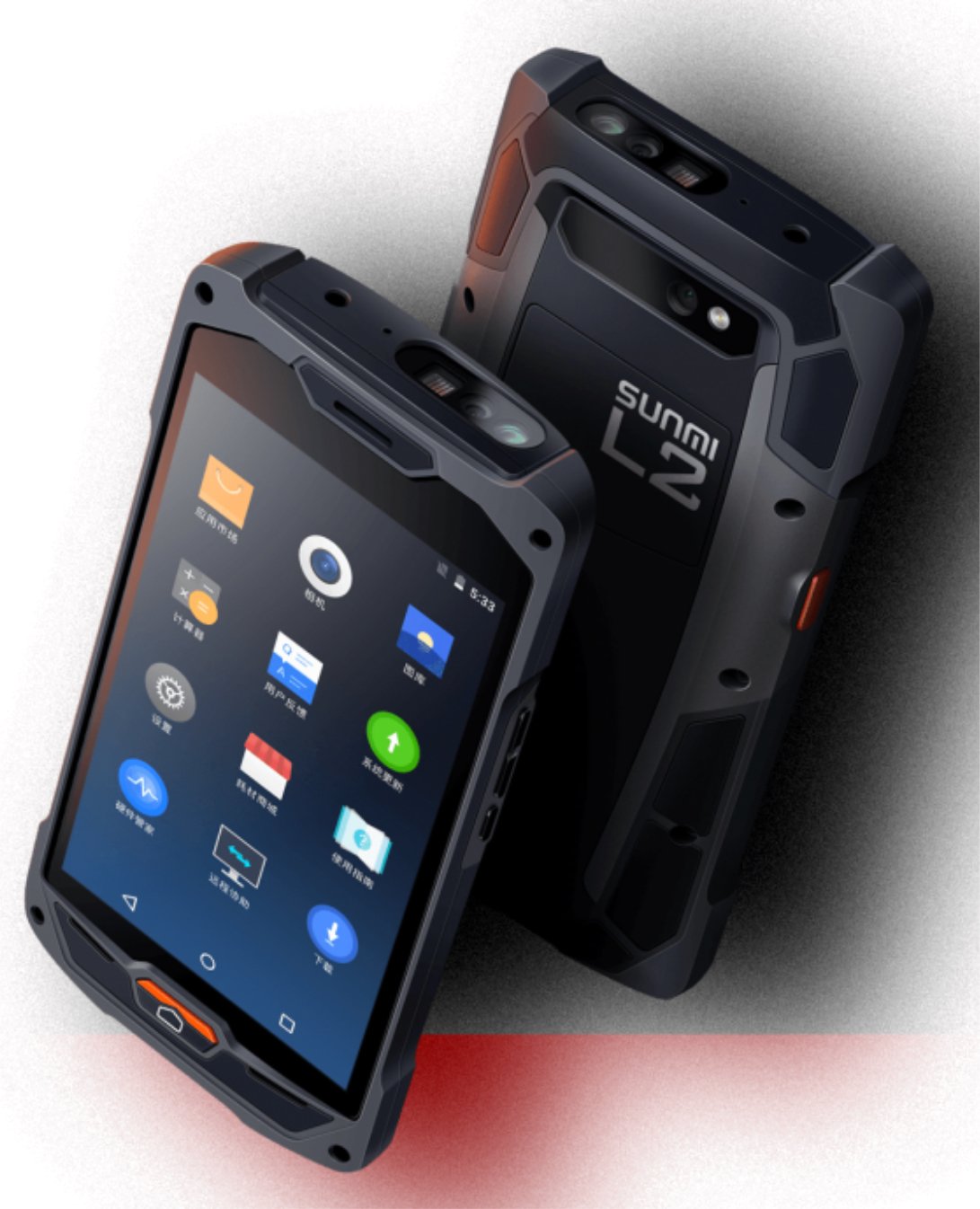
Рисунок 1: Передня та задня частини view of the Sunmi L2 SmartOrder industrial terminal.
2. Інформація про безпеку
Будь ласка, прочитайте всі інструкції з безпеки перед використанням пристрою, щоб запобігти травмам або пошкодженням. Зберігайте цей посібник для подальшого використання.
- Не піддавайте пристрій впливу екстремальних температур, прямих сонячних променів або високої вологості.
- Use only SUNMI-approved accessories and power adapters.
- Avoid dropping or subjecting the device to severe impact, despite its rugged design.
- Не намагайтеся розбирати або ремонтувати пристрій самостійно. Зверніться до кваліфікованого сервісного персоналу.
- Тримайте пристрій подалі від медичних приладів, оскільки це може перешкоджати їхній роботі.
3. Пристрій закінчивсяview
The SUNMI L2 SmartOrder is designed for durability and functionality. Key features include:
- 5-дюймовий дисплей: High-resolution touchscreen for clear visibility.
- 1D/2D Zebra Scanner: Integrated for efficient barcode and QR code scanning.
- Порт USB-C: Для зарядки та передачі даних.
- Слот для SIM-карти: Для підключення до стільникової мережі.
- Слот для картки TF: Для розширюваного сховища.
- PSAM Card Slot (Optional): For enhanced security in professional applications.
- NFC Induction Area: For near-field communication.

Малюнок 2: Задня частина view showing SIM card slot, TF card slot, PSAM card slot, and NFC induction area.

Figure 3: Three different scanner options for the Sunmi L2: Zebra Code Scanner, Standard Code Scanner, and without scanner.
4. Налаштування
4.1. Встановлення та зарядка акумулятора
The device is equipped with a 5000mAh high-volume battery. Ensure the battery is fully charged before initial use.
- Підключіть наданий кабель USB-C до порту USB-C на пристрої.
- Connect the other end of the USB-C cable to a compatible power adapter and plug it into a power outlet.
- The charging indicator will illuminate. Allow the device to charge completely before disconnecting.

Figure 4: Illustration of the 5000mAh high-volume battery with Quick Charge technology.
4.2. Встановлення SIM-картки та TF-картки
To install SIM or TF cards:
- Locate the card slot cover on the rear of the device (refer to Figure 2).
- Обережно відкрийте кришку.
- Insert the SIM card into the designated SIM card slot with the gold contacts facing down.
- Insert the TF card (microSD) into the TF card slot if additional storage is required.
- Close the card slot cover securely to maintain the device's IP67 rating.
4.3. Початкове увімкнення
After charging, press and hold the power button located on the side of the device until the screen illuminates and the SUNMI logo appears. The device will boot into the Android 7.1 operating system.
5. Інструкція з експлуатації
5.1. Основна навігація
The SUNMI L2 operates on Android 7.1. Navigate the interface using the touchscreen. Swipe to unlock, tap icons to open applications, and use the navigation buttons (Home, Back, Recent Apps) as standard for Android devices.
5.2. Using the 1D/2D Zebra Scanner
The integrated Zebra scanner is located at the top of the device.
- Open the scanning application on your device.
- Point the scanner window at the barcode or QR code you wish to scan.
- Press the dedicated scan button (if available on your model) or trigger the scan via the software interface.
- Ensure the barcode is well-lit and within the scanner's optimal range for accurate reading.

Малюнок 5: Нижня частина view of the Sunmi L2, highlighting its rugged design and integrated scanner.
5.3. Підключення
Пристрій підтримує різні варіанти підключення:
- Бездротова локальна мережа (Wi-Fi): Supports 2.4 GHz and 5 GHz bands. Access Wi-Fi settings from the Android system menu to connect to available networks.
- Bluetooth (BT): Pair with other Bluetooth-enabled devices such as printers or headsets via the Bluetooth settings.
- GPRS/LTE: Utilize cellular data by inserting a SIM card and configuring network settings.
- NFC: For short-range wireless communication, typically used for contactless payments or data exchange.
6. Технічне обслуговування
6.1. Очищення пристрою
Щоб підтримувати продуктивність та зовнішній вигляд пристрою:
- Злегка протріть м’якою тканиною без ворсу dampводою або м’яким засобом для чищення екранів.
- Avoid using harsh chemicals, abrasive cleaners, or solvents, as these can damage the device's surface and seals.
- Ensure all port covers are securely closed before cleaning to maintain water and dust resistance.
6.2. Догляд за акумулятором
Правильний догляд за акумулятором подовжує термін його служби:
- Уникайте частого повного розряджання акумулятора.
- Не піддавайте пристрій впливу надмірного тепла або холоду, оскільки це може погіршити продуктивність акумулятора.
- If storing the device for an extended period, charge the battery to approximately 50% and store it in a cool, dry place.
6.3. Зберігання
When not in use, store the SUNMI L2 in a cool, dry environment, away from direct sunlight and corrosive materials.
7. Вирішення проблем
This section addresses common issues you might encounter with your SUNMI L2 device.
- Пристрій не вмикається: Ensure the battery is sufficiently charged. Connect the device to a power source and attempt to power it on again.
- Scanner not working: Verify that the scanning application is active and the scanner is enabled in the device settings. Ensure the barcode is clean, undamaged, and properly illuminated.
- Проблеми з підключенням (Wi-Fi/стільниковий зв'язок): Check your Wi-Fi network connection or cellular data settings. Ensure the SIM card is correctly inserted. Try restarting the device.
- Сенсорний екран не реагує: Перезавантажте пристрій. Якщо проблема не зникає, зверніться до служби підтримки.
8. Технічні характеристики
Key technical specifications for the SUNMI L2 SmartOrder:
| Номер моделі | Sunmi L2 Zebra T8900 |
| Операційна система | Android 7.1 |
| Дисплей | 5-дюймовий |
| ЦП | Чотири ядра |
| ОЗУ | 2 ГБ |
| ROM | 16 ГБ |
| Сканер | 1D/2D Zebra Scanner |
| Підключення | USB-C, WLAN 2.4/5 GHz, Bluetooth, GPRS, LTE, NFC |
| Акумулятор | 5000mAh (up to 2 days use, 30 days standby) |
| Довговічність | IP67 rated (dust-proof, water-resistant, drop-resistant) |
| Робоча температура | від -20°C до +55°C |
| вага | 349.27 г |
| Сумісні пристрої | Desktop computer, Laptop, POS, Smartphone, Tablet |

Figure 6: Sunmi L2 device partially submerged in water, demonstrating its IP67 dust-proof and water-resistant capabilities.
9. Гарантія та підтримка
For detailed warranty information, technical support, or service inquiries, please refer to the official SUNMI website or contact your authorized SUNMI distributor. Please retain your purchase receipt as proof of purchase for any warranty claims.