
1. Важливі інструкції з техніки безпеки
Please read all safety instructions carefully before using this product and keep this manual for future reference. Failure to follow these instructions may result in electric shock, fire, or serious injury.
- Цей прилад призначений лише для використання в приміщенні. Не використовуйте його на вулиці або на вологих поверхнях.
- Do not allow children to operate the vacuum cleaner. Supervise children and pets when the vacuum is operating.
- Do not use the vacuum cleaner to pick up large objects, sharp objects, or liquids.
- Ensure the charging base is placed against a wall in an open area, free from obstacles.
- Не торкайтеся зарядної бази або пилососа мокрими руками.
- Turn off the power switch and unplug the charging base before cleaning or performing maintenance.
- Use only the original power adapter and charging base provided by MOOKA.
- Якщо шнур живлення пошкоджено, його має замінити виробник або кваліфікований сервісний агент, щоб уникнути небезпеки.
2. Продукт закінчивсяview
Familiarize yourself with the components of your MOOKA I3 Robot Vacuum Cleaner.
Робот -пилосос 2.1
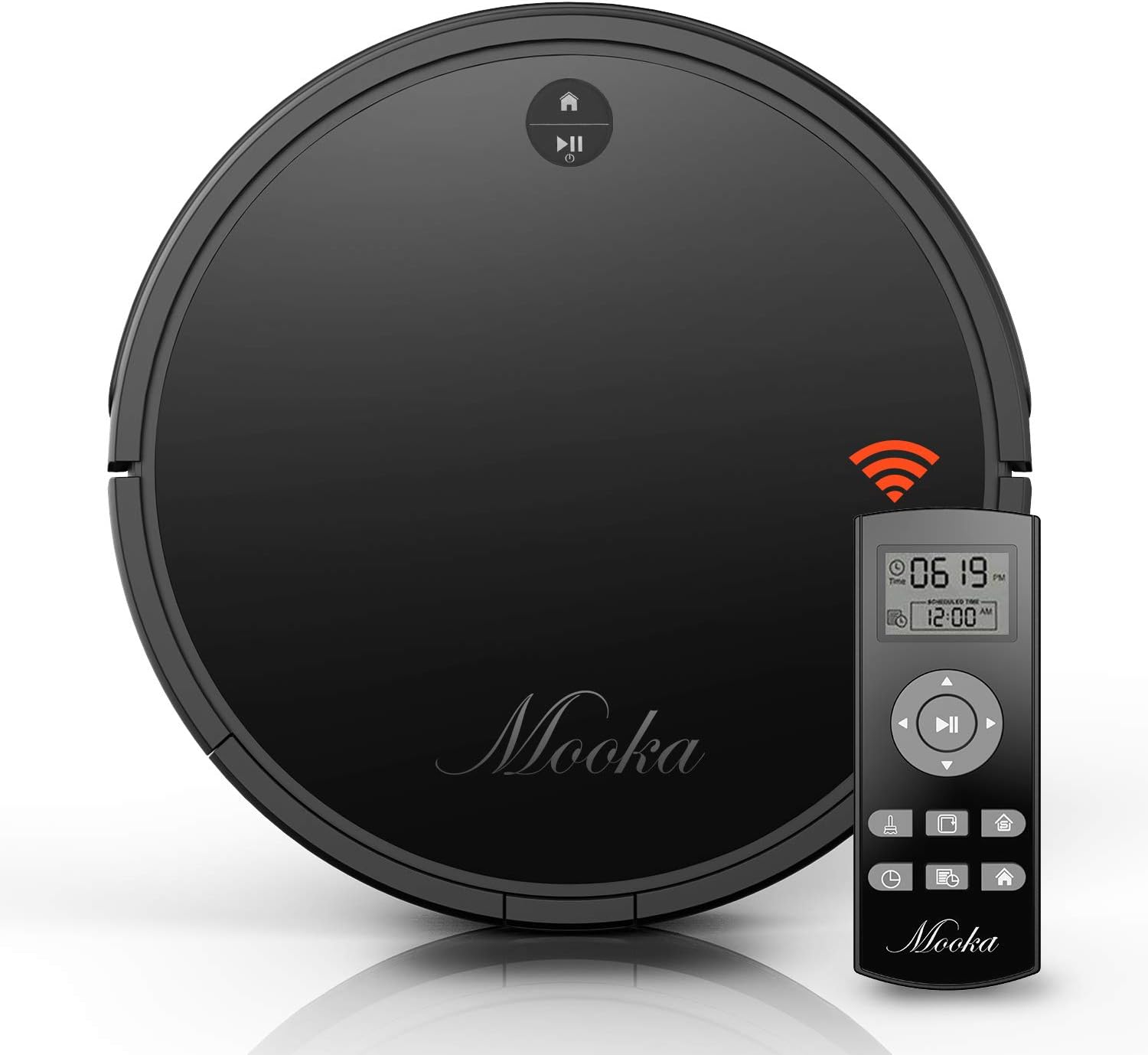
The main unit of the MOOKA I3 Robot Vacuum Cleaner features a sleek, low-profile design allowing it to clean under furniture. It is equipped with various sensors for navigation and cleaning.

The robot utilizes laser distance sensors, numerous other sensors, and an advanced processor for intelligent navigation and cleaning. It employs a precise SLAM algorithm for efficient path planning.

The underside reveals a 3-point cleaning system, including dual side brushes, a floating main brush, and powerful suction for effective debris collection from various surfaces.
2.2 Пульт дистанційного керування
The remote control allows you to operate the vacuum cleaner from a distance, select cleaning modes, set schedules, and direct the robot manually. It requires 2 AAA batteries (not included).
2.3 Зарядна база
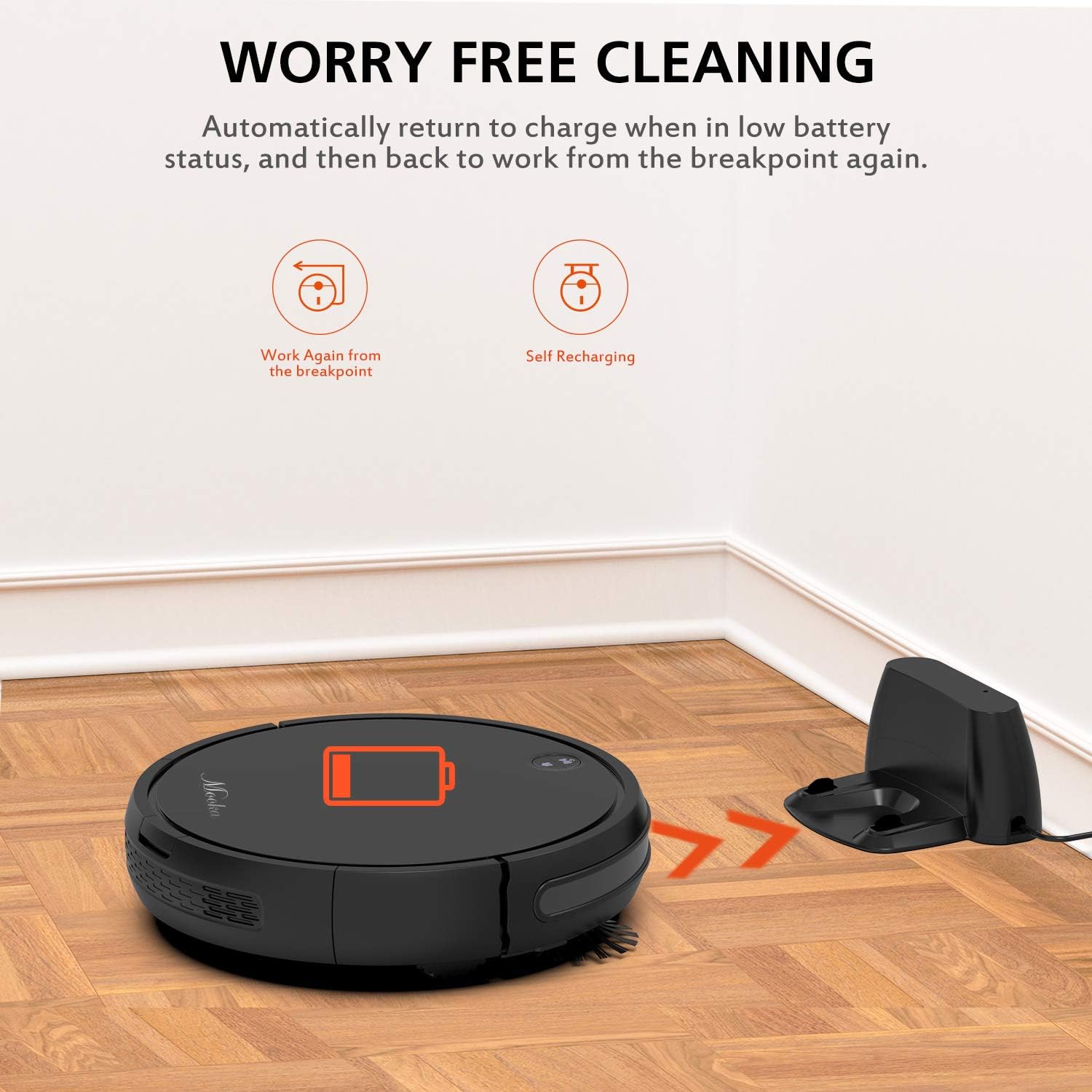
The charging base serves as the robot's home station, where it automatically returns to recharge when its battery is low or after completing a cleaning cycle. It connects to an AC power adapter.
2.4 Включені аксесуари

Пакет включає наступні предмети:
- MOOKA I3 Robot Vacuum Cleaner
- Remote Control (2 AAA batteries not included)
- Зарядна база
- Адаптер змінного струму
- HEPA-style Filter (1 pre-installed, 1 replacement)
- Бічні щітки (2 пари)
- Щітка для чищення
- Викрутка
- Інструкція з експлуатації
3. Початок роботи
3.1 Розпакування
Обережно вийміть усі компоненти з упаковки. Зберігайте упаковку для подальшого транспортування або зберігання.
3.2 Розміщення зарядної бази
Place the charging base against a wall in an open, uncluttered area. Ensure there is at least 1 meter (3 feet) of clear space to the front and 0.5 meters (1.5 feet) to each side of the charging base. Plug the AC power adapter into the charging base and then into a wall outlet. The indicator light on the charging base will illuminate.
3.3 Початкове заряджання

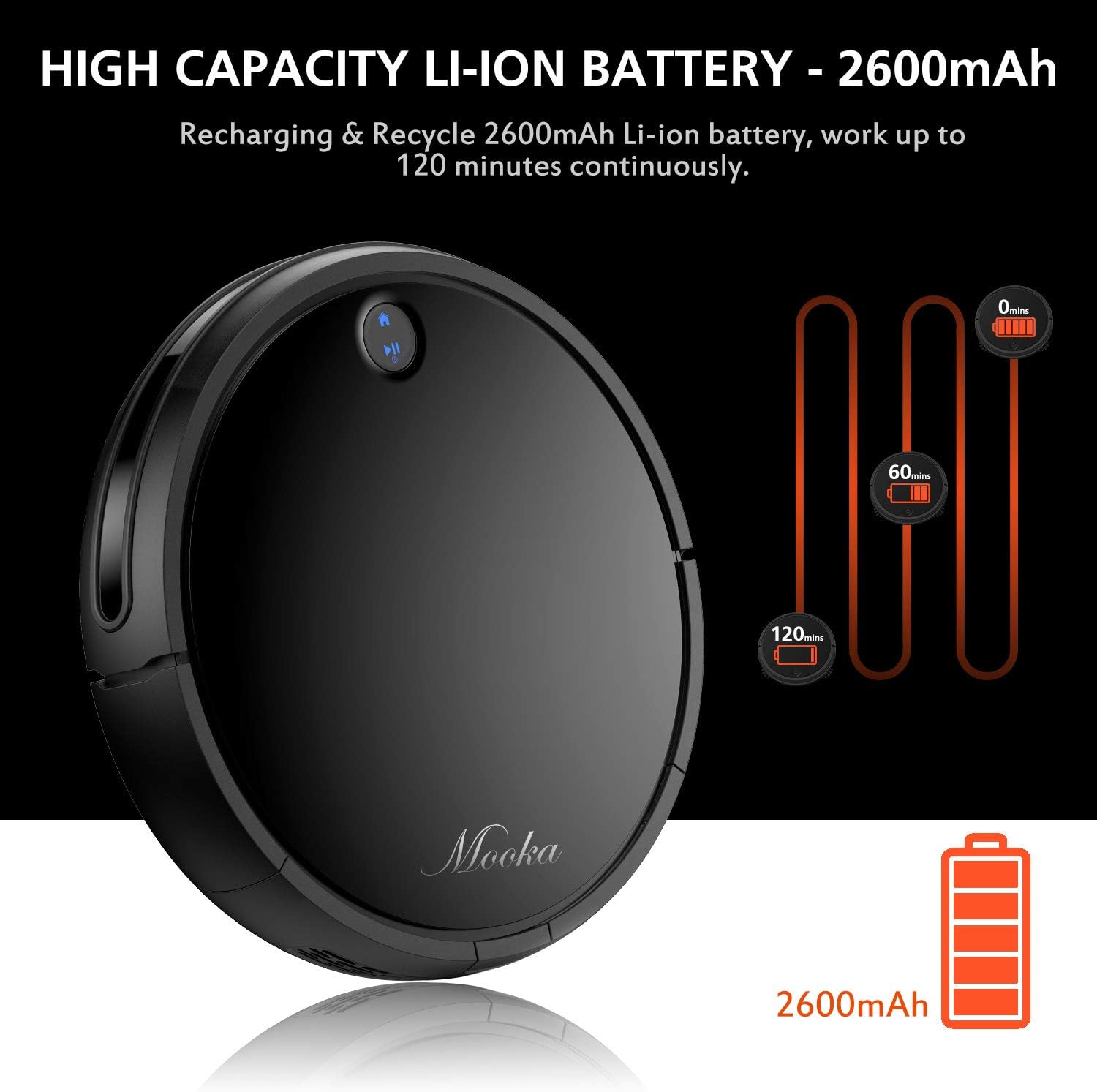
Before first use, fully charge the robot vacuum cleaner. Place the robot onto the charging base, ensuring the charging contacts align. The robot will emit a sound and the indicator light will show charging status. A full charge typically takes 3 to 5 hours. The robot features a 2600mAh Lithium-ion battery, providing approximately 100-120 minutes of cleaning time on a full charge.
The robot is designed to automatically return to its charging base when the battery is low, ensuring it is always ready for the next cleaning cycle.
3.4 Встановлення бічних щіток
Attach the side brushes by pressing them onto the posts on the underside of the robot until they click into place. Ensure they are securely fastened.
4. Експлуатація робота-пилососа
4.1 Увімкнення/вимкнення
- Щоб увімкнути: Press the power button on the robot or the remote control. The indicator light will illuminate.
- Щоб вимкнути: Press and hold the power button on the robot until the indicator light turns off, or use the power button on the remote control.
4.2 Режими очищення
The MOOKA I3 offers multiple cleaning modes to suit different needs:
- Автоматичне очищення: The robot automatically navigates and cleans the entire floor area. This is the default mode.
- Точкове прибирання: The robot cleans a concentrated area in a spiral pattern, ideal for small spills or heavily soiled spots.
- Очищення краю: Робот прибирає вздовж стін та країв меблів, забезпечуючи ретельне покриття.
- Прибирання одномісного номера: The robot cleans a specific room and then returns to its charging base.
4.3 Планування прибирання
You can program the robot to clean automatically at a specific time each day (Daily Cycle Cleaning). Refer to the remote control section for detailed instructions on setting the time and schedule.
4.4 Використання пульта дистанційного керування
The remote control provides convenient access to all functions. Insert 2 AAA batteries into the remote control before use. The remote control distance is approximately 7 meters.
- Кнопка живлення: Вмикає або вимикає робота.
- Кнопки напрямків: Manually steer the robot.
- Кнопка "Додому: Відправляє робота назад на зарядну базу.
- Кнопки вибору режиму: Select Auto, Spot, Edge, or Single Room cleaning modes.
- Кнопка розкладу: Set or cancel daily cleaning schedules.
- Налаштування часу: Adjust the current time on the robot.
5. Технічне обслуговування та догляд
Regular maintenance ensures optimal performance and extends the lifespan of your MOOKA I3 Robot Vacuum Cleaner.
5.1 Спорожнення пилозбірника
The dust bin should be emptied after each cleaning cycle or when the 'full' indicator (if available) illuminates. Press the dust bin release button, remove the bin, and empty its contents into a trash receptacle.
5.2 Очищення фільтра HEPA
Remove the HEPA filter from the dust bin. Tap it gently over a trash can to remove loose debris. The filter can be rinsed with water; ensure it is completely dry before reinserting. Replace the HEPA filter every 3-6 months, or as needed, to maintain suction performance.
5.3 Cleaning the Side Brushes and Main Brush
Periodically check the side brushes and main brush for tangled hair or debris. Use the provided cleaning tool or a pair of scissors to cut and remove any tangled hair. The side brushes can be pulled off for easier cleaning and replaced if worn.
5.4 Очищення датчиків
Wipe the anti-drop sensors, anti-collision sensors, and charging contacts on the robot and charging base with a clean, dry cloth. Keep these sensors clear of dust and debris for proper operation.
6. Вирішення проблем
If you encounter issues with your MOOKA I3, refer to the table below for common problems and solutions.
| проблема | Можлива причина | Рішення |
|---|---|---|
| Робот не вмикається. | Низький заряд батареї; живлення вимкнено. | Зарядіть робота; увімкніть головний вимикач живлення. |
| Робот не заряджається. | Charging contacts dirty; Charging base not powered; Robot not aligned. | Clean charging contacts; Ensure charging base is plugged in; Realign robot on base. |
| Робот часто застрягає. | Перешкоди (кабелі, килимки); Забруднені датчики. | Усунення перешкод; очищення датчиків. |
| Погана ефективність очищення. | Dust bin full; Filter clogged; Brushes tangled/worn. | Спорожніть пилозбірник; Очистіть/замініть фільтр; Очистіть/замініть щітки. |
| Робот не повертається на зарядну базу. | Завантажена зарядна база; робот знаходиться занадто далеко від бази. | Ensure clear path to base; Manually place robot closer to base. |
7. Технічні характеристики
Below are the technical specifications for the MOOKA I3 Robot Vacuum Cleaner:
| Особливість | Специфікація |
|---|---|
| Модель | I3 |
| Колір | чорний |
| Suction Option | Direct Suction (Brushless Suction) |
| Режими очищення | Auto, Edge, Spot, Single Room |
| Тип фільтра | Високоефективний фільтр HEPA |
| Бічні щітки | Подвійний |
| Робочий випtage | 14.8 В постійного струму |
| Номінальна потужність | 24 Вт |
| Тип батареї | Літій-іонний |
| Ємність акумулятора | 2600 мАг |
| Автозарядка | так |
| Планування часу | Daily Cycle Cleaning |
| Час зарядки | прибл. 3-5 години |
| Ємність пилозбірника | 500 мл |
| Час роботи | 100-120 хвилин |
| Вага товару | 6.1 фунта |
| Рекомендація щодо поверхні | Килим, Дерево, Плитка |
| Особливості | Remote Control, HEPA Filtration, Rechargeable Battery, Anti-Drop Sensors, Smart Anti-Collision |
8. Гарантія та підтримка клієнтів
MOOKA provides a 1-РІЧНА гарантія for the I3 Robot Vacuum Cleaner from the date of purchase. Additionally, a 30-денна гарантія повернення грошей пропонується. Ця гарантія поширюється на виробничі дефекти та проблеми, що виникають внаслідок нормального використання.
For warranty claims, technical assistance, or any questions regarding your product, please contact MOOKA customer support. Please have your purchase receipt and product model number ready when contacting support.
Contact information for MOOKA customer support can typically be found on the product packaging, the official MOOKA webсайті або через вашого продавця.