
1. Вступ
The Picun H12 Bluetooth Neckband Headset offers a comfortable and high-quality audio experience for various activities, including sports and daily use. Featuring Bluetooth 4.1 connectivity, a 13mm driver for clear sound, and IPX6 water resistance, these earphones are designed for durability and convenience. The magnetic earbuds and lightweight neckband design enhance portability and ease of use.
2. Що в коробці
- Picun H12 Bluetooth Neckband Headset
- USB-кабель для зарядки
- Earbuds Covers (various sizes)
- Посібник користувача
3. Продукт закінчивсяview
The Picun H12 headset is engineered for superior sound and extended battery life, ensuring an immersive audio experience.

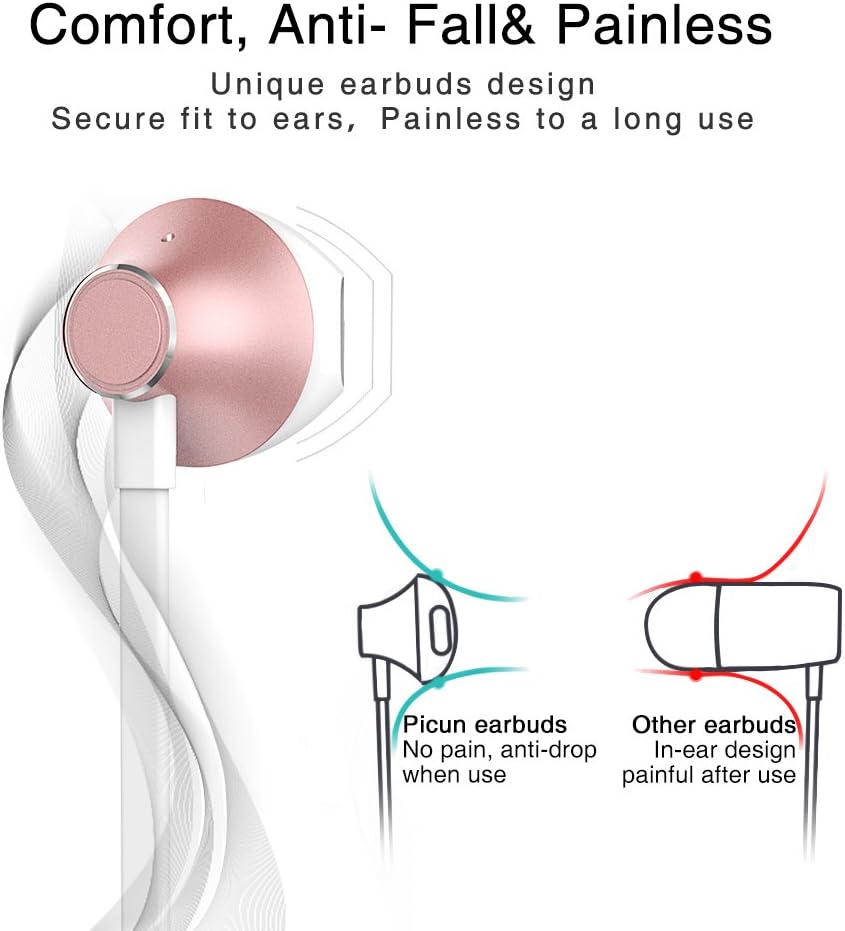
Designed for comfort, the unique earbud shape provides a secure fit without causing discomfort, even during prolonged use.
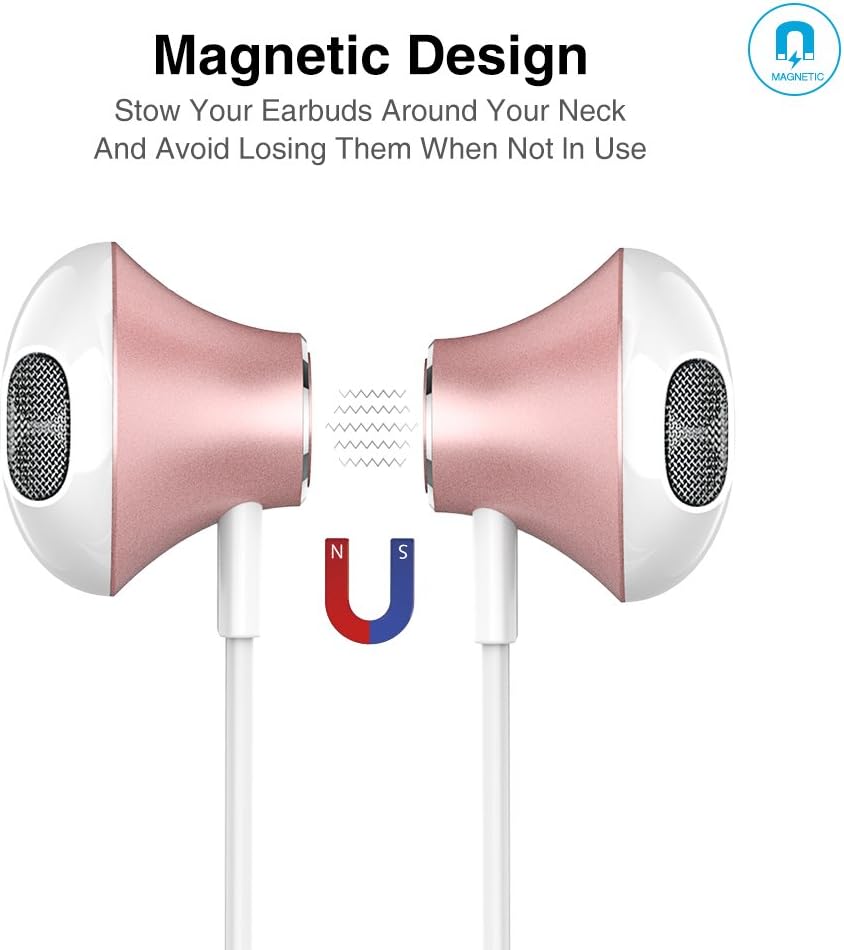
The magnetic design allows the earbuds to clip together when not in use, preventing tangles and making them easy to carry around your neck.
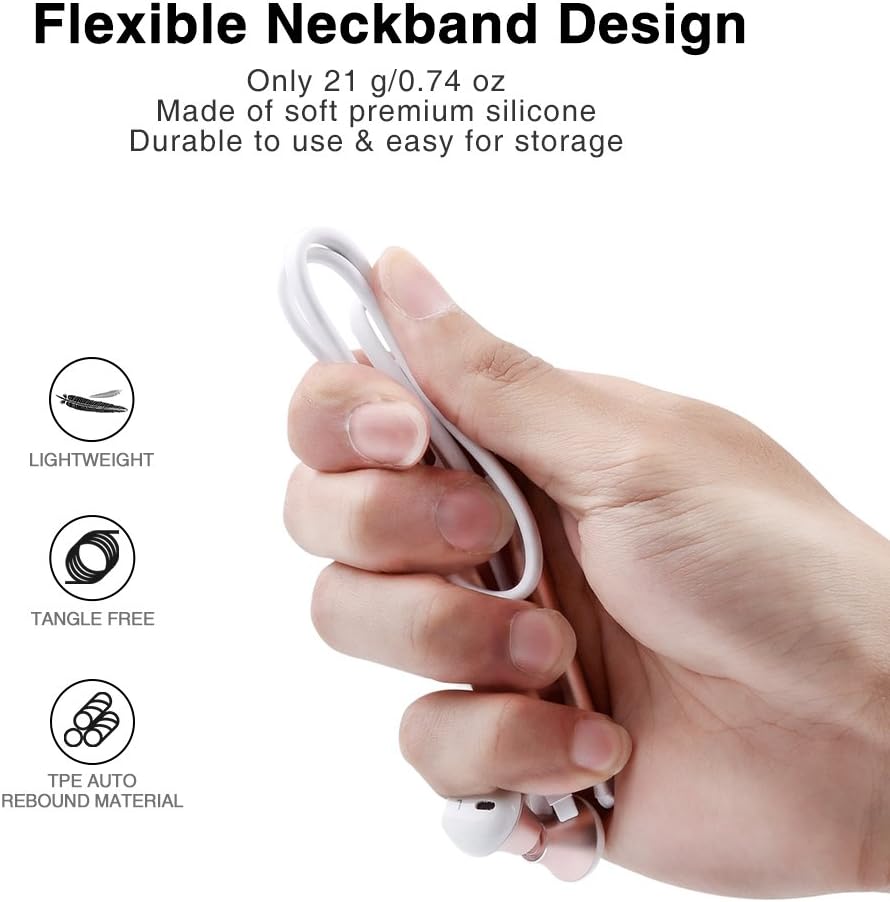
The flexible neckband is lightweight and made from TPE auto-rebound material, ensuring durability and tangle-free storage.
Control your audio and calls effortlessly with the integrated in-line remote and HD noise reduction microphone.

With an IPX6 water-resistant nano-coating, the headset is protected against sweat and rain, making it ideal for workouts.

Перегляньте це відео для візуального ознайомленняview of the Picun H12 Bluetooth Neckband Headset's features and design.
4. Налаштування
4.1 Заряджання гарнітури
- Connect the micro USB charging cable to the charging port on the headset.
- Під’єднайте інший кінець кабелю до джерела живлення USB (наприклад, комп’ютера, настінного адаптера).
- The indicator light will show charging status. A full charge takes approximately 1 hour and provides up to 10 hours of playtime.
4.2 Створення пари Bluetooth
- Переконайтеся, що гарнітура повністю заряджена.
- Press and hold the multi-function button (usually the center button on the in-line remote) until the indicator light flashes red and blue, indicating pairing mode.
- На своєму пристрої (смартфоні, планшеті тощо) увімкніть Bluetooth та виконайте пошук доступних пристроїв.
- Select "Picun H12" from the list of found devices.
- Once paired, the indicator light will typically turn solid blue or flash blue slowly. A voice prompt may confirm successful connection.
5. Інструкція з експлуатації
5.1 Увімкнення/вимкнення живлення
- Увімкнення: Press and hold the multi-function button for approximately 3 seconds until the indicator light flashes blue and a voice prompt confirms power on.
- Вимкнення живлення: Press and hold the multi-function button for approximately 3-5 seconds until the indicator light flashes red and a voice prompt confirms power off.
5.2 Відтворення музики
- Відтворення/пауза: Короткочасне натискання багатофункціональної кнопки.
- Наступна пісня: Long press the "V+" button.
- Попередня пісня: Long press the "V-" button.
- Збільшення гучності: Short press the "V+" button.
- Зменшення гучності: Short press the "V-" button.
5.3 Керування викликами
- Відповісти на дзвінок: Short press the multi-function button when a call comes in.
- Завершити виклик: Короткочасно натисніть багатофункціональну кнопку під час дзвінка.
- Відхилити виклик: Довго натисніть багатофункціональну кнопку, коли надходить дзвінок.
- Повторний набір останнього номера: Двічі натисніть багатофункціональну кнопку.
6. Технічне обслуговування
- Прибирання: Використовуйте м’яку суху тканину для очищення гарнітури. Не використовуйте абразивні засоби для чищення або розчинники.
- Водонепроникність: The headset is IPX6 water-resistant, meaning it can resist high-pressure, heavy sprays of water. It is not designed for submersion. Dry thoroughly if exposed to water or sweat.
- Зберігання: When not in use, store the headset in a cool, dry place. The magnetic earbuds help prevent tangling.
- Догляд за акумулятором: Щоб подовжити термін служби акумулятора, уникайте частого повного розряджання акумулятора. Регулярно заряджайте гарнітуру, навіть якщо вона не використовується протягом тривалого часу.
7. Вирішення проблем
| Випуск | Можливе рішення |
|---|---|
| Гарнітура не вмикається | Переконайтеся, що гарнітура повністю заряджена. Підключіть її до джерела живлення та спробуйте ще раз. |
| Не вдається підключитися до пристрою | Ensure the headset is in pairing mode (flashing red and blue light). Turn off and on Bluetooth on your device. Move closer to the headset. |
| Ні звуку, ні низької гучності | Check volume levels on both the headset and your connected device. Ensure the headset is properly paired. Try re-pairing. |
| Переривчасте з'єднання | Ensure no obstacles are between the headset and your device. Stay within the 33-foot (10-meter) Bluetooth range. Avoid strong electromagnetic interference. |
| Проблема з зарядкою | Check the charging cable and USB power source. Try a different cable or power adapter. Ensure the charging port is clean and free of debris. |
8. Технічні характеристики
- Бренд: Пікун
- модель: H12
- Технологія підключення: Бездротовий (Bluetooth)
- Версія Bluetooth: 4.1
- Бездротовий діапазон: До 33 футів (10 метрів)
- Час відтворення: До 10 годин
- Час зарядки: Приблизно 1 година
- Розмір драйвера: 13 MM Neodymium
- АЧХ: 20 Гц - 20 кГц
- Водонепроникність: IPX6 (Sweatproof and splash-resistant)
- Розташування вуха: Вухо
- Форм-фактор: Пов'язка на шию
- Тип управління: In-line Volume Control, Multi-function button
- Мікрофон: Built-in HD noise reduction mic
- вага: 0.05 фунта (приблизно 21 г)
- матеріал: Силікон, термопластичний еластомер (ТПЕ)
9. Гарантія та підтримка
The Picun H12 Bluetooth Neckband Headset comes with a 10-month guarantee period from the date of purchase. For any product-related inquiries, technical support, or warranty claims, please contact Picun customer service. Refer to the contact information provided on the product packaging or the official Picun webсайт для допомоги.