
1. Вступ
The Gembird EG-SST-01 is an external DVD±RW drive designed for convenient reading and writing of CD and DVD media. This device connects to your computer via a USB 2.0 interface, offering broad compatibility with various Windows operating systems. Its compact and lightweight design makes it an ideal portable solution for laptops and desktop computers without an integrated optical drive.
This manual provides essential information on setting up, operating, maintaining, and troubleshooting your Gembird EG-SST-01 drive to ensure optimal performance and longevity.
2. Вміст упаковки
Будь ласка, перевірте наявність усіх предметів у упаковці:
- Gembird EG-SST-01 External DVD±RW Drive (Black)
- USB-з'єднувальний кабель
- Посібник користувача
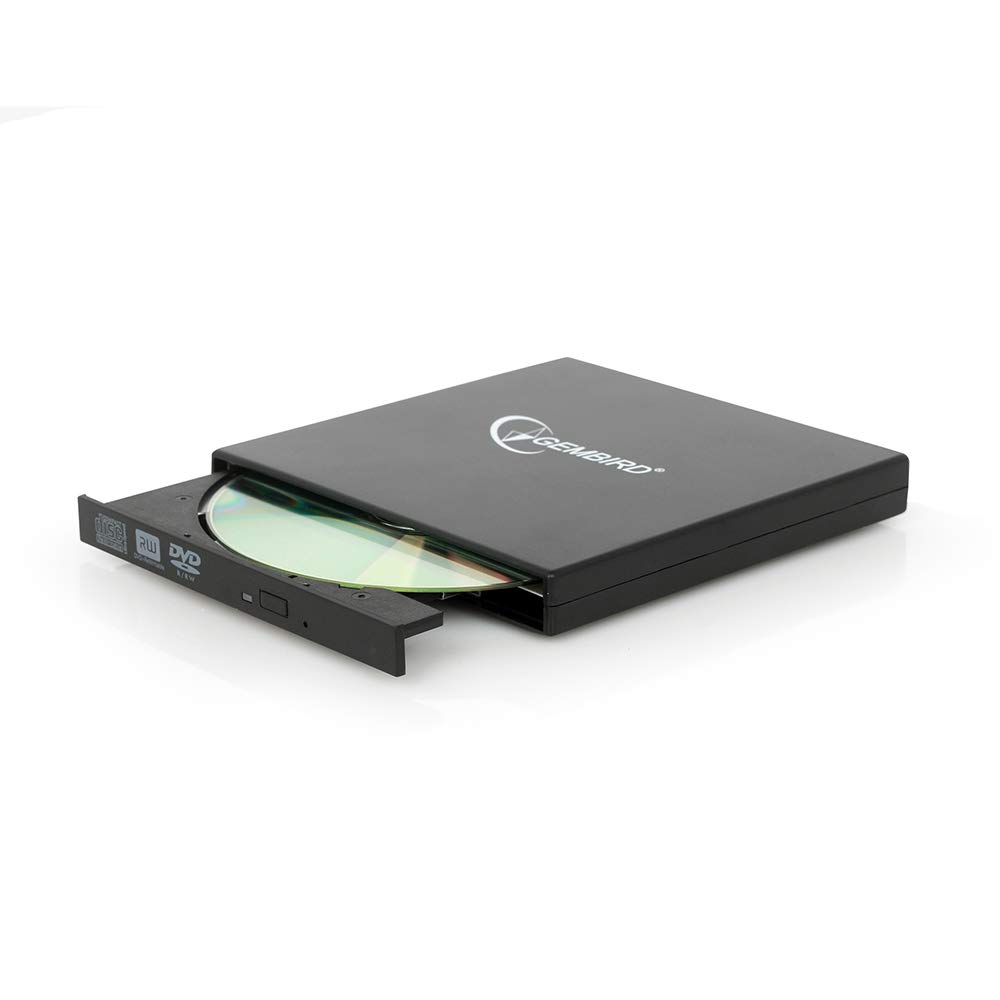
Image: The Gembird EG-SST-01 External DVD±RW Drive in black, shown with its USB connection cable. This image illustrates the compact design and the included accessories.
3. Інструкції з налаштування
- Підключіть накопичувач: Plug the USB cable into the Gembird EG-SST-01 drive and then connect the other end to an available USB 2.0 port on your computer. For optimal performance, use a direct USB port on your computer rather than a USB hub.
- Розпізнавання системи: Your operating system (Windows 7, Windows 8, or Windows 10) should automatically detect and install the necessary drivers for the drive. No manual driver installation is typically required.
- Перевірте встановлення: Once connected, the drive should appear in 'This PC' or 'My Computer' as a new optical drive. If it does not appear, try connecting to a different USB port or restarting your computer.
4. Інструкція з експлуатації
4.1. Завантаження диска
- Gently press the eject button on the front of the drive to open the disc tray.
- Place the CD or DVD onto the tray with the label side facing up. Ensure the disc is seated correctly on the spindle.
- Обережно засуньте лоток назад у дисковод, доки він не клацне.
4.2. Reading Discs
- After loading a disc, your computer's operating system may automatically prompt you to choose an action (e.g., play a movie, open files, install software).
- If no prompt appears, navigate to 'This PC' or 'My Computer', locate the optical drive icon, and double-click it to browse the disc's contents.
- The drive supports CD read speeds of up to 24x and DVD read speeds of up to 8x (DVD-ROM).
4.3. Writing Discs
- To write data to a blank CD-R/RW or DVD±R/RW/RAM disc, you will need compatible burning software (not included).
- Insert a blank, writable disc into the drive.
- Follow the instructions provided by your chosen burning software to select files, configure burning options, and start the writing process.
- The drive supports CD-R/RW write speeds of up to 24x and DVD±R/RW write speeds of up to 8x (5x for DVD-R DL, DVD+R DL, and DVD-RAM).
5. Технічне обслуговування
- Прибирання: Use a soft, dry, lint-free cloth to clean the exterior of the drive. Do not use liquid cleaners or solvents. Avoid opening the drive casing.
- Догляд за дисками: Always handle discs by their edges. Keep discs clean and free from scratches, dust, and fingerprints to ensure reliable reading and writing.
- Зберігання: Store the drive in a cool, dry place away from direct sunlight, extreme temperatures, and high humidity when not in use.
- Транспорт: When transporting the drive, ensure no disc is inside the tray and the tray is fully closed.
6. Вирішення проблем
- Диск не розпізнано:
- Переконайтеся, що USB-кабель надійно підключено як до дисковода, так і до комп’ютера.
- Спробуйте підключити накопичувач до іншого USB-порту на комп'ютері.
- Перезавантажте комп'ютер.
- Check Device Manager (Windows) to see if the drive is listed without errors.
- Диск не читається/не записується:
- Ensure the disc is clean and free from scratches or damage.
- Verify that the disc type (CD-R, DVD-RW, etc.) is compatible with the drive and the operation you are attempting.
- For writing, ensure you are using a blank, writable disc and appropriate burning software.
- Спробуйте інший диск, щоб виключити можливість несправності диска.
- Повільна продуктивність:
- Ensure the drive is connected to a USB 2.0 port or higher for optimal data transfer speeds.
- Закрийте всі непотрібні програми, що працюють у фоновому режимі та можуть споживати системні ресурси.
7. Технічні характеристики
| Особливість | Специфікація |
|---|---|
| Номер моделі | EG-SST-01 |
| Тип продукту | External DVD±RW Drive |
| Інтерфейс | USB 2.0 |
| Disc Loading Type | Піднос |
| Колір | чорний |
| Розміри (Д x Ш x В) | 135 мм x 130 мм x 17 мм |
| вага | 290 г |
| Підтримувані операційні системи | Windows 10, Windows 7, Windows 8 |
| CD Write Speed | 24x (CD-R, CD-RW) |
| DVD Write Speed | 8x (DVD+R, DVD-R, DVD+RW, DVD-RW), 5x (DVD-R DL, DVD+R DL, DVD-RAM) |
| CD Read Speed | 24x (CD, CD-R, CD-RW, CD-ROM) |
| DVD Read Speed | 8x (DVD+R, DVD-R, DVD-RW, DVD+RW, DVD-ROM), 6x (DVD-RAM), 4x (Video DVD) |
| Optical Disc Diameter | 80 мм, 120 мм |
| Сертифікати | ISO 9002, CE, RoHS |
8. Гарантія та підтримка
The Gembird EG-SST-01 External DVD±RW Drive comes with a дворічна гарантія від заводських дефектів. Ця гарантія поширюється на виробничі дефекти та дефекти матеріалів за нормальних умов використання.
For technical support, warranty claims, or further assistance, please contact your retailer or visit the official Gembird website for contact information. Please have your product model number (EG-SST-01) and proof of purchase ready when seeking support.