
вступ
This manual provides detailed instructions for the setup, operation, and maintenance of your Youshiko YK YC8025-B Radio Controlled Wall Clock. This clock is designed for precise timekeeping, automatically adjusting for seasonal changes and receiving time signals specific to the UK and Ireland (MSF).
The clock features a large LCD display showing time in 12/24 hour format, date, month, day of the week, indoor temperature (Celsius or Fahrenheit), and moon phase. It also includes an alarm with a snooze function.

малюнок 1: Фронт view of the Youshiko YK YC8025-B Radio Controlled Wall Clock. The large LCD screen displays the current time, date, day of the week, indoor temperature, and moon phase.
Налаштування
1. Встановлення батареї
- Знайдіть кришку батарейного відсіку на задній панелі годинника.
- Зняти кришку.
- Insert the required batteries (not included) according to the polarity markings (+ and -) inside the compartment.
- Замініть кришку батарейного відсіку.

малюнок 2: Задня view of the clock, showing the battery compartment and control buttons (SET, ALARM, UP, DOWN, SNOOZE, WAVE).
2. Initial Signal Reception
After battery installation, the clock will automatically begin searching for the radio time signal. This clock is designed for the UK and Ireland (MSF signal).
- Place the clock near a window or in an open area to optimize signal reception.
- The signal reception icon (often a tower with waves) on the display will flash during the search.
- Once the signal is successfully received, the clock will automatically set the correct time, date, and day, and the signal icon will become solid. This process may take several minutes.
Note: For optimal signal reception, avoid placing the clock near electronic devices that may cause interference.
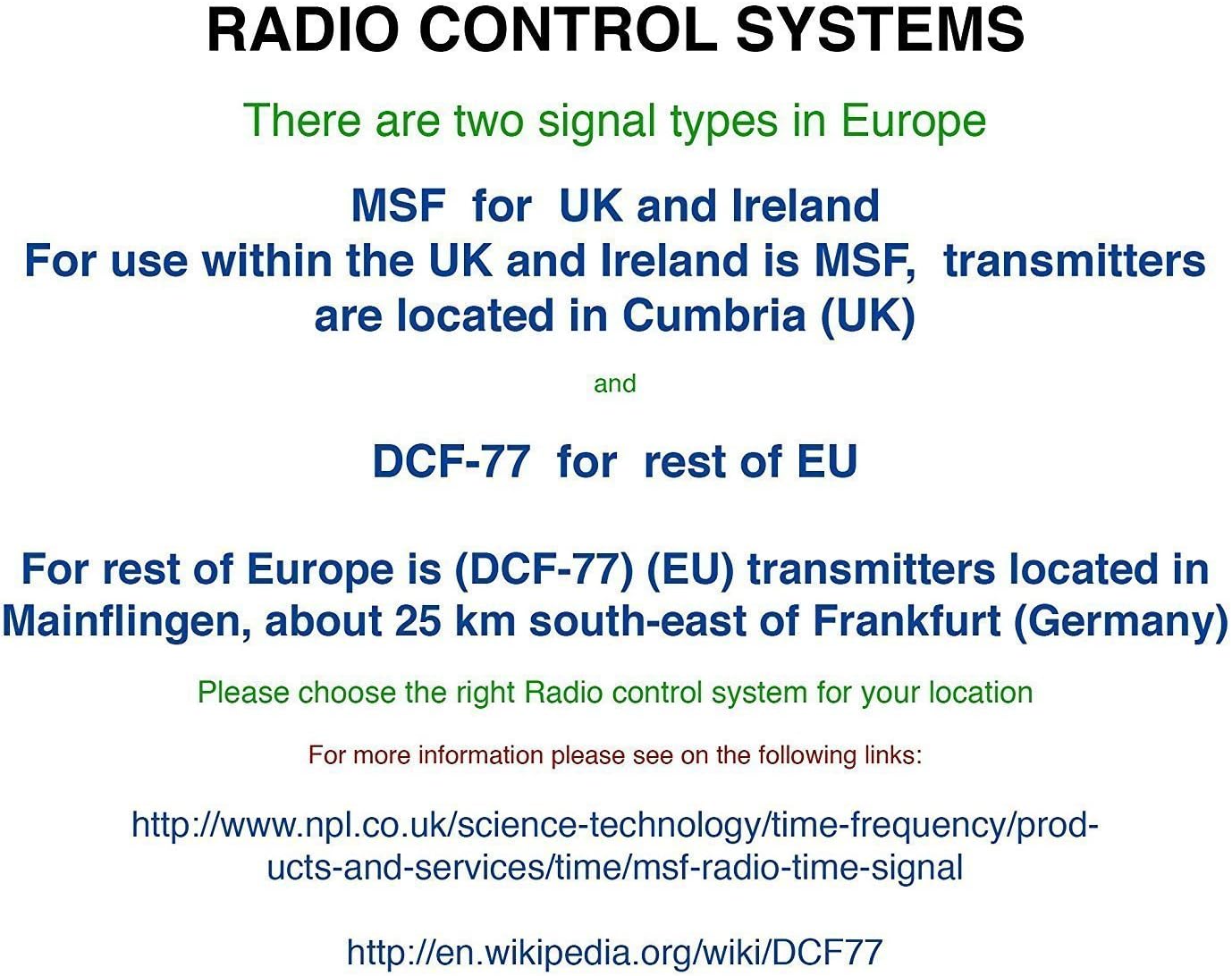
малюнок 3: Explanation of radio control systems. The Youshiko YK YC8025-B uses the MSF signal for the UK and Ireland.
Інструкція з експлуатації
1. Відображення інформації
The large LCD display provides the following information:
- час: Current time in 12-hour (with AM/PM indicator) or 24-hour format.
- Дата: Day and month.
- День тижня: Abbreviated day name.
- Температура в приміщенні: Measured in Celsius (°C) or Fahrenheit (°F).
- Фаза Місяця: Графічне представлення поточної фази місяця.
- Значок сигналу: Indicates radio signal reception status.
- Значок будильника: Показує, чи активна сигналізація.
2. Setting Time and Date Manually (if needed)
While the clock is radio-controlled, manual adjustments may be necessary in certain situations (e.g., outside signal range).
- Натисніть і утримуйте НАБІР кнопку, доки дисплей не почне блимати.
- Використовуйте UP or ВНИЗ кнопки для налаштування миготливого значення (наприклад, година, хвилина, рік, місяць, день).
- Прес НАБІР again to confirm the setting and move to the next adjustable item.
- Repeat until all desired settings are configured. The clock will exit setup mode automatically after a period of inactivity or by pressing НАБІР repeatedly until the normal display returns.
3. 12/24 Hour Format and Temperature Unit
- To switch between 12-hour and 24-hour time format, press the UP button during normal time display.
- To switch between Celsius (°C) and Fahrenheit (°F) for temperature display, press the ВНИЗ button during normal time display.
4. Alarm Setting and Snooze
- Натисніть ТРИВОГА один раз, щоб відобразити поточний час будильника.
- Натисніть і утримуйте ТРИВОГА кнопку, доки час будильника не почне блимати.
- Використовуйте UP or ВНИЗ buttons to adjust the alarm hour and then the alarm minute.
- Прес ТРИВОГА again to confirm and activate the alarm. The alarm icon will appear on the display.
- Коли пролунає будильник, натисніть кнопку СНОЙЗ button to temporarily silence it. The alarm will sound again after a few minutes.
- Щоб повністю вимкнути будильник, натисніть будь-яку іншу кнопку (наприклад, ТРИВОГА, НАБІР) when it is sounding or when the snooze is active.
5. Manual Signal Search
If the clock fails to receive the radio signal automatically, you can initiate a manual search.
- Натисніть ХВИЛЯ кнопку.
- The signal icon will flash, indicating the clock is searching for the radio signal.
- Allow several minutes for the clock to attempt synchronization.
Технічне обслуговування
1. Заміна батареї
When the display becomes dim or the clock stops functioning, it is time to replace the batteries.
- Відкрийте батарейний відсік на задній панелі годинника.
- Вийміть старі батареї.
- Вставте нові батареї, дотримуючись правильної полярності.
- Close the battery compartment. The clock will then attempt to re-synchronize with the radio signal.
2. прибирання
- Протріть поверхню годинника м’якою сухою тканиною.
- Do not use abrasive cleaners or chemical solvents, as these can damage the display or casing.
Усунення несправностей
- No Time Display / Incorrect Time:
- Переконайтеся, що батарейки правильно встановлені та не розряджені. За потреби замініть їх.
- Check signal reception. Move the clock to a location with better reception, away from electronic interference.
- Initiate a manual signal search by pressing the ХВИЛЯ кнопку.
- Verify that you are within the MSF signal range (UK and Ireland).
- Тьмяний дисплей:
- Замініть батареї на нові.
- Сигналізація не звучить:
- Ensure the alarm is activated (alarm icon visible on display).
- Check that the alarm time is set correctly.
Технічні характеристики
| Бренд | Юсіко |
| Номер моделі | YK YC8025-B |
| Колір | чорний |
| Розміри (Д x Ш x В) | 23 х 16 х 3 см |
| вага | 30 грамів |
| матеріал | Пластик, скло |
| Тип дисплея | цифровий |
| Особливості | Temperature Display, Alarm, Moon Phase, Radio Controlled |
| Джерело живлення | Живлення від батарейок (батарейки не входять до комплекту) |

малюнок 4: Dimensions of the Youshiko YK YC8025-B Radio Controlled Wall Clock.