
вступ
This manual provides detailed instructions for the DELTACO GAMING GAM-030 Wired Gaming Headset. Please read this manual carefully before using the product to ensure proper operation and to maximize your gaming and audio experience.
Вміст упаковки
Перевірте, чи всі перелічені нижче предмети входять до вашої упаковки:
- DELTACO GAMING GAM-030 Headset
- 1x 3.5mm to 2x 3.5mm Y-adapter

Image: Retail packaging of the DELTACO GAMING GAM-030 headset.

Image: Close-up of the headset's USB connector (for LED power) and 3.5mm audio jack.

Image: The included 3.5mm Y-adapter, splitting a single 3.5mm jack into separate audio and microphone jacks.
Продукт закінченийview
The DELTACO GAMING GAM-030 headset is designed for an immersive audio experience across various platforms.

Зображення: спереду view of the DELTACO GAMING GAM-030 headset, showing the earcups and microphone.
- Circumaural Design: Over-ear design with artificial leather ear cushions for comfort and passive noise reduction.
- 57-мм динаміки: Large drivers deliver clear stereo sound.
- Гнучкий мікрофон: Omnidirectional microphone with an orange LED indicator for clear voice communication.
- Вбудований регулятор гучності: A discreet volume control wheel is located on the rear of the left earcup.
- Регульоване наголов'я: Soft foam padded vegan leather headband for comfortable fit, with height adjustment.
- Міцний каркас: Strong and lightweight aluminum frame construction.
- Світлодіодне освітлення: Orange LED lights on earcups and microphone, powered via USB.

Image: Close-up of the headset earcup, illustrating the 57mm speaker element for immersive sound.
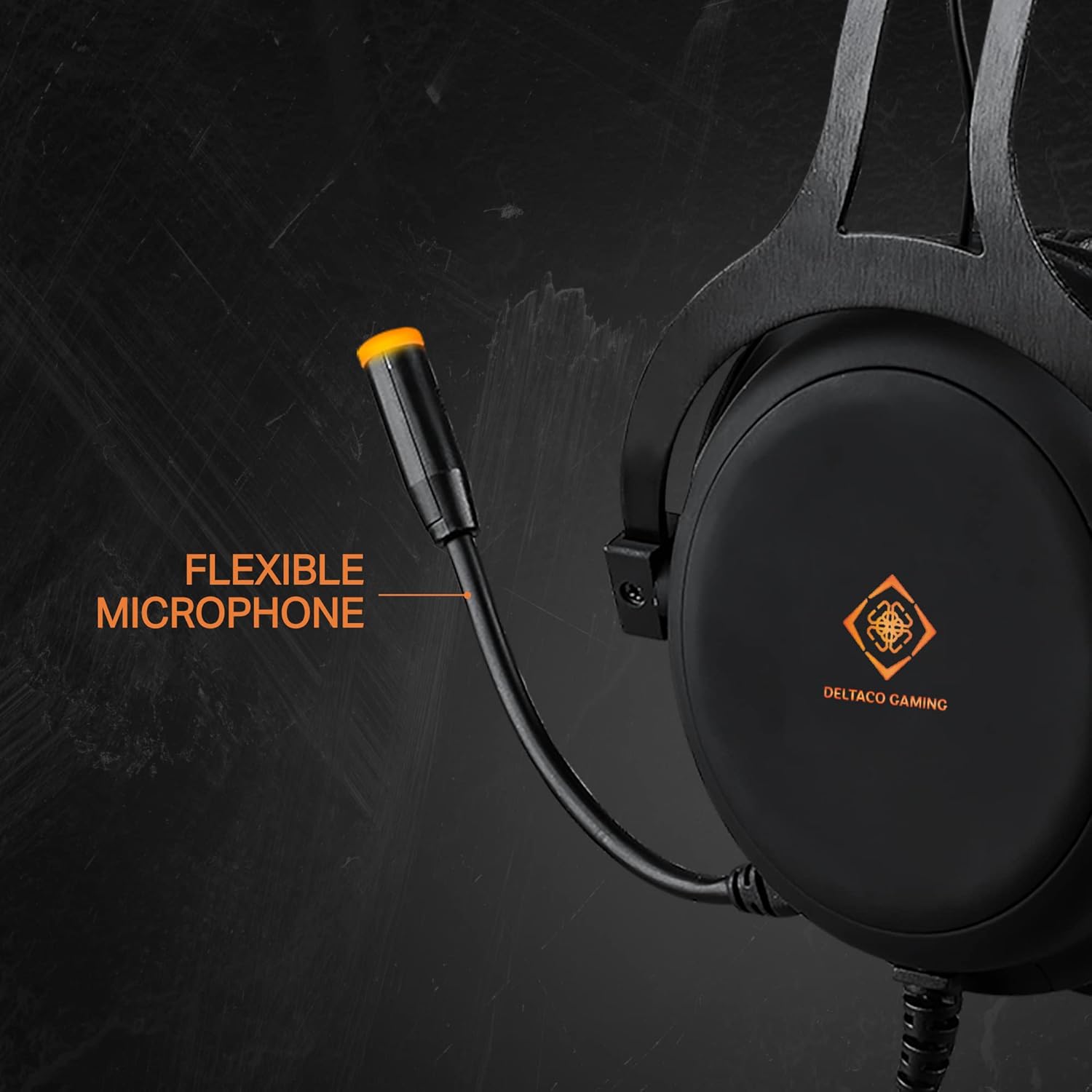
Image: The flexible microphone of the headset, designed for optimal positioning.

Зображення: Збоку view of the earcup, highlighting the over-ear design with soft foam padding and the easily accessible volume control.

Image: The soft foam padded vegan leather headband, illustrating its height adjustability.

Image: Detail of the headset's aluminum frame, emphasizing its strong and lightweight construction.
Налаштування
1. Connecting for Audio and Microphone (3.5mm Jack)
- For devices with a single 3.5mm combo jack (e.g., PS4, Switch, Xbox One, most laptops, mobile phones): Connect the headset's 3.5mm jack directly to the device's audio port.
- For devices with separate audio and microphone 3.5mm ports (e.g., PC desktops): Use the included 1x 3.5mm to 2x 3.5mm Y-adapter. Connect the headset's 3.5mm jack to the adapter, then connect the adapter's green plug to the audio output port and the pink plug to the microphone input port on your computer.
2. Connecting for LED Lighting (USB)
Connect the headset's USB cable to any available USB port on your computer, console, or a USB power adapter. This connection is solely for powering the orange LED lights on the earcups and microphone. It does not transmit audio or microphone signals.
Інструкція з експлуатації
- Регулювання гучності: Adjust the audio output level using the control wheel located on the rear of the left earcup. Rotate it upwards to increase volume and downwards to decrease volume.
- Використання мікрофона: Position the flexible microphone close to your mouth for optimal voice pickup during communication.
- Світлодіодне освітлення: The DELTACO GAMING logo on the earcups and the microphone tip will illuminate with an orange LED when the USB cable is connected to a power source.
Технічне обслуговування
прибирання
- Wipe the headset surfaces with a soft, dry cloth.
- Для стійких забруднень використовуйте злегка damp тканиною з м’яким милом, потім негайно витріть насухо.
- Не використовуйте агресивні хімікати, розчинники або абразивні засоби для чищення.
- Уникайте потрапляння вологи на решітки динаміка або мікрофон.
Зберігання
- Зберігайте гарнітуру в прохолодному, сухому місці, подалі від прямих сонячних променів та екстремальних температур.
- Уникайте розміщення важких предметів на гарнітурі.
- Do not twist or pull the cables excessively.
Усунення несправностей
- Немає звуку:
- Check if the 3.5mm audio jack is fully inserted into the device.
- Ensure the volume control wheel on the headset is turned up.
- Verify the audio output settings on your device (PC, console, etc.) are configured to use the headset.
- Перевірте гарнітуру з іншим пристроєм, щоб виключити проблему, пов'язану з певним пристроєм.
- Мікрофон не працює:
- Ensure the 3.5mm microphone jack (or the Y-adapter's pink plug) is correctly connected to the microphone input port on your device.
- Check the microphone input settings on your device. Ensure the headset microphone is selected as the default input device and its volume is not muted or set too low.
- Перевірте мікрофон за допомогою іншої програми або пристрою.
- Світлодіодні лампи не працюють:
- Confirm the USB cable is securely connected to a powered USB port.
- Спробуйте підключити USB-кабель до іншого USB-порту або джерела живлення.
- Note that the USB connection is only for LED power and does not affect audio or microphone functionality.
Технічні характеристики
| Особливість | Деталь |
|---|---|
| Номер моделі | ГАМ-030 |
| Підключення | Wired (3.5mm Jack, USB for LED) |
| Розмір драйвера | 57 мм |
| АЧХ | 20 Гц - 20 кГц |
| Імпеданс | 32 Ом |
| Чутливість | 122 дБ |
| Тип мікрофона | Omnidirectional, Flexible |
| Амбушюри | Circumaural, Artificial Leather |
| Пов'язка на голову | Adjustable, Soft Foam Padded, Vegan Leather |
| Матеріал рами | Алюміній |
| Довжина кабелю | 2.10 м |
| вага | 349 г |
| Світлодіодне освітлення | Orange (USB powered) |
| Елементи керування | Диск регулювання гучності |
| Сумісні пристрої | PC, Laptops, Desktop Computers, Game Consoles (PS4, Switch, Xbox One), Mobile Phones |
| Включені компоненти | Headset, 1x 3.5mm to 2x 3.5mm Y-adapter |
| Виробник | ДЕЛЬТАКО |
| Країна походження | Нідерланди |
Гарантія та підтримка
This DELTACO GAMING product is covered by a 5-year warranty for spare parts availability within the EU. For technical support or warranty claims, please contact your retailer or visit the official DELTACO GAMING webсайт для подальшої допомоги.