
1. Вступ
This manual provides detailed instructions for the operation and maintenance of your FEELWORLD T7PLUS 7-inch DSLR Camera Monitor. Please read this manual thoroughly before using the product to ensure proper function and to prevent damage. Keep this manual for future reference.
2. Продукт закінчивсяview
The FEELWORLD T7PLUS is a high-resolution 7-inch camera monitor designed for professional photography and video production. It features a 1920x1200 display, 4K HDMI input/output, and advanced monitoring tools.
2.1 Основні характеристики
- Дисплей з високою роздільною здатністю: 7-inch screen with 1920 x 1200 resolution, 1200:1 contrast ratio, and Rec.709 color standard for vivid and accurate image reproduction.
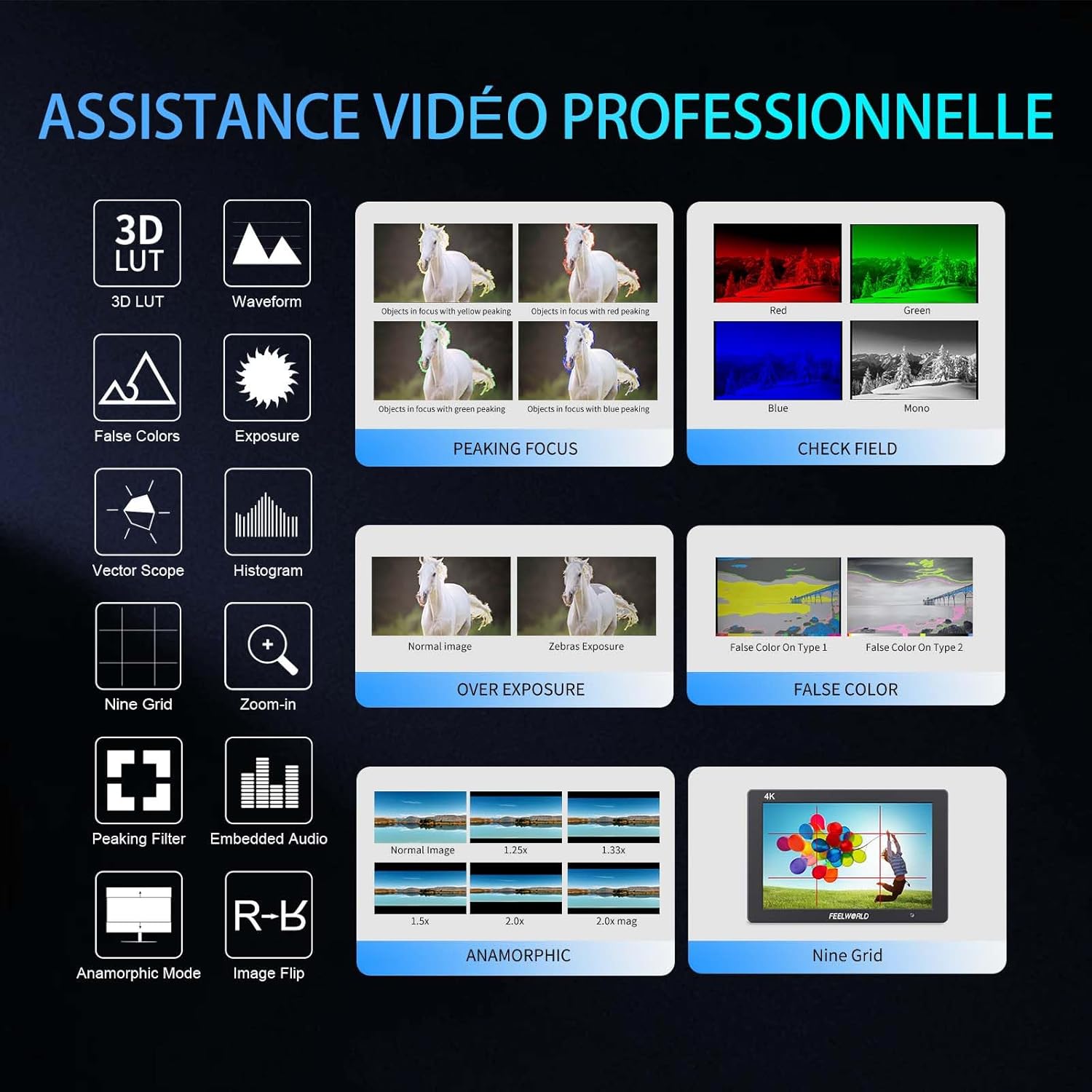
- Advanced Customization Functions: Supports 32 custom 3D LUTs and professional tools including waveform, vector scope, RGB histogram, peaking focus, false color, and more for precise control during shooting.
- Універсальний підключення: Equipped with 4K HDMI input and output, allowing simultaneous display and transmission of live signals to other monitors without compromising video quality.
- Легкий та міцний дизайн: Slim 18mm aluminum casing, weighing only 320g.
- Гнучкі параметри живлення: Compatible with F550/F970 series batteries and DC 12V power input.
2.2 Компоненти
Пакет включає наступні предмети:
- 1 x FEELWORLD T7PLUS Monitor
- 1 x кабель Mini HDMI
- 1 x парасолька
- 1 x Warming Boot Holder
- 1 x F970 Battery Plate
- 1 x F550 Battery
- 1 х Посібник користувача
- 1 x USB-кабель-адаптер
- 1 х сумка

Зображення: спереду view of the FEELWORLD T7PLUS monitor, showcasinйого 7-дюймовий дисплей.

Image: A visual representation of all items included in the FEELWORLD T7PLUS package, including the monitor, cables, battery, and accessories.
3. Налаштування
3.1 Монтаж монітора
The T7PLUS monitor can be mounted using the included warming boot holder or other compatible mounting solutions. Ensure the monitor is securely attached to your camera rig or stand.

Image: The FEELWORLD T7PLUS monitor shown mounted on top of a DSLR camera, ready for use.
3.2 Підключення живлення
The monitor supports two power input methods:
- Потужність батареї: Attach a compatible F550 or F970 series battery to the F970 battery plate on the back of the monitor.
- Живлення постійного струму 12 В: Connect a 12V/1.5A DC power adapter to the DC 12V input port on the side of the monitor.

Зображення: Крупний план view of the rear of the FEELWORLD T7PLUS monitor, highlighting the battery plate and DC 12V power input port.
3.3 Підключення HDMI
Connect your camera or video source to the HDMI-IN port using the provided Mini HDMI cable. If you need to output the signal to another monitor, use the HDMI-OUT port.
Зображення: Збоку view of the FEELWORLD T7PLUS monitor, showing the HDMI-IN and HDMI-OUT ports, along with the DC 12V input and headphone jack.
4. Інструкція з експлуатації
4.1 Основні елементи керування
The monitor features several buttons for navigation and function control:
- Кнопка живлення: Press and hold to turn the monitor on/off.
- Кнопка МЕНЮ: Доступ до головного меню.
- Кнопки зі стрілками (Вгору/Вниз/Вліво/Вправо): Navigate through menu options and adjust settings.
- F1-F4 Function Buttons: Customizable shortcut buttons for quick access to frequently used features.

Image: Close-up of the control buttons on the top edge of the FEELWORLD T7PLUS monitor, including power, menu, navigation, and customizable function buttons (F1-F4).
4.2 Навігація по меню
Press the MENU button to open the main menu. Use the arrow buttons to navigate through categories and options. Press the MENU button again or the right arrow to confirm selections. To exit the menu, press the left arrow button repeatedly until the menu closes.
5. Розширені функції
5.1 3D LUT (Look Up Table)
The T7PLUS supports loading up to 32 custom 3D LUTs via a USB drive. This allows you to preview твій футtage with specific color grades in real-time.
- Save your .cube LUT files to the root directory of a USB drive.
- Connect the USB drive to the monitor's USB port.
- Navigate to the "LUT" menu option.
- Select "Load LUT" and choose your desired LUT file.
- You can switch between loaded LUTs for quick comparison.

Image: The FEELWORLD T7PLUS monitor displaying the 3D LUT menu, showing options for loading and managing custom LUT files з USB-накопичувача.
5.2 Waveform, Vector Scope, and Histogram
These tools provide detailed analysis of your video signal, helping you achieve accurate exposure and color balance.
- Форма хвилі: Відображає рівні яскравості та кольоровості вашого відеосигналу.
- Обсяг вектора: Shows the color hue and saturation.
- Гістограма RGB: Illustrates the distribution of red, green, and blue color channels.
These functions can be activated individually or simultaneously via the menu or assigned to a function button.
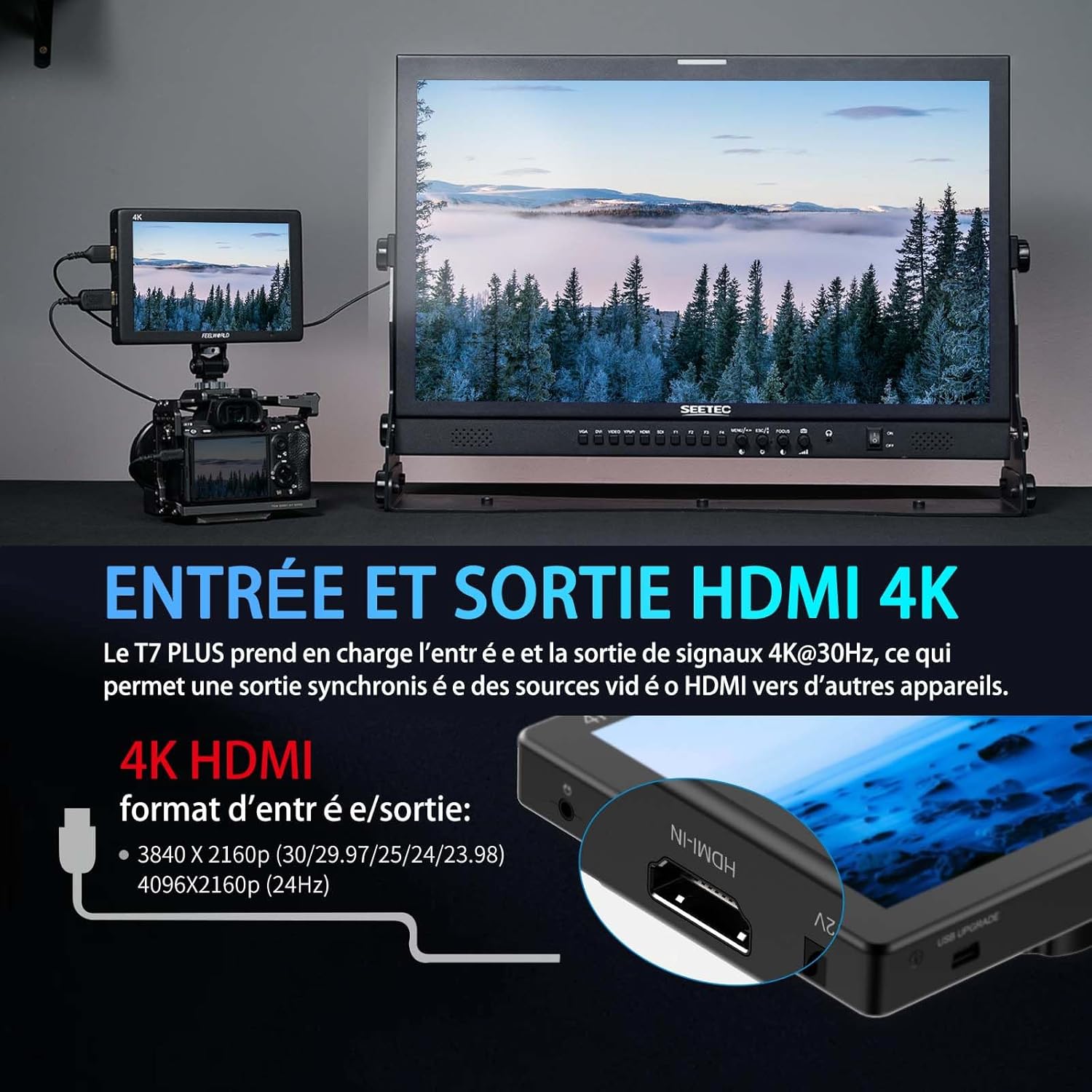
Image: The FEELWORLD T7PLUS monitor displaying a waveform monitor, showing the luminance and chrominance levels of the video input.
5.3 Other Monitoring Tools
- Допомога з фокусуванням під час виділення піків: Highlights sharp edges to aid in achieving precise focus.
- Помилковий колір: Відображає рівні експозиції за допомогою спектру кольорів.
- Exposure (Zebras): Indicates overexposed areas with zebra patterns.
- Збільшувати: Збільшує частину зображення для критичного фокусування.
- Nine Grid: Overlays a grid for composition assistance.
- Анаморфний режим: Розтискає анаморфне footage.
- Перевернути зображення: Flips the image horizontally or vertically.
- Вбудований аудіо: Displays audio levels from the HDMI input.
6. Технічні характеристики
| Особливість | Специфікація |
|---|---|
| Бренд | ЧУВИТИСВІТ |
| Номер моделі | Т7 ПЛЮС |
| Розмір екрана | 7 дюймів |
| роздільна здатність | 1920 x 1200 (UXGA Wide) |
| Співвідношення сторін | 16:10 |
| Коефіцієнт контрастності | 1200:1 |
| Яскравість | 450 ніт |
| Частота оновлення | 60 Гц |
| Viewкут нахилу | 178 градусів |
| Технологія підключення | HDMI |
| Порти HDMI | 1x HDMI-IN, 1x HDMI-OUT (Supports 4K@30Hz) |
| Особливість | Advanced Customization with 3D LUT |
| Сумісні пристрої | DSLR Camera, Camcorder, Handheld Stabilizer |
| вага | 1 Kilogram (approx. 320g for monitor only) |
| Вхідна потужність | Акумуляторна пластина NP-F, 12 В постійного струму |
7. Вирішення проблем
- Немає живлення:
- Ensure the battery is fully charged and correctly inserted, or the DC adapter is securely connected to a power source.
- Перевірте правильність фіксації кнопки живлення.
- Немає сигналу:
- Verify that the HDMI cable is securely connected to both the camera/source and the monitor's HDMI-IN port.
- Confirm the camera's HDMI output settings are correct and active.
- Спробуйте інший кабель HDMI.
- Спотворення зображення/неправильні кольори:
- Check the monitor's color settings and ensure no LUTs are incorrectly applied.
- Verify the camera's video output format is compatible with the monitor.
- Кнопки не відповідають:
- Restart the monitor by turning it off and on again.
- Переконайтеся, що кнопки не заблоковані сміттям.
8. Технічне обслуговування
- Прибирання: Use a soft, dry cloth to clean the monitor's body. For the screen, use a specialized screen cleaning solution and a microfiber cloth. Avoid harsh chemicals or abrasive materials.
- Зберігання: When not in use, store the monitor in a cool, dry place, away from direct sunlight and extreme temperatures. Use the provided bag for protection during transport.
- Догляд за акумулятором: If using batteries, ensure they are charged periodically even when not in use to maintain battery health.
9. Гарантія та підтримка
The FEELWORLD T7PLUS monitor comes with a Гарантія 1 рік from the FEELWORLD Official Store. For technical support, service, or warranty claims, please contact FEELWORLD customer service through their official channels or the retailer where the product was purchased.
Для отримання додаткової інформації відвідайте FEELWORLD Brand Store.
10. Відео про продукт
Video: A short product showcase of the FEELWORLD T7PLUS monitor, demonstrating its physical design, various ports (HDMI-IN, HDMI-OUT, DC 12V), and control buttons. This video provides a visual overview of the monitor's external features and connectivity options.