
1. Вступ
This manual provides essential information for the proper installation, operation, and maintenance of your TSL 4 Doors Access Control Controller. Please read this manual thoroughly before attempting to install or operate the device to ensure correct usage and to prevent damage.
The TSL 4 Doors Access Control Controller is a robust security solution designed for managing access to up to four doors. It features a high-speed 32-bit processor, supports up to four Wiegand card readers, and can record 10,000 cards and 50,000 event records. Advanced features include anti-passback and authentication password with keypad card reader integration.
2. Інформація про безпеку
- Електрична безпека: Installation and wiring must be performed by qualified personnel in accordance with all local and national electrical codes. Ensure power is disconnected before making any connections.
- Джерело живлення: Use only the specified power supply for this device. Incorrect voltage can cause damage or fire.
- Середовище: Install the controller in a dry, well-ventilated area, away from direct sunlight, extreme temperatures, and high humidity.
- Електропроводка: Refer to the detailed wiring diagram provided inside the enclosure for all connections. Incorrect wiring can lead to malfunction or damage.
- Заземлення: Ensure the device is properly grounded to prevent electrical shock and ensure stable operation.
3. Продукт закінчивсяview
The TSL 4 Doors Access Control Controller is housed in a durable metal enclosure, designed for secure installation. The internal circuit board provides multiple connection points for various access control components.
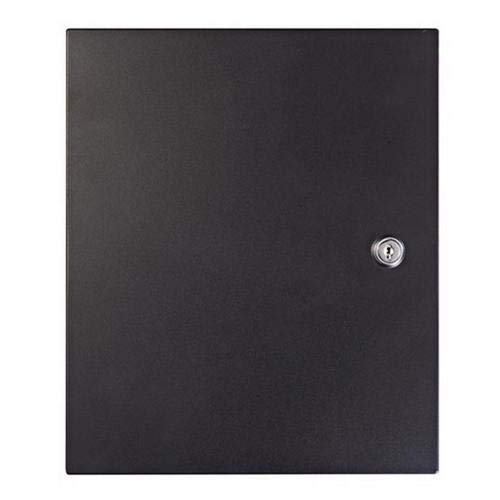
Figure 1: TSL 4 Doors Access Control Controller with open enclosure. The image shows the green circuit board with various connection terminals and a printed wiring diagram on the inside of the enclosure door.
Ключові характеристики:
- Controls access for up to 4 doors.
- High-speed 32-bit processor for efficient operation.
- Supports up to 4 Wiegand card readers.
- Capacity for 10,000 user cards and 50,000 event records.
- Anti-passback functionality.
- Authentication password support with keypad card readers.
- Video verification log search with video playback (requires compatible software and cameras).
4. Налаштування
4.1 Встановлення контролера
- Choose a secure, indoor location for mounting the controller, ensuring it is protected from environmental extremes.
- Use appropriate screws and anchors to securely fasten the metal enclosure to a wall or suitable surface. Ensure the enclosure is level.
- Allow sufficient space around the enclosure for ventilation and ease of wiring.
4.2 Підключення проводів
All wiring should be performed with the power supply disconnected. Refer to the wiring diagram printed inside the controller's enclosure for precise connection points. The following outlines general connection types:
- Джерело живлення: Connect the appropriate DC power supply to the designated power input terminals. Verify voltage і полярність.
- Читачі Wiegand: Connect each Wiegand card reader to its respective door input (D0, D1, LED, BEEP, GND, +12V). Ensure data lines (D0, D1) are correctly matched.
- Дверні замки: Connect electric locks (e.g., magnetic locks, strike locks) to the NO/NC and COM terminals for each door.
- Exit Buttons: Connect exit buttons to the designated 'Exit' input terminals for each door.
- Датчики дверей: Connect door contact sensors to the 'Door Sensor' input terminals to monitor door status.
- Підключення до мережі: Connect an Ethernet cable to the network port for communication with the management software.
4.3 Початкове ввімкнення
- Двічі перевірте всі з'єднання проводів на точність та безпеку.
- Підключіть блок живлення до електричної розетки.
- Observe the indicator lights on the circuit board. Refer to the product documentation for LED status meanings.
- Access the controller via the management software for initial configuration, including network settings, time synchronization, and adding administrators.
5. Інструкція з експлуатації
The TSL 4 Doors Access Control Controller is managed primarily through dedicated access control software (not included with the hardware). This software allows for comprehensive system configuration and user management.
5.1 User and Card Management
- Додавання користувачів: Use the software to create new user profiles, assigning unique IDs and access levels.
- Enrolling Cards: Present access cards to a connected reader while in enrollment mode within the software to link them to user profiles.
- Рівні доступу: Define specific access permissions for each user, specifying which doors they can access and during what time periods.
- Deleting Users/Cards: Remove access permissions for individuals or lost cards through the software.
5.2 Accessing Doors
- Доступ до картки: Present an enrolled access card to the designated card reader at the door. If access is granted, the door will unlock for a set period.
- Keypad Access: If a keypad reader is used, enter the assigned PIN code followed by presenting the card (if dual authentication is enabled).
- Кнопка виходу: Press the exit button on the inside of the door to unlock it for egress.
5.3 Event Monitoring and Reporting
The management software provides real-time monitoring of all access events, including successful entries, denied access attempts, and alarms. Event logs can be searched, filtered, and exported for auditing purposes. The system supports video verification log search with video playback when integrated with compatible surveillance systems.
6. Технічне обслуговування
- Регулярна перевірка: Periodically inspect all wiring connections for signs of wear, corrosion, or looseness. Ensure the enclosure is securely closed.
- Прибирання: Keep the controller and its enclosure clean and free of dust. Use a soft, dry cloth. Do not use liquid cleaners or solvents.
- Оновлення програмного забезпечення: Regularly check for and apply firmware updates for the controller and software updates for the management application to ensure optimal performance and security.
- Резервні дані: Periodically back up your access control database to prevent data loss.
7. Вирішення проблем
| проблема | Можлива причина | Рішення |
|---|---|---|
| Контролер не має живлення. | Power supply disconnected or faulty; fuse blown. | Check power connections. Test power supply. Replace fuse if necessary. |
| Card reader not responding. | Reader wiring incorrect; reader faulty; reader not configured in software. | Verify reader wiring (D0, D1, power). Test with a known good reader. Check software configuration. |
| Door not unlocking. | Lock wiring incorrect; lock faulty; access denied by controller; power issue to lock. | Check lock wiring (NO/NC, COM). Verify access permissions in software. Test lock independently. Check power supply to lock. |
| Збій мережевого з'єднання. | Ethernet cable disconnected or faulty; incorrect IP settings; network device issue. | Check Ethernet cable. Verify IP address, subnet mask, and gateway settings. Test network connectivity. |
If you encounter issues not listed here or require further assistance, please contact technical support.
8. Технічні характеристики
| Особливість | Деталь |
|---|---|
| Номер моделі | B07BB88SPZ |
| Number of Doors Controlled | 4 |
| Процесор | 32-bit High Speed Processor |
| Підтримка зчитувача карток | Up to 4 Wiegand Card Readers |
| Ємність картки | 10,000 карток |
| Event Record Capacity | 50,000 Event Records |
| особливості | Anti Passing Back, Authentication Password with Keypad Card Reader, Video Verification Log Search with Video Playback |
| Розміри упаковки | 18 x 16 x 6 дюймів |
| Вага товару | 8 фунта |
| Виробник | LTS |
| Дата першої доступності | 8 березня 2018 р |
9. Інформація про гарантію
Warranty information for the TSL 4 Doors Access Control Controller is not provided in the available product documentation. Please contact your vendor or the manufacturer, LTS, directly for details regarding warranty coverage, terms, and conditions.
10. Підтримка
For technical support, troubleshooting assistance, or inquiries regarding your TSL 4 Doors Access Control Controller, please contact the authorized dealer or the manufacturer, LTS. Ensure you have your model number (B07BB88SPZ) and purchase date available when seeking support.


