
вступ
This manual provides detailed instructions for the proper use and maintenance of your Casio Illuminator AQ-E10 digital-analog watch. Please read this manual thoroughly to ensure optimal performance and longevity of your timepiece. The AQ-E10 features both analog and digital time displays, an alarm, a stopwatch, and an illuminator backlight.
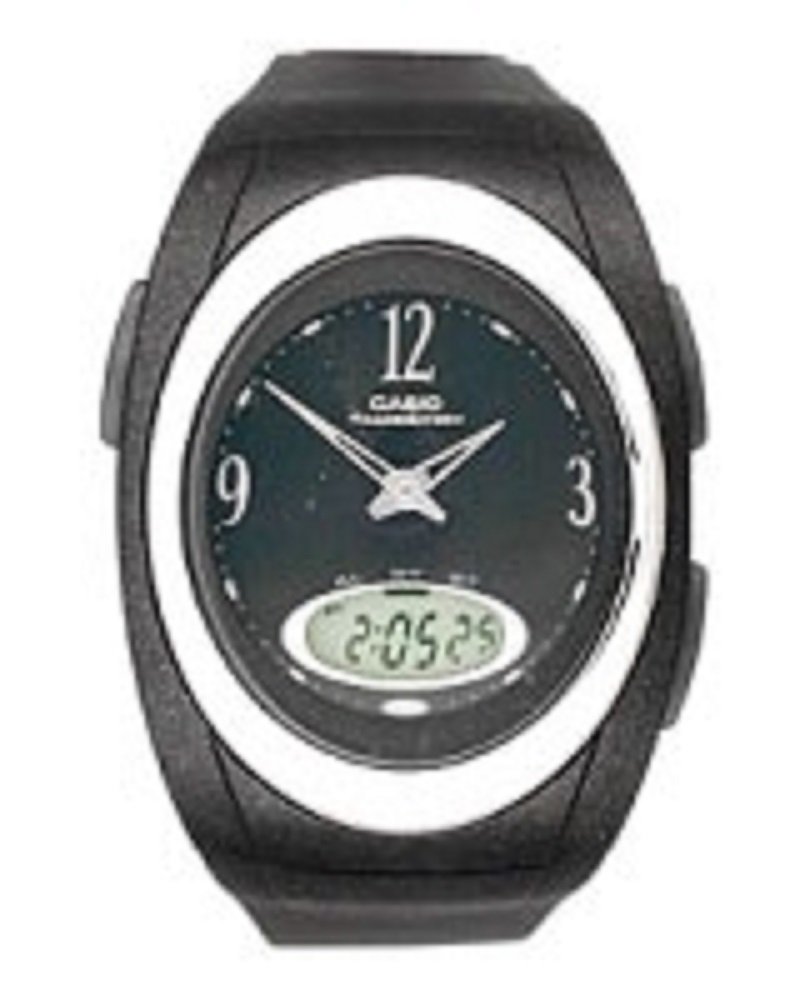
Фронт view of the Casio Illuminator AQ-E10 watch, showcasing its digital and analog display, black rubber strap, and round black dial.
Налаштування
Первинний огляд
Upon unboxing, inspect the watch for any visible damage. Ensure all buttons operate smoothly. If any issues are found, contact your retailer.
Налаштування цифрового часу та дати
- У режимі відліку часу натисніть і утримуйте РЕГУЛЮВАТИ кнопку (зазвичай угорі ліворуч), доки цифри секунд не почнуть блимати, що вказує на екран налаштувань.
- Натисніть РЕЖИМ button (usually bottom-left) to cycle through the settings: Seconds → Hour → Minutes → Year → Month → Day → 12/24-hour format.
- Використовуйте ПОШУК button (usually top-right) or ВПЕРЕД button (usually bottom-right) to increase the flashing value. Hold the button to change values rapidly.
- Після того, як усі параметри налаштовано, натисніть кнопку РЕГУЛЮВАТИ знову натисніть кнопку, щоб вийти з екрана налаштувань.
Synchronizing Analog Hands
The analog hands are typically synchronized automatically with the digital time. If they are out of sync, refer to the detailed instructions in the operating section for manual adjustment, or consult the full Casio module manual for your specific watch module number (often found on the watch's case back).
Керування годинником
Режим навігації
Натисніть РЕЖИМ button to cycle through the watch's functions: Timekeeping Mode → Alarm Mode → Stopwatch Mode.
Режим хронометражу
This mode displays the current time (hours, minutes, seconds) and date (month, day, day of the week) digitally, alongside the analog hands.
Режим будильника
- У режимі відліку часу натисніть РЕЖИМ until you reach the Alarm Mode. The alarm time will be displayed.
- Натисніть і утримуйте РЕГУЛЮВАТИ кнопку, доки не замигатимуть цифри годин будильника.
- Використовуйте ПОШУК or ВПЕРЕД кнопку, щоб встановити потрібну годину будильника.
- Прес РЕЖИМ to move to the minutes setting, then use ПОШУК or ВПЕРЕД встановити хвилини.
- Прес РЕГУЛЮВАТИ для підтвердження та виходу.
- Щоб увімкнути/вимкнути будильник, натисніть кнопку ПОШУК кнопку в режимі будильника (без утримання РЕГУЛЮВАТИ). An indicator will show if the alarm is active.
Режим секундоміра
- У режимі відліку часу натисніть РЕЖИМ until you reach the Stopwatch Mode. The display will show "00'00"00".
- Натисніть ПОШУК кнопку, щоб запустити секундомір.
- Прес ПОШУК ще раз, щоб зупинити секундомір.
- Натисніть РЕГУЛЮВАТИ button to reset the stopwatch to "00'00"00".
Підсвічування (підсвітка)
Натисніть СВІТЛО button (usually top-right or a dedicated button) to illuminate the digital display for easy viewing in low-light conditions. The illumination duration is typically a few seconds.
Технічне обслуговування
Водонепроникність
The Casio AQ-E10 is designed to be water resistant. However, it is important to avoid operating the watch buttons while submerged in water to prevent water ingress. Avoid exposing the watch to hot water or steam, as this can compromise the seals.
прибирання
Протріть корпус і ремінець годинника м’якою сухою тканиною. Для стійкого бруду злегкаamp cloth can be used, followed by a dry cloth. Avoid using chemical cleaners, as they may damage the watch's materials.
Заміна батареї
The watch is powered by a battery. When the display becomes dim or functions become erratic, it may be time for a battery replacement. It is highly recommended to have the battery replaced by a qualified watch technician to ensure proper sealing and water resistance integrity.
Зберігання
Якщо годинник не використовується протягом тривалого часу, зберігайте його в прохолодному, сухому місці, подалі від прямих сонячних променів та екстремальних температур.
Усунення несправностей
- Неправильне відображення часу: If the digital or analog time is incorrect, refer to the "Setting the Digital Time and Date" and "Synchronizing Analog Hands" sections under Setup to re-adjust.
- Blank or Dim Digital Display: This usually indicates a low battery. Arrange for battery replacement by a professional.
- Кнопки не відповідають: Ensure the watch is not in a locked mode (if applicable, though not a common feature for this model). If the issue persists, a battery replacement or professional inspection may be required.
- Конденсація всередині. Спостереження: If condensation appears inside the watch, it indicates a breach in water resistance. Stop using the watch immediately and have it inspected by a professional to prevent further damage.
Технічні характеристики
- Номер моделі:
- AQ-E10-1BEF
- Формат відображення:
- Аналого-цифровий
- Тип руху:
- Кварц
- Особливості:
- Alarm, Chronograph (Stopwatch), Illuminator (Backlight)
- Джерело живлення:
- Акумулятор
- Тип застібки:
- Пряжка
- Матеріал ремінця:
- гумовий
- Матеріал корпусу:
- гумовий
- Тип кристала:
- Акрилові
- Колір ремінця:
- чорний
- Колір циферблата:
- чорний
- Товщина корпусу:
- 7 міліметрів
- Ширина ремінця:
- 16 міліметрів
- Розміри (упаковка):
- 11 x 11 x 7.49 см; 27.22 g
- Водонепроникність:
- General water resistance (specific depth not provided, avoid button operation underwater).
Гарантія та підтримка
Your Casio Illuminator AQ-E10 watch is covered by a manufacturer's warranty. For specific warranty terms and conditions, please refer to the warranty card included with your purchase or visit the official Casio website. For technical support, service, or inquiries, please contact Casio customer service or an authorized service center.
Офіційний Casio Webсайт: www.casio.com