
вступ
This manual provides detailed instructions for the TECWARE Phantom 87 Key RGB Mechanical Gaming Keyboard. Please read this manual thoroughly before using the product to ensure proper operation and to maximize your experience.
Інформація про безпеку
- Не піддавайте клавіатуру впливу рідин або надмірної вологи.
- Уникайте екстремальних температур.
- Do not attempt to disassemble or modify the keyboard. This may void your warranty.
- Зберігати в недоступному для дітей місці.
- Use only with compatible devices and power sources.
Вміст упаковки
Перевірте наявність усіх предметів у вашій упаковці:
- TECWARE Phantom 87 Key RGB Mechanical Gaming Keyboard
- 4x Spare Mechanical Switches (Outemu Red)
- 1x знімач перемикача
- 1x Знімач ключів
- 1x Посібник користувача

Figure 1: TECWARE Phantom 87 Key RGB Mechanical Gaming Keyboard with key features such as low latency, 16.8M RGB colors, gaming-oriented design, full N-key rollover, and durable fiberglass PCB.
Налаштування
1. Підключення клавіатури
- Locate the USB-A cable attached to your TECWARE Phantom keyboard.
- Plug the USB-A connector into an available USB port on your computer.
- The keyboard will automatically be detected and drivers will install (Windows/macOS).
2. Встановлення програмного забезпечення (необов'язково)
For advanced customization, including per-key RGB lighting, macro recording, and user profiles, download the TECWARE software from the official TECWARE webсайт. Дотримуйтесь інструкцій на екрані для встановлення.

Figure 2: The TECWARE software allows for custom per-key RGB lighting, 18 lighting effects control, macro recording and assignment, and up to 3 user profiles, along with brightness and speed adjustments.
Інструкція з експлуатації
Основні функції
- Введення: The keyboard features Outemu Red linear switches for a smooth and quiet typing experience.
- N-Key Rollover: All key presses are registered simultaneously, preventing ghosting during rapid input.
- Блокування Windows: Use the dedicated Windows Lock key (often Fn + Win key) to disable the Windows key during gaming to prevent accidental interruptions.
Управління освітленням RGB
The Phantom keyboard offers 16.8 million RGB colors and 18 pre-set lighting effects. These can be controlled directly on the keyboard or through the TECWARE software.
- Зміна режимів освітлення: Use the Fn key combined with specific function keys (refer to your keyboard's keycaps for symbols) to cycle through the 18 pre-set lighting modes.
- Регулювання яскравості/швидкості: Use Fn + Arrow keys (or other designated keys) to adjust the brightness and speed of the lighting effects.
- Налаштування: For per-key lighting and advanced effects, use the TECWARE software.
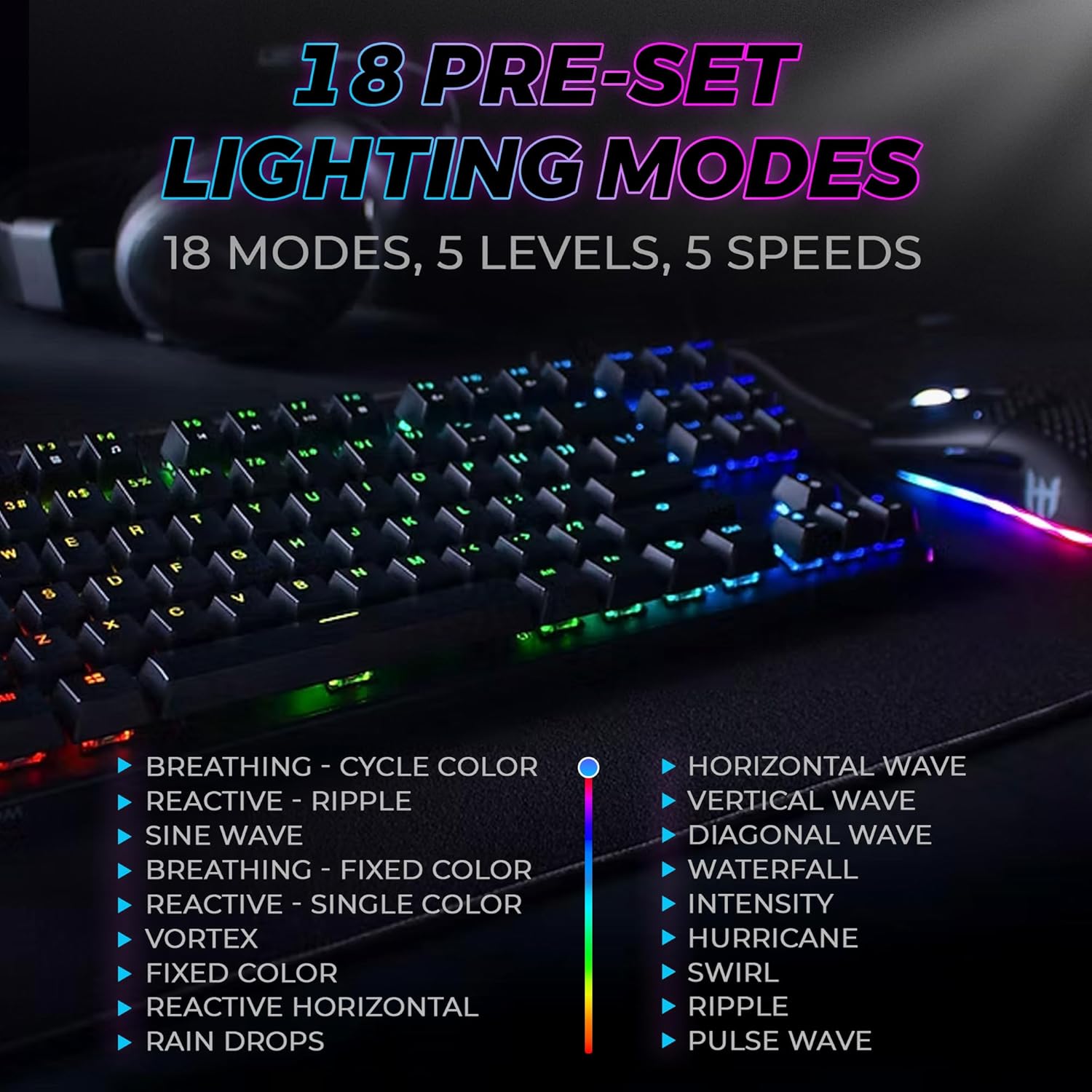
Figure 3: The keyboard features 18 pre-set lighting modes with 5 levels of brightness and 5 levels of speed, including effects like Breathing, Ripple, Sine Wave, Vortex, Waterfall, and Pulse Wave.
Мультимедійні клавіші
Access multimedia controls by pressing the Fn key in combination with the F-keys (F1-F12). The specific functions are typically indicated by icons on the keycaps.
- Exampле: Fn + F7 (Play/Pause), Fn + F8 (Stop), Fn + F9 (Mute).
Video 1: Official TECWARE branded video showcasing various products, including the Phantom keyboard, highlighting its features and design philosophy.
Технічне обслуговування
прибирання
- Від’єднайте клавіатуру від комп’ютера перед чищенням.
- Використовуйте м’яку суху тканину, щоб протерти ковпачки клавіш і корпус.
- For deeper cleaning, use the provided keycap puller to remove keycaps and compressed air to clear debris from under the keys.
Заміна перемикача
The TECWARE Phantom keyboard features hot-swappable Outemu mechanical switches, allowing for easy replacement without soldering.
- Using the provided keycap puller, gently remove the desired keycap.
- Use the provided switch puller to carefully grip the switch and pull it straight up to remove it.
- Зіставте контакти нового перемикача з отворами на друкованій платі.
- Обережно натисніть на новий перемикач, доки він надійно не клацне.
- Знову прикріпіть ковпачок клавіші.
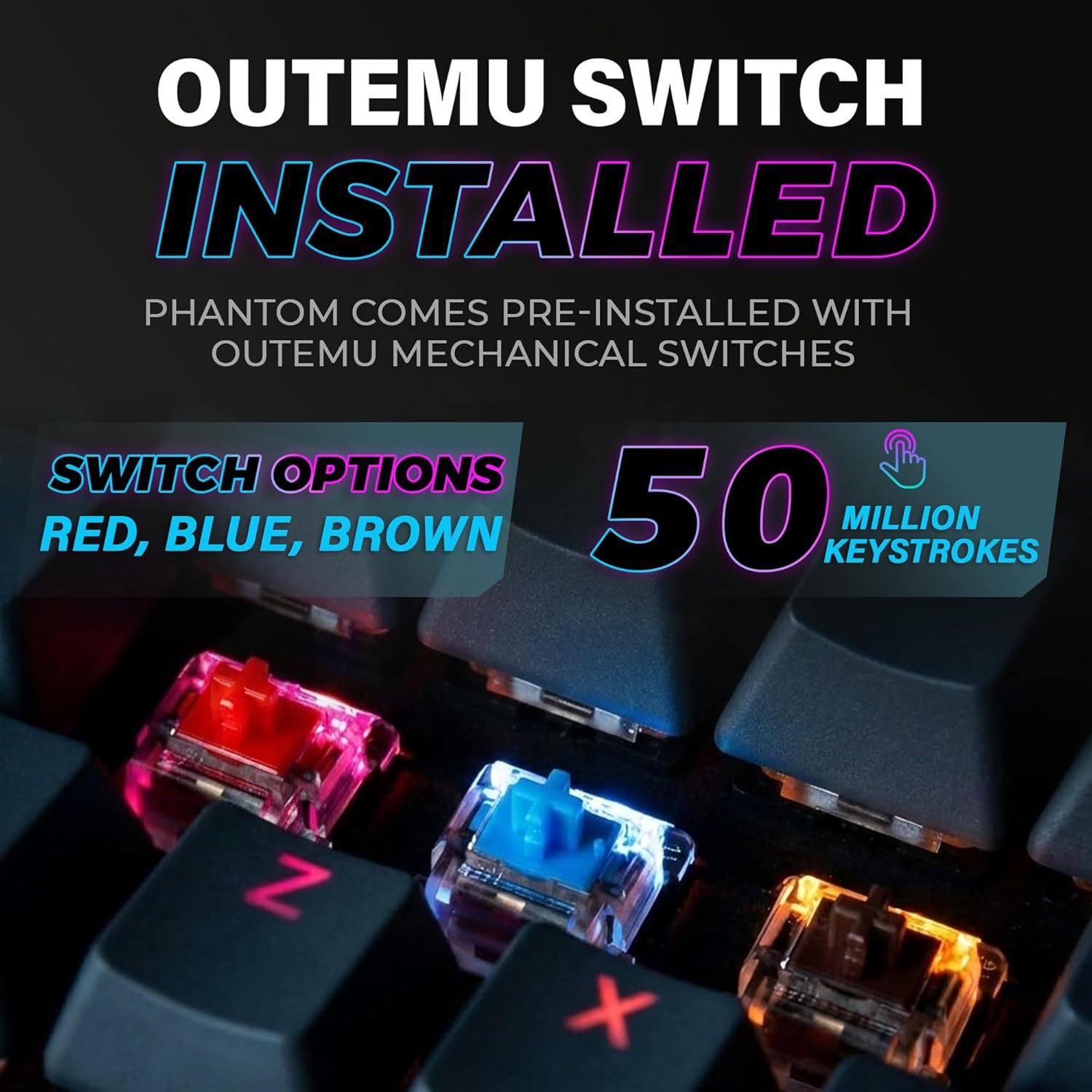
Figure 4: The keyboard comes with pre-installed Outemu switches, available in Red, Blue, and Brown options, rated for 50 million keystrokes.

Figure 5: An Outemu Red linear switch, detailing its pre-travel of 2.00mm, operating force of 45 gf/CN, and total travel of 4.00mm.
Усунення несправностей
| Випуск | Можливе рішення |
|---|---|
| Клавіатура не відповідає | Ensure the USB cable is securely connected to both the keyboard and the computer. Try a different USB port or computer. |
| Не працює RGB освітлення | Check if the lighting is turned off or set to minimum brightness using the Fn key combinations. Reinstall the TECWARE software if using custom profiles. |
| Певні клавіші не працюють | If you have hot-swappable switches, try replacing the faulty switch with one of the spare switches provided. Ensure the switch is properly seated. |
| Keys feel inconsistent | Ensure keycaps are fully pressed down. Clean under the keycaps for any debris. |
Video 2: Official TECWARE Phantom video demonstrating various features and functionalities of the keyboard.
Технічні характеристики
| Особливість | Деталь |
|---|---|
| Номер моделі | TWKB-P87ZORD |
| Тип перемикача | Outemu Red Mechanical (Linear) |
| Підрахунок ключів | 87 ключі |
| RGB освітлення | 16.8 Million Colors, 18 Pre-set Modes |
| Швидкість опитування | 1000 Гц |
| N-Key Rollover | Повний N-Key Rollover |
| Підключення | Дротовий USB-A |
| PCB | Dual-layer Fiberglass PCB |
| Розміри (Д x Ш x В) | 14.21 x 5.24 x 1.61 дюймів |
| вага | 2.53 фунта |
Гарантія та підтримка
TECWARE products are designed for durability and performance. For warranty information, technical support, or to download the latest software and drivers, please visit the official TECWARE webсайт або зверніться до служби підтримки клієнтів. Зберігайте чек про покупку як підтвердження покупки для гарантійних претензій.
Інтернет-ресурси:
- Official TECWARE Webсайт: www.tecware.co
- Сторінка підтримки продукту: TECWARE Amazon Store