
1. Вступ
This manual provides essential instructions for the proper setup, operation, and maintenance of your Black Box EVNDVI01-0010 DVI-A to VGA HD15 Cable. Please read this manual thoroughly before using the product to ensure optimal performance and longevity.
2. Продукт закінчивсяview
The Black Box EVNDVI01-0010 is a DVI-A to VGA HD15 cable designed to connect a digital DVI-A output from a source device to an analog VGA input on a display device. This cable facilitates the transmission of analog video signals, allowing compatibility between DVI-A enabled devices and traditional VGA monitors or projectors.
Ключові характеристики:
- Connects digital DVI-A display outputs to analog VGA device inputs.
- Supports resolutions up to 1600 x 1200.
- Features a 17-pin single link configuration for DVI-A.
- Male-to-Male connector gender.
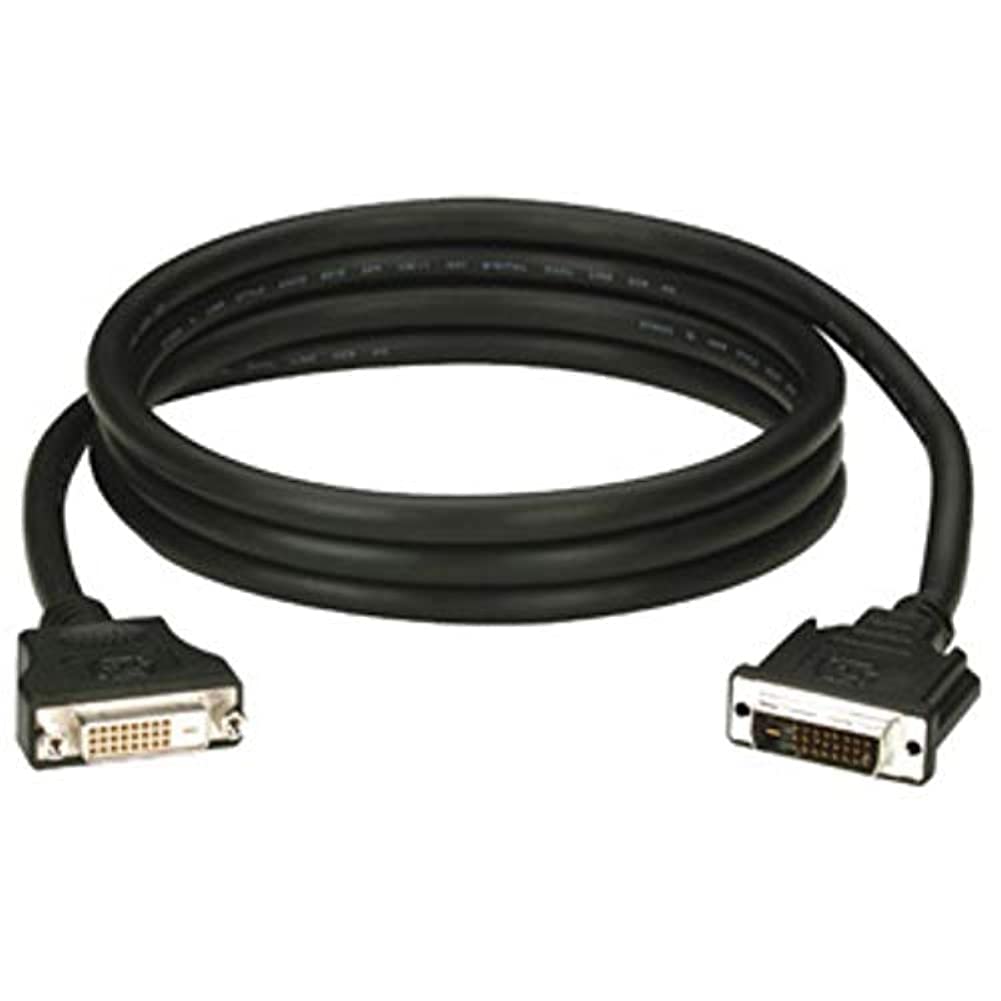
Figure 1: Black Box DVI-A to VGA HD15 Cable. This image displays the cable with its DVI-A (white) and VGA (blue) connectors, illustrating its male-to-male configuration.
3. Налаштування
Follow these steps to properly connect your DVI-A to VGA cable:
- Визначте порти: Locate the DVI-A output port on your source device (e.g., computer graphics card) and the VGA input port on your display device (e.g., monitor, projector). The VGA port is typically blue.
- Connect DVI-A: Carefully insert the DVI-A connector of the cable into the DVI-A output port of your source device. Ensure the pins align correctly and gently push until it is fully seated.
- Connect VGA: Insert the VGA HD15 connector of the cable into the VGA input port of your display device. Tighten the thumbscrews on the VGA connector to secure the connection and prevent accidental disconnections.
- Пристрої, що вмикаються: Увімкніть як пристрій-джерело, так і пристрій відображення.
- Виберіть вхід: On your display device, select the correct input source (e.g., 'VGA', 'PC', 'Input 1') using the display's menu or input selection button.
A proper connection should result in the display device showing the video output from the source device.
4. Операційна
Once the Black Box EVNDVI01-0010 cable is correctly connected, its operation is passive. The cable transmits the analog video signal directly from the source to the display. No additional software or drivers are required for the cable itself.
- Параметри роздільної здатності: Ensure your source device's display settings are configured to a resolution supported by both the source and the display device, up to 1600 x 1200.
- Режими відображення: If using a computer, you may need to configure your display mode (e.g., duplicate, extend, second screen only) through your operating system's display settings.
5. Технічне обслуговування
To ensure the longevity and reliable performance of your Black Box DVI-A to VGA cable, follow these maintenance guidelines:
- Обережно поводьтеся: Уникайте різкого згинання кабелю або застосування надмірної сили до роз'ємів.
- Тримати в чистоті: Періодично протирайте кабель та роз’єми м’якою сухою тканиною, щоб видалити пил та сміття. Не використовуйте рідкі засоби для чищення безпосередньо на роз’ємах.
- Зберігайте належним чином: When not in use, coil the cable loosely and store it in a clean, dry environment away from extreme temperatures.
- Огляньте на наявність пошкоджень: Regularly check the cable and connectors for any signs of wear, fraying, or damage. Discontinue use if damage is observed.
6. Вирішення проблем
If you encounter issues with your DVI-A to VGA cable, consider the following troubleshooting steps:
- Немає сигналу на дисплеї:
- Переконайтеся, що обидва кінці кабелю надійно підключені.
- Verify that both the source and display devices are powered on.
- Confirm the correct input source is selected on your display device.
- Test with another cable if available to rule out a faulty cable.
- Погана якість зображення (мерехтіння, спотворене зображення):
- Check for loose connections at both ends of the cable. Tighten VGA thumbscrews.
- Adjust the display resolution on your source device to a lower setting to see if the issue resolves.
- Ensure there are no strong electromagnetic interference sources near the cable.
- Перевірте кабель на наявність будь-яких фізичних пошкоджень.
- Неправильні кольори:
- Verify the cable is fully seated and not bent or damaged.
- Check the color settings on your display device and source device.
7. Технічні характеристики
| Бренд | Чорний ящик |
| Номер моделі | EVNDVI01-0010 |
| Тип роз'єму | DVI-A Male, VGA HD15 Male |
| Тип кабелю | DVI-A to VGA |
| Підтримувана роздільна здатність | До 1600 x 1200 |
| Стать з'єднувача | Від чоловіка до чоловіка |
| Колір | Чорний, Синій |
| Вага товару | 0.35 кілограма (12.3 унції) |
| Використання в приміщенні/зовні | В приміщенні, на відкритому повітрі |
| UPC | 822088058960 |
8. Гарантія та підтримка
For specific warranty information regarding your Black Box EVNDVI01-0010 DVI-A to VGA HD15 Cable, please refer to the official Black Box webсайт або зверніться безпосередньо до служби підтримки клієнтів. Умови гарантії можуть відрізнятися.
If you require technical assistance or have questions not covered in this manual, please contact Black Box customer support through their official channels.