
вступ
Thank you for choosing the KROM Kernel TKL Mechanical Gaming Keyboard. This compact, tenkeyless (TKL) keyboard is designed for gaming enthusiasts, offering a responsive mechanical experience with customizable RGB backlighting and a Spanish layout. This manual provides detailed instructions for setup, operation, maintenance, and troubleshooting to ensure optimal performance and longevity of your device.
Продукт закінченийview
Ключові характеристики
- Механічні перемикачі: Durable and responsive mechanical key switches for precise input.
- Дизайн безключового типу (TKL): Compact form factor without a numeric keypad, ideal for saving desk space and improving mouse movement.
- RGB-підсвічування: Customizable LED backlighting with various effects and colors.
- Макрофункціональність: Assign macro functions to any key for personalized commands.
- Мультимедійні клавіші: Dedicated or function-layer multimedia controls for convenience.
- Анти-привиди: Ensures all key presses are registered accurately, even during intense gaming sessions.
- Міцна конструкція: Виготовлено з якісних матеріалів для тривалої роботи.
- Spanish Layout: Designed with a QWERTY Spanish key layout.
Вміст упаковки
- KROM Kernel TKL Mechanical Gaming Keyboard
- USB-кабель (додається)
- Посібник користувача (цей документ)
- (Note: Additional accessories may vary by region or specific product bundle.)
Зображення 1.1: KROM Kernel TKL Mechanical Gaming Keyboard packaging, showing the front and back of the box with product features and design.

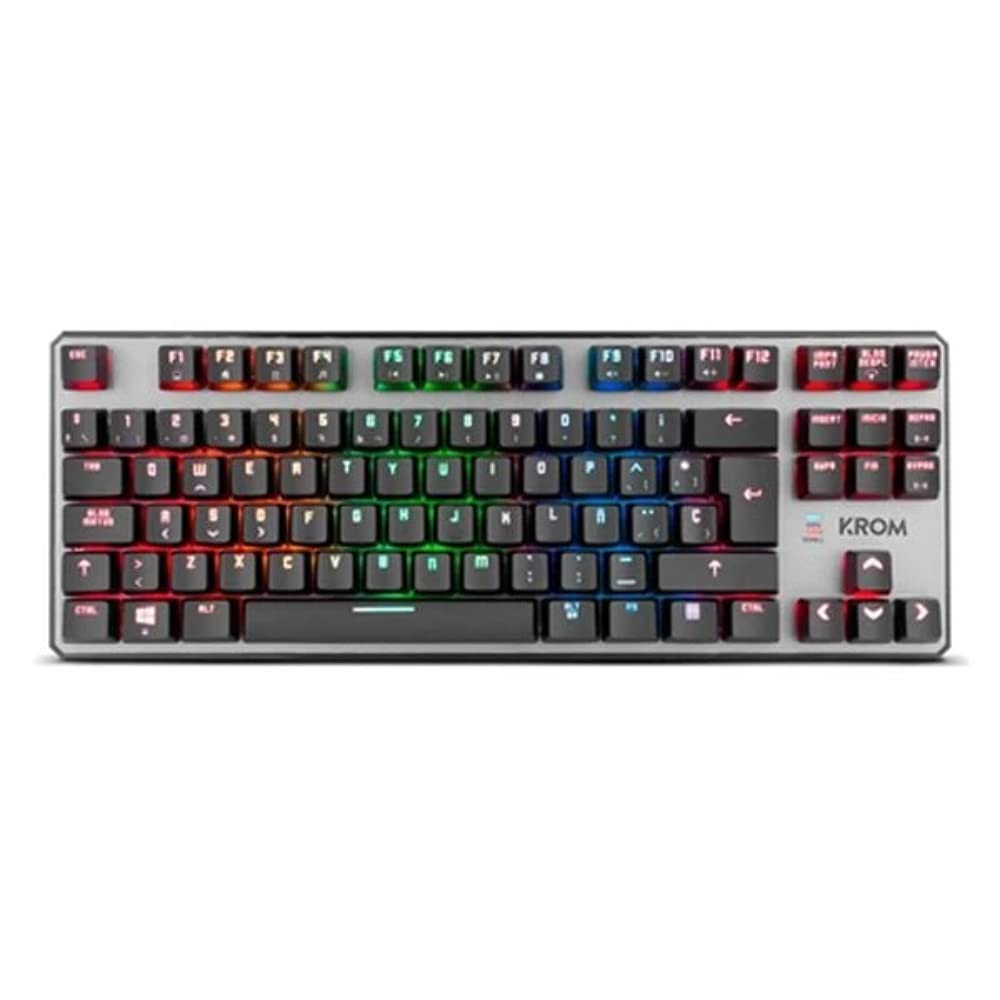
Зображення 1.2: З верху до низу view of the KROM Kernel TKL keyboard, showcasing its compact design and vibrant RGB backlighting across all keys.
Налаштування
- Розпакуйте клавіатуру: Carefully remove the KROM Kernel TKL keyboard from its packaging.
- Підключення до комп'ютера: Locate the USB cable attached to the keyboard. Plug the USB connector into an available USB port on your computer (PC or laptop).
- Встановлення драйвера: The keyboard is plug-and-play. Your operating system (Windows 7/8/8.1/10) should automatically detect and install the necessary drivers. This process may take a few moments.
- Перевірте працездатність: Once drivers are installed, test the keyboard by typing in a text editor or browser to ensure all keys are responsive.
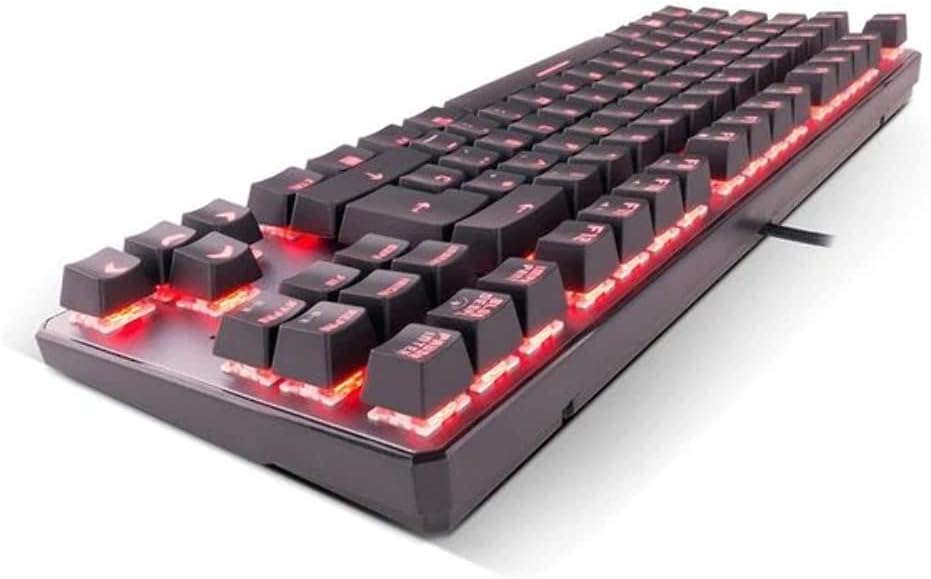
Зображення 2.1: сторона view of the KROM Kernel TKL keyboard, highlighting the red backlighting visible beneath the keycaps and the compact profile.
Інструкція з експлуатації
Керування RGB-підсвічуванням
The KROM Kernel TKL keyboard features dynamic RGB backlighting. Use the following key combinations to adjust lighting effects:
- Fn + [клавіша]: Specific function keys (often F1-F12 or dedicated keys) are used in combination with the Function (Fn) key to cycle through lighting modes, adjust brightness, change speed, or select colors. Refer to the keyboard's keycap legends for specific symbols indicating lighting controls.
- Регулювання яскравості: Typically Fn + Up/Down arrow keys or dedicated brightness keys.
- Швидкість ефекту: Often Fn + Left/Right arrow keys to increase or decrease the speed of dynamic lighting effects.
- Перемикання режимів: Cycle through various pre-set RGB lighting modes (e.g., wave, ripple, breathing, static color) using a dedicated Fn combination.

Зображення 3.1: The KROM Kernel TKL keyboard displaying its full RGB spectrum backlighting, enhancing the visual appeal during use.
Macro Function Assignment
The keyboard supports on-the-fly macro recording or software-based macro assignment. For on-the-fly recording:
- Розпочати запис: Press a specific Macro Record key (often labeled "MR" or a Fn combination).
- Select Target Key: Press the key you wish to assign the macro to.
- Record Sequence: Введіть послідовність клавіш, яку потрібно записати як макрос.
- Кінець запису: Press the Macro Record key again to save the macro.
Note: Detailed macro programming instructions may require specific software or refer to the full digital manual available on the KROM webсайт.
Мультимедіа та клавіші швидкого доступу
Access multimedia functions and system shortcuts using the Fn key in combination with the F-keys (F1-F12) or other designated keys. Common functions include:
- Регулювання гучності: Fn + Fx (e.g., F1-F3 for Mute, Volume Down, Volume Up).
- Відтворення мультимедіа: Fn + Fx (e.g., F5-F8 for Play/Pause, Stop, Previous Track, Next Track).
- Скорочення програм: Fn + Fx (e.g., F9-F12 for Email, Web Browser, My Computer, Calculator).

Зображення 3.2: Крупний план view of the KROM Kernel TKL keyboard's keycaps, clearly showing the Spanish QWERTY layout and secondary functions.
Технічне обслуговування
Правильне обслуговування забезпечує довговічність та продуктивність вашої клавіатури.
- Прибирання:
- Від’єднайте клавіатуру від комп’ютера перед чищенням.
- Використовуйте балончик зі стисненим повітрям, щоб видалити пил та сміття між клавішами.
- Протріть клавіші та поверхню клавіатури м’якою, злегка змоченою ганчіркоюamp, тканина без ворсу. Уникайте надмірної вологості.
- Не використовуйте агресивні хімікати, абразивні засоби для чищення або розчинники.
- Зберігання: Зберігайте клавіатуру в сухому, прохолодному місці, подалі від прямих сонячних променів та екстремальних температур.
- Обробка: Avoid dropping the keyboard or exposing it to liquids. Do not attempt to disassemble the keyboard as this may void the warranty.

Зображення 4.1: Побічний професіоналfile view of the KROM Kernel TKL keyboard, illustrating its ergonomic tilt and compact design.

Зображення 4.2: A close-up image showing a mechanical switch on the KROM Kernel TKL keyboard, highlighting its design and potential for easy replacement (CIY Technology).

Зображення 4.3: The CIY Technology logo, indicating that the keyboard features hot-swappable mechanical switches for easy customization or replacement.
Усунення несправностей
If you encounter issues with your KROM Kernel TKL keyboard, refer to the following common solutions:
- Клавіатура не реагує:
- Переконайтеся, що USB-кабель надійно підключено як до клавіатури, так і до комп’ютера.
- Спробуйте підключити клавіатуру до іншого USB-порту на комп'ютері.
- Перезавантажте комп'ютер.
- Перевірте клавіатуру на іншому комп’ютері, щоб визначити, чи проблема в клавіатурі, чи у вашій системі.
- Підсвічування не працює або працює неправильно:
- Check if the backlighting is turned off. Use the Fn key combinations to cycle through lighting modes and adjust brightness.
- Ensure no software conflicts are interfering with the lighting controls.
- Клавіші не реєструються або друкуються двічі:
- Очистіть пошкоджені клавіші стисненим повітрям, щоб видалити будь-яке сміття.
- If the keyboard uses hot-swappable switches (like the "CIY Technology" mentioned in an image), try gently removing and re-inserting the switch for the problematic key.
- Переконайтеся, що драйвери вашої операційної системи оновлені.
- Макрофункції не працюють:
- Review the macro programming steps to ensure correct recording.
- Check if any software is overriding the keyboard's native macro functions.
Технічні характеристики
| Особливість | Деталь |
|---|---|
| Номер моделі | NXKROMKRNLTKL |
| Тип клавіатури | Механічний |
| Макет | Spanish QWERTY (TKL) |
| Підсвічування | RGB LED |
| Підключення | Wired USB (Gold-plated) |
| Довжина кабелю | 180 cm (Braided) |
| Сила приведення в дію | 60 +/- 10 г |
| Швидкість опитування | 1000 Гц |
| Внутрішня пам'ять | 64 KB (for macros/profiles) |
| Споживання струму | 100-260 мА |
| томtage | 5.0 +/- 0.25 V |
| Розміри (Д x Ш x В) | 361 x 133.5 x 22.5 мм |
| вага | 950 +/- 30 г |
| Сумісність | Windows 7/8/8.1/10 |
| Особливості | Macro function assignment, Multimedia keys, Shortcut keys |
Гарантія та підтримка
KROM products are designed for reliability and performance. This product comes with a standard manufacturer's warranty. For specific warranty terms and conditions, please refer to the warranty card included with your product or visit the official KROM webсайт.
For technical support, driver downloads, or further assistance, please visit the KROM official support page or contact their customer service. Contact information can typically be found on the KROM webсайт або упаковка продукту.
KROM Official Webсайт: www.kromgaming.com (Примітка: Це тимчасовий фрагмент URL, please verify the actual KROM support webсайт.)