
вступ
The Temtop LKC-1000S+ is a professional 9-in-1 air quality detector designed to measure various indoor and outdoor air pollutants. This device provides real-time monitoring of PM2.5, PM10, particles, Formaldehyde (HCHO), Total Volatile Organic Compounds (TVOC), Air Quality Index (AQI), temperature, and humidity. It also features a histogram function to track PM2.5 changes over 12 hours. This manual will guide you through the proper use and maintenance of your device to ensure accurate and reliable air quality readings.
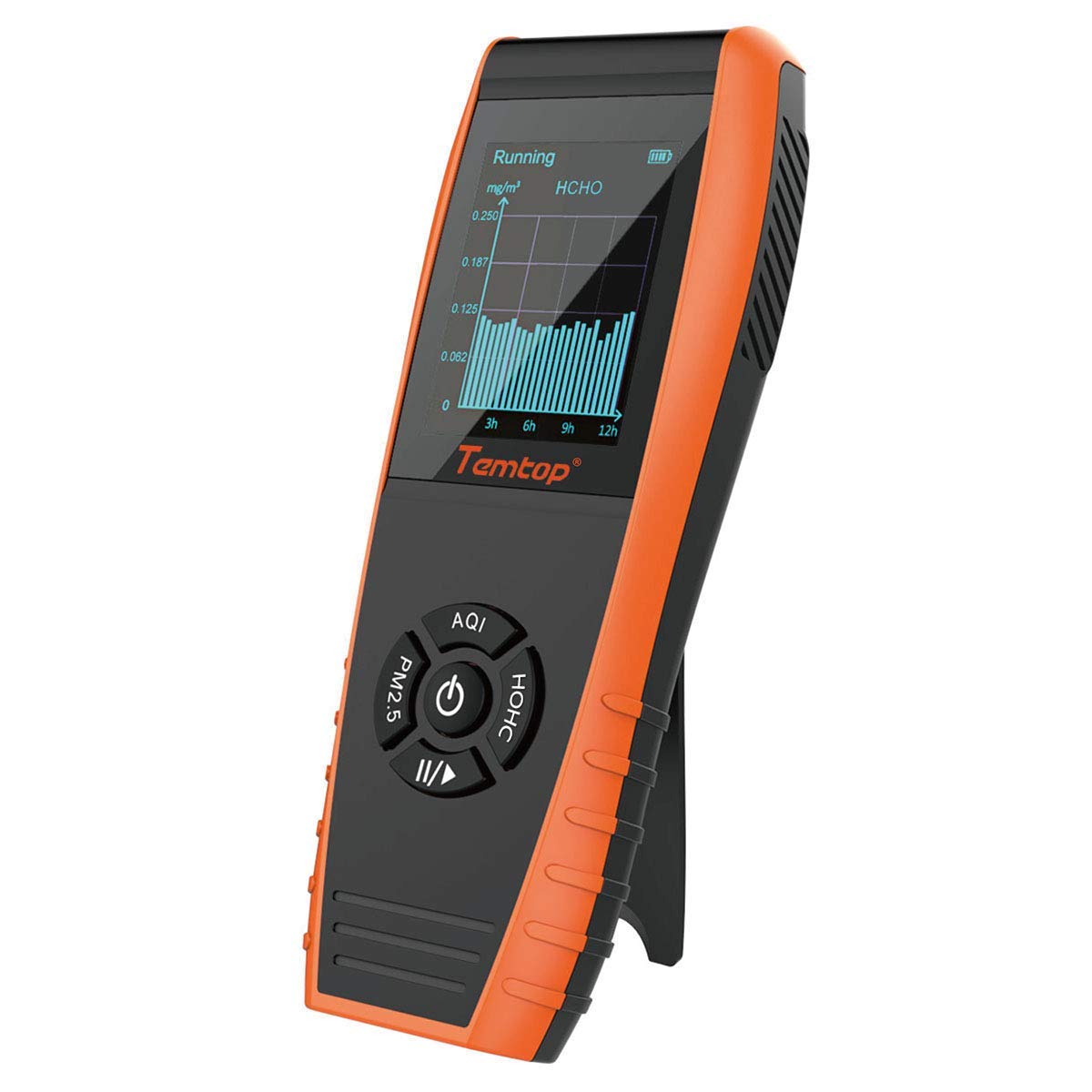
Figure 1: Temtop LKC-1000S+ Air Quality Monitor. This image shows the front view of the device, highlighting its display and control buttons.
Особливості продукту
- 9-в-1 виявлення: Measures PM2.5, PM10, particles, HCHO (formaldehyde), TVOC, AQI, temperature, and humidity.
- Histogram Function: Displays PM2.5 changes over the latest 12 hours for trend analysis.
- Advanced Laser Sensor: Features a third-generation laser particle sensor with a lifetime up to 20,000 hours, combined with a particle swarm optimization algorithm for accurate and stable particle measurement.
- Pre-calibrated Electrochemical Sensors: Accurately captures formaldehyde molecules and detects a wide range of organic pollutants.
- Large TFT Screen: Provides a clear and easy-to-read display of data, including a battery indicator.

Figure 2: Comparison of LKC-1000 series models. This chart illustrates the different functions available across the LKC-1000E, LKC-1000S, and LKC-1000S+ models, highlighting the comprehensive features of the LKC-1000S+.
Що в коробці
Після відкриття упаковки переконайтеся, що всі наступні предмети присутні:
- Temtop LKC-1000S+ Air Quality Monitor
- Зарядний кабель
- Скинути PIN-код
- Посібник користувача (цей документ)
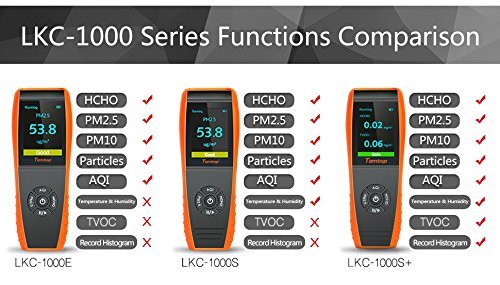
Figure 3: Packaging and contents of the Temtop LKC-1000S+. The image displays the device, charging cable, and user manual within its box.
Налаштування
1. Початкове заряджання
Before first use, fully charge the device. Connect the provided charging cable to the micro-USB port located at the bottom of the device and plug the other end into a USB power adapter (not included) or a computer USB port. The battery indicator on the screen will show charging status. A full charge typically takes several hours.

Малюнок 4: Нижня частина view of the Temtop LKC-1000S+ showing the micro-USB charging port. Note that the device cannot stand upright on its kickstand while charging due to the port's location.
2. Увімкнення/вимкнення живлення
- Щоб увімкнути, натисніть і утримуйте Кнопка живлення (center button) until the screen illuminates.
- Щоб вимкнути живлення, натисніть і утримуйте кнопку Кнопка живлення доки екран не вимкнеться.
3. Початкове калібрування
For optimal accuracy, especially for Formaldehyde (HCHO) and TVOC readings, it is recommended to perform an initial outdoor calibration. Place the device outdoors in a well-ventilated area, away from direct sunlight and rain, for at least 6 hours. During this period, the device will self-calibrate its sensors to baseline outdoor air quality levels. Ensure the device remains powered on during this process. If the device automatically powers off due to inactivity, periodically press a button to keep it active.
Інструкція з експлуатації
1. Розуміння дисплея
The large TFT screen displays various air quality parameters simultaneously. Key indicators include:
- PM2.5 / PM10: Particulate Matter readings in µg/m³.
- HCHO: Formaldehyde concentration in mg/m³.
- TVOC: Total Volatile Organic Compounds concentration in mg/m³.
- AQI: Air Quality Index, a single value representing overall air quality.
- Частинки: Total particle count.
- Температура та вологість: Ambient temperature and relative humidity.
- Індикатор батареї: Показує залишок заряду батареї.

Figure 5: The device display showing AQI (48, Good), temperature (79°F), and humidity (31%).
2. Функції кнопок
The device features several buttons for navigation and mode selection:
- Кнопка живлення (центральна): Press and hold to power on/off. Short press to confirm selections or switch display modes.
- AQI Button: Cycles through display modes related to AQI.
- Кнопка PM2.5: Cycles through display modes related to PM2.5.
- Кнопка HCHO: Cycles through display modes related to Formaldehyde.
- Play/Pause Button (Bottom): Used for controlling data recording or histogram display.
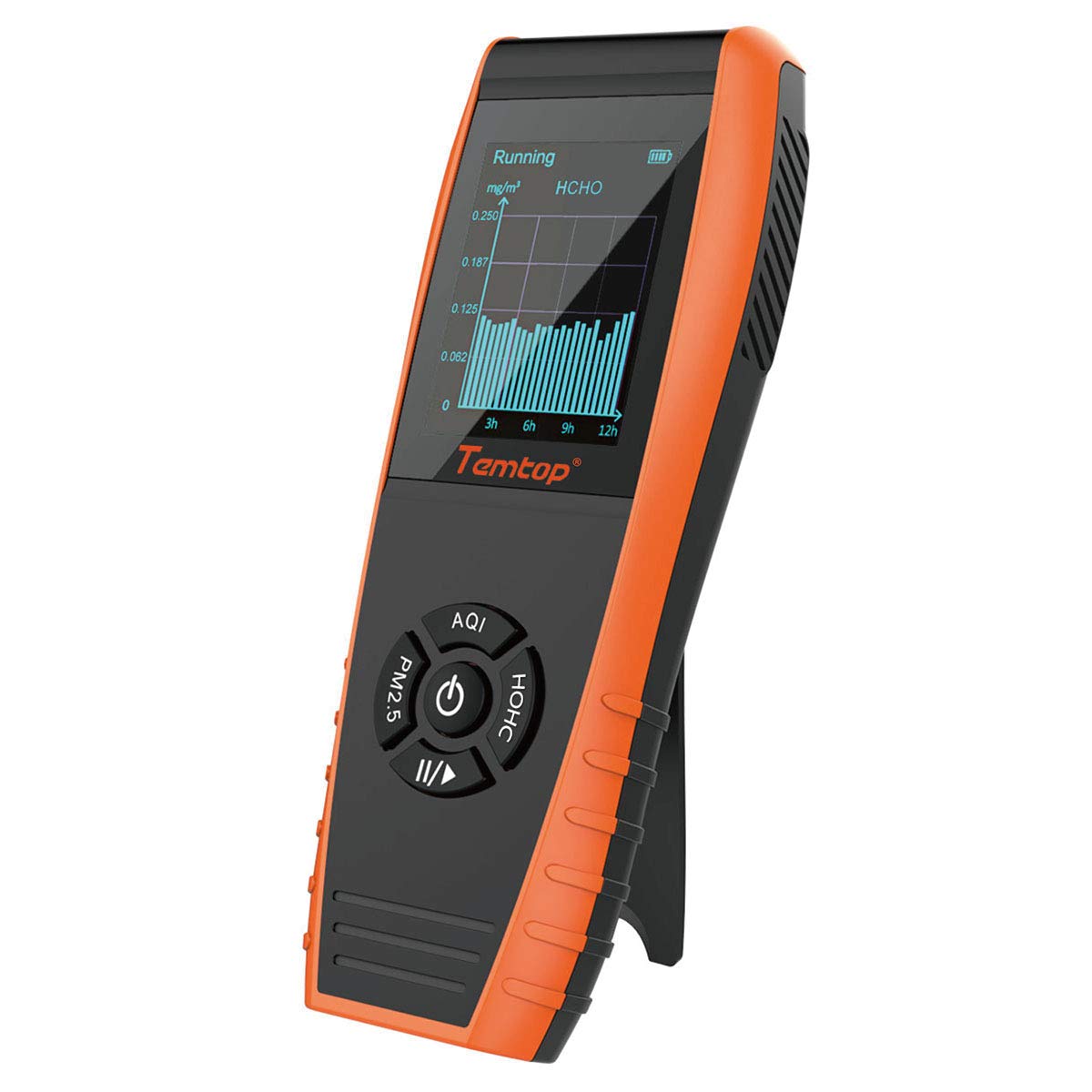
Figure 6: The device displaying a histogram of HCHO levels over time, with its integrated kickstand extended for viewінж.
3. Interpreting Air Quality Readings (Health Parameter Guide)
Refer to the following guide to understand the health implications of the measured parameters:

Figure 7: Health Parameter Guide. This table provides ranges for PM2.5, PM10, AQI, HCHO, and TVOC, correlating them with levels of health concern and displayed content (e.g., Good, Moderate, Unhealthy).
| Параметр | добре | Помірний | Нездоровий для чутливих груп | Нездоровий | Дуже нездоровий | небезпечний |
|---|---|---|---|---|---|---|
| PM2.5 (µg/m³) | 0.0-12.0 | 12.1-35.4 | 35.5-55.4 | 55.5-150.4 | 150.5-250.4 | ≥250.5 |
| PM10 (µg/m³) | 0-54 | 55-154 | 155-254 | 255-354 | 355-424 | ≥425 |
| AQI | 0-50 | 51-100 | 101-150 | 151-200 | 201-300 | ≥301 |
| HCHO (mg/m³) | 0-0.1 | >0.1 | ||||
| TVOC (мг/м³) | 0-0.5 | >0.5 |
4. Histogram Function
The histogram function allows you to visualize the trend of PM2.5 levels over the past 12 hours. To access this feature, navigate through the display modes using the PM2.5 button until the histogram view appears. This graphical representation helps in understanding air quality fluctuations over time.

Figure 8: The device in use, showing a PM2.5 histogram on its screen, indicating air quality trends.
Технічне обслуговування
1. Очищення пристрою
To maintain accurate readings, keep the device clean. Use a soft, dry cloth to wipe the exterior. Do not use abrasive cleaners or allow liquids to enter the sensor vents. Ensure the sensor vents on the side of the device remain clear of dust and debris.

Малюнок 9: Сторона view of the Temtop LKC-1000S+, highlighting the ventilation grilles for the air quality sensors. Keep these clear for accurate readings.
2. Догляд за акумулятором
The device is powered by a built-in Lithium Ion battery. To prolong battery life:
- Уникайте частого повного розряджання акумулятора.
- Регулярно заряджайте пристрій, навіть якщо він не використовується постійно.
- Зберігайте пристрій у прохолодному, сухому місці, якщо він не використовується протягом тривалого часу.
Усунення несправностей
- Неточні показання: Ensure the device has been properly calibrated outdoors for at least 6 hours. Avoid placing the device near strong air currents, heat sources, or areas with high humidity, as these can affect sensor performance. Clean the sensor vents regularly.
- Короткий термін служби батареї: Ensure the battery is charged. Battery life can vary based on usage patterns and environmental conditions. If battery life significantly degrades, contact customer support.
- Пристрій не вмикається: Ensure the battery is charged. If the device still does not power on, try performing a reset using the provided reset pin. Insert the pin into the small reset hole (usually located near the charging port or on the back) and gently press.
- Charging Port Accessibility: The USB charging port is located at the bottom. If using the kickstand, the device cannot be charged simultaneously while standing upright. Consider charging the device flat or holding it during charging.
Технічні характеристики
| Особливість | Деталь |
|---|---|
| Номер моделі | LKC-1000S+ |
| Розміри продукту | 6.97 x 2.56 x 1.26 дюймів |
| Вага товару | 0.5 фунта (приблизно 8 унції) |
| Джерело живлення | Живлення від батареї (1 літій-іонна батарея в комплекті) |
| Тип датчика | Electrochemical (for HCHO, TVOC) |
| Робоча вологість | до 90% |
| Верхня температура | 122 градусів за Фаренгейтом |
| сигналізація | Візуальний |
| матеріал | пластик |
Офіційне відео продукту
Перегляньте це офіційне відео для візуального оглядуview of the Temtop Air Quality Monitor and its capabilities.
Video 1: Temtop Air Quality Monitor Overview. This video demonstrates the importance of air quality monitoring and showcases the device's ability to detect various pollutants like PM2.5, VOCs, and Formaldehyde, providing an easy way to control the air around you.
Гарантія та підтримка
Temtop provides 24/7 US Technician Support via Email and Phone for any inquiries or assistance you may need regarding your LKC-1000S+ Air Quality Monitor. Please refer to the product packaging or the official Temtop webна сайті для отримання контактної інформації.