1. Вступ
The UDIRC U46 Mini Drone is a compact quadcopter designed for beginners and recreational flying. It features user-friendly controls and safety mechanisms to ensure an enjoyable experience. This manual provides essential information for operating and maintaining your drone.

Image 1.1: The UDIRC U46 Mini Drone, its remote controller, and three included batteries.
2. Правила безпеки
- Рекомендований вік: This product is recommended for users 14 years and older.
- Використання в приміщенні: The U46 drone is primarily designed for indoor use. Avoid flying in windy conditions outdoors, as this can lead to loss of control.
- Очистити область: Operate the drone in an open area free from obstacles, people, and pets.
- Безпека пропелера: Keep fingers, hair, and loose clothing away from the spinning propellers. The drone features propeller guards for added safety.
- Безпека батареї: Do not overcharge batteries. Use only the provided USB charger. Discontinue use if batteries show signs of damage or swelling.
- Вплив води: Avoid contact with water or moisture to prevent damage to electronic components.
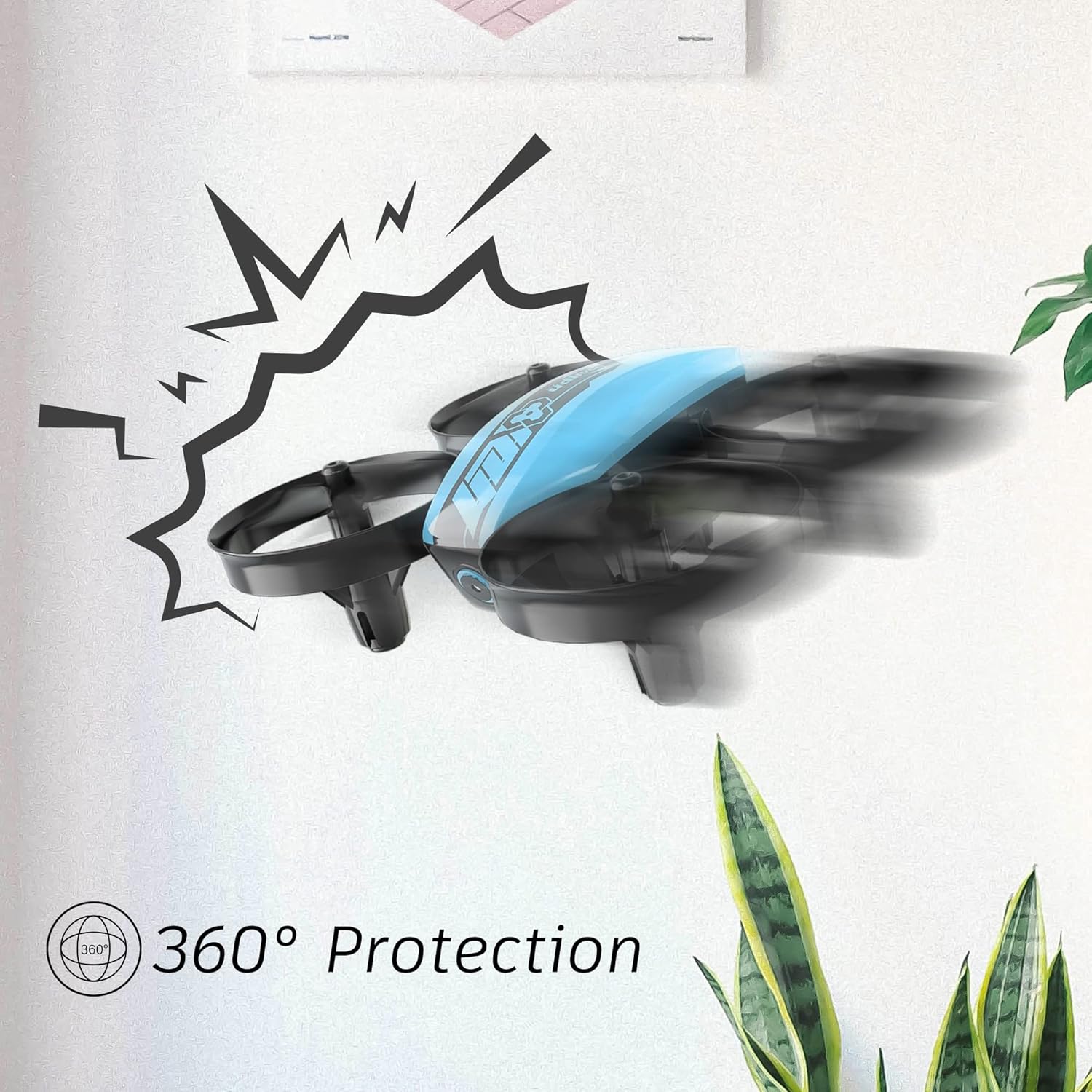
Image 2.1: The drone's 360-degree propeller protection guards help prevent damage during minor collisions.
3. Вміст упаковки
Перевірте наявність усіх елементів в упаковці:
- 1 x U46 Mini Drone
- 1 x контролер
- 3 x акумулятори для дрона
- 1 x USB зарядний пристрій
- 4 x Extra Propellers
- 1 х посібник користувача

Image 3.1: All components included in the UDIRC U46 Mini Drone package.
4. Компоненти Overview
Familiarize yourself with the drone and controller components.
4.1 Компоненти дрона
- Вібратори: Four rotating blades for lift and movement.
- Захист гвинта: Integrated protective rings around each propeller.
- Основний корпус: Містить електроніку та акумулятор.
- Світлові індикатори: Provide status information (e.g., pairing, low battery).
4.2 Компоненти контролера
- Лівий джойстик (дросель/рискання): Контролює висоту та обертання.
- Правий джойстик (тангування/кренування): Керує рухом вперед/назад та вліво/вправо.
- Одна кнопка зльоту/посадки: Ініціює автоматичний зліт або посадку.
- Кнопка режиму швидкості: Перемикається між різними швидкостями польоту.
- Кнопка безголового режиму: Активує безголовий політ.
- Вимикач живлення: Вмикає/вимикає контролер.
- Світловий індикатор: Shows controller status.
5. Налаштування
5.1 Заряджання акумулятора дрона
- Connect the drone battery to the USB charger.
- Plug the USB charger into a USB power source (e.g., computer, USB wall adapter).
- The indicator light on the USB charger will illuminate during charging and turn off when fully charged.
- Час заряджання однієї батареї становить приблизно 30 хвилин.
5.2 Встановлення батарейок контролера
- Open the battery compartment on the back of the controller.
- Insert 3 x 1.5V AA batteries (not included), ensuring correct polarity.
- Надійно закрийте батарейний відсік.
5.3 Сполучення дрона та контролера
- Покладіть дрон на рівну рівну поверхню.
- Увімкніть живлення дрона. Індикатори дрона блиматимуть.
- Turn on the controller's power switch. The controller's indicator light will flash.
- Натисніть лівий джойстик (дросель) повністю вгору, потім повністю вниз.
- The drone and controller indicator lights will become solid, indicating successful pairing.
Video 5.1: This video demonstrates the simple frequency pairing process, one-key take-off/landing, headless mode, altitude hold, and low battery alarm features of the UDI U46 Mini Drone.
6. Керування дроном
6.1 Зліт і посадка одним ключем
- After pairing, press the One Key Take-off/Landing button. The drone will automatically ascend to a stable hovering altitude.
- To land, press the One Key Take-off/Landing button again. The drone will slowly descend and land.
6.2 Органи керування польотом
- Лівий джойстик (дросель): Push up to increase altitude, pull down to decrease altitude.
- Лівий джойстик (поворот по осі): Push left or right to rotate the drone horizontally.
- Right Joystick (Pitch): Push up to fly forward, pull down to fly backward.
- Right Joystick (Roll): Push left to fly left, push right to fly right.
6.3 Режим без голови
- Press the Headless Mode button to activate. In this mode, the drone's orientation is irrelevant; it will always move relative to the pilot's position.
- Press the button again to exit Headless Mode.
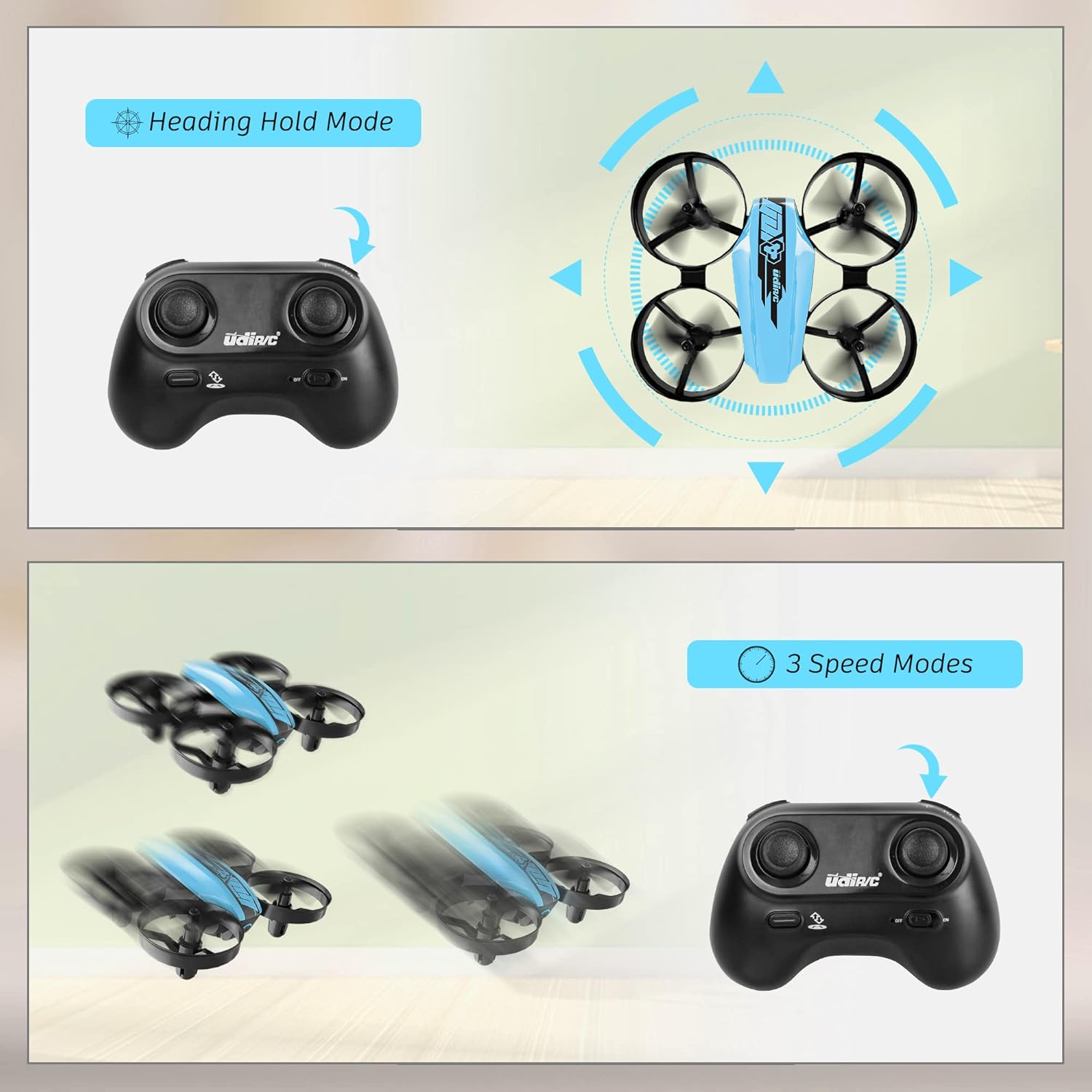
Image 6.1: Illustration of the Headless Mode feature and its activation on the controller.
6.4 Функція утримання висоти
- The U46 drone features an altitude hold function, allowing it to maintain a stable height automatically. This simplifies control, especially for beginners.

Image 6.2: Visual representation of Altitude Hold Mode, One Button Take Off/Landing, and Emergency Stop features.
6.5 режими швидкості
- The drone has three speed modes (low, medium, high). Press the Speed Mode button to cycle through them.
- Start with low speed for learning and gradually increase as you gain proficiency.
6.6 Аварійна зупинка
- In case of an emergency or loss of control, press and hold the One Key Take-off/Landing button for a few seconds to perform an emergency stop. The propellers will immediately cease rotation.
7. Технічне обслуговування
7.1 Заміна пропелера
- If a propeller is damaged, carefully remove it and replace it with a new one from the spare parts. Ensure the correct propeller (A or B) is installed on the corresponding motor.
7.2 Очищення та зберігання
- Wipe the drone with a soft, dry cloth after use. Avoid using water or cleaning agents.
- Store the drone and controller in a cool, dry place, away from direct sunlight and extreme temperatures.
- Вийміть батарейки з контролера, якщо зберігатимете його протягом тривалого часу.
8. Вирішення проблем
- Дрон не відповідає: Ensure both drone and controller are powered on and successfully paired. Check controller batteries.
- Дрейф дрона під час польоту: Perform calibration on a flat surface. Use the trim buttons on the controller to adjust for minor drifts.
- Короткий час польоту: Ensure batteries are fully charged. Flight time can vary based on flight style and environmental factors.
- Пропелери не обертаються: Check for obstructions or damage to propellers. Ensure they are correctly installed.
- Сигналізація про низький заряд батареї: The controller will emit an alarm sound when the drone's battery is low, indicating it's time to land and recharge.
9. Технічні характеристики
| Бренд | УДІРК |
| Назва моделі | U46S |
| Вага дрона | 0.05 фунта (приблизно 22.68 грамів) |
| Drone Dimensions | 3.54 см (Д) x 3.54 см (Ш) x 1.25 см (В) |
| Час польоту | 6-7 хвилин на одній батареї (до 21 хвилин з 3 батареями) |
| Регулятор частоти | 2.4 ГГц |
| Акумулятор контролера | 3 батарейки типу АА 1.5 В (не входять до комплекту) |
| Ємність акумулятора | 180 міліamp Години (літій-полімерний) |
| Рівень майстерності | Початківець |
| Особливості | Altitude Hold, Headless Mode, One Key Take-off/Landing, 3 Speed Modes, 360° Protection |

Image 9.1: Flight time illustration, showing extended flight with multiple batteries.

Image 9.2: Dimensions of the UDIRC U46 Mini Drone, shown next to a smartphone for size comparison.
10. Гарантія та підтримка
For warranty information or technical support, please refer to the contact details provided with your purchase or visit the official UDIRC webсайт. Зберігайте чек про покупку для гарантійних претензій.