
вступ
Welcome to the user manual for your Nokia 130 DS TA-1017 mobile phone. This guide provides essential information for setting up, operating, maintaining, and troubleshooting your device. Please read this manual carefully to ensure proper use and to maximize your phone's capabilities.
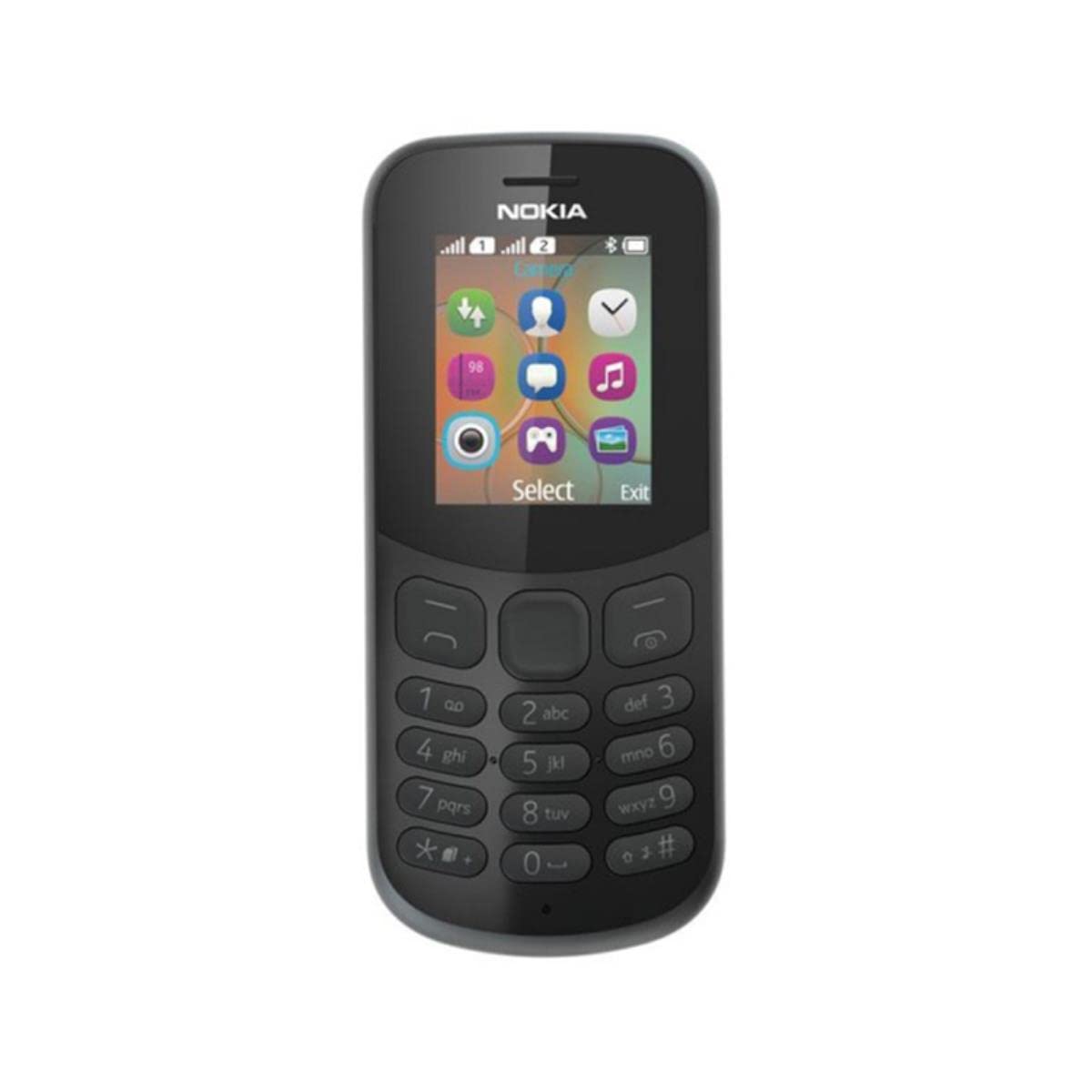
Зображення: Задня частина view of the Nokia 130 DS TA-1017 mobile phone, highlighting the camera and speaker components.
Налаштування
1. Вставте SIM-картку(и)
The Nokia 130 DS TA-1017 supports dual SIM cards. To insert a SIM card:
- Зніміть задню кришку телефону.
- If the battery is inserted, remove it.
- Slide the SIM card(s) into the designated slot(s) with the gold contacts facing down.
- Переконайтеся, що SIM-картка(и) надійно встановлені.
2. Вставте картку пам'яті
To expand storage, you can insert a MicroSD card (up to 32 GB):
- With the back cover and battery removed, locate the MicroSD card slot.
- Insert the MicroSD card into the slot with the gold contacts facing down until it clicks into place.
3. Insert and Charge Battery
The phone uses a removable 1020 mAh battery.
- Зіставте контакти акумулятора з контактами телефону та обережно натисніть на акумулятор, щоб він вставився на місце.
- Встановіть задню кришку.
- Connect the charger to the phone's charging port and plug it into a power outlet. The phone will indicate charging status.
4. Увімкнення/вимкнення живлення
To power on your phone, press and hold the power key until the phone vibrates or the screen lights up. To power off, press and hold the power key, then select 'Power off' from the options.
Керування телефоном
1. Основна навігація
Your Nokia 130 DS TA-1017 runs on the Nokia S30+ operating system. Use the navigation keys and the center select key to move through menus and make selections. The left and right soft keys perform functions indicated on the screen.
2. Здійснення та отримання дзвінків
- Щоб зателефонувати: Enter the phone number using the keypad and press the call key (green button).
- Щоб відповісти на дзвінок: Press the call key when the phone rings.
- Щоб завершити дзвінок: Press the end call key (red button).
3. Надсилання та отримання повідомлень
Navigate to the 'Messages' menu to compose and send SMS messages. You can also view received messages in your inbox.
4. Використання камери
Your phone is equipped with a VGA camera. To use the camera, navigate to the 'Camera' application from the main menu. Use the center select key to capture photos.
5. Connecting with Bluetooth
To connect to other Bluetooth devices:
- Go to 'Menu' > 'Settings' > 'Connectivity' > 'Bluetooth'.
- Увімкніть Bluetooth.
- Select 'Paired devices' or 'шукати audio devices' to find and connect to compatible devices.
6. Listening to Audio
The phone features a 3.5 mm headphone jack. Plug in compatible headphones to listen to music or radio privately.
Технічне обслуговування
1. Очищення пристрою
Use a soft, lint-free cloth to clean the phone's screen and body. Avoid using harsh chemicals or abrasive materials, as these can damage the device.
2. Догляд за акумулятором
- Уникайте впливу на акумулятор екстремальних температур.
- Не проколюйте та не пошкоджуйте акумулятор.
- Якщо телефон не використовуватиметься протягом тривалого часу, зберігайте його з частково зарядженим акумулятором.
3. Оновлення програмного забезпечення
Periodically check for software updates to ensure your phone has the latest features and security enhancements. Refer to the phone's settings menu for update options.
Усунення несправностей
Поширені проблеми та рішення
- Телефон не вмикається: Переконайтеся, що акумулятор заряджений та правильно вставлений.
- Немає сигналу мережі: Check that the SIM card is properly inserted. Move to an area with better network coverage.
- Поганий час автономної роботи: Reduce screen brightness, close unused applications, or replace an aging battery.
- Не вдається здійснювати/приймати дзвінки: Verify SIM card activation and network status.
Зверніться до служби підтримки
If you encounter issues that cannot be resolved using the troubleshooting steps, please contact Nokia customer support or your retailer for assistance.
Технічні характеристики
| Особливість | Специфікація |
|---|---|
| Назва моделі | 130 DS TA-1017 |
| Розміри | 10.6 х 4.5 х 1.4 см |
| Операційна система | Nokia S30+ |
| ОЗУ | 4 Мб |
| Внутрішня пам'ять | 8 Мб |
| Підтримка карт MicroSD | До 32 Гб |
| Дисплей | 1.8" TFT, 160 x 120 pixels |
| Ємність акумулятора | 1020 мАг (знімний) |
| Підключення | GSM (900/1800), Bluetooth |
| Камера | VGA (Rear) |
| Гніздо для навушників | 3.5 мм |
| SIM-слоти | Подвійна SIM-карта |
| Час розмови | До 22 годин |
Гарантія та підтримка
For information regarding your product's warranty, please refer to the warranty card included in the product packaging or visit the official Nokia support website. Keep your proof of purchase for warranty claims. For further assistance, contact Nokia customer service.