
вступ
This manual provides comprehensive instructions for the setup, operation, maintenance, and troubleshooting of your Mediacom 2020B1-B2 Universal On Demand TV/Cable Remote Control. Please read this guide thoroughly to ensure proper use and to maximize the functionality of your remote.
Налаштування
1. Встановлення батареї
The remote control requires two AAA batteries (included). Follow these steps to install them:
- Знайдіть кришку батарейного відсіку на задній панелі пульта дистанційного керування.
- Натисніть на язичок і зніміть кришку.
- Вставте дві батарейки типу AAA, переконавшись, що позитивний (+) та негативний (-) полюси правильно збігаються з позначками всередині відсіку.
- Посуньте кришку батарейного відсіку на місце, доки вона не зафіксується.

Зображення: Спина view of the Mediacom 2020B1-B2 remote control, showing the battery compartment and quick setup instructions.
2. Quick Setup / Programming
To program your remote control to operate your TV or cable box, use the quick setup method:
- Press and Hold SETUP: Locate the 'SETUP' button on your remote. Press and hold this button until the LED indicator light on the remote blinks twice.
- Enter 3-Digit Code: Refer to your device's manual for the appropriate 3-digit programming code for your TV or cable box. Enter this code using the number buttons on the remote.
- Тест функціональності: After entering the code, press the 'CH+' or 'CH-' button to test if the remote is controlling your device. If the device responds, the programming was successful. If not, repeat the steps with a different code from your device's manual, if available.
Інструкція з експлуатації
The Mediacom 2020B1-B2 remote control features a standard layout for easy navigation of your TV and cable services. Below are the primary functions of key buttons:
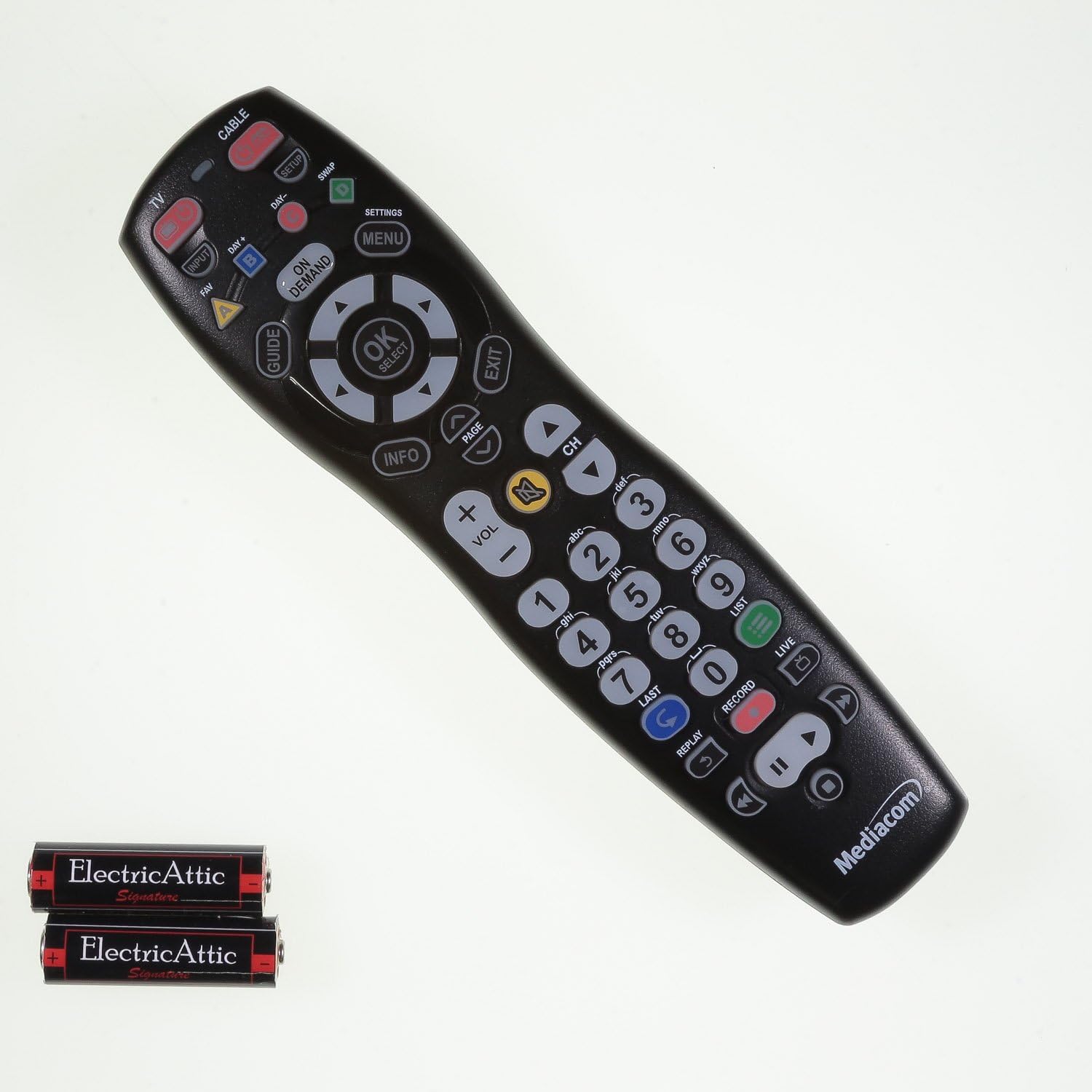
Зображення: спереду view of the Mediacom 2020B1-B2 remote control, displaying all operational buttons.
- ПОТУЖНІСТЬ: Turns your TV or cable box on/off.
- TV / CABLE: Toggles control between TV and cable box functions.
- ПОСІБНИК: Відображає програму передач.
- MENU / SETTINGS: Accesses the device's main menu or settings.
- OK / SELECT: Підтверджує вибір у меню.
- Стрілки навігації (Вгору, Вниз, Вліво, Вправо): Navigates through menus and program guides.
- ГУЧНІСТЬ +/-: Регулює рівень гучності.
- CH +/-: Перемикає канали вгору або вниз.
- Цифрова клавіатура (0-9): Безпосереднє введення номерів каналів.
- ІНФО: Відображає інформацію про поточну програму.
- НА ВИМОГУ: Accesses On Demand content.
- Playback Controls (PLAY, PAUSE, STOP, REW, FWD, RECORD): Керує функціями відтворення медіафайлів.
Технічне обслуговування
Заміна батареї
Replace batteries when the remote's LED indicator light fails to illuminate or blinks weakly, or when the remote becomes unresponsive. Always replace both batteries simultaneously with new AAA batteries.
прибирання
Для очищення пульта дистанційного керування використовуйте м’яку суху тканину. Для стійкого бруду злегкаampen the cloth with water. Avoid using harsh chemicals or abrasive cleaners, as these can damage the remote's surface or internal components.
Усунення несправностей
- Пульт не відповідає: Check battery orientation and ensure batteries are fresh. Reprogram the remote if necessary.
- Певні кнопки не працюють: Ensure the remote is in the correct mode (TV or CABLE). Clean around the unresponsive button to remove any debris.
- LED indicator not blinking: This usually indicates dead or incorrectly installed batteries. Replace batteries and check their orientation.
- Remote not controlling device after programming: Try alternative 3-digit codes for your device. Ensure there are no obstructions between the remote and the device's infrared sensor.
Технічні характеристики
- Номер моделі: 2020B1-B2
- Технологія підключення: Інфрачервоний
- Сумісні пристрої: Television, Cable Box
- Джерело живлення: 2 батареї AAA
- колір: чорний
- Вага товару: Приблизно 6 унції
- Розміри упаковки: Приблизно 9.84 x 2.48 x 1.26 дюйма
- Особливість: Універсальний
Підтримка
For additional support, programming codes, or further assistance with your Mediacom 2020B1-B2 Universal Remote Control, please visit the official support webсайт: