
1. Продукт закінчивсяview
The Zelotes F18 is a versatile gaming mouse designed for both wired and 2.4G wireless operation. It features an ergonomic design, adjustable DPI settings, customizable LED lighting, and multiple programmable buttons to enhance your computing and gaming experience.
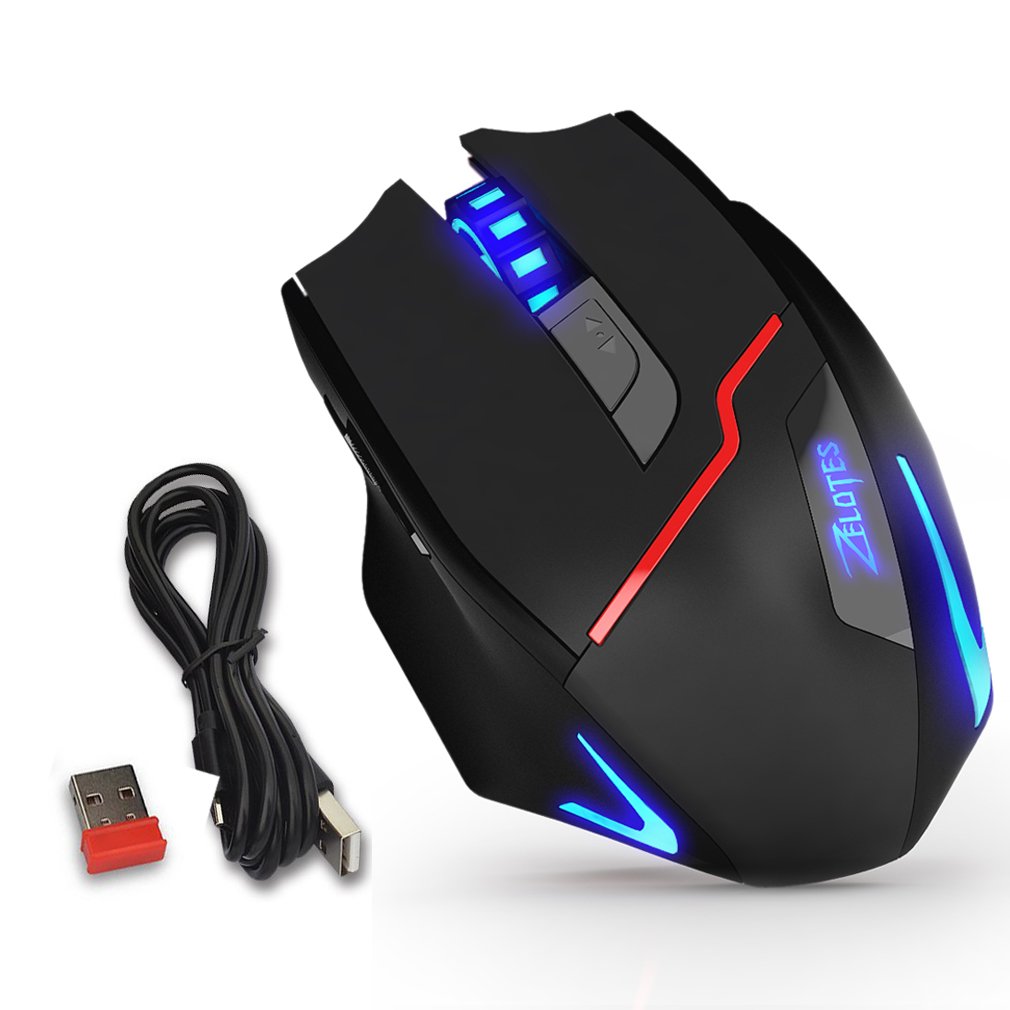
Figure 1: Zelotes F18 Gaming Mouse showcasing different LED lighting options and DPI levels.
The mouse is constructed with durable ABS material and features a braided USB cable for enhanced longevity. Its ergonomic shape is designed for comfortable long-term use.
2. Вміст упаковки
- 1 x Zelotes F18 Gaming Mouse
- 1 x USB Charging/Data Cable (1.8m braided fabric)
- 1 x USB Wireless Receiver (stored in the mouse)
- 1 х Інструкція з експлуатації
3. Налаштування
3.1 Бездротове з'єднання (2.4G)
- Locate the USB wireless receiver, typically stored in a compartment on the underside of the mouse.
- Підключіть бездротовий USB-приймач до вільного USB-порту на вашому комп'ютері.
- Увімкніть мишу за допомогою перемикача живлення, розташованого знизу.
- Ваш комп’ютер має автоматично виявити та встановити необхідні драйвери. Миша готова до використання.
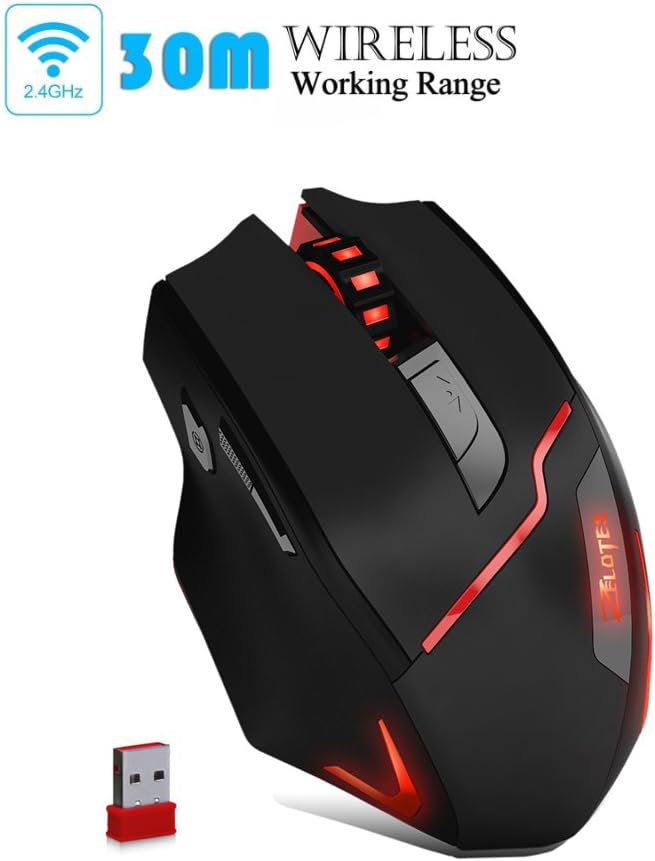
Figure 2: The Zelotes F18 mouse operating wirelessly with its USB receiver.
3.2 Дротове підключення
- Connect the USB charging/data cable to the mouse's charging port.
- Підключіть інший кінець USB-кабелю до вільного USB-порту комп’ютера.
- Миша працюватиме як дротова миша, а також заряджатиме свій внутрішній акумулятор.

Figure 3: The Zelotes F18 mouse connected via its USB cable, also illustrating comfortable grip.
4. Інструкція з експлуатації
The Zelotes F18 mouse features 8 buttons, each with specific functions to enhance usability and gaming performance.

Figure 4: Labeled diagram of the Zelotes F18 mouse buttons.
- Права клавіша
- Ліва клавіша
- Колесо прокрутки
- Кнопка циклу DPI: Press to cycle through DPI settings.
- Ключ вогню:
- Short Press: Performs a double-click.
- Long Press (more than 2 seconds): Switches to a triple-click function. The light will flash 3 times to indicate successful switching.
- Forward/Previous Page Button (Thumb Function): Navigates forward in web browsers or folder windows.
- Backward/Next Page Button (Thumb Function): Navigates backward in web browsers or folder windows.
- Перемикач режиму освітлення (Not explicitly numbered in image, but described in features):
- Short Press: Cycles through 13 different light modes (color cycle breathing, 6 single-color breathing, 6 single-color constant light).
- Long Press (more than 2 seconds): Turns off the LED lights.
4.1 Налаштування DPI
The mouse offers 6 adjustable DPI settings for precision control. Press the Кнопка циклу DPI (Button 4) to switch between the following sensitivities:
- 1000 DPI (Red Light flashes orange 3 times)
- 1600 DPI (Green Light)
- 2400 DPI (Green Light)
- 3200 DPI (Light Blue Light)
- 5500 DPI (Blue Light)
- 9200 DPI (Purple Light)
The LED indicator color changes to reflect the current DPI setting.
5. Заряджання та акумулятор
The Zelotes F18 mouse features a built-in rechargeable battery. To charge the mouse, connect it to your computer using the provided USB cable. The mouse can be used normally while charging in wired mode.
When the battery is low, the mouse's performance or lighting may be affected. Connect the USB cable to recharge promptly.
6. Технічне обслуговування
- Прибирання: Використовуйте м’яку суху тканину для очищення миші. Для стійкого бруду злегкаamp Можна використовувати тканину, але переконайтеся, що рідина не потрапила всередину миші.
- Зберігання: Store the mouse in a dry environment, away from extreme temperatures and direct sunlight.
- Захисна плівка: Before initial use, ensure you remove any protective film from the mouse's foot pads to ensure smooth gliding.
7. Вирішення проблем
- Миша не реагує:
- Ensure the mouse is powered on (if in wireless mode).
- Check the USB receiver connection or the wired USB cable connection. Try a different USB port.
- Ensure the battery is charged. Connect the mouse via USB cable to charge.
- Рух курсора нерівномірний або повільний:
- Очистіть оптичний датчик на нижній стороні миші.
- Переконайтеся, що ви використовуєте мишу на відповідній поверхні (наприклад, килимку для миші).
- Adjust the DPI setting using the DPI Cycle Button.
- LED lights are off:
- Short press the Light Mode Switch to cycle through modes.
- Ensure the lights haven't been turned off by a long press of the Light Mode Switch.
- Заводські налаштування: If you experience persistent issues, you can restore the mouse to factory settings by pressing the Left and Right buttons simultaneously for more than 2 seconds.
8. Технічні характеристики
| Особливість | Деталь |
|---|---|
| Номер моделі | F18 |
| Підключення | Wired (USB) / Wireless (2.4G) |
| Система відстеження | Optical (Red Wave Type) |
| Налаштування DPI | 1000/1600/2400/3200/5500/9200 |
| Кількість кнопок | 8 |
| Довжина кабелю | 1.8 meters (braided fabric) |
| Робочий випtagе/Поточний | 5 В / 100 мА |
| Розміри (Д x Ш x В) | 130 x 81 x 40 мм (прибл. 5.1 x 3.2 x 1.6 дюйма) |
| вага | 160g +/- 5g |
| Противага | 8 x 2.5 Gram tuning weights (internal) |
| Особливість | LED Light, Ergonomic Design |

Figure 5: Physical dimensions of the Zelotes F18 Gaming Mouse.

Figure 6: The ergonomic design of the Zelotes F18 mouse, crafted for comfort during extended use.
9. Сумісність
The Zelotes F18 Gaming Mouse is compatible with a wide range of operating systems, including:
- Windows 98/2000/ME/NT/XP/Vista/7/8/10
- Mac OS
- Linux
Simply connect the mouse to an available USB port for plug-and-play functionality.
10. Гарантія та підтримка
For warranty information and technical support, please refer to the documentation included with your purchase or contact Zelotes customer service. Keep your purchase receipt as proof of purchase for warranty claims.