
вступ
The RCF M18 is an advanced 18-input digital mixer designed for professional audio applications, integrating a wide array of effects and features for comprehensive sound control. This manual provides essential information for setting up, operating, maintaining, and troubleshooting your M18 digital mixer, ensuring optimal performance and longevity.
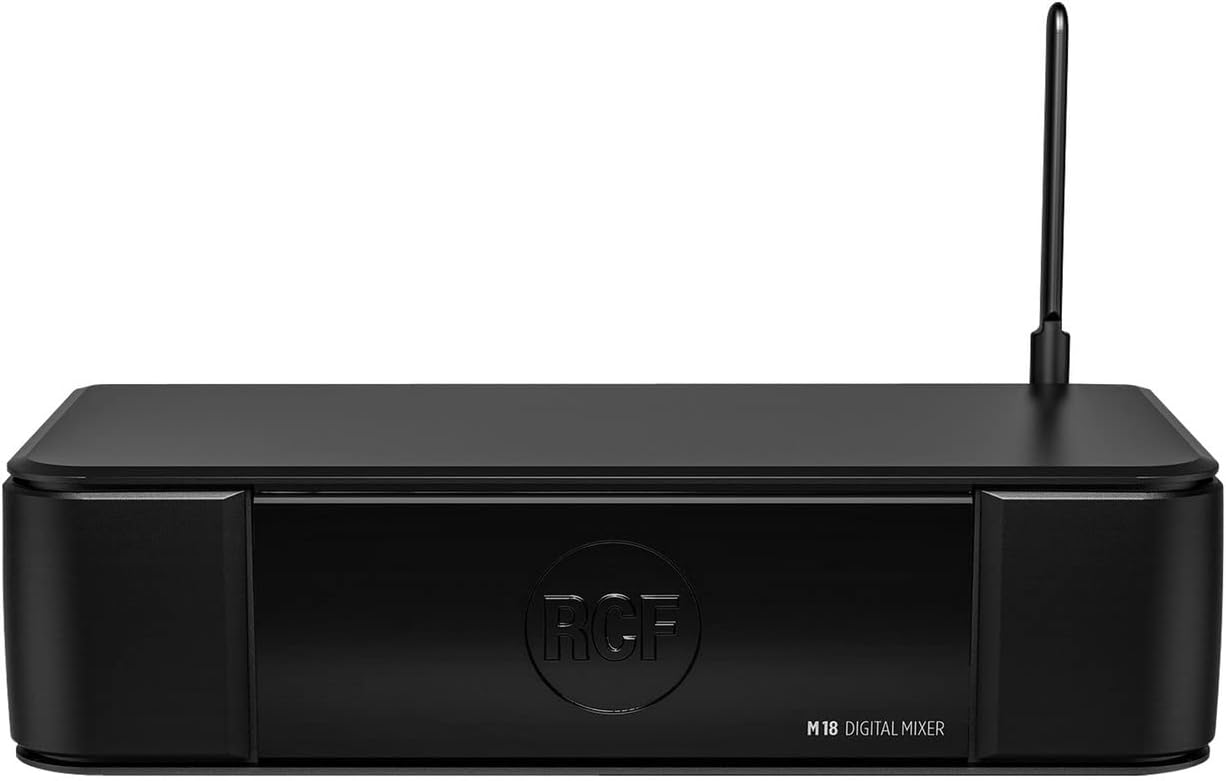
Малюнок 1: Спереду view of the RCF M18 Digital Mixer, showcasinйого компактний дизайн та брендинг.
Налаштування
Before operating the RCF M18, ensure it is placed on a stable, flat surface with adequate ventilation. Connect the power cable to the mixer's power input and then to a suitable power outlet. Avoid placing the mixer near heat sources or in direct sunlight.
Підключення входів і виходів
The M18 offers a variety of input and output options for connecting microphones, instruments, and other audio devices. Refer to the rear panel diagram for port identification.
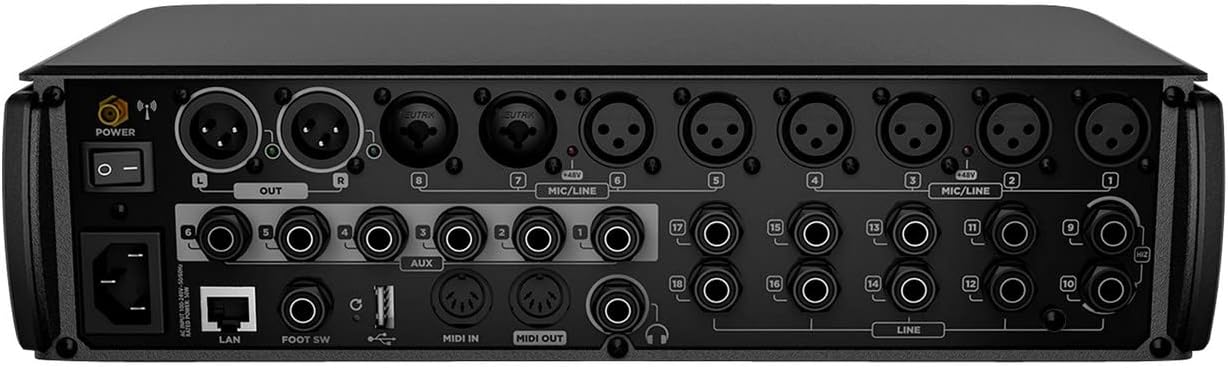
Figure 2: Rear panel of the RCF M18 Digital Mixer, showing XLR, TRS, MIDI, LAN, and USB ports for comprehensive connectivity.
- Входи XLR: For microphones and other balanced audio sources.
- TRS/Line Inputs: For instruments, line-level devices, and auxiliary inputs.
- Основні виходи (XLR): Підключіться до вашої основної системи гучного зв'язку або студійних моніторів.
- Допоміжні виходи: For monitor mixes or external effects sends.
- MIDI вхід/вихід: For connecting MIDI controllers or other MIDI-compatible devices.
- Порт USB 2.0: For recording and playback of WAV, MP3, and AIFF files.
- Порт LAN: Для підключення до мережі та дистанційного керування.
- Введення педального перемикача: For connecting a dual footswitch for hands-free control.
Інструкція з експлуатації
The RCF M18 offers extensive control over your audio signals. Familiarize yourself with the mixer's interface and features to optimize your sound.
Input Channels and Buses
- The M18 features 18 input channels, allowing for a wide range of simultaneous audio sources.
- Utilize the 6 buses for routing audio to different destinations, such as monitor mixes or subgroups.
- The stereo main out is provided via XLR connections.
Integrated Effects and EQ
- Access 19 simultaneously usable effects to enhance your audio.
- Apply one of 3 different EQ types on the input channels for precise tonal shaping.
Amp Симуляції
- Explore 11 integrated realistic amp simulations for guitar and bass, developed by Overloud and Markbass, to achieve diverse instrument tones directly within the mixer.
Internal Audio Player/Recorder
- The internal audio player/recorder supports WAV, MP3, and AIFF formats via the USB 2.0 port, allowing for convenient playback of backing tracks or recording of live performances.
Моніторинг і контроль
- The headphone jack can be used for personal monitoring, providing a dedicated output for critical listening.
- MIDI input allows for external control of mixer parameters.
- A dual footswitch input provides hands-free control over assignable functions.
Технічне обслуговування
Proper maintenance ensures the longevity and reliable operation of your RCF M18 Digital Mixer.
- Прибирання: Використовуйте м’яку суху тканину для очищення зовнішньої частини міксера. Уникайте використання абразивних засобів для чищення або розчинників, які можуть пошкодити покриття.
- Вентиляція: Переконайтеся, що вентиляційні отвори не засмічені, щоб запобігти перегріванню.
- Зберігання: Коли міксер не використовується, зберігайте його в прохолодному, сухому місці, подалі від прямих сонячних променів та екстремальних температур.
- Управління кабелем: Регулярно перевіряйте всі кабелі на наявність зносу. Негайно замінюйте пошкоджені кабелі, щоб запобігти проблемам із сигналом або ураженню електричним струмом.
Усунення несправностей
This section addresses common issues you might encounter with your RCF M18 Digital Mixer. If you experience problems not covered here, please contact RCF customer support.
- Немає живлення: Переконайтеся, що кабель живлення надійно підключено як до міксеру, так і до справної розетки. Перевірте положення вимикача живлення.
- Немає вихідного звуку: Verify that the main output levels are up and not muted. Check all cable connections from the mixer to your PA system or monitors. Ensure input channels are active and their levels are set appropriately.
- Спотворений звук: Reduce input gain levels to prevent clipping. Check for damaged cables or faulty microphones/instruments.
- Connectivity Issues (LAN/USB): Ensure network cables are properly connected and network settings are correct. For USB, verify the device is recognized and the correct file format is used.
Технічні характеристики
Detailed technical specifications for the RCF M18 Digital Mixer.
| Особливість | Значення |
|---|---|
| Вага товару | 10 фунта |
| Розміри продукту | 4 x 6 x 4 дюймів |
| ASIN | B0711W1DBW |
| Номер моделі товару | M18 |
| Дата першої доступності | 17 березня 2017 р |
| Джерело живлення | Провідний електричний |
Гарантія та підтримка
The RCF M18 Digital Mixer is covered by a manufacturer's warranty. Please refer to the warranty card included with your product for specific terms and conditions, including coverage duration and limitations.
For technical support, service, or warranty claims, please contact RCF customer service. You can find contact information and additional resources on the official RCF webсайт: www.rcf.it
When contacting support, please have your product model number (M18) and serial number ready to expedite the process.